1. Танилцуулга
The Geemarc Amplipower60 is an ultra-amplified corded telephone designed to provide clear and loud communication, especially beneficial for individuals with hearing impairments. This manual provides detailed instructions for setting up, operating, and maintaining your telephone to ensure optimal performance.

Figure 1: Geemarc Amplipower60 Ultra Ampутастай утас
Энэ зураг нь гол зүйлийг харуулж байна view of the Geemarc Amplipower60 telephone, highlighting its large keypad and ergonomic design.
2. Бүтээгдэхүүний онцлог
The Amplipower60 telephone is equipped with several features to enhance usability and accessibility:
- Amplified Landline Phone: Specifically designed to help hard of hearing individuals make and hear phone calls easier, and prevent missing incoming calls.
- Loud Ringer & Strobe Notification: Features a loud ringer and an extra bright flashing incoming call strobe for visual alerts.
- Extra-Large Keypad: Equipped with easy-to-read numbers for convenient dialing.
- Quick Dialing: Includes 3 color-coded buttons for quick access to emergency services or family members, and 9 quick dial keys for frequently used contacts.
- Extra Loud & Hearing Aid Compatible: Provides up to 65dB of extra clear TrueSound, up to 15dB for the speakerphone, and up to 95dB for the ringer. It is also hearing aid compatible.
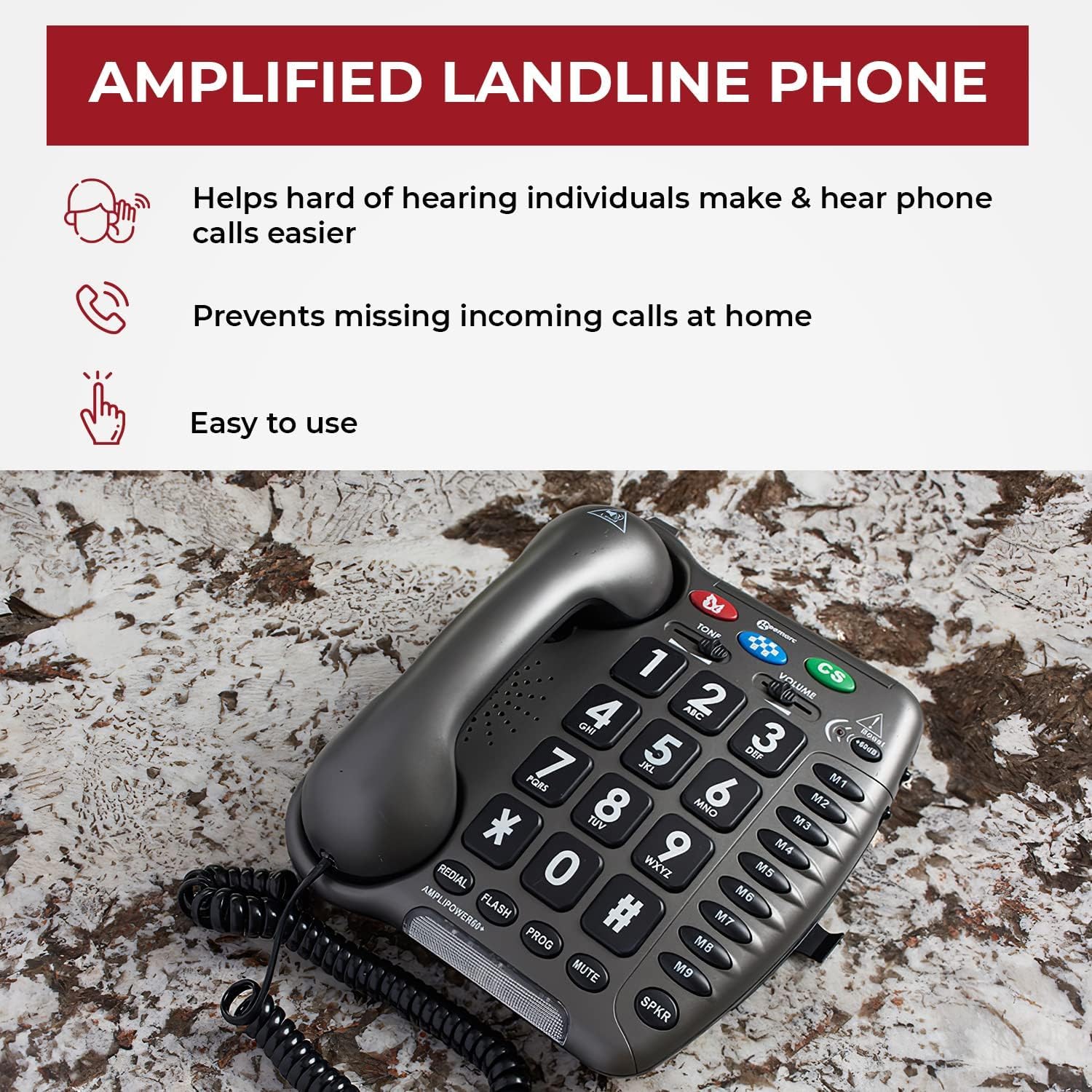
Figure 2: Key Benefits of the AmpСуурин утас
This image illustrates the primary advantag-ийн es Amplipower60, including ease of use, assistance for the hard of hearing, and preventing missed calls.

Figure 3: Sound Amplification and Compatibility
This image details the sound amplification capabilities of the phone, including up to 65dB TrueSound, 15dB speakerphone, and 95dB ringer, along with its hearing aid compatibility.

Figure 4: Dialing Convenience
This image highlights the large numbers and quick dial buttons (M1-M9) that make dialing easy and convenient for users.
3. Тохируулах гарын авлага
Follow these steps to set up your Geemarc Amplipower60 telephone:
- Агуулгыг задлах: Carefully remove all components from the packaging. Ensure you have the telephone base, handset, coiled handset cord, line cord, and power adapter.
- Батерейг суулгах: The phone requires 4 AAA batteries (not included) for certain functions like memory retention during power outages. Locate the battery compartment on the underside of the phone, insert the batteries according to the polarity markings, and close the compartment.
- Гар утсыг холбох: Plug one end of the coiled handset cord into the handset and the other end into the jack labeled 'HANDSET' on the side or back of the telephone base.
- Шугамын холболтын утас: Plug one end of the line cord into the jack labeled 'LINE' on the telephone base and the other end into your telephone wall jack.
- Цахилгаан адаптерийг холбоно уу: Plug the small end of the power adapter into the 'DC IN' jack on the telephone base and the other end into a standard electrical outlet.
- Анхны туршилт: Lift the handset. You should hear a dial tone. If not, recheck all connections.
4. Ашиглалтын заавар
4.1 Дуудлага хийх
- Гар утсаа өргөж эсвэл дар SPKR чанга яригчийг идэвхжүүлэх товчийг дарна уу.
- Залгах аяыг сонсоорой.
- Dial the desired telephone number using the large keypad.
- Дуудлагыг дуусгахын тулд гар утсаа солих эсвэл товчийг дарна уу SPKR button again if on speakerphone.
4.2 Дуудлага хүлээн авах
When the phone rings and the strobe light flashes:
- Дуудлагад хариулахын тулд утсаа өргө.
- Эсвэл товчийг дарна уу SPKR button to answer on speakerphone.
4.3 Ашиглах Ampамь нас
The Amplipower60 is designed to provide significant sound ampбаталгаажуулах. The amplification is typically active by default or can be adjusted:
- Гар утасны дууны хэмжээ: -г ашиглана уу ЭЗЭМШИГ slider on the side of the phone to adjust the incoming call volume through the handset. This can provide up to 65dB of clear TrueSound.
- Чанга яригчийн дууны түвшин: When using the speakerphone, the volume can be adjusted to provide up to 15dB of sound.
- Хонхны дууны түвшин: The ringer can be set to provide up to 95dB of sound. Adjust the ringer volume switch on the side or back of the phone.
- Ая хянах: -г ашиглана уу Ая button to adjust the frequency response for clearer sound, especially for certain types of hearing loss.
4.4 Speed Dial / Memory Buttons
The phone features 3 color-coded emergency buttons (M, CS) and 9 quick dial memory buttons (M1-M9).
- Програмчлалын санах ойн товчлуурууд: Refer to the detailed programming instructions in the full manual for setting up emergency and quick dial numbers. Typically, this involves pressing a PROG button, then the memory button, dialing the number, and pressing PROG дахин.
- Using Memory Buttons: Гар утсаа өргөж эсвэл дар SPKR, then press the desired memory button (M, CS, M1-M9) to dial the stored number.
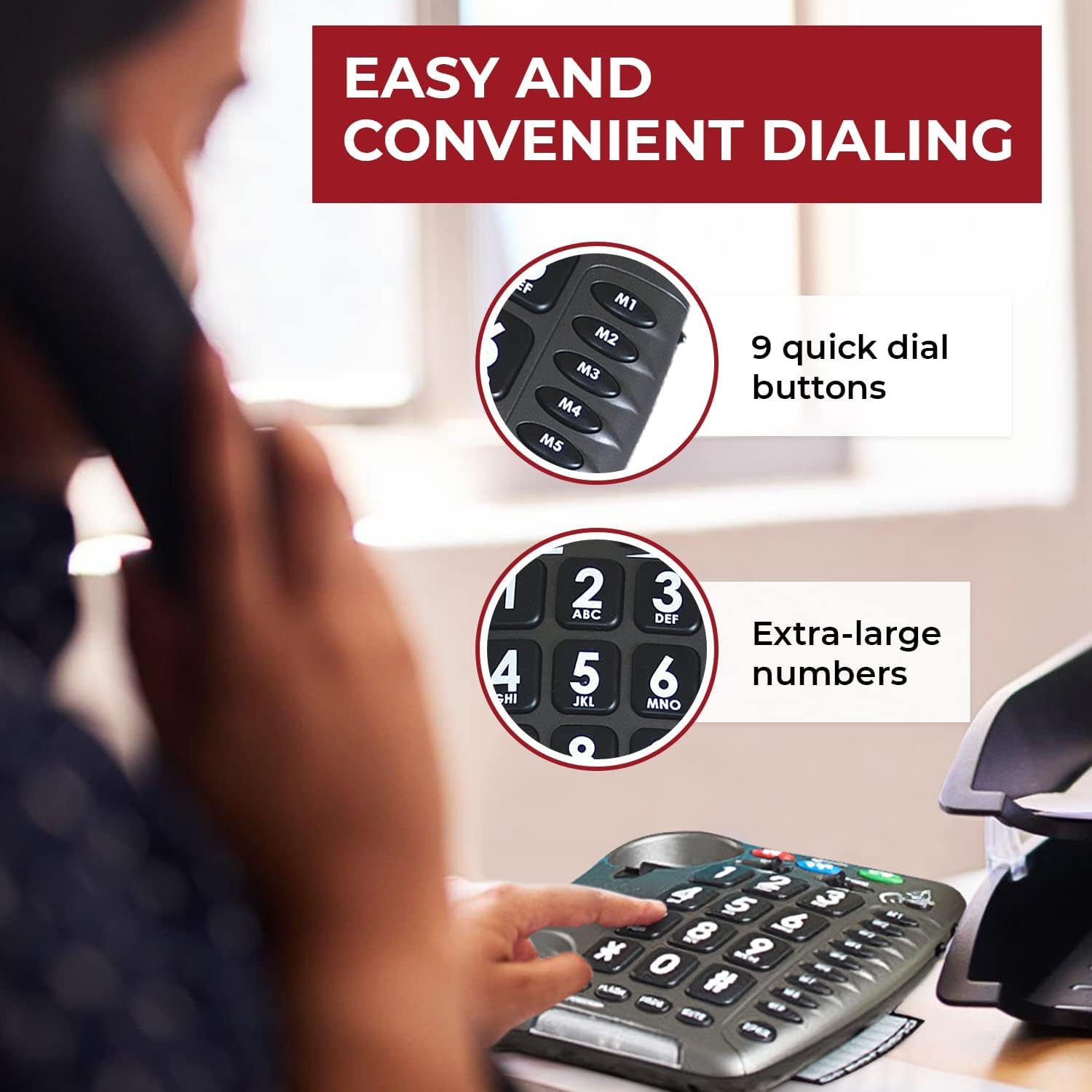
Figure 5: User Experience with Ampчанга дуу
This image depicts a woman comfortably using the Amplipower60, illustrating the clarity and ease of communication provided by its amplified features.
5. Засвар үйлчилгээ
To ensure the longevity and optimal performance of your Geemarc Amplipower60 telephone, follow these maintenance guidelines:
- Цэвэрлэгээ: Зөөлөн ашиглах, damp cloth to clean the telephone's surface. Do not use abrasive cleaners, waxes, or solvents.
- Шингэнээс зайлсхийх: Keep the telephone away from water and other liquids. If liquid spills on the phone, immediately unplug it and allow it to dry completely before reconnecting.
- Температур ба чийгшил: Store and operate the phone in a dry environment, away from extreme temperatures and high humidity.
- Зай солих: Replace the AAA batteries periodically (e.g., once a year) to ensure memory retention functions properly during power outages.
- Утас арчилгаа: Avoid tangling or stretching the handset and line cords excessively, as this can damage the internal wiring.
6. Алдаа засах
Хэрэв танд асуудал тулгарвал Amplipower60 telephone, refer to the following common problems and solutions:
| Асуудал | Боломжит шалтгаан | Шийдэл |
|---|---|---|
| Залгах ая байхгүй | Line cord or power adapter not connected properly. | Ensure all cords are securely plugged into the phone and wall jacks. Check power outlet. |
| Cannot hear caller / Low volume | Volume setting is too low; amplification not active. | -ийг тохируулна уу ЭЗЭМШИГ slider. Ensure the tone control is set appropriately. |
| Caller cannot hear me / Muffled sound | Handset or speakerphone microphone issue; speaking too far from microphone. | Ensure handset cord is fully inserted. Speak directly into the microphone. Test with another phone if possible. |
| Static or Hissing sound | Line interference; high amplification setting. | Check phone line for damage. Try adjusting the volume or tone control. If persistent, contact your telephone service provider. |
| Ringer not working or too quiet | Ringer volume set too low or off. | Adjust the ringer volume switch on the phone. |
If the problem persists after trying these solutions, please contact Geemarc customer support or your retailer for further assistance.
7. Техникийн үзүүлэлтүүд
| Онцлог | Дэлгэрэнгүй |
|---|---|
| Үйлдвэрлэгч | Geemarc |
| Брэнд | Geemarc |
| Загварын дугаар | Amplipower60 |
| Зүйлийн жин | 2.5 фунт |
| Бүтээгдэхүүний хэмжээс | 8.75 x 7.5 x 1.5 инч |
| Батерей шаардлагатай | 4 AAA batteries (for memory retention) |
| Өнгө | Хар |
| Материалын төрөл | Бусад материал |
| Утасны төрөл | Сэрээ |
| Эрчим хүчний эх үүсвэр | Утастай цахилгаан |
| Залгагчийн төрөл | Ганц товчлуур |
| Хариулах системийн төрөл | Дижитал |
| Amplification (Handset) | Up to 65dB TrueSound |
| Amplification (Speakerphone) | 15 дБ хүртэл |
| Хонхны дууны түвшин | 95 дБ хүртэл |
8. Баталгаат хугацаа ба дэмжлэг
For warranty information and customer support, please refer to the documentation included with your purchase or contact the manufacturer, Geemarc, directly. You may also reach out to the seller, Sonic Alert MI, for assistance.
Худалдан авалтын баримтаа аливаа баталгаат нэхэмжлэлийг худалдан авсан баримт болгон хадгална уу.


