1. Танилцуулга
Thank you for choosing the LogiLink PX0014 7-inch Digital Photo Frame. This device allows you to display your digital photos in a convenient and stylish manner. This manual provides essential information for setting up, operating, and maintaining your digital photo frame to ensure optimal performance and longevity.
2. Бүтээгдэхүүн дууссанview
2.1 Гол онцлогууд
- 7-inch LCD display with a resolution of 480 x 234 pixels.
- 16:10 aspect ratio for wide-screen viewing.
- Supports JPEG image format.
- Equipped with a USB port for external storage.
- Supports SD/SDHC and Multimedia Card (MMC) memory cards.
- Includes Calendar and Clock functions.
2.2 Багцын агуулга
Дараах зүйлсийн багцад байгаа эсэхийг шалгана уу.
- LogiLink PX0014 Digital Photo Frame
- Эрчим хүчний адаптер
- Хэрэглэгчийн гарын авлага (энэ баримт бичиг)
- Алсын удирдлага (хэрэв байгаа бол)
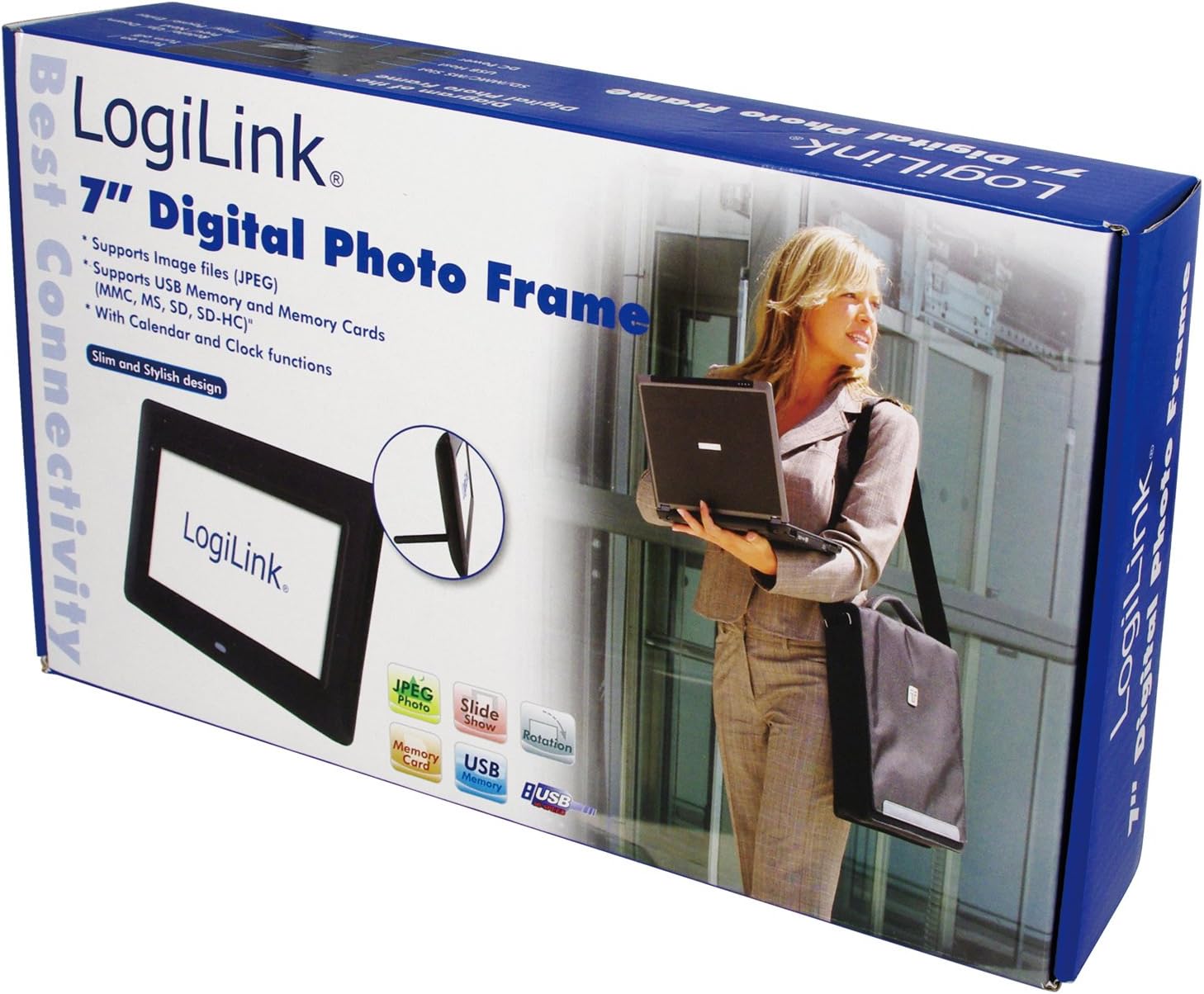
Image 1: The LogiLink PX0014 Digital Photo Frame packaging, showing the product box with a woman holding a laptop and an inset image of the frame itself.
2.3 Төхөөрөмжийн зохион байгуулалт
Familiarize yourself with the various parts of your digital photo frame:

Image 2: The LogiLink PX0014 Digital Photo Frame, a black rectangular frame with a white screen displaying the LogiLink logo, positioned in front of its product packaging.
Refer to the diagram in the included quick start guide for specific button and port locations, typically including:
- Цахилгаан товч: Төхөөрөмжийг асаах / унтраахын тулд.
- Навигацийн товчлуурууд: Цэсний навигаци болон зураг сонгох зориулалттай.
- Санах ойн картны үүрүүд: For SD/SDHC and MMC cards.
- USB порт: USB флаш дискийг холбоход зориулагдсан.
- DC IN порт: Цахилгаан адаптерийг холбоход зориулагдсан.
- Stand Slot: Дагалдах суурь бэхлэх зориулалттай.
3. Тохиргоо
3.1 Эрчим хүчний холболт
- Insert the small end of the power adapter into the DC IN port on the back or side of the photo frame.
- Цахилгаан адаптерийн нөгөө үзүүрийг ердийн цахилгаан залгуурт холбоно уу.
- The frame should power on automatically or can be turned on using the power button.
3.2 Inserting Memory Cards or USB Drives
The LogiLink PX0014 supports SD/SDHC, MMC memory cards, and USB flash drives.
- Ensure the photo frame is powered off or in standby mode before inserting or removing storage devices.
- For Memory Cards: Locate the appropriate memory card slot. Insert the card with the metal contacts facing down (or as indicated by the slot diagram) until it clicks into place.
- For USB Drives: USB флаш дискийг USB порт руу оруулна уу.
- Once inserted, power on the frame. The frame should automatically detect the storage device and display its contents or prompt you to select a source.
4. Ашиглалтын заавар
4.1 Үндсэн навигаци
Use the buttons on the back/side of the frame or the remote control (if included) to navigate the menus. Typically, there are buttons for:
- Цэс: Үндсэн цэс рүү орно.
- EXIT/RETURN: Goes back to the previous screen or exits the menu.
- ARROW Keys (Up/Down/Left/Right): Сонголтуудаар шилжих.
- ОРОХ/ЗА: Сонголтыг баталгаажуулна.
4.2 Viewзураг авах
- From the main menu, select 'Photo' or 'Browse'.
- Choose the desired storage source (e.g., 'SD Card', 'USB Drive').
- Navigate to the folder containing your JPEG images.
- Зургийг сонгоно уу view it individually, or select 'Slideshow' to start an automatic presentation of all images in the folder.
- You can typically adjust slideshow intervals and transition effects in the settings menu.
4.3 Calendar and Clock Functions
The LogiLink PX0014 includes a built-in calendar and clock. To access and set these functions:
- Go to the main menu and select 'Settings' or 'System'.
- Look for options like 'Date & Time' or 'Calendar'.
- Adjust the current date, time, and time format as needed using the navigation buttons.
- Some models allow displaying the clock or calendar alongside photos during a slideshow. Check the settings for these display options.
5. Засвар үйлчилгээ
5.1 Дэлгэц цэвэрлэх
LCD дэлгэцийг цэвэрлэхийн тулд зөөлөн, хөвөнгүй даавуугаар зөөлөн арчина. Зөрүүд толботой бол бага зэрэг арчина.ampen the cloth with water or a non-abrasive screen cleaner. Avoid using harsh chemicals or abrasive materials, as these can damage the screen surface.
5.2 Ерөнхий арчилгаа ба хадгалалт
- Keep the digital photo frame away from direct sunlight, high temperatures, and excessive humidity.
- Төхөөрөмжийг унагах эсвэл хүчтэй цохилтод оруулахаас зайлсхий.
- When not in use for extended periods, unplug the power adapter and store the frame in a cool, dry place.
6. Алдаа засах
If you encounter issues with your LogiLink PX0014, refer to the following common problems and solutions:
| Асуудал | Боломжит шалтгаан | Шийдэл |
|---|---|---|
| Хүрээ асахгүй байна. | Цахилгаан адаптер холбогдоогүй эсвэл алдаатай; цахилгаан залгуур ажиллахгүй байна. | Цахилгаан адаптер нь хүрээ болон ажиллаж байгаа цахилгаан залгуурт найдвартай холбогдсон эсэхийг шалгаарай. Өөр залгуурыг туршаад үзээрэй. |
| Зураг харуулаагүй байна. | No memory card/USB drive inserted; unsupported file формат; эвдэрсэн files. | Insert a memory card or USB drive with JPEG images. Ensure images are in JPEG format. Try different images or reformat the storage device (backup data first). |
| Cannot read memory card/USB drive. | Improper insertion; incompatible format; faulty card/drive. | Reinsert the card/drive correctly. Ensure it is formatted to FAT32. Try a different card/drive. |
| Алсын удирдлага ажиллахгүй байна. | Battery depleted; obstruction; remote not pointed at sensor. | Replace the battery. Ensure there are no obstructions between the remote and the frame's IR sensor. Point the remote directly at the sensor. |
7. Техникийн үзүүлэлтүүд
| Онцлог | Дэлгэрэнгүй |
|---|---|
| Брэнд | LogiLink |
| Загварын дугаар | PX0014 |
| Бүтээгдэхүүний хэмжээс | 24.99 x 24.99 x 15.01 см |
| Зүйлийн жин | 300 гр |
| Дэлгэцийн хэмжээ | 7 инч |
| Шийдвэр | 480 x 234 пиксел |
| Харьцаа | 16:10 |
| Холболтын технологи | USB |
| Карт уншигч | Multimedia Card, Memory Card (SD/SDHC) |
| Эрчим хүчний эх үүсвэр | Утастай цахилгаан |
| Хяналтын арга | Алсын удирдлага |
8. Баталгаат хугацааны мэдээлэл
LogiLink products are designed and manufactured to the highest quality standards. This product is covered by a limited warranty from the date of purchase. Please refer to the warranty card included in your package or visit the official LogiLink webТанай бүс нутагт хамаарах баталгаат нөхцлийн дэлгэрэнгүй мэдээллийг сайтаас авна уу.
9. Дэмжлэг
For technical assistance, product inquiries, or to report any issues not covered in this manual, please contact LogiLink customer support. You can typically find contact information, including phone numbers, email addresses, and online support portals, on the official LogiLink webсайт (www.logilink.eu).


