1. Танилцуулга
The Serene Innovations Renew Dryer & Freshener is designed to maintain the cleanliness and longevity of your hearing aids, cochlear implants, and wireless earbuds. This electronic dehumidifier effectively removes moisture and helps eliminate harmful microscopic elements, ensuring optimal performance and extending the lifespan of your delicate devices.
Regular use of this device is crucial for preventing moisture-related damage, which can lead to costly repairs and reduced sound quality. This manual provides detailed instructions for setting up, operating, and maintaining your Renew Dryer & Freshener.

Image 1: The Serene Innovations Renew Dryer & Freshener with its lid open, revealing the blue drying tray and control panel.
2. Тохиргоо
- Төхөөрөмжийг задлах: Carefully remove the Renew Dryer & Freshener from its packaging. Ensure all components are present: the main unit, the power adapter, and the removable tray.
- Байршил: Place the unit on a flat, stable surface, such as a bedside table or countertop, away from direct sunlight or heat sources.
- Эрчим хүчийг холбох: Insert the small end of the power adapter into the DC input jack on the side of the Renew Dryer & Freshener. Plug the other end of the power adapter into a standard electrical outlet. The power indicator light on the control panel should illuminate.
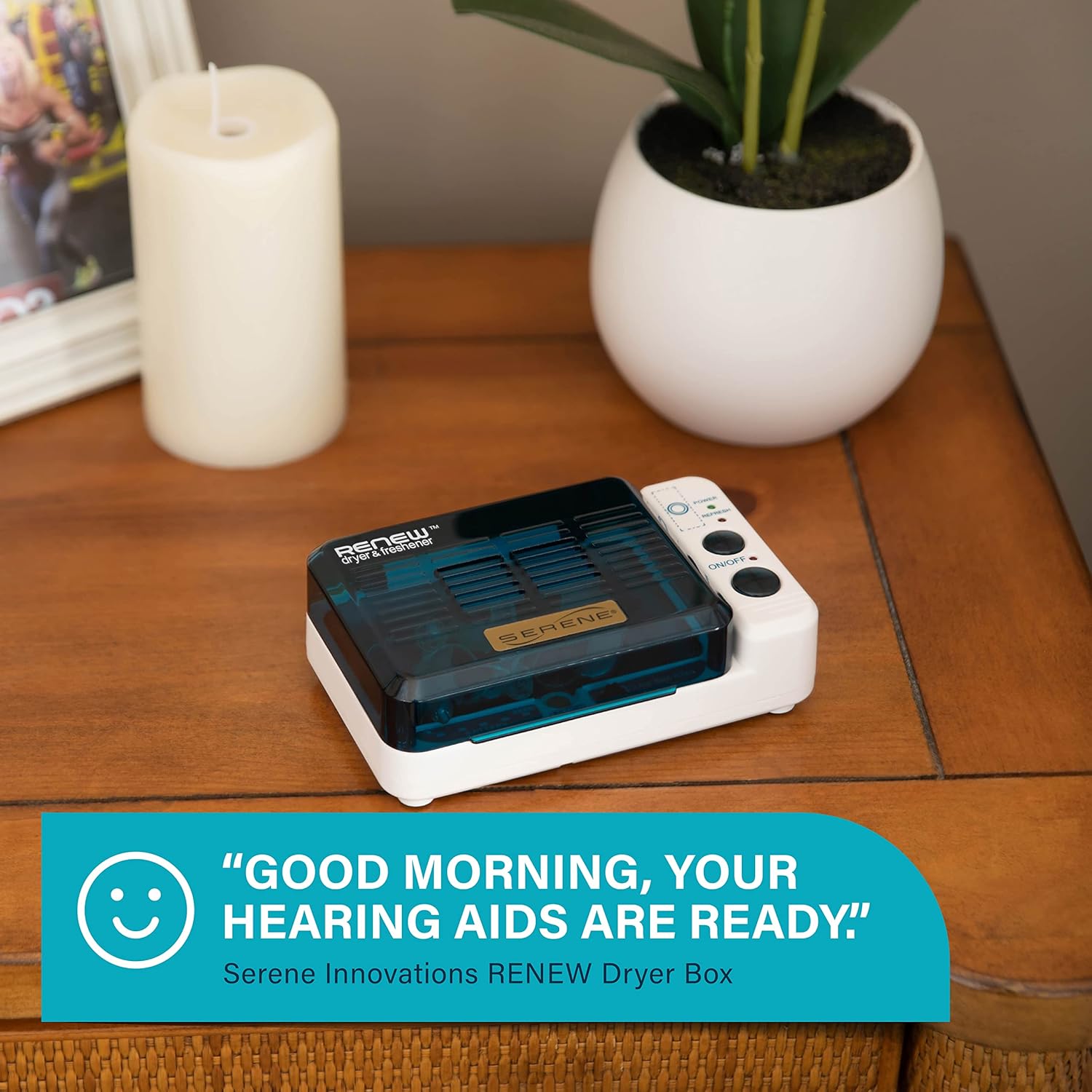
Image 2: The Renew Dryer & Freshener positioned on a nightstand, ready for use.
3. Ашиглалтын заавар
3.1 Drying Your Devices
- Төхөөрөмжүүдийг бэлтгэх: Before placing your hearing aids or other devices into the dryer, remove any batteries. For hearing aids, open the battery doors to allow for better air circulation.
- Place Devices: Open the lid of the Renew Dryer & Freshener. Place your hearing aids, cochlear implants, or wireless earbuds onto the blue drying tray. The spacious interior can accommodate up to four hearing aids or a combination of devices.
- Select Drying Cycle: Use the slide switch labeled "Lo Hum," "Norm Hum," "Hi Hum" to select the appropriate drying time based on your environment's humidity level.
- Lo Hum (2 hours): For low humidity environments or minimal moisture.
- Norm Hum (4 hours): For normal humidity levels.
- Hi Hum (8 hours): For high humidity environments or significant moisture.
- Хатаахыг эхлүүлэх: Close the lid. The drying cycle will automatically begin once the lid is securely closed. The unit warms up to 113°F (45°C) to facilitate moisture evaporation.
- UV Refresh Cycle: To activate the UV light for disinfection, press the "Refresh" button on the control panel. The UV lights will operate for a set period to help eliminate harmful microscopic elements.

Image 3: The spacious interior of the dryer, capable of holding multiple devices like hearing aids and wireless earbuds.

Image 4: Adjusting the humidity setting on the control panel to optimize drying for different environments.
3.2 Батерейны удирдлага
- Батерей хадгалах: The Renew Dryer & Freshener features a dedicated magnetic strip for battery storage. Place your hearing aid batteries on this strip while your devices are drying to prevent them from getting lost.
- Battery Tester: A built-in battery tester allows you to check the charge level of your hearing aid batteries. Place a battery on the metal platform next to the battery indicator lights and push it against the metal stick. The indicator lights will show the remaining charge.

Image 5: The battery management features, including the magnetic strip for storage and the integrated battery tester.
3.3 Бүтээгдэхүүний албан ёсны видео
Видео 1: Дууслааview of the Serene Innovations Renew Dryer & Freshener, demonstrating its features and ease of use.
4. Засвар үйлчилгээ
To ensure optimal performance and hygiene, regular cleaning of your Renew Dryer & Freshener is recommended.
- Зөөврийн тавиур: The blue drying tray is removable for easy cleaning. Simply lift the tray out of the unit.
- Таваг цэвэрлэх: Wash the removable tray with mild soap and water. Rinse thoroughly and allow it to air dry completely before placing it back into the unit.
- Төхөөрөмжийг цэвэрлэх: Хатаагчийн гадна талыг зөөлөн арчиж, damp даавуу. Зүлгүүрийн цэвэрлэгч хэрэглэж болохгүй, эсвэл төхөөрөмжийг усанд дүрж болохгүй.

Image 6: Demonstrating the removal of the inner tray for easy cleaning.
5. Алдаа засах
If you encounter any issues with your Serene Innovations Renew Dryer & Freshener, please refer to the following common solutions:
- Device Not Drying:
- Цахилгаан адаптер нь төхөөрөмж болон цахилгааны залгуурт хоёуланд нь найдвартай залгагдсан эсэхийг шалгаарай.
- Verify that the lid is fully closed. The drying cycle will not start if the lid is open.
- Check the selected humidity setting. For very humid conditions, ensure the "Hi Hum" setting is selected.
- UV Lights Not Activating:
- Press the "Refresh" button firmly.
- Ensure the unit is powered on and the lid is closed.
- Battery Tester Not Working:
- Ensure the battery is correctly placed on the metal platform and pressed against the metal stick.
- Verify that the battery is making proper contact with both metal points.
If the problem persists after attempting these troubleshooting steps, please contact Serene Innovations customer support for further assistance.
6. Техникийн үзүүлэлтүүд
| Загварын дугаар | DB-100 |
| Бүтээгдэхүүний хэмжээс | 5.8 x 3.5 x 2 инч |
| Зүйлийн жин | 1.04 фунт |
| Хатаах температур | Ойролцоогоор 113°F (45°C) |
| Хатаах циклүүд | 2, 4, or 8 hours (selectable) |
| Хэт ягаан туяа | Yes, for disinfection (Refresh function) |
| Батерей шалгагч | Нэгдсэн |
| Зай хадгалах | Соронзон тууз |
| Эрчим хүчний эх үүсвэр | АС адаптер (дагсан) |
7. Баталгаат хугацаа ба дэмжлэг
Serene Innovations is committed to customer satisfaction. While specific warranty details are not provided in this manual, the product is backed by Serene Innovations' commitment to quality and service.
For warranty information, technical support, or any questions regarding your Renew Dryer & Freshener, please contact Serene Innovations customer service directly. Contact information can typically be found on the product packaging or the official Serene Innovations webсайт.


