1. Танилцуулга
Thank you for choosing the Takstar E 340 Karaoke Microphone. This manual provides essential information for the proper setup, operation, and maintenance of your microphone. Please read this manual thoroughly before using the product to ensure optimal performance and longevity.
2. Бүтээгдэхүүн дууссанview
The Takstar E 340 is a high-quality unidirectional handheld dynamic microphone designed for clear vocal reproduction, ideal for karaoke and general speech applications. It features a robust construction and a design focused on user comfort and sound clarity.
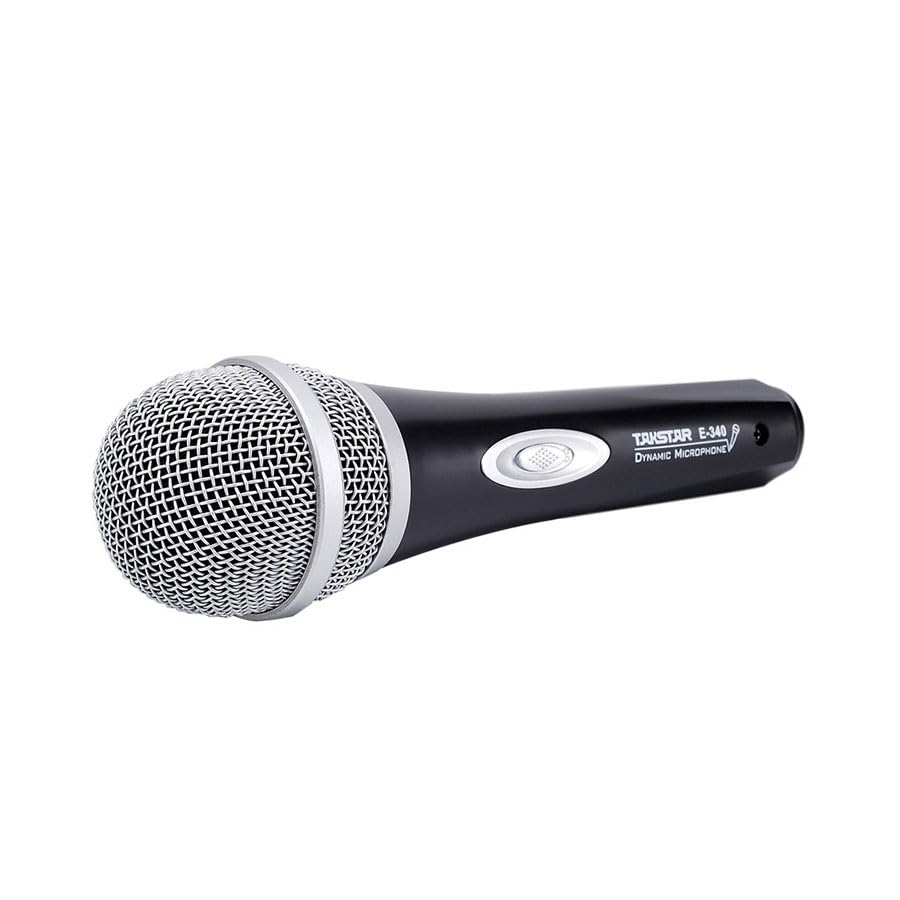
Figure 2.1: Takstar E 340 Handheld Dynamic Microphone. This image shows the full view of the microphone, highlighting its black body and silver grille.
Гол онцлогууд:
- Нэг чиглэлтэй туйлын загвар: Урд талын дуу чимээнд анхаарлаа төвлөрүүлж, арын чимээг бууруулдаг.
- Динамик капсул: Provides clear and powerful sound reproduction.
- Удаан эдэлгээтэй барилга: Plastic housing with a paint finish for comfortable handling and durability.
- XLR холболт: Utilizes a dual-core XLR cable for clear signal transmission and noise interference shielding.
- Хөнгөн загвар: Ensures ease of use and portability.

Зураг 2.2: Нарийвчилсан view of the Takstar E 340 microphone highlighting its internal dynamic capsule and the robust construction. This image illustrates the quality components and design features.
Бүрэлдэхүүн хэсгүүдийн таних тэмдэг:
- Микрофоны тор: Protects the microphone capsule and helps shape the sound.
- Микрофоны их бие: Houses the internal components and provides a comfortable grip.
- Асаах/унтраах унтраалга: Controls the microphone's power.
- XLR Output Connector: For connecting the microphone to an audio interface or karaoke machine.
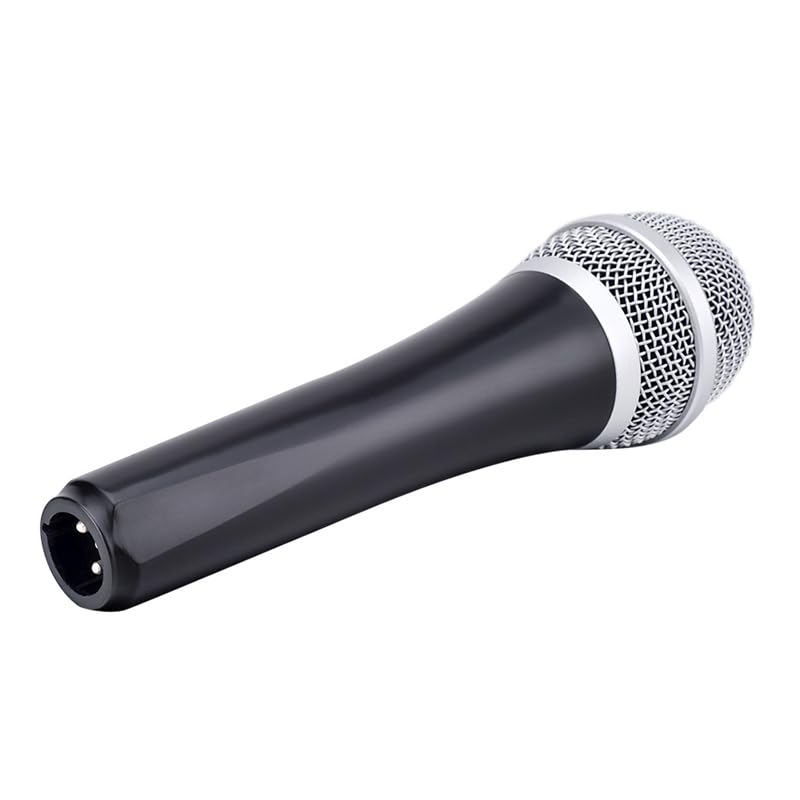
Figure 2.3: The XLR output connector located at the base of the Takstar E 340 microphone. This is where the microphone cable connects.
3. Тохируулах заавар
- Микрофоныг задлах: Carefully remove the Takstar E 340 microphone and any included accessories from its packaging.
- Кабелийг холбоно уу: Insert the XLR end of your microphone cable into the XLR output connector at the base of the microphone. Ensure it clicks securely into place.
- Аудио төхөөрөмжид холбогдох: Connect the other end of the microphone cable (e.g., 1/4-inch jack or USB Type-C, depending on your cable) to the microphone input of your karaoke machine, mixer, or audio interface.
- Асаах: Ensure your audio device is powered on and its volume is set to a low level before activating the microphone.
4. Ашиглалтын заавар
- Turn On the Microphone: Locate the On/Off switch on the microphone body and slide it to the 'ON' position.
- Байршил: Hold the microphone approximately 2-6 inches (5-15 cm) from your mouth for optimal sound pickup. Experiment with distance to find the best sound for your voice and environment.
- Дууны тохируулга: Gradually increase the volume on your connected audio device until the desired sound level is achieved. Avoid setting the volume too high to prevent feedback or distortion.
- Нэг чиглэлтэй авах: The E 340 is a unidirectional microphone, meaning it primarily picks up sound from the front. Point the top of the microphone directly towards the sound source (your mouth) for the clearest audio.
- Унтраах: When finished, slide the On/Off switch to the 'OFF' position and then turn off your audio device.
5. Арчилгаа, засвар үйлчилгээ
- Цэвэрлэгээ: Use a soft, dry cloth to clean the microphone body. For the grille, a soft brush can be used to gently remove dust or debris. Do not use liquid cleaners or solvents.
- Хадгалах: Store the microphone in a dry, cool place away from direct sunlight and extreme temperatures. If possible, use a protective case to prevent physical damage.
- Харьцуулах: Микрофоныг унагаах эсвэл хүчтэй цохилтод өртүүлэхээс зайлсхий, учир нь энэ нь дотоод эд ангиудыг гэмтээж болзошгүй.
- Кабель арчилгаа: Always grasp the connector, not the cable, when plugging or unplugging. Avoid bending or kinking the cable excessively.
6. Алдаа засах
| Асуудал | Боломжит шалтгаан | Шийдэл |
|---|---|---|
| Дууны гаралт байхгүй | Микрофоны унтраалга унтарсан байна Кабель зөв холбогдоогүй байна Audio device input volume too low Faulty cable or audio device input | Шилжүүлэгчийг 'ON' болгож гулсуулна уу Ensure cable is securely connected at both ends Increase input volume on audio device Test with a different cable or audio input |
| Дуу багатай эсвэл гажуудсан | Микрофон дууны эх үүсвэрээс хэт хол байна Input volume too high (distortion) Damaged microphone capsule | Hold microphone closer to mouth Reduce input volume on audio device Гэмтсэн гэж сэжиглэж байгаа бол хэрэглэгчийн дэмжлэгтэй холбоо барина уу |
| Санал хүсэлт (гаслах чимээ) | Микрофон чанга яригчтай хэт ойрхон байна Эзлэхүүн хэт өндөр байна Microphone pointed at speakers | Микрофон болон чанга яригчийн хоорондох зайг нэмэгдүүлэх Reduce overall volume Ensure microphone is not pointed directly at speakers |
7. Техникийн үзүүлэлтүүд
| Онцлог | Тодорхойлолт |
|---|---|
| Загвар | E340 |
| Туйлын загвар | Нэг чиглэлтэй |
| Микрофоны хэлбэр хүчин зүйл | Гарын төхөөрөмж |
| Эсэргүүцэл | 600 Ом |
| Дохионы дуу чимээний харьцаа (SNR) | 72 дБ |
| Давтамжийн хариу үйлдэл | 16 кГц |
| Аудио мэдрэмж | 54 децибел |
| Холболтын технологи | UHF (via cable) |
| Холбогч төрөл | USB Type-C (implied for cable connection, typically XLR on mic) |
| Тохиромжтой төхөөрөмжүүд | Караоке машин |
| Эрчим хүчний эх үүсвэр | Утастай цахилгаан |
| Зүйлийн жин | 580 гр |
| Багцын хэмжээ | 24.8 x 12.6 x 8 см |
| Онцлог шинж чанар | Adjustable Headband (Note: This feature is typically associated with headsets, but listed in product specifications.) |
8. Баталгаат хугацаа ба дэмжлэг
For warranty information and customer support, please refer to the documentation provided at the time of purchase or visit the official Takstar webсайт. Аливаа баталгаат нэхэмжлэлийн хувьд худалдан авалтаа нотлох баримтаа хадгалаарай.


