1. Аюулгүй ажиллагааны чухал заавар
Please read these instructions carefully before operating the device and retain them for future reference. Failure to follow these instructions may result in electric shock, fire, or other hazards.
- Энэ төхөөрөмжийг бороо, чийгэнд бүү тавь.
- Агааржуулалтын нүхийг хааж болохгүй.
- Дулааны эх үүсвэрийн ойролцоо суулгаж болохгүй.
- Зөвхөн үйлдвэрлэгчээс заасан хавсралт/дагалдах хэрэгслийг ашиглана уу.
- Аянга шуургатай үед эсвэл удаан хугацаагаар ашиглаагүй үед энэ төхөөрөмжийг цахилгааны залгуураас салга.
2. Бүтээгдэхүүн дууссанview
The Bernstein RAC20 Designradio is a high-quality audio system featuring a 3D sound system, FM/AM radio, clock, and alarm functions, all housed in an elegant wooden casing with a high-gloss finish.

Зураг 2.1: Урд view of the Bernstein RAC20 Designradio, showing the clock, tuning dial, volume knob, and control buttons.
Гол онцлогууд:
- 3D Sound System for immersive audio experience.
- High-quality FM/AM radio tuner with excellent reception.
- Integrated clock and alarm functions.
- Headphone output for private listening.
- Дэгжин модон casing with a piano black high-gloss finish.
- Internet radio reception capability.
3. Багцын агуулга
Хайрцагнаас задлахдаа бүх эд зүйлс байгаа, сайн нөхцөлд байгаа эсэхийг шалгаарай:
- Bernstein RAC20 Designradio Unit
- Хэрэглэгчийн гарын авлага (энэ баримт бичиг)
- 3.5 мм аудио кабель
4. Тохиргоо
4.1. Савлах ба байрлуулах
- Carefully remove the radio from its packaging.
- Place the radio on a stable, flat surface away from direct sunlight, heat sources, and moisture.
- Төхөөрөмжийн эргэн тойронд хангалттай агааржуулалтыг хангах.
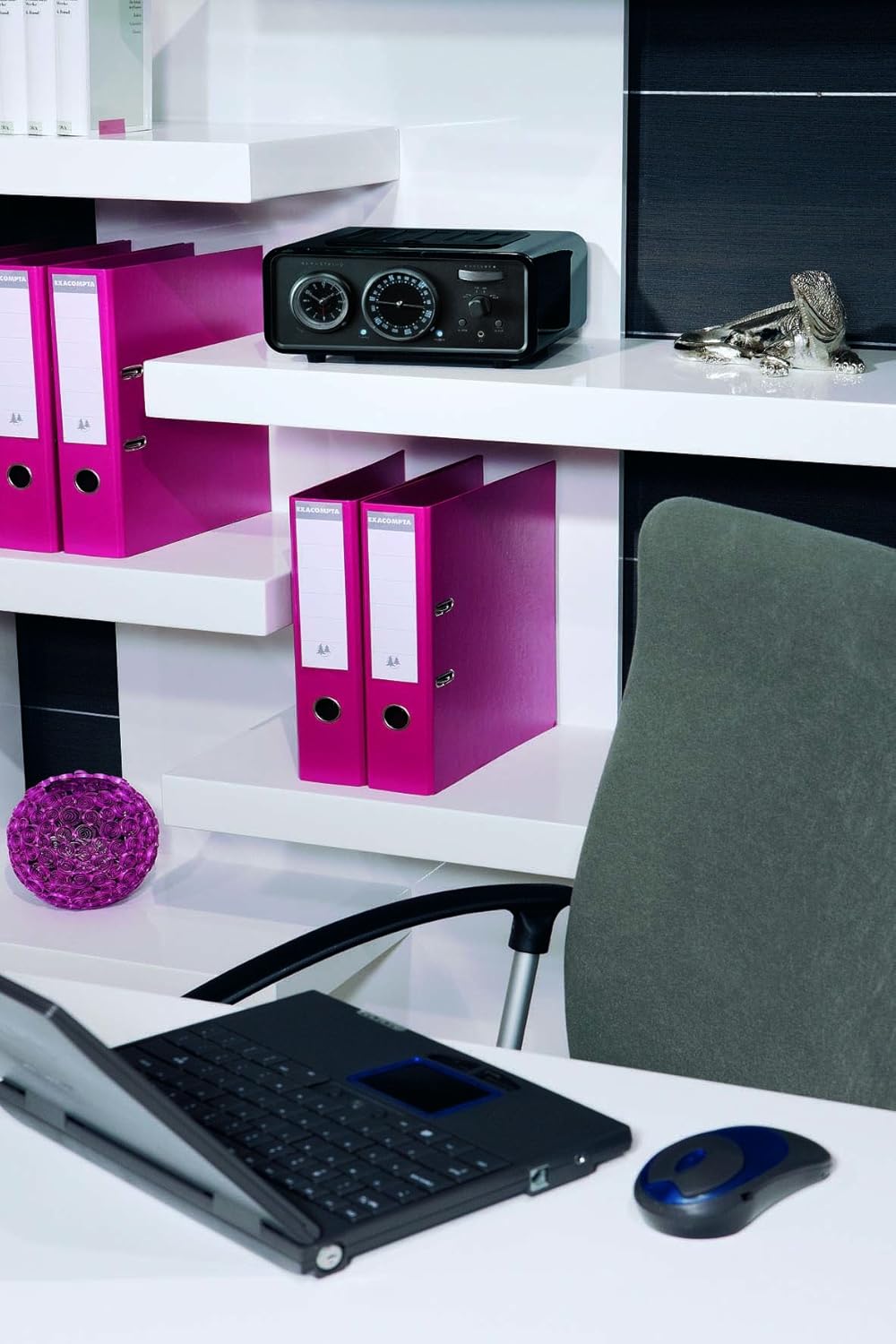
Figure 4.1: The Bernstein RAC20 Designradio positioned on a shelf in an office setting.
4.2. Эрчим хүчний холболт
The Bernstein RAC20 is battery-powered. Ensure fresh batteries are inserted into the designated compartment. (Note: Batteries are not included.)
4.3. Антенны холболт
For optimal FM/AM reception, extend the telescopic antenna fully. Adjust its position for the best signal quality.
5. Ашиглалтын заавар
5.1. Асаах/унтраах
дээр дарна уу ХҮЧ button located on the front panel to turn the radio on or off. A blue indicator light will illuminate when the unit is on.
5.2. Дууны түвшний хяналт
Томыг эргүүлнэ үү ЭЗЭМШИГ дууг нэмэгдүүлэхийн тулд цагийн зүүний дагуу, багасгахын тулд цагийн зүүний эсрэг эргүүлнэ үү.
5.3. Radio Tuning (FM/AM)
- -г ашиглан хүссэн хамтлагаа (FM эсвэл AM) сонгоно уу FM/AM солих.
- -г эргүүл ТААРУУЛАХ dial to search for radio stations. The frequency will be displayed on the dial.
- Adjust the antenna for clearer reception if needed.

Figure 5.1: Close-up of the Bernstein RAC20's front panel, highlighting the tuning and volume controls.
5.4. Цагийг тохируулах
The clock is located on the left side of the front panel. Refer to the specific instructions in the included quick start guide for detailed clock setting procedures, as this model features an analog clock display.
5.5. Сэрүүлгийг тохируулах
To set the alarm, press the СЭРҮҮЛЭГ button. Use the tuning dial or dedicated buttons (if present) to set the desired alarm time. Press СЭРҮҮЛЭГ again to confirm. The alarm can be set to wake you with radio or a buzzer sound.
5.6. Унтах функц
дээр дарна уу УНТАХ button to activate the sleep timer. Each press cycles through preset sleep times (e.g., 15, 30, 60, 90 minutes). The radio will automatically turn off after the selected duration.
5.7. Using the AUX Input
Connect external audio devices (e.g., smartphone, MP3 player, laptop) to the AUX ДАХЬ port using the supplied 3.5mm audio cable. Switch the input selector to AUX to play audio from the connected device.
5.8. Чихэвчний гаралт
Plug standard 3.5mm headphones into the headphone jack for private listening. The main speaker will be muted automatically when headphones are connected.
6. Засвар үйлчилгээ
6.1. Цэвэрлэгээ
Wipe the unit with a soft, dry cloth. Do not use abrasive cleaners, waxes, or solvents as they may damage the high-gloss finish.
6.2. Зай солих
When the sound quality deteriorates or the unit fails to power on, replace the batteries with new ones of the same type. Dispose of old batteries responsibly.
7. Алдаа засах
| Асуудал | Боломжит шалтгаан | Шийдэл |
|---|---|---|
| Хүч чадалгүй | Батерей дууссан эсвэл буруу оруулсан байна. | Батерейг солих; зөв туйлшралыг хангах. |
| Радио хүлээн авалт муу | Antenna not extended or poorly positioned; weak signal. | Extend and adjust antenna; try moving the unit to a different location. |
| No sound from AUX | AUX cable not fully connected; incorrect input selected; external device volume too low. | Check cable connections; ensure AUX input is selected; increase volume on external device. |
| Сэрүүлэг дуугарахгүй байна | Alarm not set correctly; volume too low. | Verify alarm settings; increase volume. |
8. Техникийн үзүүлэлтүүд
| Онцлог | Дэлгэрэнгүй |
|---|---|
| Загвар | Bernstein RAC 20 Piano Black |
| Брэнд | Bernstein (Manufacturer: Bernstein, Brand listed in specs: Audiovox) |
| Тохируулагч технологи | FM, AM |
| Радио хамтлагуудыг дэмждэг | AM, FM |
| Тоног төхөөрөмжийн интерфейс | 3.5 мм аудио |
| Тохиромжтой төхөөрөмжүүд | Smartphone, MP3 player, Laptop, Speaker |
| Онцлог шинж чанарууд | Internet radio reception |
| Эрчим хүчний эх үүсвэр | Батерейгаар ажилладаг |
| Батерейнууд багтсан | Үгүй |
| Хэмжээ (багц) | 41.4 x 31.4 x 17.4 см |
| Жин (багц) | 3.9 кг |
| ASIN | B0041GT30M |
| GTIN | 04039684496508 |
9. Баталгаат хугацаа ба дэмжлэг
For warranty information and technical support, please refer to the contact details provided on the product packaging or the official Bernstein webсайт. Баталгаат нэхэмжлэл гаргахын тулд худалдан авалтаа нотлох баримтаа хадгалаарай.
Нэмэлт тусламж авахыг хүсвэл та үйлдвэрлэгчтэй холбогдож болно:
Manufacturer: Bernstein
Model: Bernstein RAC 20 Piano Black
ASIN: B0041GT30M


