Танилцуулга
The Kaito KA350GY Voyager Trek is a versatile multi-powered radio designed for emergency preparedness and outdoor activities. It features AM/FM, Shortwave (SW), and NOAA Weather band reception, a 5-LED flashlight, and a USB charging port for external devices. This manual provides instructions for its setup, operation, maintenance, and troubleshooting.
Гол онцлогууд
- Олон зурвасын радио: Receives AM (530-1710KHz), FM (87-108MHz), Shortwave (SW1: 3-8 MHz, SW2: 9-18 MHz), and 7 pre-programmed NOAA Weather channels.
- Олон тооны эрчим хүчний эх үүсвэрүүд: Internal rechargeable Ni-MH battery (charged via hand crank, solar panel, USB, or optional AC/DC adapter), and 3 AAA batteries (not included).
- 5-LED Flashlight: Integrated super bright flashlight for illumination.
- USB цэнэглэх порт: Allows charging of external devices like cell phones and MP3 players.
- Авсаархан, зөөврийн дизайн: Ideal for emergencies, camping, аялах.
Тохиргоо
1. Зайны суурилуулалт ба анхны цэнэглэлт
The KA350GY comes with a built-in rechargeable Ni-MH battery pack. Before initial use, ensure this battery pack is properly connected. It is typically located within the AAA battery compartment. If using optional AAA batteries, insert three AAA batteries into the compartment, observing correct polarity.
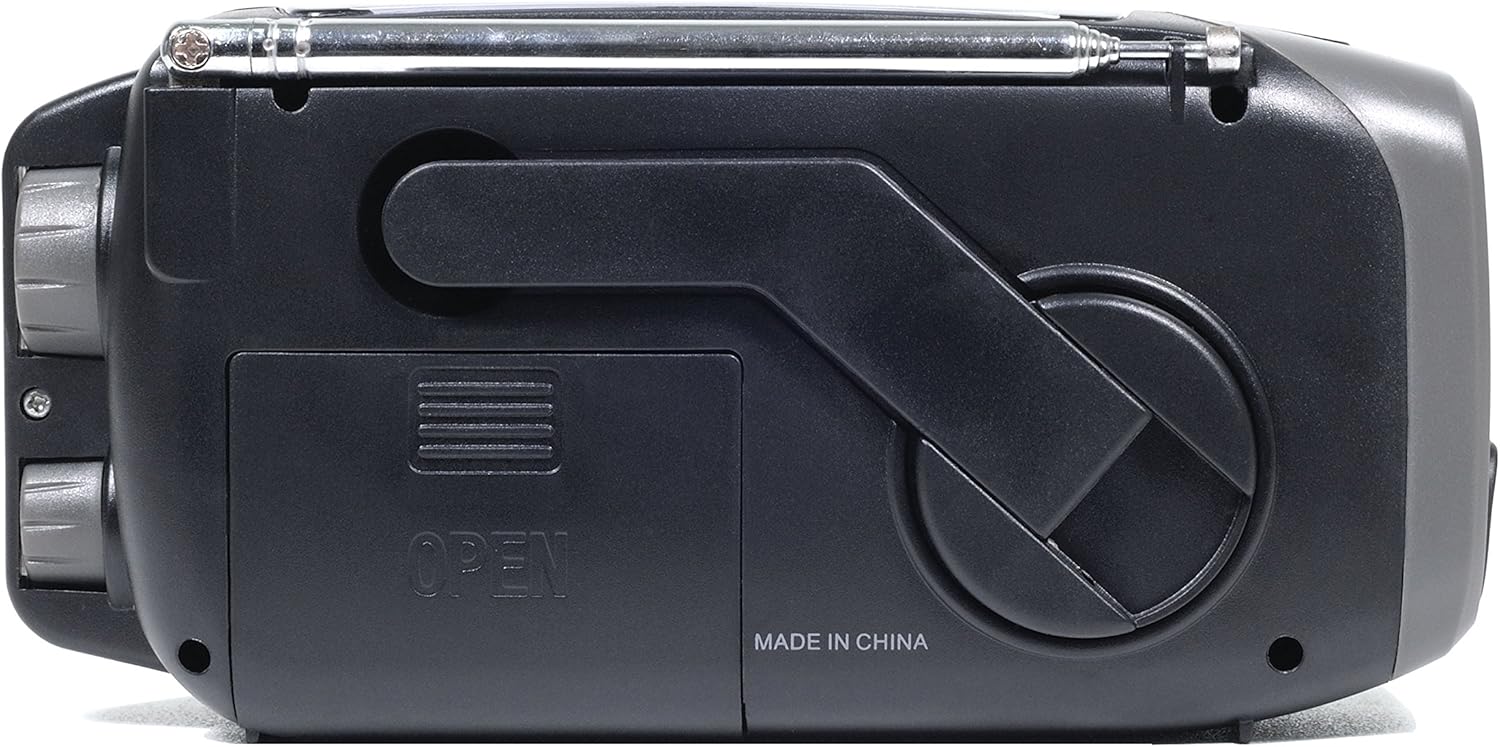
Зураг: Ар талд view of the radio, highlighting the battery compartment and hand crank.
For optimal performance, fully charge the internal Ni-MH battery before first use. Use one of the following methods:
- USB цэнэглэх: Connect the radio to a computer's USB port or a USB wall adapter (not included) using the provided USB cable.
- Гар бүлүүр: Rotate the hand crank clockwise or counter-clockwise for several minutes. Ensure the crank is turned gently and kept properly aligned to prevent damage.
- Нарны хавтан: Place the radio with the solar panel facing direct sunlight. Note that solar charging provides a trickle charge and is best for maintaining battery life or operating the radio without draining the battery, rather than a rapid full charge.
2. Power Source Selection
Locate the power source switch. For most operations, set it to the "Power" position to utilize the internal rechargeable battery or external power. If using AAA batteries, switch to the "Battery" position.
Ашиглалтын заавар
1. Радио үйл ажиллагаа
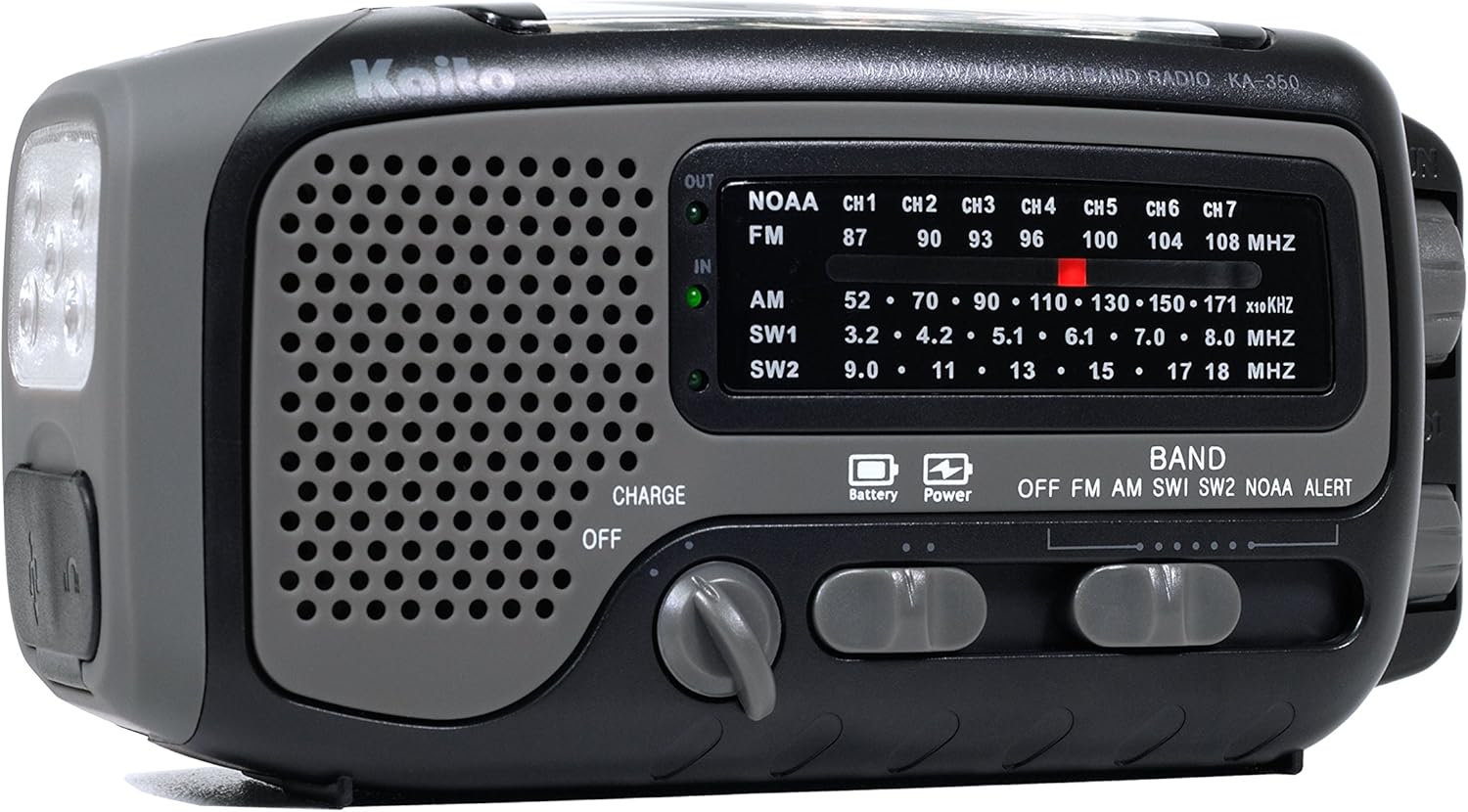
Зураг: Урд view of the radio, displaying the speaker, tuning dial, and band selection switches.
- Асаах: Rotate the Volume knob clockwise to turn on the radio and adjust the volume.
- Хамтлаг сонгох: Use the BAND switch to select between OFF, FM, AM, SW1, SW2, NOAA, or ALERT.
- Хөгжмийн станц: Rotate the TUNING knob to find your desired station. Extend the telescopic antenna for better FM and SW reception. For AM, rotate the radio for optimal signal.
- NOAA цаг агаарын сувгууд: The 7 NOAA channels are pre-programmed. Simply select the NOAA band, and then use the channel selector to choose between CH1-CH7.
- NOAA Alert: In ALERT mode, the radio will remain silent until a weather alert is broadcast, at which point it will sound an alarm and play the alert message.
2. Гар чийдэнгийн ажиллагаа

Зураг: өнцөгтэй view of the radio, highlighting the 5-LED flashlight and the hand crank.
Press the FLASH LIGHT button located near the flashlight to turn it on or off. The flashlight uses 5 LEDs for bright illumination.
3. Гадаад төхөөрөмжүүдийг цэнэглэх

Image: End views of the radio, illustrating the USB output port for charging external devices and the micro-USB input for charging the radio itself.
The radio features a USB output port (labeled "OUT") to charge small electronic devices such as cell phones, MP3 players, or digital cameras. Connect your device's charging cable to this port. Ensure the radio has sufficient charge in its internal Ni-MH battery for effective charging.
Note: Direct charging of some high-power devices may be slow or inconsistent. For more reliable charging of such devices, consider charging an external power bank with the radio first, then using the power bank to charge your device.
Засвар үйлчилгээ
- Батерейны арчилгаа: If storing the radio for extended periods without use, remove any AAA batteries to prevent leakage and damage. The internal Ni-MH battery should be periodically charged to maintain its health.
- Тогтмол туршилт: To ensure readiness, operate and test all radio functions at least once a year.
- Цэвэрлэгээ: Радиогийн гадна талыг зөөлөн арчих, damp даавуу. Хүчтэй химийн бодис, зүлгүүрийн цэвэрлэгч хэрэглэхээс зайлсхий.
- Болгоомжтой харьцах: The hand crank and telescopic antenna are delicate components. Operate the hand crank gently and extend/retract the antenna with reasonable care to prevent bending or breakage.
- Хадгалах: Store the radio in a cool, dry place away from extreme temperatures and direct sunlight.
Алдааг олж засварлах
| Асуудал | Боломжит шалтгаан / шийдэл |
|---|---|
| Радио асахгүй байна. |
|
| Poor radio reception (AM/FM/SW). |
|
| External device not charging. |
|
| Hand crank feels stiff or breaks. |
|
Үзүүлэлтүүд
- Загвар: KA350GY
- Хэмжээ (L x W x H): Ойролцоогоор 6 x 2 x 3 инч (15.24 x 5.08 x 7.62 см)
- Жин: Ойролцоогоор 8 унц (227 грамм)
- Радио хамтлагууд:
- AM: 530 - 1710 KHz
- FM: 87 - 108 MHz
- Shortwave (SW1): 3 - 8 MHz
- Shortwave (SW2): 9 - 18 MHz
- NOAA Weather: 7 pre-programmed channels
- Эрчим хүчний эх үүсвэрүүд:
- Internal Rechargeable Ni-MH Battery Pack
- 3 x AAA батерей (оруулаагүй)
- Гар бүлүүрт Динамо
- Нарны хавтан
- USB Input (5V DC)
- Гар чийдэн: 5 LED
- Гаралт: USB (for charging external devices)
- Оруулсан бүрэлдэхүүн хэсгүүд: Earphone, User Manual
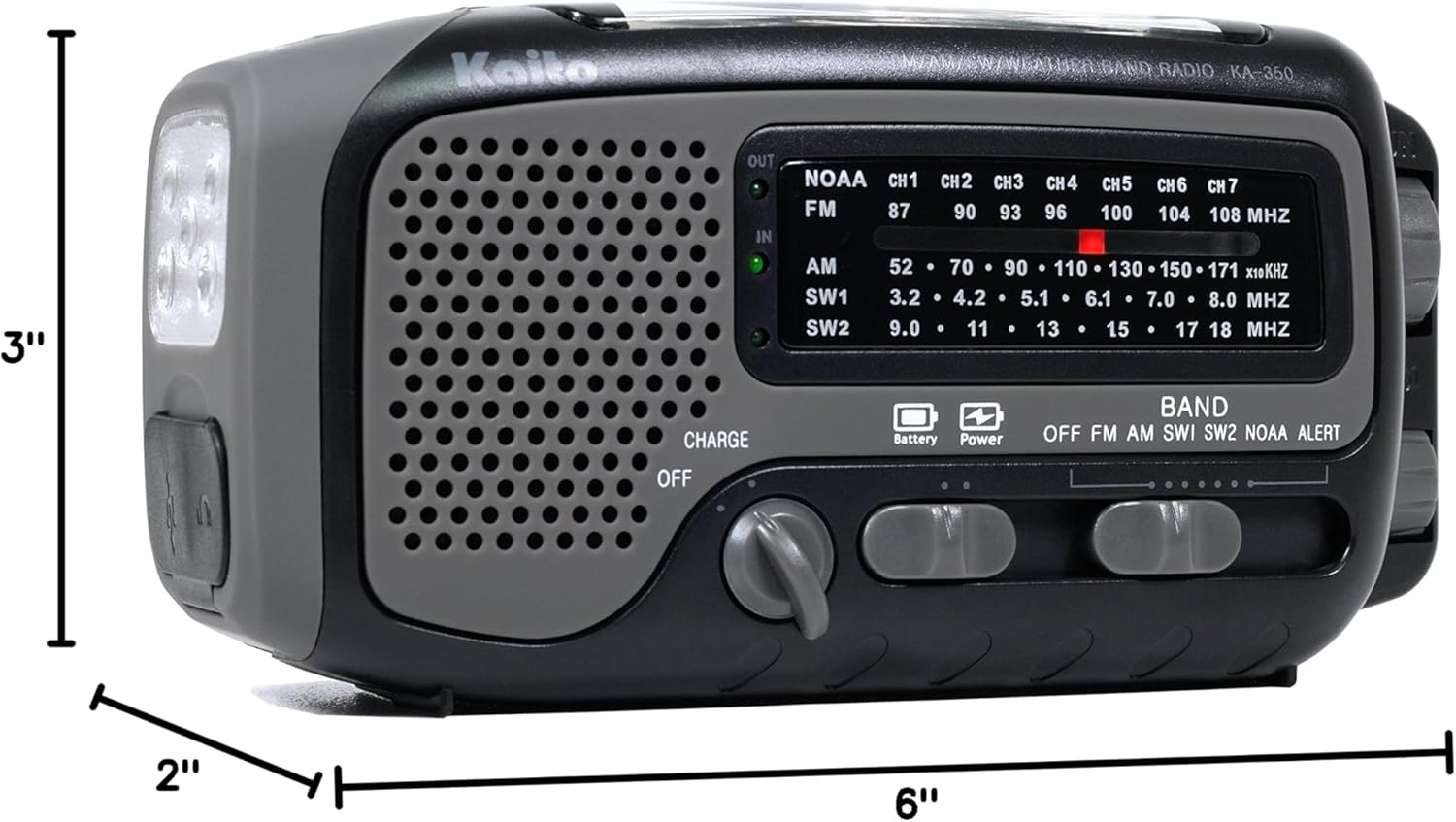
Image: Diagram illustrating the physical dimensions of the Kaito KA350GY radio.
Баталгаат хугацааны мэдээлэл
Warranty details for the Kaito KA350GY radio are typically provided with the product packaging or can be found on the official Kaito website. Please refer to these sources for specific terms and conditions regarding your product's warranty coverage.
Хэрэглэгчийн дэмжлэг
For technical assistance, troubleshooting beyond this manual, or inquiries about your Kaito KA350GY radio, please visit the official Kaito website or contact their customer support using the information provided in your product documentation.