Танилцуулга
This manual provides essential instructions for setting up, operating, maintaining, and troubleshooting your Kodak EasyShare M583 14 MP Digital Camera. Please read this guide thoroughly to ensure proper use and to maximize your camera's performance.
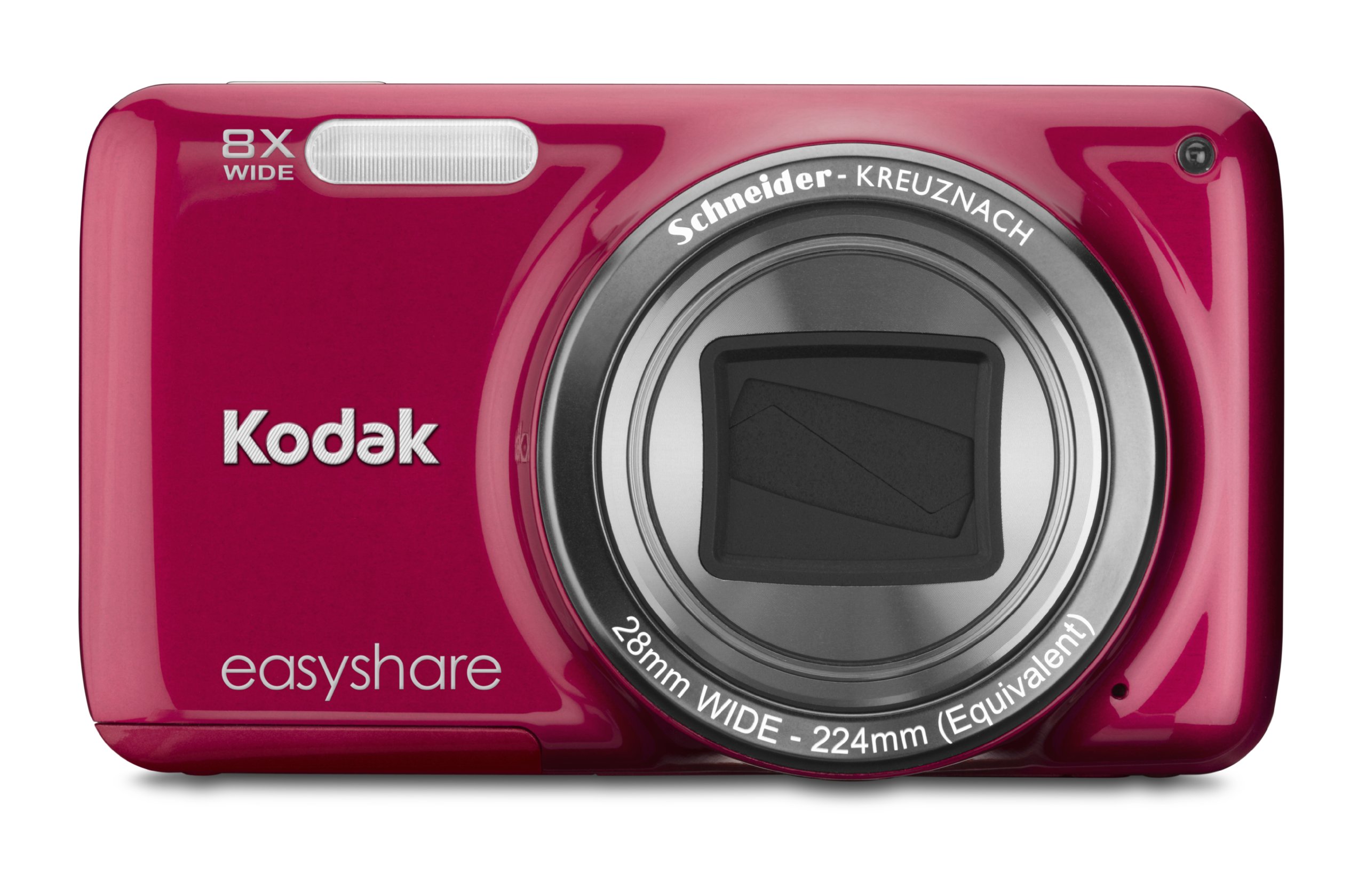
Зураг: Урд view of the Kodak EasyShare M583 Digital Camera in red, showcasinлинз болон брэндинг.
Тохиргоо
1. Батерей суурилуулах, цэнэглэх
The Kodak EasyShare M583 uses a rechargeable Li-Ion battery.
- Камерын доод талд байрлах зайны тасалгааны тагийг нээнэ үү.
- Insert the Li-Ion battery, ensuring the contacts align correctly.
- Зайны тасалгааны тагийг сайтар хаа.
- Connect the camera to a power source using the supplied USB cable for charging. The battery indicator light will show charging status.
2. Санах ойн карт суурилуулах
The camera supports MicroSD and MicroSDHC memory cards. A memory card is required to store photos and videos.
- Санах ойн картны үүрийг ихэвчлэн зайны тасалгааны ойролцоо олоорой.
- Insert the MicroSD/MicroSDHC card with the gold contacts facing down, pushing gently until it clicks into place.
- To remove, press the card in again until it springs out.
Жич: The camera supports up to 4 GB of memory. Ensure the card is formatted in the camera before first use.
Ашиглалтын заавар
1. Powering On and Basic Photography
- дээр дарна уу Хүч button to turn on the camera. The lens will extend.
- 3 инчийн LCD дэлгэц ашиглан зураг авалтаа хүрээлээрэй.
- Төвлөрөхийн тулд Хөшигний товчийг хагас хүртэл дар. Камер фокусыг баталгаажуулна.
- Press the shutter button completely to capture the image.

Зураг: Урд view of the Kodak EasyShare M583 camera, showing the extended lens and flash unit.
2. Томруулах функц
The camera features an 8x optical zoom. Use the zoom lever (W/T) located near the shutter button to adjust the focal length.
- Хөшүүргийг чиглүүл T (Телефото) томруулж болно.
- Хөшүүргийг чиглүүл W (Өргөн) жижигрүүлэх.
3. Видео бичлэг хийх
To record videos, press the dedicated video record button. The camera supports 720p HD video.
- дээр дарна уу Видео бичлэг товчийг дарж бичлэг хийж эхэлнэ.
- Бичлэгийг зогсоохын тулд товчлуурыг дахин дарна уу.
- Videos are saved to the memory card in MP4 format.
4. Image Stabilization and Flash Modes
- The camera incorporates both digital and optical image stabilization to reduce blur caused by camera shake.
- The built-in flash operates in automatic mode, activating when lighting conditions require it.
5. ДахинviewКонтент оруулах болон хуваалцах
View your captured photos and videos on the 3-inch LCD screen.
- дээр дарна уу Review Тоглуулах горимд орохын тулд товчлуурыг (ихэвчлэн тоглуулах дүрсээр заадаг) дарна уу.
- Use the directional pad to navigate through your images and videos.
- To share content, press the dedicated Хуваалцах button. This allows one-button upload to email, KODAK PULSE Display, and various social networking sites.

Зураг: Ар талд view of the Kodak EasyShare M583 camera, displaying the 3-inch LCD screen with sharing options for platforms like Twitter and Facebook.
6. Компьютерт холбогдох
Connect the camera to your computer using the supplied USB cable to transfer photos and videos.
- Камер асаалттай байгаа эсэхийг шалгаарай.
- USB кабелийн нэг үзүүрийг камерын USB порт руу, нөгөө үзүүрийг компьютерт холбоно уу.
- The camera will appear as a removable drive, allowing you to access your media files.
Засвар үйлчилгээ
1. Камерыг цэвэрлэх
- Камерын их биеийг цэвэрлэхийн тулд хөвөнгүй зөөлөн даавуугаар цэвэрлээрэй.
- Линз болон LCD дэлгэцийн хувьд тусгай линз цэвэрлэгч даавуу болон уусмал ашиглаарай. Зүлгүүрийн материалаас зайлсхий.
- Do not use organic solvents such as alcohol or thinner.
2. Зайны арчилгаа
- Эхний хэрэглээний өмнө зайг бүрэн цэнэглэ.
- Батерейг хэт өндөр температурт байлгахаас зайлсхий.
- Хэрэв камерыг удаан хугацаагаар ашиглахгүй бол зайгаа салга.
3. Хадгалах
- Store the camera in a cool, dry place away from direct sunlight and high humidity.
- Тоос шороо, зурааснаас хамгаалахын тулд камерын гэр ашиглаарай.
Алдааг олж засварлах
| Асуудал | Шийдэл |
|---|---|
| Камер асахгүй байна. | Ensure the battery is fully charged and correctly inserted. Try charging the battery for at least 30 minutes. |
| Blurred pictures. | Press the shutter button halfway to allow the camera to focus before fully pressing to capture. Ensure sufficient lighting. Image stabilization is active, but excessive movement can still cause blur. |
| Lens does not extend or retract. | Check for obstructions around the lens. Remove and reinsert the battery to reset the camera. If the issue persists, contact support. |
| Санах ойн карт танигдаагүй. | Ensure the MicroSD/MicroSDHC card is inserted correctly. Try reinserting the card. If possible, test with another compatible memory card. Format the card in the camera if it's new or causing issues (this will erase all data). |
| Камер хөлддөг эсвэл хариу өгөхгүй байна. | Remove the battery for a few seconds, then reinsert it and power on the camera. |
Үзүүлэлтүүд
| Онцлог | Дэлгэрэнгүй |
|---|---|
| Загварын нэр | M583 |
| Фото мэдрэгчийн нягтрал | 14 МП |
| Оптик томруулалт | 8x |
| Дижитал томруулах | 5x |
| Дэлгэцийн хэмжээ | 3 инч (LCD) |
| Зураг тогтворжуулах | Дижитал, оптик |
| Видеоны нягтрал | 720p (30 FPS) |
| Дэмжигдсэн File Формат | JPEG (Зураг), MP4 (Видео) |
| Санах ойн картын төрөл | Micro SD, Micro SDHC |
| Зайны төрөл | Лити ион |
| Холболт | USB |
| Зүйлийн жин | 0.32 фунт |
| Линз | 28mm wide-angle lens with 8x optical zoom |
| Хамгийн их диафрагм | F2.8 |
Баталгаат хугацааны мэдээлэл
KODAK products are manufactured to high quality standards. For specific warranty terms and conditions applicable to your Kodak EasyShare M583 camera, please refer to the warranty card included with your purchase or visit the official KODAK support webсайт. Баталгаат нэхэмжлэл гаргахын тулд худалдан авалтаа нотлох баримтаа хадгалаарай.
Хэрэглэгчийн дэмжлэг
If you encounter issues not covered in this manual or require further assistance, please contact KODAK customer support.
- Онлайн дэмжлэг: Visit the official KODAK support webТүгээмэл асуултууд, драйверууд болон програм хангамжийг татаж авах сайт.
- Утасны дэмжлэг: Refer to your product packaging or the KODAK webбүс нутгийн холбоо барих утасны сайт.
When contacting support, please have your camera model (M583) and serial number ready.


