Танилцуулга
This manual provides detailed instructions for the setup, operation, maintenance, and troubleshooting of your Soleus Ultra Sole Digital Watch, model SR010-052. Please read this manual thoroughly to ensure proper use and to maximize the lifespan of your watch.
Бүтээгдэхүүн дууссанview
The Soleus Ultra Sole Digital Watch is designed for active individuals, featuring a robust digital display and a durable polyurethane strap. It includes advanced functions such as a chronograph, lap memory, interval timers, and hydration alarms, making it an ideal companion for training and daily activities.
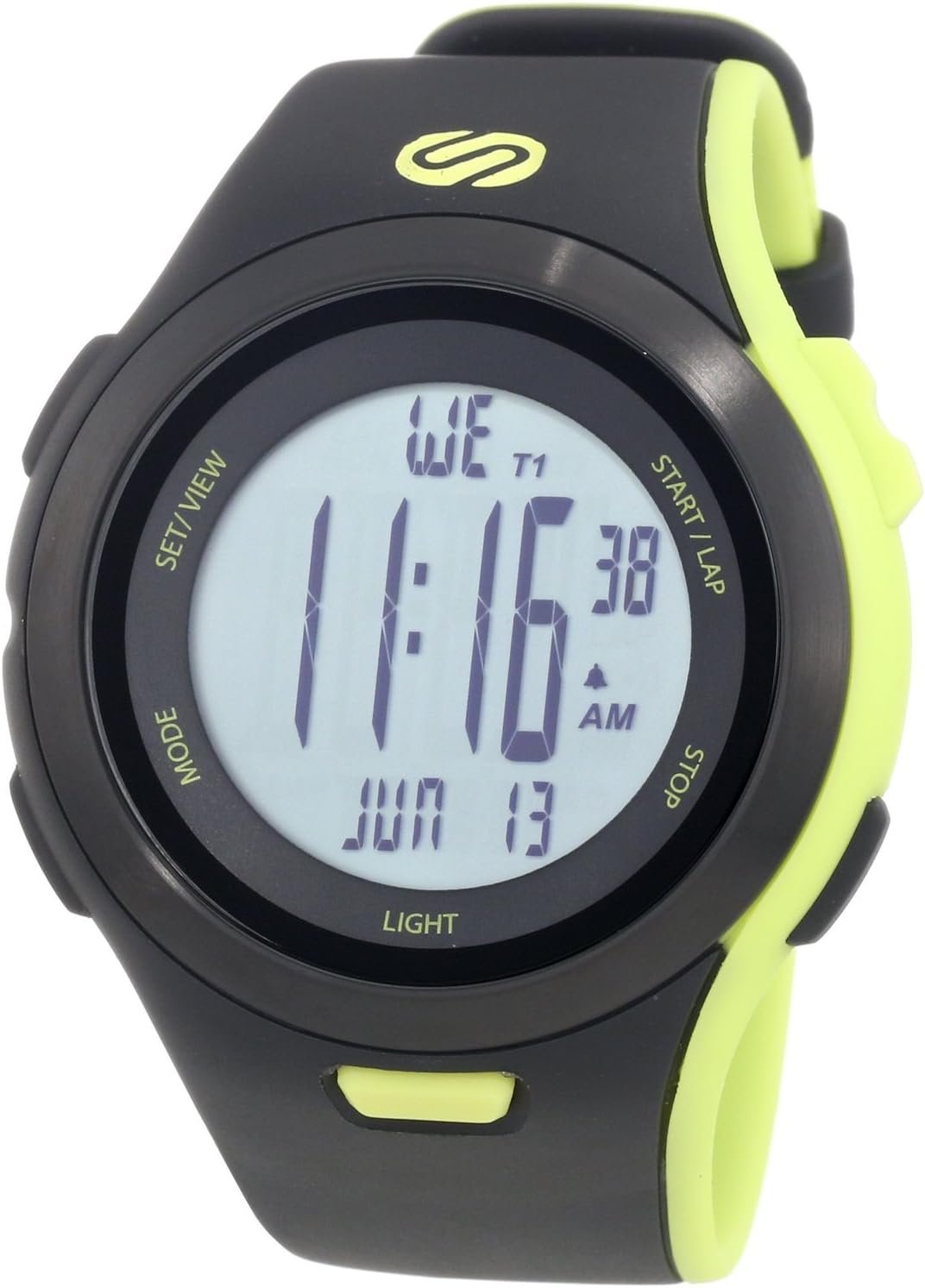
Зураг 1: Урд view of the Soleus Ultra Sole Digital Watch.

Зураг 2: Буцах view and dimensions of the Soleus Ultra Sole Digital Watch.

Figure 3: Soleus Ultra Sole Digital Watch as worn on a wrist.
Тохиргоо
Анхдагч асаалттай
Your Soleus Ultra Sole Digital Watch comes with a product-specific battery included and pre-installed. The watch should power on automatically. If the display is blank, ensure the battery is properly seated (though typically not user-serviceable for initial setup).
Цаг, огноог тохируулах
Цаг, огноог тохируулахын тулд:
- дээр дарна уу MODE button repeatedly until you reach the Time Setting mode. The digits for hours or minutes will typically flash.
- -г ашиглана уу SET/VIEW or ЭХЛЭХ/ОРОХ buttons to adjust the flashing value (e.g., hours, minutes, year, month, day).
- дарна уу MODE again to move to the next setting field.
- Бүх тохиргоо зөв болсны дараа товчийг дарна уу SET/VIEW or MODE (depending on the specific model's button logic) to exit the setting mode and save changes.
Оосорны тохируулга
The polyurethane strap is designed for comfort and durability. Adjust the buckle clasp to ensure a snug, yet comfortable fit on your wrist. The strap accommodates wrist sizes from approximately 150mm to 195mm.
Ашиглалтын заавар
Your Soleus Ultra Sole Digital Watch features several modes and functions accessible via its buttons:
- MODE товчлуур: Cycles through different operational modes (e.g., Time, Chronograph, Timer, Alarm, Dual Time, Run Data).
- SET/VIEW Товчлуур: Used for setting values in setting modes or viewing data in data modes.
- START/LAP Button: Initiates or pauses functions (e.g., chronograph start), or records laps.
- STOP товч: Stops functions (e.g., chronograph stop) or resets values.
- Гэрлийн товчлуур: Activates the EL backlight for 15 seconds.
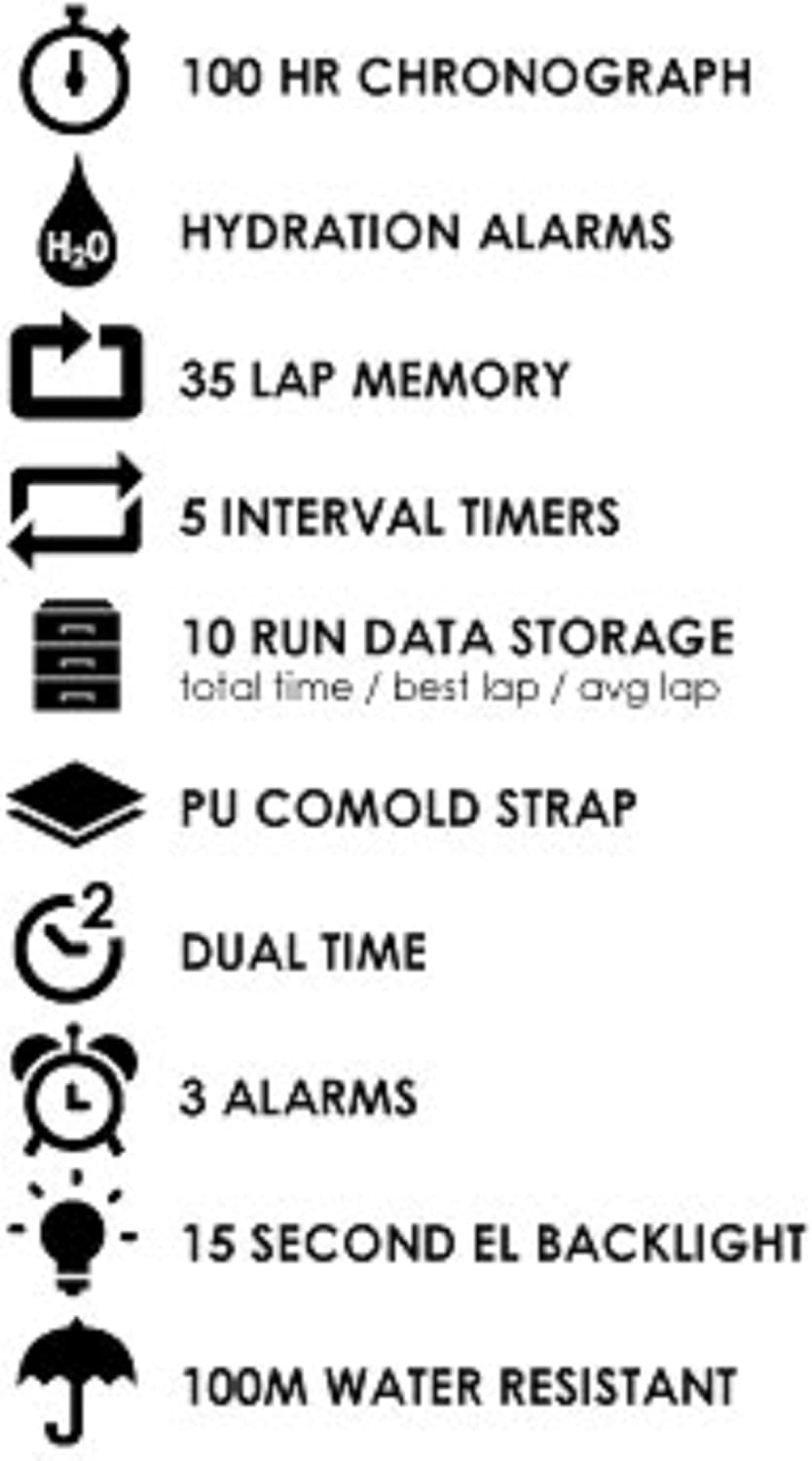
Figure 4: Key features of the Soleus Ultra Sole Digital Watch.
Хронограф (Скундомер)
The watch features a 100-hour chronograph:
- дарна уу MODE Хронограф горимд орохын тулд
- дарна уу ЭХЛЭХ/ОРОХ цагийг эхлүүлэх.
- дарна уу ЭХЛЭХ/ОРОХ again to record a lap time (up to 35 laps). The main timer continues running.
- дарна уу ЗОГС хронографыг түр зогсоох.
- дарна уу ЗОГС хронометрийг тэг болгохын тулд дахин тохируулна уу.
Интервал таймер
The watch includes 5 interval timers for structured workouts:
- дарна уу MODE to navigate to the Interval Timer mode.
- Ашиглах SET/VIEW to select and set the duration for each of the 5 timers.
- дарна уу ЭХЛЭХ/ОРОХ to begin the interval sequence. The watch will alert you at the end of each interval.
Сэрүүлэг
Set up to 3 independent alarms:
- дарна уу MODE to enter Alarm mode.
- Ашиглах SET/VIEW to select Alarm 1, 2, or 3.
- Ашиглах ЭХЛЭХ/ОРОХ болон ЗОГС хүссэн сэрүүлгийн цагийг тохируулах.
- Тохирох товчийг ашиглан сэрүүлгийг идэвхжүүлэх эсвэл идэвхгүй болгох (дэлгэц дээрх заагчийг үзнэ үү).
Hydration Alarm
The hydration alarm reminds you to drink fluids:
- дарна уу MODE to navigate to the Hydration Alarm setting.
- Set the desired interval for the hydration reminder.
- Activate the alarm. The watch will provide an audible alert at the set intervals.
Run Data Storage
The watch stores data for up to 10 runs, including total time, best lap, and average lap:
- After completing a run using the chronograph, the data is automatically saved.
- дарна уу MODE to enter Run Data mode.
- Ашиглах SET/VIEW to scroll through the stored run data.
Засвар үйлчилгээ
Цагаа цэвэрлэж байна
Бугуйн цагны гадаад байдал, ажиллагааг хадгалахын тулд:
- Цагны гэр болон оосорыг зөөлөн, d-ээр тогтмол арчинаamp даавуу.
- Зөрүүд бохирдлын хувьд зөөлөн савангийн уусмал хэрэглэж, цэвэр усаар сайтар зайлна.
- Avoid using harsh chemicals, solvents, or abrasive cleaners, as these can damage the watch's finish and materials.
- Цагийг хадгалах эсвэл зүүхээсээ өмнө бүрэн хуурай байгаа эсэхийг шалгаарай.
Усны эсэргүүцэл
The Soleus Ultra Sole Digital Watch is water-resistant to 100 meters (330 feet). This means it is suitable for showering, swimming, and snorkeling. However, it is important to note:
- Do not press any buttons while the watch is submerged in water. Pressing buttons underwater can compromise the water seal and lead to water ingress.
- Avoid exposing the watch to hot water or steam (e.g., hot showers, saunas, hot tubs), as extreme temperature changes can affect the seals.
- Давстай усанд орсны дараа цагийг цэвэр усаар сайтар зайлж, зөөлөн алчуураар арчина.
Зай солих
The watch uses a product-specific battery. When the display becomes dim or functions become erratic, it may be time for a battery replacement. It is recommended to have the battery replaced by a qualified watch technician to ensure the water resistance is maintained.
Алдааг олж засварлах
If you encounter issues with your Soleus Ultra Sole Digital Watch, refer to the following common problems and solutions:
| Асуудал | Боломжит шалтгаан | Шийдэл |
|---|---|---|
| Дэлгэц хоосон эсвэл бүдэг байна. | Батерей бага. | Зайг солих. |
| Товчнууд хариу өгөхгүй байна. | Watch is in a locked mode or internal error. | Try pressing all buttons simultaneously for a few seconds to attempt a soft reset. If unresponsive, battery replacement may be needed. |
| Цаг буруу байна. | Цагийг зөв тохируулаагүй эсвэл зай бага байна. | Re-set the time and date as per the 'Setting Time and Date' section. If issue persists, replace battery. |
| Дэлгэц доторх ус. | Усны эсэргүүцэл алдагдсан. | Stop using the watch immediately. Seek professional repair to prevent further damage. Do not attempt to dry it yourself. |
Хэрэв эдгээр шийдлүүдийг туршиж үзсэний дараа асуудал хэвээр байвал нэмэлт тусламж авахын тулд хэрэглэгчийн дэмжлэгтэй холбогдоно уу.
Үзүүлэлтүүд
| Онцлог | Тодорхойлолт |
|---|---|
| Загварын дугаар | SR010-052 |
| Брэнд | Солеус |
| Кейсийн материал | Давирхай |
| Оосорны материал | Полиуретан |
| Кейсийн өргөн | 48 мм |
| Туузны өргөн | 22 мм |
| Wrist Size Range | Ойролцоогоор 150мм - 195мм |
| Усны эсэргүүцэл | 100 метр (330 фут) |
| Хронограф | 100 цаг |
| Тойргийн санах ой | 35 тойрог |
| Интервал таймер | 5 |
| Сэрүүлэг | 3 |
| Run Data Storage | 10 runs (total time, best lap, avg lap) |
| Арын гэрэлтүүлэг | 15-second EL Backlight |
| Батерей | 1 Бүтээгдэхүүний онцлог (багтсан) |
| Эхний боломжтой огноо | 7 оны наймдугаар сарын 2012 |
Баталгаат болон дэмжлэг
Баталгаат хугацааны мэдээлэл
Soleus products are manufactured to high-quality standards. For specific warranty terms and conditions, please refer to the warranty card included with your purchase or visit the official Soleus website. Typically, watches come with a limited warranty covering manufacturing defects.
Хэрэглэгчийн дэмжлэг
For technical assistance, troubleshooting not covered in this manual, or warranty claims, please contact Soleus customer support. Contact information can usually be found on the product packaging, the official Soleus webсайт эсвэл жижиглэн худалдаалагчаар дамжуулан.
Please have your model number (SR010-052) and purchase date ready when contacting support.


