Танилцуулга
Thank you for choosing the Casio AW-90H-2BVDF Wristwatch. This manual provides essential information regarding the setup, operation, and maintenance of your watch. Please read it carefully to ensure proper use and to maximize the lifespan of your timepiece.

Зураг: Урд view of the Casio AW-90H-2BVDF Wristwatch, displaying its analog and digital time displays.
Ерөнхий гарын авлага
Your Casio AW-90H-2BVDF watch features both analog hands and a digital display. It typically includes multiple buttons for various functions. While specific button labels may vary, common functions are usually assigned to buttons located on the sides of the watch case.
- Горимын товчлуур: Cycles through different modes (Timekeeping, Alarm, Stopwatch, Dual Time).
- Тохируулах товч: Used to select items for setting in various modes.
- Эхлэх/зогсоох товч: Used to start/stop stopwatch, or change values during setting.
- Гэрэл товчлуур: Гэрэлтүүлгийн хувьд арын гэрлийг идэвхжүүлдэг.
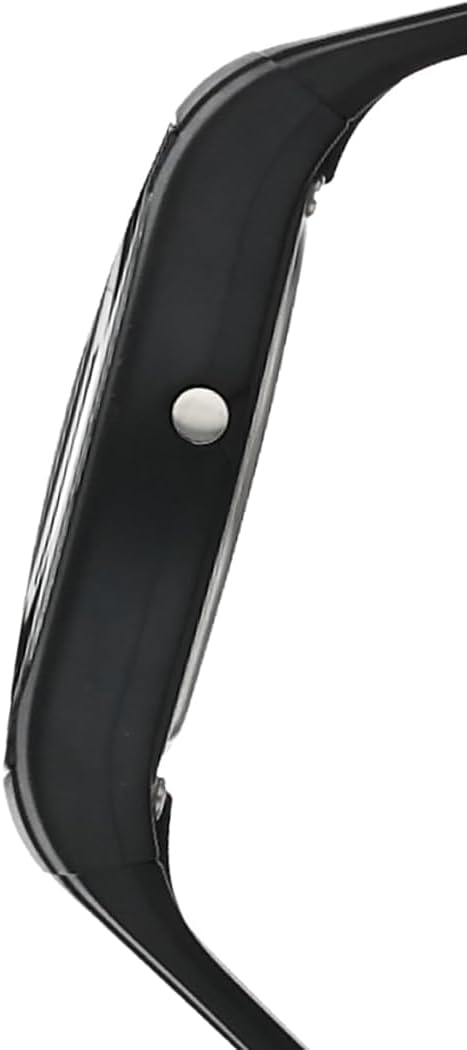
Зураг: хажуу тал view of the Casio AW-90H-2BVDF Wristwatch, highlighting one of the control buttons.
Setup and Timekeeping
Дижитал цаг, огноог тохируулах
- Цаг баримтлах горимд товчийг дарна уу Тохируулах button until the seconds digits start to flash, indicating the setting screen.
- дээр дарна уу Горим button to cycle through the setting options: Seconds → Hour → Minutes → Year → Month → Day.
- -г ашиглана уу Эхлэх/ зогсоох button to increase the flashing value. Hold down to change rapidly.
- Бүх тохиргоо зөв болсны дараа товчийг дарна уу Тохируулах тохиргооны дэлгэцээс гарахын тулд товчийг дарна уу.
Adjusting Analog Hands
The analog hands are typically synchronized with the digital time. If they are out of alignment, refer to the specific hand adjustment procedure in the full module manual (available on the Casio website by searching your model number). Generally, this involves entering a hand setting mode and using buttons to move the hands.
Үйлдлийн горимууд
дээр дарна уу Горим button to cycle through the watch's various functions:
- Цагийн горим: Одоогийн цаг, огноог харуулна.
- Сэрүүлгийн горим: Өдөр тутмын сэрүүлгийг тохируулж, идэвхжүүл.
- Секундомер горим: Өнгөрсөн хугацааг хэмжинэ.
- Хос цагийн горим: View the time in a different time zone.
Сэрүүлгийг ашиглах
- Enter the Alarm Mode using the Горим товч.
- дээр дарна уу Тохируулах button to enable setting the alarm time. The hour digits will flash.
- -г ашиглана уу Эхлэх/ зогсоох button to change the hour. Press Горим to switch to minutes and adjust.
- дарна уу Тохируулах сэрүүлгийн цагийг баталгаажуулахын тулд.
- Сэрүүлгийг асаах/унтраахын тулд товчийг дарна уу Эхлэх/ зогсоох button while in Alarm Mode (not in setting mode).
Секундомер ашиглах
- Enter the Stopwatch Mode using the Горим товч.
- дээр дарна уу Эхлэх/ зогсоох Секундомерыг эхлүүлэх товчлуур.
- дарна уу Эхлэх/ зогсоох үүнийг зогсоохын тулд дахин.
- дээр дарна уу Тохируулах Секундомерыг тэг болгох товчийг дарна уу.
Гэрэлтүүлэг
дээр дарна уу Гэрэл button (if available) to illuminate the digital display for a few seconds in low-light conditions.
Арчилгаа, засвар үйлчилгээ
Усны эсэргүүцэл
Your watch is marked with "WATER RESIST" on the case back, indicating it is suitable for everyday use and can withstand splashes or brief immersion in water. However, it is not designed for diving or prolonged water exposure. Do not operate buttons while the watch is wet or submerged.

Зураг: Ар талд view of the Casio AW-90H-2BVDF Wristwatch, showing the stainless steel case back with "WATER RESIST" engraving.
Цэвэрлэгээ
Цагийг зөөлөн, хуурай даавуугаар арчиж, шороо болон чийгийг арилгана. Зөрүүд бохирдлыг арилгахын тулд зөөлөн даавуу ашиглаарай.ampened with water and a mild neutral detergent, then wipe dry. Avoid using volatile agents like thinner or benzine, which may damage the resin components.
Батерейны мэдээлэл
This watch uses one CR123A battery (included). When the display becomes dim or functions become erratic, it is time to replace the battery. Battery replacement should ideally be performed by a qualified watch technician to ensure proper sealing and water resistance.
Хадгалах
When not in use for extended periods, store your watch in a dry place away from direct sunlight, extreme temperatures, and strong magnetic fields.
Алдааг олж засварлах
- Буруу цаг: Ensure you have correctly set both the digital and analog times. If the analog hands are misaligned, refer to the hand adjustment procedure.
- Хоосон эсвэл бүдэг дэлгэц: Батерей дууссан эсвэл цэнэг нь дууссан байж магадгүй. Батерейг солино уу.
- Хариу өгөхгүй товчлуурууд: Ensure the watch is not in a locked mode (if applicable) or that it is not wet. If the issue persists after drying, the battery may be low.
- Усны доторх ажиглалт: If you notice condensation or water droplets inside the watch, have it inspected immediately by a qualified technician to prevent further damage.
Үзүүлэлтүүд
| Загварын дугаар | AW-90H-2BVDF |
| Үйлдвэрлэгч | Casio |
| Бүтээгдэхүүний хэмжээс | 2.44 x 4.09 x 3.7 инч |
| Зүйлийн жин | 2.08 унц |
| Зайны төрөл | 1 CR123A (оруулсан) |
| Усны эсэргүүцэл | Water Resistant (suitable for splashes, not diving) |
| Хэл | Англи |
Баталгаат хугацааны мэдээлэл
Your Casio watch is covered by a manufacturer's warranty against defects in materials and workmanship. The specific terms and duration of the warranty may vary by region. Please refer to the warranty card included with your purchase or visit the official Casio webбаталгааны дэлгэрэнгүй мэдээллийг авах сайт.
Хэрэглэгчийн дэмжлэг
For further assistance, technical support, or service inquiries, please contact Casio customer support. You can find contact information and frequently asked questions on the official Casio website. When contacting support, please have your watch model number (AW-90H-2BVDF) readily available.