Танилцуулга
This manual provides detailed instructions for the safe installation, operation, and maintenance of your Utilitech 3-Light 123-Watt Bronze Dusk-to-Dawn Security Light. Please read all instructions carefully before beginning installation and retain this manual for future reference. This security light is designed for outdoor use and features a built-in motion sensor and photo-control for automated operation.
Аюулгүй байдлын мэдээлэл
АНХААРУУЛГА: Цахилгаанд цохиулах эрсдэлтэй. Суурилуулалт, засвар үйлчилгээ хийхээс өмнө гал хамгаалагч эсвэл таслагчийн хүчийг салга.
- Энэхүү бүтээгдхүүнийг уг бүтээц, ашиглалт, учирч болох аюулын талаар сайн мэддэг хүн холбогдох суурилуулах кодын дагуу суурилуулсан байх ёстой.
- Нийлүүлэлтийн хэмжээг баталгаажуулахtage is 120 Volts AC, 60 Hz.
- Use only suitable bulbs as specified in the 'Specifications' section.
- Бэхэлгээг өөрчлөх гэж бүү оролдоорой. Аливаа өөрчлөлт нь баталгааг хүчингүй болгож, аюулгүй байдалд аюул учруулж болзошгүй.
- This fixture is UL Safety Listed, ensuring compliance with recognized safety standards.
Багцын агуулга
Before beginning installation, ensure all parts are present. If any part is missing or damaged, do not attempt to assemble, install, or operate the product.
- Security Light Fixture (1)
- Суурилуулах тоног төхөөрөмж (эрэг, утас самар гэх мэт)
- Зааварчилгааны гарын авлага (1)
Тохиргоо ба суурилуулалт
This security light is designed for wall mount installation and requires hardwiring to an existing electrical circuit.
1. Суулгахад бэлтгэх
- Хэлхээ таслагч эсвэл гал хамгаалагчийн хайрцгийн цахилгааныг бэхэлгээ суурилуулах залгуурын хайрцаг руу унтраа.
- Бэхэлгээ болон түүний эд ангиудыг болгоомжтой задална уу.
2. Бэхэлгээг суурилуулах
- Attach the mounting bracket to the electrical junction box using the provided screws. Ensure it is securely fastened.
- Feed the electrical wires from the junction box through the center hole of the mounting bracket.
3. Утасны холболт
- Connect the bare copper ground wire from the fixture to the ground wire from the junction box using a wire nut.
- Connect the white (neutral) wire from the fixture to the white (neutral) wire from the junction box using a wire nut.
- Connect the black (hot) wire from the fixture to the black (hot) wire from the junction box using a wire nut.
- Бүх утсыг уулзвар хайрцагт болгоомжтой хийнэ үү.
4. Securing the Fixture and Installing Bulbs
- Align the fixture with the mounting bracket and secure it with the provided screws. Ensure a tight seal against the mounting surface to prevent water intrusion.
- Install three (3) Halogen or compact fluorescent bulbs (not included) into the sockets. Do not exceed the maximum wattage specified in the 'Specifications' section.
- Adjust the light heads to the desired direction.
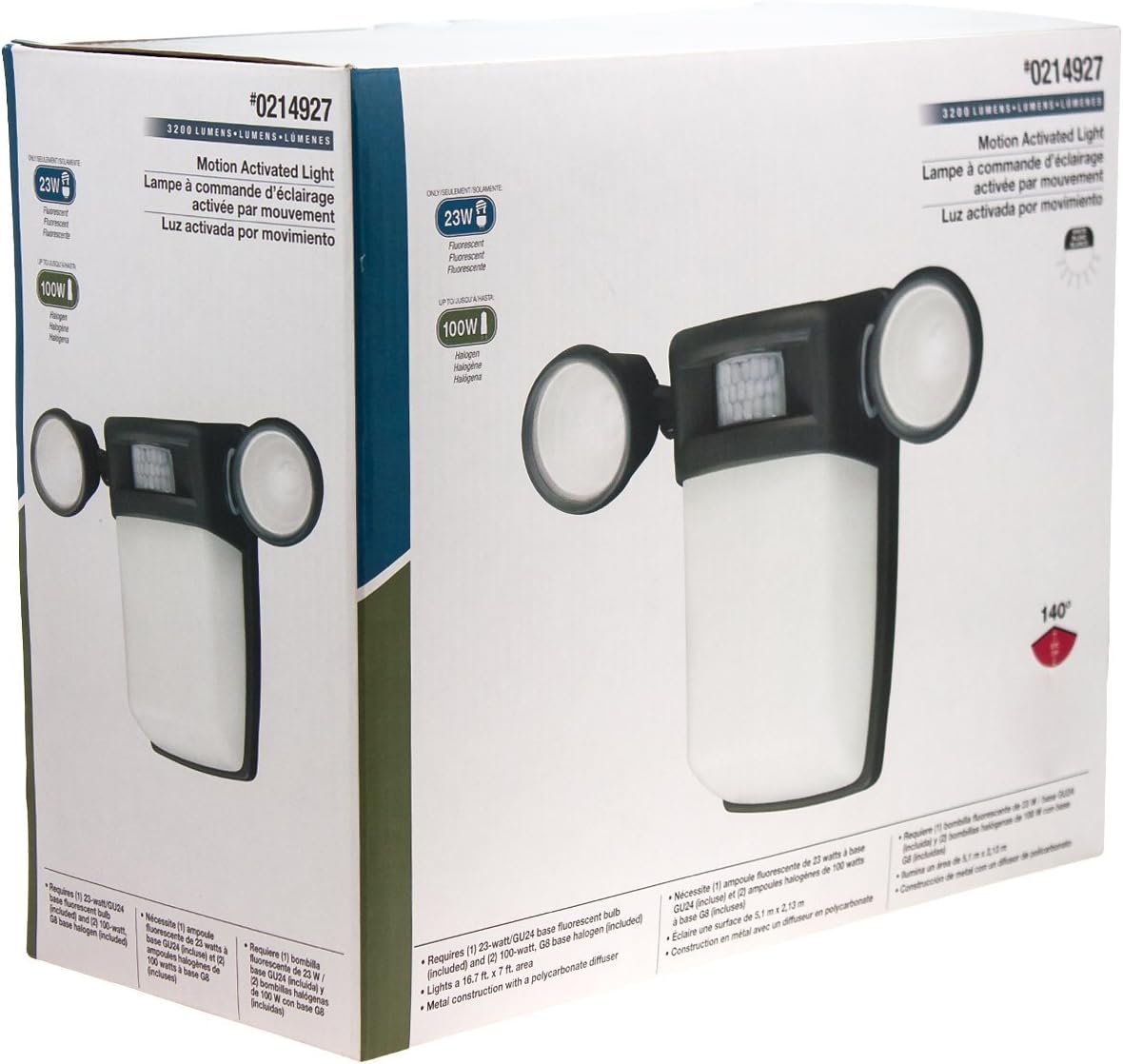
Зураг 1: Урд view of the Utilitech 3-Light 123-Watt Bronze Dusk-to-Dawn Security Light in its retail packaging. This image shows the overall design with three adjustable light heads and the central motion sensor.

Зураг 2: Хажуу тал view of the Utilitech 3-Light 123-Watt Bronze Dusk-to-Dawn Security Light in its retail packaging. This perspective highlights the depth of the fixture and the positioning of the light heads relative to the main body.
Ашиглалтын заавар
This security light is equipped with both a photo-control sensor for dusk-to-dawn operation and a 140° automatic motion sensor for enhanced security.
Үүр бүрий хүртэл үүр цайх онцлог
The integrated photo-control sensor detects ambient light levels. The light will automatically turn on at dusk and turn off at dawn, providing continuous illumination during nighttime hours. No manual adjustment is typically required for this feature.
Хөдөлгөөн мэдрэгчийн ажиллагаа
The 140° automatic motion sensor detects movement within its range. When motion is detected, the light will activate for a set duration. The fixture may include adjustable settings for sensitivity and duration. Refer to the specific controls on your fixture for adjustment. Some models may also feature remote control capabilities for these settings.
Гэрлийн толгойг тохируулах
The three light heads are adjustable. Gently pivot each light head to direct illumination to your desired coverage area.
Засвар үйлчилгээ
Regular maintenance ensures optimal performance and extends the lifespan of your security light.
- Цэвэрлэгээ: Бэхэлгээг үе үе зөөлөн, damp cloth. Do not use abrasive cleaners or solvents, as they may damage the finish or electrical components. Ensure power is off before cleaning.
- Булцуу солих: Turn off power at the circuit breaker before replacing bulbs. Allow bulbs to cool completely before handling. Replace with three (3) Halogen or compact fluorescent bulbs of the specified wattage.
- Мэдрэгчийн цэвэрлэгээ: Keep the motion sensor lens and photo-control sensor free of dirt, dust, and obstructions to ensure proper operation.
Алдааг олж засварлах
Хэрэв таны хамгаалалтын гэрэл санаснаар ажиллахгүй байвал дараах нийтлэг асуудал, шийдлүүдийг үзнэ үү.
| Асуудал | Боломжит шалтгаан | Шийдэл |
|---|---|---|
| Light does not turn on at all. | No power, faulty bulbs, wiring issue, or defective sensor. | Check circuit breaker. Ensure bulbs are correctly installed and not burnt out. Verify wiring connections. If issues persist, consult a qualified electrician. |
| Гэрэл тасралтгүй асдаг. | Motion sensor sensitivity too high, duration setting too long, or photo-control sensor obstructed/faulty. | Adjust motion sensor sensitivity and duration settings. Ensure photo-control sensor is not blocked by debris or external light sources. |
| Өдрийн цагаар гэрэл асдаг. | Photo-control sensor is obstructed or in a shaded area. | Ensure the photo-control sensor is exposed to natural daylight and not covered by dirt or obstructions. |
| Motion sensor does not detect movement. | Sensor sensitivity too low, obstructed view, or incorrect angle. | Increase sensor sensitivity. Clear any obstructions from the sensor's field of view. Adjust the sensor's angle to cover the desired area. |
Үзүүлэлтүүд
| Онцлог | Тодорхойлолт |
|---|---|
| Брэнд | Ашигтай технологи |
| Загварын дугаар | 0214927 |
| Ботьtage | 120 вольт хувьсах гүйдэл, 60 Гц |
| Ватtage | 123 Ватт (нийт) |
| Булцууны төрөл | Halogen or Compact Fluorescent (3 bulbs required) |
| Гэрлийн толгойнууд | 3, тохируулах боломжтой |
| Хөдөлгөөн мэдрэгчийн өнцөг | 140 градус |
| Үүр бүрий хүртэл үүр цайх онцлог | Yes, photo-control sensor |
| Материал | Металл |
| Дуусга | Хүрэл |
| Суурилуулах төрөл | Ханын бэхэлгээ |
| Хэмжээ (H x W x D) | 10.25 инч x 13.5 инч x 5.75 инч |
| Зүйлийн жин | 3.5 фунт |
| Аюулгүй байдлын жагсаалт | UL жагсаалтад орсон |


