Танилцуулга
This manual provides essential information for the proper setup, operation, and maintenance of your Spectra SP-PC Stereo Computer Transcription Headset. Please read these instructions carefully to ensure optimal performance and longevity of your device.
Бүтээгдэхүүн дууссанview
The Spectra SP-PC is a stereo headset designed for computer transcription and other audio applications. It features an under-chin bow design, twin speakers, and a 10-foot cord with a 3.5mm right-angle plug for convenient connection to various devices.

Image 1: The Spectra SP-PC Stereo Computer Transcription Headset, showing the under-chin design, twin speakers, and the coiled 10-foot cord with a 3.5mm right-angle plug.
Тохиргоо
- Чихэвчийг задлах: Carefully remove the headset from its packaging. A black pouch is included for storage.
- Аудио залгуурыг тодорхойлох: Locate the 3.5mm right-angle plug at the end of the headset's 10-foot cord.
- Төхөөрөмжид холбогдох: Insert the 3.5mm plug into the audio output jack of your computer, laptop, tablet, or any compatible device. Ensure the connection is secure.
- Adjust System Volume: The Spectra SP-PC headset does not feature an inline volume control. Adjust the audio volume directly through your computer's operating system or the application you are using.
Ашиглалтын заавар
- Чихэвч зүүсэн: Position the headset with the flexible band resting gently under your chin. The twin speakers should sit comfortably just outside your ear canals. This under-chin design is intended for extended wear comfort.
- Аудио тоглуулах: Once connected, initiate audio playback from your chosen application (e.g., transcription software, media player).
- Дууны тохируулга: Use your device's native volume controls to set the desired listening level.
- Optimized for Voice: This headset is particularly suited for voice clarity, making it ideal for transcription tasks.
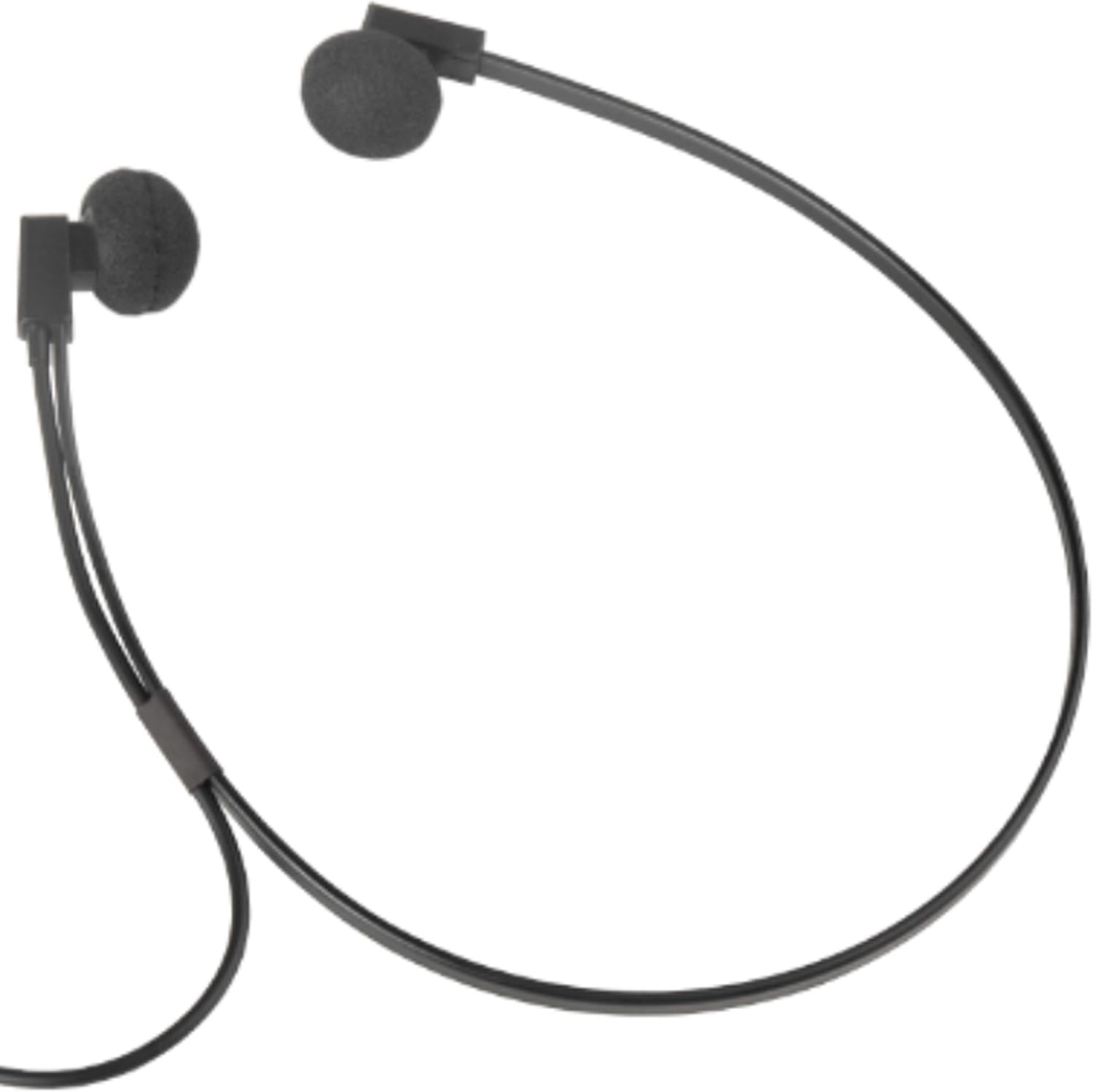
Зураг 2: Ойрын зураг view of the Spectra SP-PC headset, demonstrating how the under-chin band supports the earpieces for comfortable wear.
Засвар үйлчилгээ
- Цэвэрлэгээ: Gently wipe the earpieces and cable with a soft, dry cloth. Avoid using harsh chemicals or abrasive materials.
- Ear Foam Replacement: The headset comes with extra ear foam covers. If the existing foam covers become worn or damaged, carefully remove them and replace them with the new ones provided.
- Хадгалах: When not in use, store the headset in the provided black pouch to protect it from dust and damage. Avoid tangling the cord.
- Харьцуулах: While durable, avoid dropping the headset on hard surfaces, as this may cause damage to the earpieces or internal components.
Алдааг олж засварлах
- Дуугүй:
- Ensure the 3.5mm plug is fully inserted into the audio jack of your device.
- Check your device's volume settings to ensure it is not muted or set too low.
- Test the headset with another audio source or device to rule out a device-specific issue.
- Гажуудсан дуу:
- Төхөөрөмжийнхөө дууг багасгана уу.
- Аудио эх сурвалж сайн чанартай байгаа эсэхийг шалгаарай.
- Check for any damage to the cable or plug.
- Discomfort During Extended Use:
- While designed for comfort, individual ear sensitivity varies. Take short breaks during prolonged listening sessions.
- Ensure the ear foam covers are properly seated and not causing irritation.
Үзүүлэлтүүд
| Брэнд | СПЕКТРА |
| Загварын дугаар | SP-PC |
| Холболтын технологи | Утастай |
| Чихэвчний үүр | 3.5 мм Жак |
| Кабелийн онцлог | 10 feet 3.5 mm right angle stereo plug |
| Чихний байрлал | In Ear (Under-Chin Form Factor) |
| Аудио драйверын төрөл | Динамик драйвер |
| Зүйлийн жин | 2.4 унц |
| Бүтээгдэхүүний хэмжээс | 9 x 1 x 12 инч |
| Тохиромжтой төхөөрөмжүүд | Devices with a 3.5mm Jack (PC, Laptops, Tablets) |
| Онцлог шинж чанар | Хөнгөн жинтэй |
| Зөөврийн хайрцагны материал | Зөөлөн материал |
Баталгаат болон дэмжлэг
For warranty information and technical support, please refer to the documentation included with your purchase or contact the manufacturer directly. Specific warranty terms may vary by region and retailer.


