1. Танилцуулга
This manual provides instructions for the setup, operation, maintenance, and troubleshooting of your Rollei Designline 3080 Digital Photo Frame. Please read this manual carefully before using the device to ensure proper functionality and longevity.
The Rollei Designline 3080 is an 8-inch digital photo frame designed to display your digital photos, play videos, and audio files. It features an 800 x 600 pixel display with a 4:3 aspect ratio, integrated stereo speakers, and a lithium-ion battery for portable use.
2. Багцын агуулга
- Rollei Designline 3080 Digital Photo Frame
- Power Adapter (100-240V, 50-60Hz, DC 5V/1.5A)
- Лити-ион батерей (урьдчилан суулгасан эсвэл тусдаа)
- Хэрэглэгчийн гарын авлага (энэ баримт бичиг)
3. Тохиргоо
3.1. Эрчим хүчний холболт
Connect the provided power adapter to the DC 5V input port on the photo frame and then plug the adapter into a standard electrical outlet. The device will begin charging its internal lithium-ion battery. A full charge provides up to 2 hours of operation.
3.2. Санах ойн карт оруулах
The photo frame supports SD, SDHC, MS, and MMC memory cards. Locate the memory card slot on the side or back of the frame. Insert your memory card with the metal contacts facing the correct direction until it clicks into place. Do not force the card.

Зураг 1: Урд view of the Rollei Designline 3080 Digital Photo Frame displaying an image. This image illustrates the device's appearance and its primary function of displaying digital photographs.
3.3. USB-ээр холбогдож байна
You can connect the photo frame to a computer using a USB cable (not included) via the USB 2.0 or Mini-USB port. This allows you to transfer files directly to a connected memory card or the frame's internal memory (if available). The frame will appear as a removable disk drive on your computer.
4. Ашиглалтын заавар
4.1. Асаах/унтраах
Press and hold the power button (usually located on the back or side) for a few seconds to turn the device on or off.
4.2. Цэс рүү шилжих
Use the directional buttons (Up, Down, Left, Right) and the 'OK' or 'Enter' button on the frame or remote control to navigate through the on-screen menu. The 'Menu' or 'Exit' button typically returns you to the previous screen or the main menu.
4.3. Photo Playback
- From the main menu, select "Photo" or "Image".
- Choose the desired memory source (e.g., SD card, USB drive).
- Browse through your JPEG images.
- Зургийг сонгоно уу view it individually or start a slideshow.
The frame supports JPEG image format. You can configure slideshow settings such as interval time and transition effects in the system settings.
4.4. Видео тоглуулах
- From the main menu, select "Video".
- Choose the desired memory source.
- Видео сонгоно уу file тоглуулж эхлэхийн тулд.
Supported video formats include MPEG1, MPEG2, MPEG4 (Divx 4.0, Divx 5.0), M-JPEG, Xvid, and AVI.
4.5. Аудио тоглуулах
- From the main menu, select "Music" or "Audio".
- Choose the desired memory source.
- Аудио сонгоно уу file to begin playback through the integrated stereo speakers.
Supported audio formats include MP3 and WMA. Audio can also be played during photo slideshows.
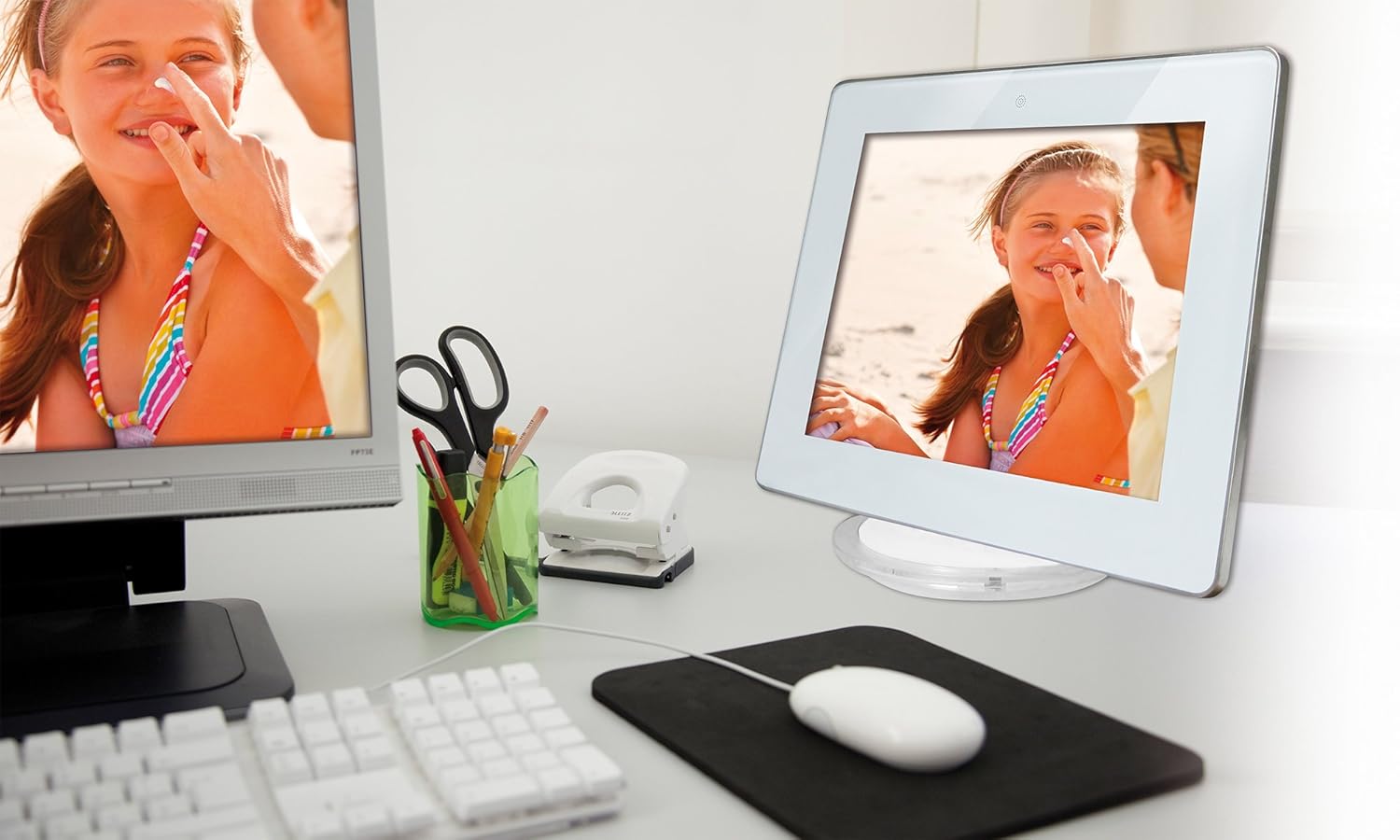
Зураг 2: The Rollei Designline 3080 Digital Photo Frame positioned on a desk, demonstrating its integration into a typical home or office environment.
4.6. Clock and Alarm Function
The device includes an integrated clock and a programmable alarm function. Access these settings through the main menu to set the time and configure alarms as needed.
5. Засвар үйлчилгээ
5.1. Төхөөрөмжийг цэвэрлэх
- Цэвэрлэхийн өмнө төхөөрөмжийг унтрааж, залгуураас салгасан эсэхийг шалгаарай.
- Дэлгэц болон хүрээг зөөлөн, хуурай, хөвөнгүй даавуугаар арчих.
- Зөрүүд тэмдгийн хувьд бага зэрэг dampдаавууг усаар норгоно; хүчтэй химийн бодис эсвэл зүлгүүрийн цэвэрлэгчээс зайлсхий.
5.2. Зайны арчилгаа
- Зайны ашиглалтын хугацааг уртасгахын тулд зайгаа ойр ойрхон бүрэн цэнэггүй болгохоос зайлсхий.
- Хэрэв төхөөрөмжийг удаан хугацаагаар хадгалах юм бол хадгалахаасаа өмнө зайгаа ойролцоогоор 50% хүртэл цэнэглэ.
- Хуурай сэрүүн газар хадгална.
6. Алдаа засах
| Асуудал | Боломжит шалтгаан | Шийдэл |
|---|---|---|
| Төхөөрөмж асахгүй байна. | Low battery or power adapter not connected. | Connect the power adapter and allow the battery to charge. Ensure the power outlet is functional. |
| Зураг/видео харагдахгүй байна. | No memory card inserted, card not recognized, or unsupported file формат. | Insert a compatible memory card with supported fileс. Баталгаажуулах files are in JPEG, MPEG, or AVI format. Reinsert the card. |
| Видео/хөгжмөөс ямар ч дуу алга. | Volume too low or audio file форматыг дэмждэггүй. | Increase the volume using the controls. Ensure audio files are MP3 or WMA. |
| Алсын удирдлага ажиллахгүй байна. | Battery depleted or obstruction between remote and frame. | Replace the remote control battery. Ensure a clear line of sight to the frame's IR receiver. |
If you encounter issues not listed here or if the problem persists, please contact Rollei customer support.
7. Техникийн үзүүлэлтүүд
| Загварын дугаар | 30149 |
| Брэнд | Роллей |
| Дэлгэцийн хэмжээ | 8.0 инч (20.32 см) |
| Шийдвэр | 800 x 600 пиксел |
| Харьцаа | 4:3 |
| Дэмжигдсэн зургийн формат | JPEG |
| Дэмжигдсэн аудио форматууд | MP3, WMA |
| Дэмжигдсэн видео форматууд | MPEG1, MPEG2, MPEG4 (Divx 4.0, Divx 5.0), M-JPEG, Xvid, AVI |
| Санах ойн картны үүр | SD/SDHC/MS/MMC |
| Холболт | USB 2.0, Mini-USB |
| Эрчим хүчний хангамж | Net adapter 100-240 V, 50-60 Hz, DC 5 V/1.5 A |
| Батерей | Lithium-ion (up to 2 hours runtime) |
| Хэмжээ (Ө x Ө x D) | 21.69 см x 17.3 см x 2.54 см (ойролцоогоор 217 x 173 x 25.5 мм) |
| Жин | 199.58 гр |
8. Баталгаат хугацаа ба дэмжлэг
Your Rollei Designline 3080 Digital Photo Frame comes with a 24-month exchange service. For technical assistance, warranty claims, or any other inquiries, please contact the Rollei Service Hotline.
Please refer to your product packaging or the official Rollei website for the most current contact information for the service hotline in your region.


