1. Оршил ба түүнээс дээшview
The EPOS PC 7 USB is a lightweight, single-sided wired headset designed for clear communication and audio. It connects via USB, offering plug-and-play functionality for various computer systems. Its noise-cancelling microphone ensures clear conversations, making it suitable for online calls, gaming, and listening to audio while remaining aware of your surroundings.

Figure 1: EPOS PC 7 USB Wired Headset
2. Бүтээгдэхүүний онцлог
- Дуу чимээ намсгагч микрофон: Provides clear audio transmission by filtering out background noise.
- USB Plug-and-Play: Simple connection to your computer's USB port for immediate use without additional software installation.
- Single-Sided Wearing Style: Allows you to keep one ear free to stay aware of your environment.
- Хөнгөн, тав тухтай дизайн: Engineered for extended periods of use without discomfort.
- Wideband Audio: Delivers high-quality sound for both listening and speaking.

Figure 2: Key features of the EPOS PC 7 USB Headset including noise-cancelling microphone, lightweight design, and plug-and-play simplicity.
3. Тохиргоо
- USB порт руу холбогдох: Locate an available USB-A port on your computer (Windows, macOS, or Chromebook). Insert the headset's USB connector firmly into the port.
- Автомат таних: Your operating system should automatically detect and install the necessary drivers for the headset. This process typically takes a few moments.
- Аудио тохиргоог баталгаажуулна уу: After connection, check your computer's sound settings to ensure the EPOS PC 7 USB is selected as the default input (microphone) and output (speaker) device.
The headset is designed for immediate plug-and-play functionality, requiring no complex installation steps.

Figure 3: Close-up of the single-sided USB headset, highlighting the plug-and-play USB connection and noise-cancelling microphone.
4. Ашиглалтын заавар
4.1 Микрофоны тохируулга
- Байршил: Gently adjust the flexible boom arm to position the microphone approximately 1-2 inches from your mouth for optimal voice pickup.
- Дуу чимээг цуцлах: The microphone features noise-cancelling technology to reduce ambient sounds, ensuring your voice is heard clearly.
4.2 Шугамын хяналтууд
The headset features an inline control unit for convenient management of calls and audio.
- Дууны хяналт: Use the '+' and '-' buttons to increase or decrease the listening volume.
- Микрофоны дууг хаах: Press the microphone icon button to mute or unmute your microphone.
- Дуудлагын удирдлага: Use the call button (phone icon) to answer or end calls in compatible applications (e.g., Skype, Zoom, Teams).

Figure 4: Detail of the earcup and microphone, designed for clear audio and comfortable fit.
5. Тав тухтай байдал ба дизайн
The EPOS PC 7 USB is engineered for user comfort during prolonged use.
- Хөнгөн хийц: The headset's minimal weight reduces pressure on the head and ears.
- On-Ear Earpad: The single earpad rests comfortably on one ear, allowing for situational awareness.
- Тохируулах боломжтой толгойн тууз: The headband can be adjusted to fit various head sizes securely.

Figure 5: User demonstrating the comfortable fit of the EPOS PC 7 USB Headset during a call.
6. Техникийн үзүүлэлтүүд
| Онцлог | Дэлгэрэнгүй |
|---|---|
| Загварын нэр | PC 7 USB |
| Брэнд | EPOS |
| Холболтын технологи | Утастай (USB-A) |
| Чихний байрлал | On Ear (Mono) |
| Form Factor | Чихэн дээр |
| Дуу чимээний хяналт | Идэвхтэй дуу чимээг арилгах (микрофон) |
| Давтамжийн хариу үйлдэл | 42 - 17000 Гц |
| Эсэргүүцэл | 32 Ом |
| Зүйлийн жин | 2.19 унц |
| Материал | Хуванцар |
| Өнгө | Хар |
| Тохиромжтой төхөөрөмжүүд | Computers (Windows, macOS, Chromebook) |
7. Засвар үйлчилгээ
- Цэвэрлэгээ: Чихэвчийг цэвэрлэхдээ зөөлөн, хуурай даавуу ашиглаарай. Хүчтэй химийн бодис эсвэл зүлгүүрийн материал хэрэглэхээс зайлсхий.
- Хадгалах: Store the headset in a cool, dry place when not in use. Avoid extreme temperatures and direct sunlight.
- Кабель арчилгаа: Do not excessively bend or pull the cable to prevent damage.
8. Алдаа засах
- Дуу байхгүй/Микрофон ажиллахгүй байна:
- USB холбогчийг порт руу бүрэн оруулсан эсэхээ шалгаарай.
- Check your computer's audio settings to confirm the EPOS PC 7 USB is selected as the default input/output device.
- Verify that the microphone is not muted via the inline control unit or your computer's software.
- Try connecting the headset to a different USB port or another computer to rule out port or system issues.
- Аудио чанар муу:
- Микрофоны хөшүүргийг амандаа ойртуулна уу.
- Ensure the earpad is properly positioned on your ear.
- Check for any software conflicts or outdated audio drivers on your computer.
9. Бүтээгдэхүүний албан ёсны видео
Video 1: EPOS PC7 USB Mono Headset for Clear Office Calls. This video provides a visual overview of the headset's features and benefits for office communication.
10. Баталгаат хугацаа ба дэмжлэг
The EPOS PC 7 USB Headset comes with a 2-year warranty, as indicated on the product packaging. For further support, product registration, or warranty claims, please visit the official EPOS webсайт эсвэл харилцагчийн үйлчилгээтэй холбогдоно уу.
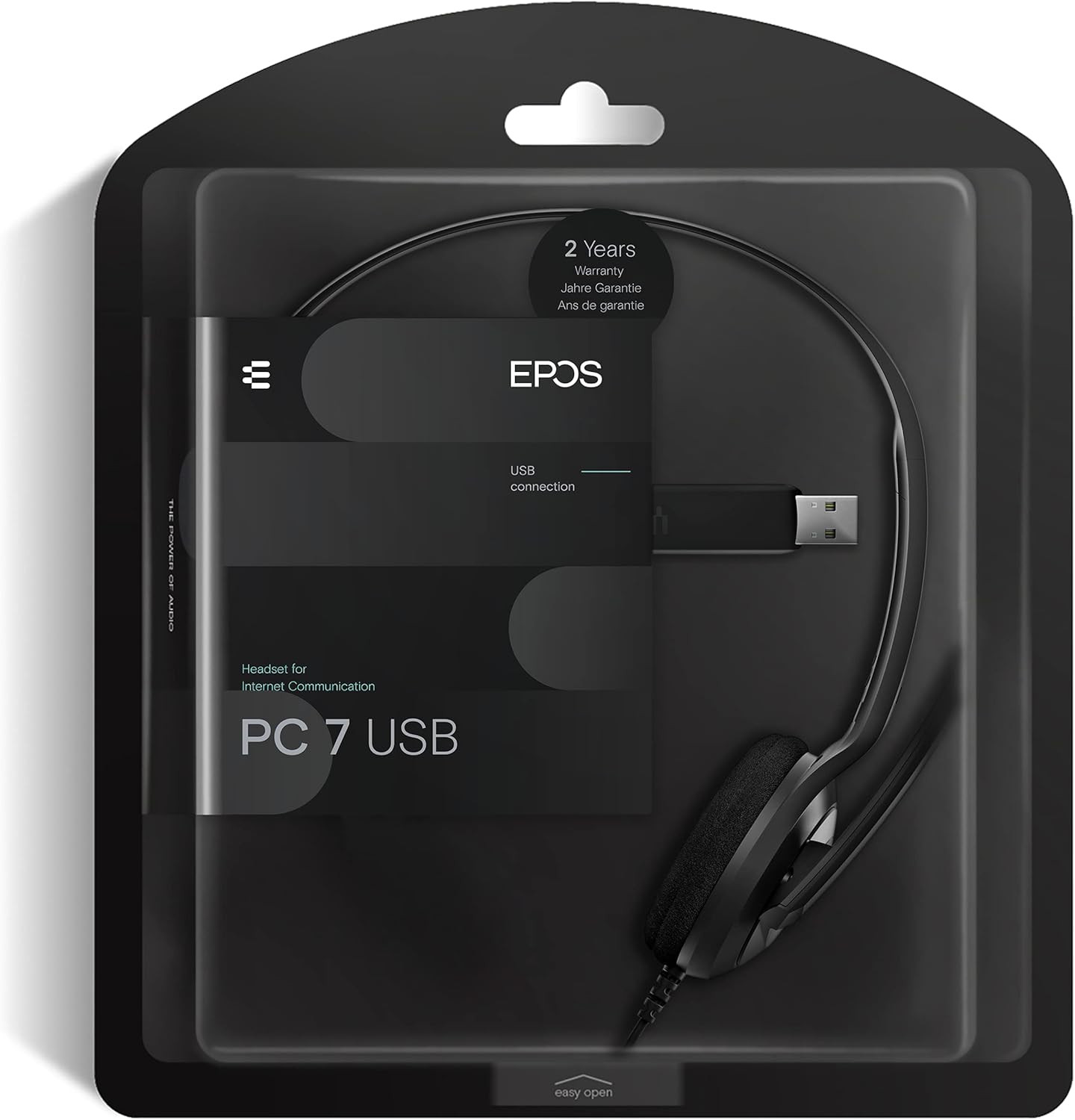
Figure 6: Product packaging highlighting the 2-year warranty information.


