1. Танилцуулга
Худалдан авалт хийсэнд баярлалааasing the Fysic FX-6000 Big Button DECT Phone. This manual will guide you through the setup, operation, and maintenance of your new cordless telephone. Please read these instructions carefully before using the phone to ensure proper functionality and safety. Keep this manual for future reference.
2. Аюулгүй байдлын чухал мэдээлэл
- Use only the supplied power adapter and batteries.
- Утсаа ус эсвэл хэт чийглэг орчинд бүү оруул.
- Утсаа дулааны эх үүсвэр эсвэл нарны шууд тусгалын ойролцоо байрлуулахаас зайлсхий.
- Утсаа өөрөө нээх, засах гэж бүү оролдоорой. Бүх үйлчилгээг мэргэшсэн боловсон хүчинд шилжүүлээрэй.
- Орон нутгийн дүрэм журмын дагуу зайгаа хариуцлагатайгаар устгана уу.
3. Багцын агуулга
Таны багцад бүх зүйл байгаа эсэхийг шалгана уу:
- Fysic FX-6000 Handset
- Суурь станц
- Суурийн станцын цахилгаан адаптер
- Утасны шугамын утас
- 2 x AAA NiMH цэнэглэдэг батерей
- Хэрэглэгчийн гарын авлага
4. Бүтээгдэхүүн дууссанview
The Fysic FX-6000 features large buttons and a clear display for ease of use.

Зураг 4.1: Урд view of the Fysic FX-6000 handset in its charging base, highlighting the large, easy-to-read buttons and the clear, backlit display.
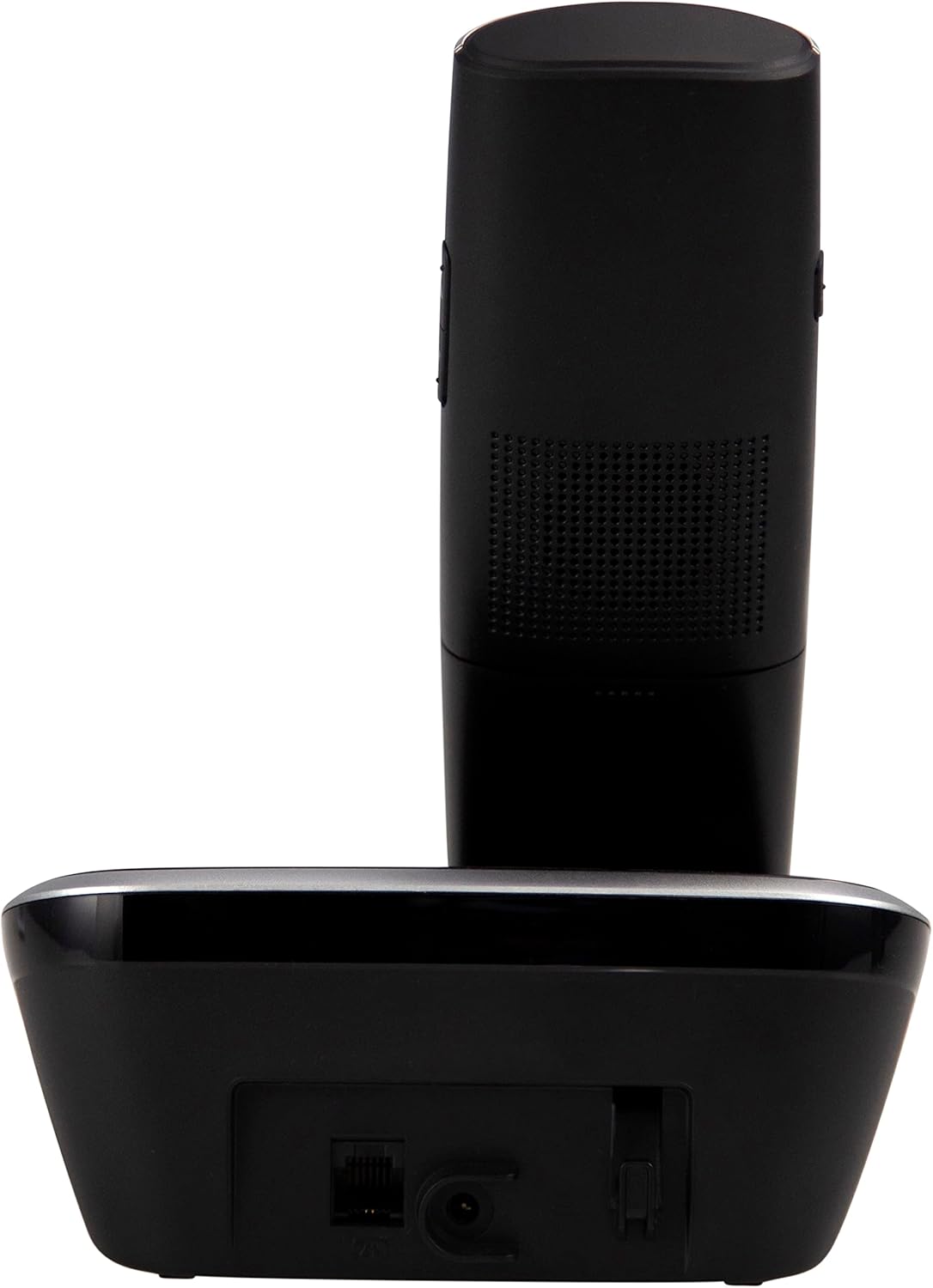
Зураг 4.2: Хажуу тал view of the Fysic FX-6000 handset docked in its base station, showing the ergonomic design and side volume buttons.

Зураг 4.3: Detailed close-up of the Fysic FX-6000 phone's keypad, emphasizing the large, clearly labeled buttons for easy dialing.

Зураг 4.4: Ойролцоогоор view of the Fysic FX-6000 phone's backlit display, showing clear icons for battery status, signal strength, and call information.
Гар утасны зохион байгуулалт
- Дэлгэц: 1.8-inch backlit screen for caller ID, menu, and status.
- Навигацийн товчлуурууд: For menu navigation and volume adjustment.
- Залгах самбар: Large, easy-to-read numeric keys (0-9, *, #).
- Call/End Buttons: Green button to answer/make calls, Red button to end calls.
- Memory Keys (M1, M2, M3): For speed dialing frequently used numbers.
- Чанга яригч товчлуур: To activate hands-free mode.
Суурь станцын зохион байгуулалт
- Цэнэглэх өлгий: For charging the handset.
- Paging Button: To locate a misplaced handset.
- Цахилгаан залгуур: Цахилгаан адаптерийг холбоход зориулагдсан.
- Telephone Line Socket: For connecting to the telephone line.
5. Тохиргоо
5.1 Батерей суурилуулах
- Гар утасны арын хэсэгт байрлах зайны тасалгааны тагийг нээнэ үү.
- Зөв туйлшралыг (+ ба -) ажиглан хоёр дагалдах AAA NiMH цэнэглэдэг батерейг оруулна уу.
- Зайны тасалгааны тагийг сайтар хаа.
5.2 Суурь станцыг холбох
- Connect one end of the telephone line cord to the telephone line socket on the base station.
- Утасны утасны нөгөө үзүүрийг утасныхаа залгуурт холбоно уу.
- Connect the power adapter to the power socket on the base station.
- Цахилгаан адаптерийг тохирох цахилгаан залгуурт (220-240V) залгаарай.
5.3 Initial Charging and Handset Registration
Place the handset on the base station. The handset will automatically begin charging. For optimal battery performance, allow the handset to charge for at least 16 hours before its first use. The handset is pre-registered to the base station from the factory. If for any reason the handset loses its registration, refer to the troubleshooting section for re-registration steps.
6. Ашиглалтын заавар
6.1 Дуудлага хийх
- Урьдчилан залгах: Enter the phone number using the dial pad, then press the Ногоон дуудлага товч.
- Шууд залгах: дээр дарна уу Ногоон дуудлага button, then enter the phone number.
- Using Memory Keys (M1, M2, M3): Press and hold the desired memory key (M1, M2, or M3) to dial the stored number.
6.2 Дуудлага хүлээн авах
Утас дуугарах үед товчийг дарна уу Ногоон дуудлага button to answer. The display will show the caller's number if Caller ID service is active.
6.3 Дуудлага дуусгах
дээр дарна уу Улаан төгсгөлийн дуудлага товчлуур дээр дарах эсвэл утсаа үндсэн станц дээр буцааж байрлуул.
6.4 Дууны хэмжээг тохируулах
During a call, use the volume up/down buttons on the side of the handset to adjust the earpiece volume. The ringtone volume can be adjusted via the phone's menu settings.
6.5 Гар ашиглахгүй ажиллагаа
Дуудлагын үеэр Чанга яригч button to switch to hands-free mode. Press it again to return to earpiece mode.
6.6 Утасны дэвтэр
The phonebook allows you to store frequently called numbers. Refer to the on-screen menu for options to add, edit, or delete contacts.
6.7 Дахин залгах
дээр дарна уу Дахин залгах button (often integrated with the call log or a dedicated button) to view and redial the last dialed numbers.
6.8 Дууг хаах функц
Дуудлагын үеэр Дууг хаах button to temporarily disable your microphone. The other party will not hear you. Press it again to unmute.
7. Засвар үйлчилгээ
7.1 Цэвэрлэгээ
Wipe the phone and base station with a soft, damp даавуу. Зүлгүүрийн цэвэрлэгч эсвэл уусгагч хэрэглэж болохгүй. Утсаа цэвэрлэхийн өмнө цахилгаанаас салгасан эсэхээ шалгаарай.
7.2 Батерейны арчилгаа
- Always use the supplied rechargeable NiMH batteries.
- Хэрэв утсыг удаан хугацаагаар ашиглахгүй бол гоожихоос сэргийлж батерейг нь салга.
- Батерейны гүйцэтгэл мэдэгдэхүйц буурсан үед тэдгээрийг солино уу.
8. Алдаа засах
| Асуудал | Боломжит шалтгаан | Шийдэл |
|---|---|---|
| Залгах ая байхгүй | Telephone line not connected; Power adapter not connected; Handset out of range or not registered. | Check all cable connections; Ensure base station is powered; Move handset closer to base; Re-register handset (see manual for specific steps). |
| Гар утас цэнэглэхгүй байна | Handset not properly seated in cradle; Dirty charging contacts; Faulty batteries. | Ensure handset is correctly placed; Clean charging contacts on handset and base with a dry cloth; Replace batteries if necessary. |
| Дуудлагын чанар муу / Статик | Handset too far from base; Interference from other electronic devices. | Move closer to the base station; Move base station away from other electronic devices (Wi-Fi routers, microwaves). |
| Дэлгэц хоосон байна | Batteries are depleted or not inserted correctly. | Charge handset for at least 16 hours; Check battery polarity. |
9. Техникийн үзүүлэлтүүд
- Загвар: FX-6000
- Брэнд: Физик
- Өнгө: Хар
- Утасны төрөл: Утасгүй DECT утас
- Дэлгэц: 1.8 инчийн арын гэрэлтүүлэгтэй LCD
- Батерей: 2 x AAA NiMH Rechargeable (1.2V, 500 mAh)
- Base Power Supply: 6 VDC, 300 мА
- Цахилгаан эрчим хүч: 220-240 В
- Ярилцах цаг: 10 цаг хүртэл
- Хүлээлгийн хугацаа: 100 цаг хүртэл
- Дотор хүрээ: 50 метр хүртэл
- Гадна хүрээ: 300 метр хүртэл
- Хэмжээ (L x W x H): Approximately 8 x 20 x 17 cm (Handset in base)
- Жин: Ойролцоогоор 534 грамм
- Онцлог шинж чанарууд: Large buttons, Hearing aid compatible, Adjustable ringtone/call volume, Mute function, Hands-free operation, GAP compatible.
10. Баталгаат хугацаа ба дэмжлэг
Fysic products are designed and manufactured to the highest quality standards. For information regarding warranty terms and conditions, please refer to the warranty card included with your product or visit the official Fysic website. For technical support or service inquiries, please contact Fysic customer service through their official channels. Keep your purchase receipt as proof of purchase.


