1. Танилцуулга
Thank you for choosing the Hama 95236 8-inch LCD Digital Photo Frame. This manual provides important information regarding the safe operation, setup, and maintenance of your device. Please read it thoroughly before using the product and keep it for future reference.
2. Аюулгүй ажиллагааны заавар
- Do not open the device. Incorrect assembly or repair can lead to electric shock.
- Бүтээгдэхүүн нь илт гэмтсэн тохиолдолд бүү ажиллуул.
- Бүтээгдэхүүнийг шороо, чийг, хэт халалтаас хамгаална. Үүнийг зөвхөн хуурай орчинд хэрэглээрэй.
- Бүтээгдэхүүнийг унагаж эсвэл хүчтэй чичиргээнд бүү оруул.
- Бүтээгдэхүүнийг зөвхөн зориулалтын дагуу ашиглаарай.
- Энэ бүтээгдэхүүнийг бүх цахилгаан бүтээгдэхүүний нэгэн адил хүүхдийн гар хүрэхгүй газар хадгална уу.
- Сав баглаа боодлын материалыг орон нутгийн дүрэм журмын дагуу нэн даруй устгана уу.
3. Багцын агуулга
Багцад дараах зүйлс байгаа эсэхийг шалгана уу:
- Hama 95236 8-inch LCD Digital Photo Frame
- Эрчим хүчний адаптер
- Хэрэглэгчийн гарын авлага (энэ баримт бичиг)
4. Бүтээгдэхүүн дууссанview
Familiarize yourself with the components and controls of your digital photo frame.
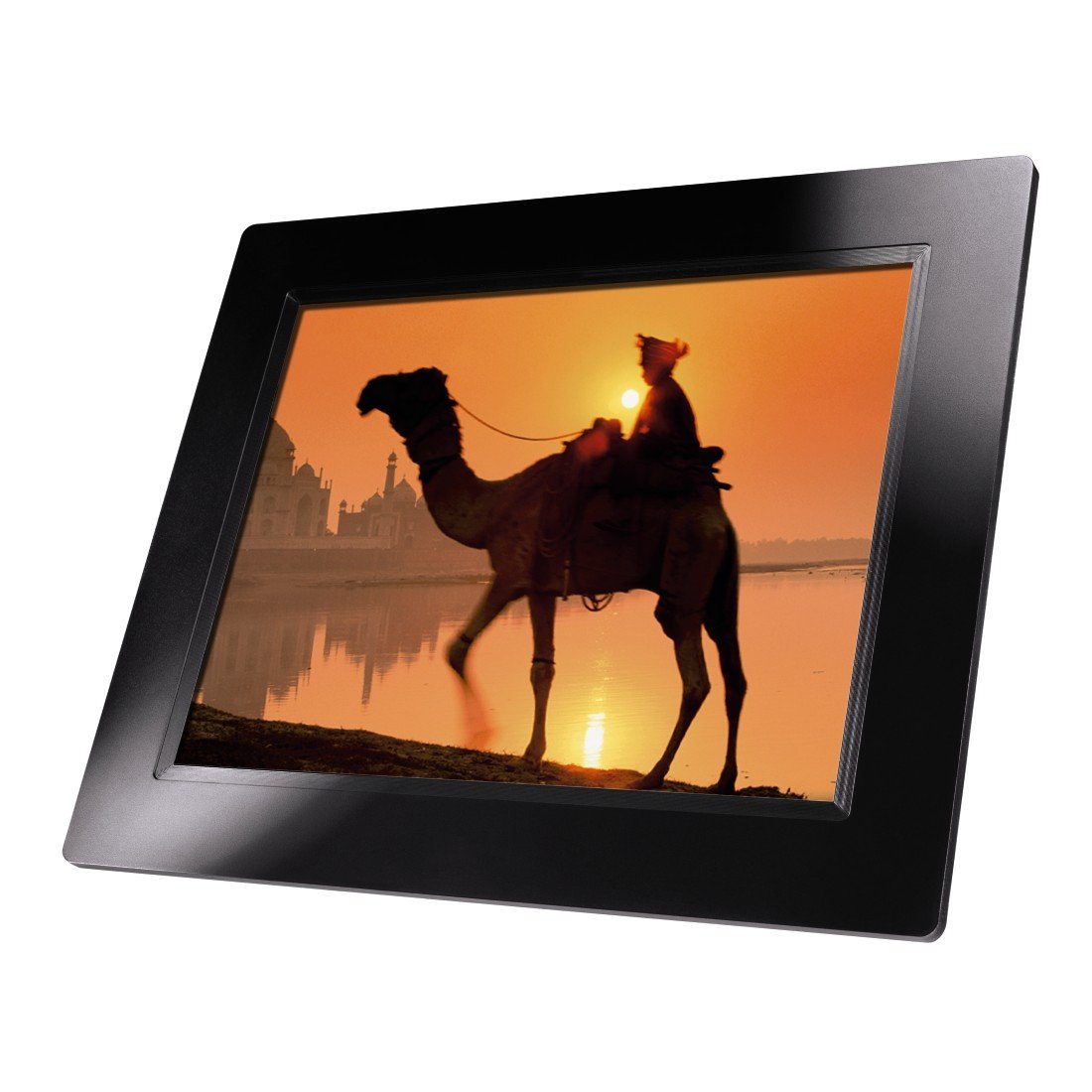
Зураг 4.1: Урд view of the Hama 95236 Digital Photo Frame, showing the 8-inch LCD screen.

Зураг 4.2: Хажуу тал view of the digital photo frame, highlighting the various input ports including the SD/MMC/MS card slot, USB port, and DC IN power port.

Зураг 4.3: Арын view of the digital photo frame, showing the stand attachment point, ventilation grilles, and the control panel with power, navigation, and menu buttons.
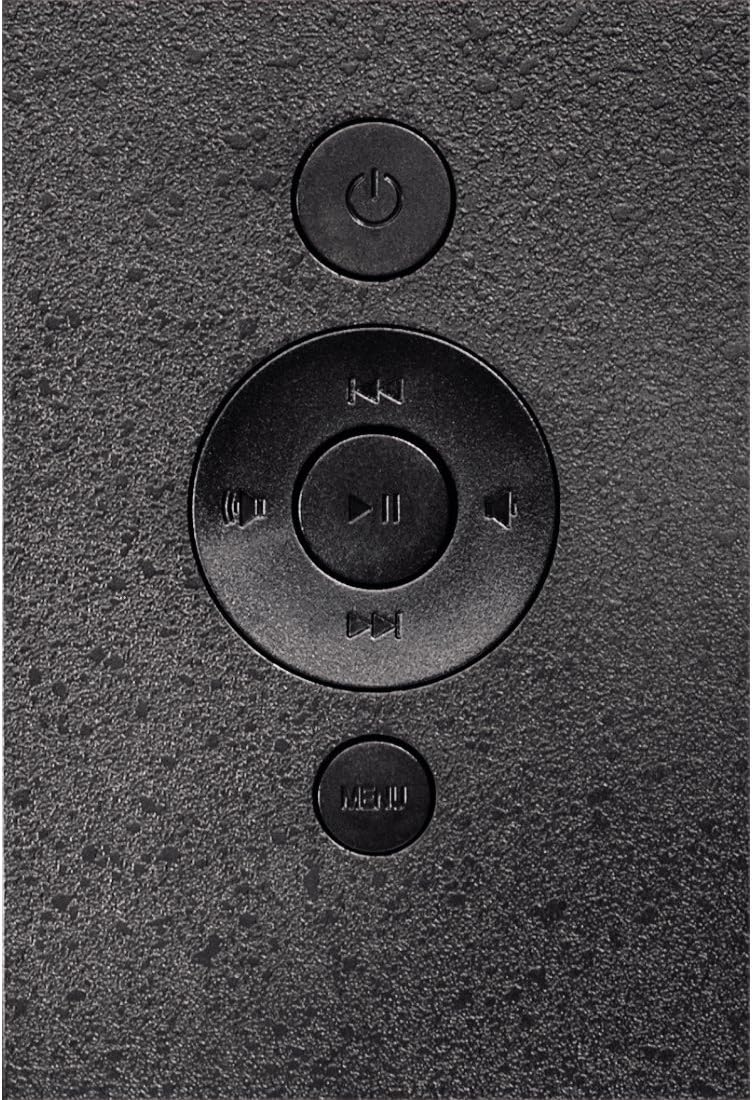
Зураг 4.4: Close-up of the control buttons located on the back of the frame. These include the power button, directional navigation buttons (up, down, left, right), play/pause/enter button, and the menu button.
4.1. Портууд ба хяналтууд
- SD/MMC/MS Card Slot: For inserting memory cards to display photos and videos.
- USB порт: For connecting USB flash drives or other compatible USB storage devices.
- DC IN: Power input for connecting the provided power adapter.
- Цахилгаан товч: Төхөөрөмжийг асаах эсвэл унтраана.
- Навигацийн товчлуурууд (дээш/доошоо/зүүн/баруун): Used to navigate through menus and select options.
- Play/Pause/Enter Button: Confirms selections or controls media playback.
- Цэсийн товчлуур: Тохиргоо болон сонголтуудын үндсэн цэсэнд хандана.
5. Тохиргоо
5.1. Тавиурыг бэхлэх
Insert the metal stand into the designated slot on the back of the digital photo frame. Ensure it is securely fastened to provide stable support for the frame.
5.2. Эрчим хүчний холболт
- Connect the power adapter to the DC IN port on the back of the photo frame.
- Цахилгаан адаптерийг тохирох цахилгаан залгуурт холбоно уу.
- Хүрээ нь ихэвчлэн автоматаар асдаг эсвэл асаах товчийг ашиглан асааж болно.
5.3. Inserting a Memory Card or USB Drive
The Hama 95236 supports SD/MMC/MS memory cards and USB flash drives.
- Locate the SD/MMC/MS card slot or the USB port on the side of the frame (refer to Figure 4.2).
- Carefully insert your memory card or USB drive into the corresponding slot/port. Ensure it is inserted correctly to avoid damage.
- The frame should automatically detect the storage device and prompt you to view its contents or start a slideshow.
6. Ашиглалтын заавар
6.1. Үндсэн навигаци
Use the navigation buttons on the back of the frame to move through menus and options. The Play/Pause/Enter button confirms your selection.
6.2. Үндсэн цэс
дээр дарна уу Цэс button to access the main menu. From here, you can select different modes and settings:
- Зураг: View photos in a slideshow or individually.
- Хөгжим: Аудио тоглуулах files.
- Видео: Видео тоглуулах files.
- Calendar/Clock: Display the calendar and time.
- Тохиргоо: Adjust various device parameters.
6.3. Photo Playback
- Үндсэн цэсээс сонгоно уу Зураг.
- Navigate to your desired folder or select all photos.
- дээр дарна уу Тоглуулах/Түр зогсоох/Оруулах button to start the slideshow.
- During a slideshow, you can use the navigation buttons to skip photos or pause playback.
6.4. Системийн тохиргоо
хандах Тохиргоо menu to customize your photo frame:
- Дэлгэцийн тохиргоо: Adjust brightness, contrast, and display mode.
- Слайд шоуны тохиргоо: Configure transition effects, display time per photo, and repeat mode.
- Огноо ба цаг: Одоогийн огноо, цагийг тохируулна уу. Note: Some users have reported that date and time settings may reset after power loss.
- Хэл: Select your preferred language for the menu interface.
- Хадгалах мэдээлэл: View details about connected storage devices.
7. Засвар үйлчилгээ
7.1. Төхөөрөмжийг цэвэрлэх
- Цэвэрлэхийн өмнө төхөөрөмжийг үргэлж цахилгаан тэжээлээс салга.
- Clean the screen and exterior surfaces with a soft, dry, lint-free cloth.
- Do not use aggressive cleaning agents, solvents, or abrasive materials.
7.2. Хадгалах
Хэрэв төхөөрөмжийг удаан хугацаагаар хадгалах бол цахилгаан тэжээлээс салгаж, сэрүүн, хуурай газар, нарны шууд тусгал болон хэт өндөр температураас хол хадгална уу.
8. Алдаа засах
| Асуудал | Боломжит шалтгаан | Шийдэл |
|---|---|---|
| Төхөөрөмж асахгүй байна. | Цахилгаан адаптер холбогдоогүй эсвэл алдаатай байна. | Ensure the power adapter is securely connected to both the frame and the power outlet. Test the outlet with another device. |
| Зураг харуулаагүй байна. | No memory card/USB drive inserted or fileс дэмжигдээгүй байна. | Insert a compatible memory card or USB drive with supported image formats (e.g., JPEG). Check if the storage device is properly inserted. |
| Date and time reset after power off. | Цагны дотоод батерейны нөөц цэнэг байхгүй. | This model may not retain date/time settings without continuous power. Re-enter settings if necessary after power interruption. |
| Video playback is choppy or distorted. | Unsupported video format or high bitrate. | Ensure video files are in a supported format and resolution. Convert videos to a lower resolution or bitrate if issues persist. |
| Товчнууд хариу өгөхгүй байна. | Програм хангамжийн түр зуурын алдаа. | Disconnect the power adapter, wait a few seconds, then reconnect it to restart the device. |
9. Техникийн үзүүлэлтүүд
| Онцлог | Дэлгэрэнгүй |
|---|---|
| Загварын дугаар | 00095236 |
| Дэлгэцийн хэмжээ | 8 инч |
| Дэлгэцийн нягтрал | 800 x 600 пиксел |
| Харьцаа | 4:3 |
| Дотоод санах ой | 2 GB (2048 MB) |
| Холболт | USB, SD/MMC/MS Card Slot |
| Хэмжээ (L x W x H) | 2.6 x 22.2 x 17.8 см |
| Жин | 550 гр |
| Үйлдвэрлэгч | Хама |
10. Баталгаат хугацааны мэдээлэл
Hama GmbH & Co KG provides a manufacturer's warranty for this product. The specific terms and conditions of the warranty period and coverage are subject to the purchase date and the region of purchase. Please retain your proof of purchase (receipt) for any warranty claims.
For detailed warranty information, please refer to the official Hama webсайт эсвэл тэдний хэрэглэгчийн дэмжлэгтэй шууд холбогдоно уу.
11. Хэрэглэгчийн дэмжлэг
Should you have any questions regarding this product, please contact Hama Customer Support:
- Webсайт: Албан ёсны Хама хотод зочлоорой website for FAQs, drivers, and further product information. www.hama.com
- Холбоо барих: Хама дээрх холбоо барих хэсгийг үзнэ үү webТанай бүс нутагт утасны дугаар эсвэл имэйлийн тусламж авах сайт.
Дэмжлэгтэй холбоо барихдаа загварын дугаар (00095236) болон худалдан авалтын баталгааг бэлэн байлгана уу.


