1. Танилцуулга
This manual provides comprehensive instructions for the installation, operation, and maintenance of the Intel D945GCNL MicroATX Motherboard. This motherboard is designed for desktop systems, featuring the Intel 945GC Chipset and an LGA775 socket, supporting DDR2 SDRAM. Please read this manual thoroughly before proceeding with installation to ensure proper setup and functionality.
2. Бүтээгдэхүүн дууссанview
The Intel D945GCNL motherboard integrates essential components for a desktop computing system. Familiarize yourself with the layout and connectors before installation.

Зураг 2.1: Өнцөгтэй view of the Intel D945GCNL MicroATX Motherboard. This image displays the overall layout, including the CPU socket, RAM slots, expansion slots, and the rear I/O panel connectors such as PS/2 ports, USB ports, Ethernet, and audio jacks.

Зураг 2.2: Дээрээс доош view of the Intel D945GCNL Motherboard. This perspective clearly shows the LGA775 CPU socket, two DDR2 DIMM slots, the chipset heatsink, and various power connectors and headers for front panel controls.

Зураг 2.3: Rear I/O Panel of the Intel D945GCNL Motherboard. This image details the available external ports, including PS/2 ports for keyboard and mouse, serial port, parallel port, VGA output, USB 2.0 ports, Ethernet port, and 3.5mm audio jacks.
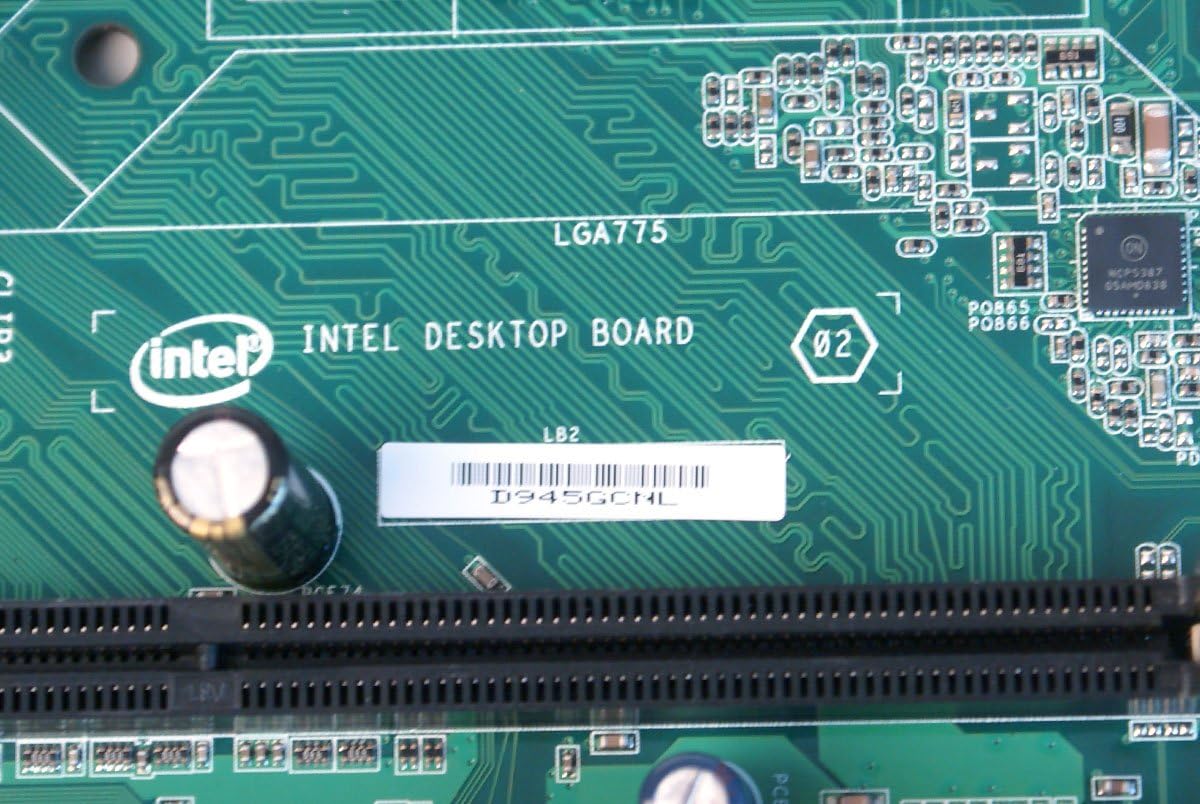
Зураг 2.4: Ойролцоогоор view of the Intel D945GCNL model designation printed on the motherboard's PCB, confirming the specific model.
3. Тохиргоо ба суурилуулалт
Follow these steps carefully to install your Intel D945GCNL motherboard into a compatible computer chassis.
- Бэлтгэл: Ensure you are working in a static-free environment. Use an anti-static wrist strap or frequently touch a grounded metal object to discharge static electricity. Gather necessary tools: screwdriver, thermal paste, and your compatible components (CPU, RAM, power supply, storage).
- CPU суурилуулах:
- Эх хавтан дээрх LGA775 CPU залгуурыг олоорой.
- Gently lift the load lever and open the CPU retention plate.
- Align the Intel Core 2 DUO processor with the socket, matching the gold triangle on the CPU to the triangle on the socket. Do not force the CPU into the socket.
- Close the retention plate and secure the load lever.
- CPU-ийн дээд хэсэгт дулааны ооны нимгэн жигд давхарга түрхээрэй.
- Install the CPU cooler according to its manufacturer's instructions, ensuring it makes firm contact with the CPU.
- RAM суулгац:
- Identify the two DDR2 DIMM slots.
- RAM үүрний хоёр үзүүрт байгаа хавчааруудыг нээнэ үү.
- Align the notch on the DDR2 SDRAM module with the key in the slot.
- Санах ойн модулийн хоёр үзүүрийг хавчааруудыг байрандаа орох хүртэл чанга дарна уу.
- Эх хавтангийн угсралт:
- Install standoffs in your computer chassis that align with the screw holes on the D945GCNL motherboard.
- Carefully place the motherboard onto the standoffs, ensuring the rear I/O ports align with the chassis' I/O shield (if available).
- Secure the motherboard with screws, but do not overtighten.
- Цахилгаан хангамжийн холболтууд:
- 24 зүү ATX гол тэжээлийн холбогчийг тэжээлийн эх үүсвэрээс эх хавтан дээрх харгалзах толгой руу холбоно уу.
- Connect the 4-pin ATX 12V power connector (CPU power) to its designated header near the CPU socket.
- Захын холболтууд:
- Connect SATA or IDE cables for storage drives (hard drives, SSDs, optical drives).
- Connect front panel headers (power button, reset button, HDD LED, power LED, front USB, front audio) to their respective pins on the motherboard. Refer to the motherboard's silkscreen labels for correct orientation.
- Install any necessary expansion cards (e.g., graphics card) into the PCI or PCI Express slots and secure them.
4. Ашиглалтын заавар
Once the motherboard and all components are installed, you can proceed with initial system startup.
- Анхны ачаалах: Connect your monitor, keyboard, and mouse. Power on the system. The system should display the BIOS splash screen.
- BIOS/UEFI руу нэвтрэх: Эхлэх үед товчлуурыг дахин дахин дарна уу F2 or Устгах key (depending on BIOS version) to enter the BIOS setup utility. Here you can configure boot order, system time, and other hardware settings.
- Үйлдлийн системийн суурилуулалт: Insert your operating system installation media (USB drive or DVD) and configure the boot order in BIOS to boot from it. Follow the on-screen instructions to install your preferred operating system.
- Драйвер суурилуулах: After the operating system is installed, install the necessary drivers for the motherboard's chipset, audio, network, and integrated graphics. These drivers are typically available on Intel's official support webсайт.
5. Засвар үйлчилгээ
Proper maintenance ensures the longevity and stable performance of your motherboard.
- Тоос арилгах: Periodically clean the interior of your computer case, especially the motherboard and CPU cooler, using compressed air. Ensure the system is powered off and unplugged before cleaning.
- BIOS-ийн шинэчлэлтүүд: Check Intel's official website for the latest BIOS updates. BIOS updates can improve compatibility, stability, and performance. Follow Intel's instructions carefully when updating the BIOS to avoid system damage.
- Драйверын шинэчлэлтүүд: Keep your system drivers updated. Visit the Intel support website for the latest chipset, audio, and network drivers for the D945GCNL motherboard.
6. Алдаа засах
Хэрэв та эх хавтантайгаа холбоотой асуудалтай тулгарвал дараах нийтлэг алдааг олж засварлах алхмуудыг үзнэ үү.
- Систем асахгүй байна:
- Verify that the power supply is connected correctly to both the motherboard (24-pin and 4-pin connectors) and the wall outlet.
- Урд талын самбарын цахилгаан товчлуурын кабель эх хавтангийн толгой хэсэгт зөв холбогдсон эсэхийг шалгаарай.
- Test the power supply with another system or a power supply tester if possible.
- Дэлгэц байхгүй (POST байхгүй):
- Check that the monitor is properly connected to the motherboard's VGA port or a dedicated graphics card.
- RAM модулиудыг дахин суулгана уу. Зөвхөн нэг RAM модуль суулгасан байхад ачаалж үзнэ үү.
- Ensure the CPU and CPU cooler are correctly installed and the CPU power cable is connected.
- Listen for any beep codes from the motherboard, which can indicate specific hardware issues. Consult the Intel support website for beep code interpretations.
- Захын төхөөрөмжүүд илрээгүй:
- Verify that USB devices are connected to functional USB ports.
- Ensure SATA/IDE cables are securely connected to both the motherboard and the storage device.
- Check device manager in your operating system for driver issues or unrecognized hardware.
- Missing I/O Shield: Please note that some motherboard packages may not include a rear I/O shield. This component is often sold separately or may need to be sourced independently if required for your chassis.
7. Техникийн үзүүлэлтүүд
| Брэнд | Intel |
| Загварын дугаар | D945GCNL, D97184-107, BTNL846003AN |
| Form Factor | MicroATX (mATX) |
| CPU залгуур | LGA 775 |
| Тохиромжтой процессорууд | Intel Core 2 DUO |
| Чипсетийн төрөл | Intel 945GC Express, Intel ICH7 |
| RAM санах ойн технологи | DDR2 SDRAM (DIMM) |
| Санах ойн үүрүүд боломжтой | 2 |
| RAM санах ойн дээд хэмжээ | 2 ГБ |
| График картын интерфейс | PCI, PCI Express |
| Approximate Dimensions (Board) | Derived from package dimensions: Approximately 9.6 x 9.3 inches (24.4 cm x 23.6 cm) for MicroATX standard. |
| Үйлдвэрлэгч | Intel |
| Эхний боломжтой огноо | 18 оны аравдугаар сарын 2012 |
8. Баталгаат хугацаа ба дэмжлэг
For detailed warranty information, technical support, and additional resources, please visit the official Intel website. You can find drivers, BIOS updates, and further documentation specific to the D945GCNL motherboard.
Амазон дээрх Intel дэлгүүрт зочлоорой for more Intel products and information.


