1. Танилцуулга
The Vivitek D519 is a versatile and portable digital projector designed to deliver high-quality presentations and media experiences. Featuring 3000 lumens of brightness, XGA (1024x768) native resolution, and a 15,000:1 contrast ratio, it ensures clear and vibrant images. This manual will guide you through the setup, operation, and maintenance of your D519 projector.
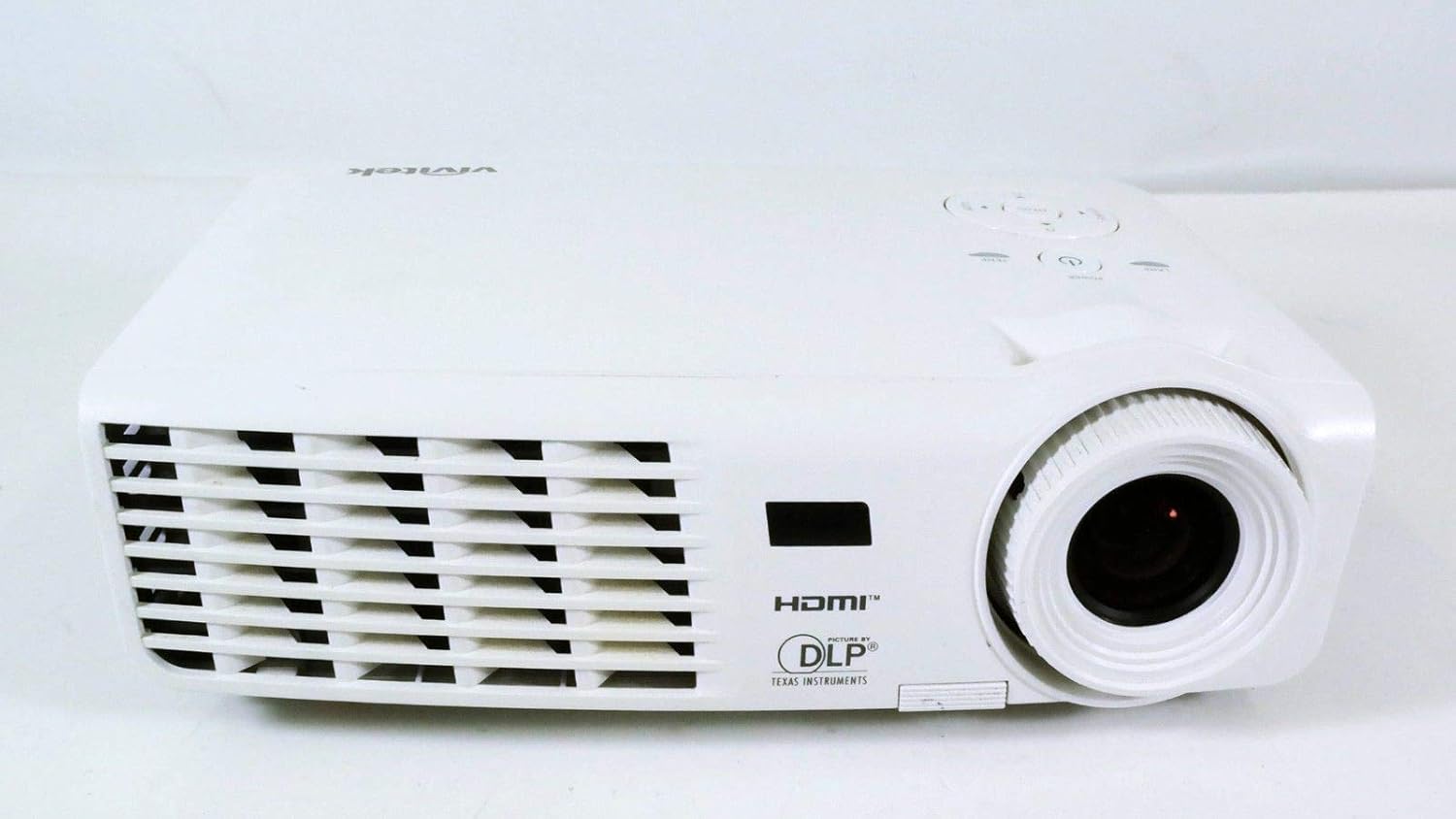
Зураг 1.1: Урд view of the Vivitek D519 Projector, showing the lens and ventilation.
2. Тохиргоо
2.1 Проекторыг задлах
Сав баглаа боодолоос бүх бүрэлдэхүүн хэсгүүдийг болгоомжтой арилгана. Доор жагсаасан бүх зүйл байгаа эсэхийг шалгаарай:
- Vivitek D519 Projector
- Хувьсах гүйдлийн цахилгааны утас
- VGA кабель
- Алсын удирдлага (батарейтай)
- Зөөврийн цүнх
- User's Manual (CD)
- Линзний таг
- Баталгаат карт
2.2 Физик байрлал
Place the projector on a stable, flat surface or mount it securely. Ensure adequate ventilation around the projector to prevent overheating. Avoid placing it near heat sources or in direct sunlight.
2.3 Төхөөрөмжүүдийг холбох
The D519 offers various connectivity options. Connect your source device (e.g., laptop, DVD player) to the appropriate input port on the projector.

Зураг 2.1: Ар талд view of the Vivitek D519 Projector, highlighting the HDMI, VGA, S-Video, and audio input ports.
- HDMI: For high-definition digital video and audio. Connect an HDMI cable from your source to the projector's HDMI port.
- VGA: For analog computer video. Connect a VGA cable from your computer to the projector's VGA port.
- Аудио оруулах: For analog audio input. Connect audio cables to the L-AUDIO-R or AUDIO IN ports as needed.
- S-видео: Стандарт нягтралтай видеоны хувьд.
- RS-232: Компьютер эсвэл удирдлагын системээр дамжуулан проекторыг удирдах зориулалттай.
2.4 Асаах
Connect the AC power cord to the projector's power inlet and then to a power outlet. Press the Хүч button on the projector's control panel or the remote control to turn on the projector. The power indicator light will illuminate.
3. Проекторыг ажиллуулах
3.1 Хяналтын самбар дээрview
Проекторын дээд талд байрлах хяналтын самбар нь алсын удирдлагагүйгээр үндсэн ажиллагааг гүйцэтгэх боломжийг олгодог.

Зураг 3.1: Дээд тал view of the Vivitek D519 Projector, showing the control panel with power, menu, source, and navigation buttons.
- Цахилгаан товч: Проекторыг асаах эсвэл унтраана.
- Эх товчлуур: Cycles through available input sources (HDMI, VGA, S-Video, etc.).
- Цэсийн товчлуур: Accesses the on-screen display (OSD) menu for advanced settings.
- Навигацийн товчлуурууд (дээш/доошоо/зүүн/баруун): Цэсний сонголтуудаар дамжуулан навигаци хийх болон тохиргоог тохируулахад ашигладаг.
- Автомат товч: Automatically adjusts the image for optimal display.
3.2 Зургийг тохируулах
Once the projector is powered on and an input source is selected, you may need to adjust the image for clarity and size.
- Фокус бөгж: Зургийг тодотгохын тулд фокусын цагиргийг линзний эргэн тойронд эргүүлнэ үү.
- Томруулах бөгж: Rotate the zoom ring to adjust the image size without moving the projector. The D519 has a 1.1:1 zoom ratio.
- Түлхүүр чулууны залруулга: If the image appears trapezoidal, use the keystone correction feature (accessible via the OSD menu) to square the image.
3.3 Using the On-Screen Display (OSD) Menu
дээр дарна уу Цэс button on the projector or remote to access the OSD. Use the navigation buttons to browse categories such as Picture, Display, Setup, and Information. Press Оруулна уу (or the center button on the navigation pad) to select an option and adjust settings.
4. Засвар үйлчилгээ
4.1 лamp Амьдрал ба орлуулалт
Проектор лamp has a rated life of 4000 hours in Standard mode and up to 6000 hours in Economy mode. When the lamp амьдралынхаа төгсгөлд хүрч, lamp indicator light will illuminate, and a message may appear on screen. Refer to the detailed user manual (on CD) for lamp солих заавар.
4.2 Проекторыг цэвэрлэх
- Линз: Оптик линзэнд тусгайлан зориулсан зөөлөн, хөвөнгүй даавууг ашигла. Зүлгүүрийн цэвэрлэгч хэрэглэж болохгүй.
- Casing: Проекторыг арчих casing зөөлөн, damp даавуу. Хүчтэй химийн бодис, уусгагч хэрэглэхээс зайлсхий.
- Агааржуулалтын нүх: Regularly check and clean the air vents to ensure proper airflow and prevent dust buildup, which can lead to overheating. Use a soft brush or compressed air.
5. Алдаа засах
This section addresses common issues you might encounter with your Vivitek D519 projector.
| Асуудал | Боломжит шалтгаан | Шийдэл |
|---|---|---|
| Дэлгэц дээр зураг алга | Power cable disconnected; Incorrect input source; Source device off. | Check power connection; Press 'Source' button to select correct input; Ensure source device is on. |
| Зураг бүдэг байна | Линз фокусгүй байна; Проектор дэлгэцээс хэт ойрхон/хол байна. | Adjust the focus ring; Adjust projector distance or use zoom ring. |
| Зураг нь трапец хэлбэртэй байна | Проектор дэлгэцтэй перпендикуляр биш. | Adjust keystone correction via OSD menu. |
| Проектор гэнэт унтарна | Overheating; Lamp амьдралын төгсгөл ойртож байна. | Ensure vents are clear; Allow projector to cool; Consider lamp replacement if indicator light is on. |
| Distorted image on startup | Software glitch; Connection issue. | Restart the projector; Check all cable connections; If persistent, consult Vivitek support. |
6. Техникийн үзүүлэлтүүд
Key technical specifications for the Vivitek D519 Projector:
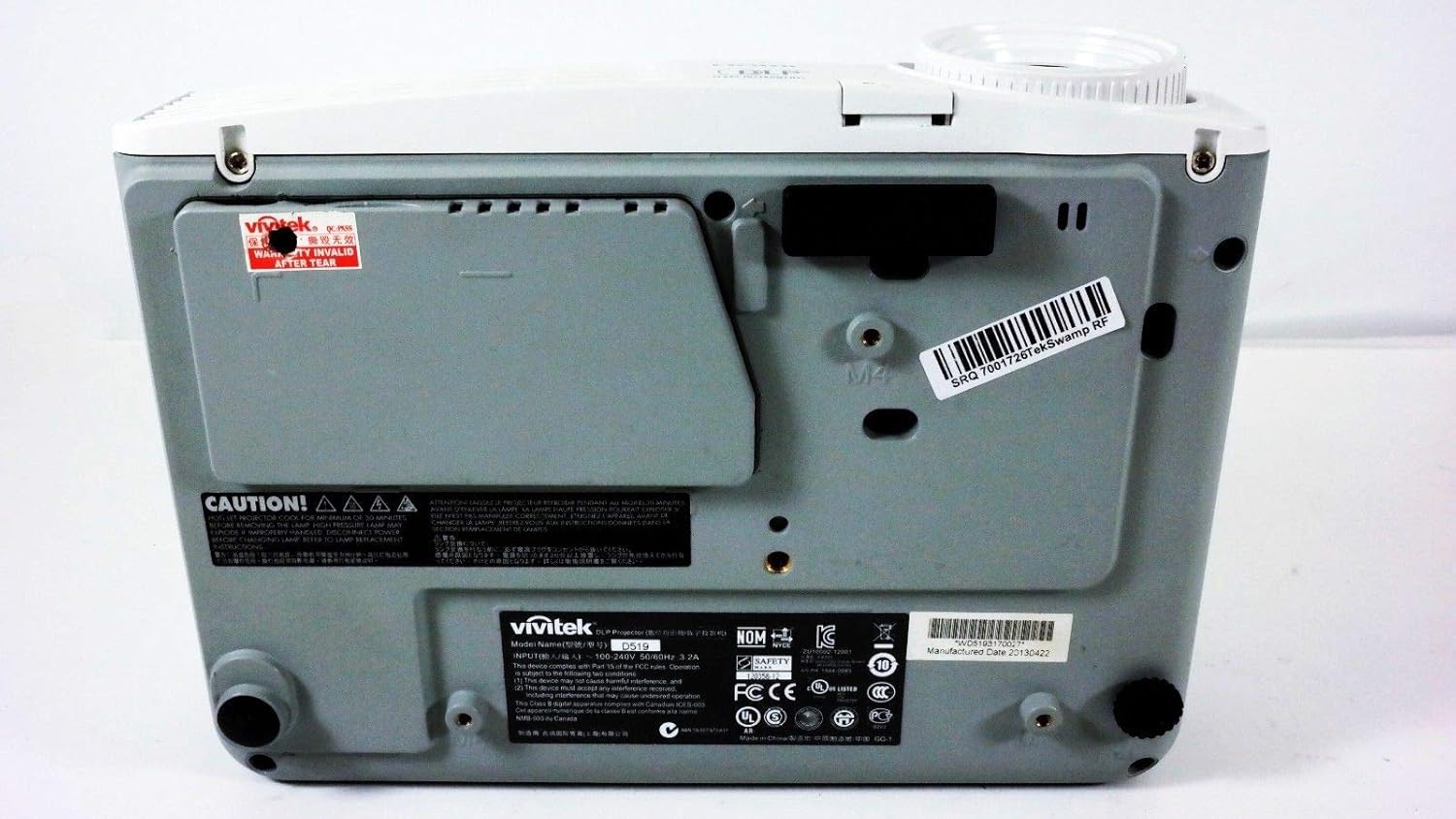
Зураг 6.1: Доод талд view of the Vivitek D519 Projector, showing the product label with model and serial information.
| Онцлог | Дэлгэрэнгүй |
|---|---|
| Загварын дугаар | DPU35-262VVUA |
| Дэлгэцийн технологи | Single 0.55” DLP Display Technology by Texas Instruments |
| Төрөлхийн тогтоол | XGA (1024 x 768) |
| Гэрэлтүүлэг | 3000 люмен |
| Ялгаатай харьцаа | 15,000:1 |
| Lamp Амьдрал | 4000 hours (Standard) / 6000 hours (Economy) |
| Томруулах харьцаа | 1.1:1 (Manual Zoom and Focus) |
| Холболт | HDMI v1.3, VGA, S-Video, L-Audio-R, Audio In, RS-232 |
| Онцлог шинж чанарууд | HD Compatible, 3D-Ready, Screen Size compatibility: 40 - 300 inches |
| Бүтээгдэхүүний хэмжээс | 7.5 x 10.3 x 3.1 инч |
| Зүйлийн жин | 4.35 фунт |
7. Баталгаат хугацаа ба дэмжлэг
Your Vivitek D519 projector comes with a limited warranty. Please refer to the Warranty Card included in your product packaging for detailed terms and conditions. For technical support, service, or warranty claims, please contact Vivitek customer service through their official webсайт эсвэл баталгаат баримт бичигт заасан холбоо барих мэдээлэл.
It is recommended to register your product online to receive updates and support.


