Аюулгүй байдлын чухал мэдээлэл
Please read and understand all instructions before using the laminator. Keep this manual for future reference.
- Цахилгааны утас эсвэл залгуур гэмтсэн бол ламинаторыг бүү ажиллуул.
- Ламинаторыг ус болон бусад шингэнээс хол байлга.
- Do not insert metal objects into the laminator.
- Ашиглалтын явцад машины эргэн тойронд агааржуулалтыг зөв хангах.
- Ламинаторыг ашиглаагүй эсвэл цэвэрлэхийн өмнө цахилгааны залгуураас салга.
- Энэхүү төхөөрөмжийг бие бялдар, мэдрэхүйн болон сэтгэцийн хомсдолтой, эсвэл туршлага, мэдлэг дутмаг хүмүүс (хүүхдүүдийг оролцуулан) ашиглахад зориулагдаагүй бөгөөд хэрэв тэдэнд аюулгүй байдлыг нь хариуцдаг хүнээс тухайн төхөөрөмжийг ашиглах зааварчилгаа өгөөгүй л бол.
Бүтээгдэхүүн дууссанview
The Amazon Basics 9-Inch Thermal Laminator is designed for home, office, or classroom use, providing high-quality lamination for various document sizes.
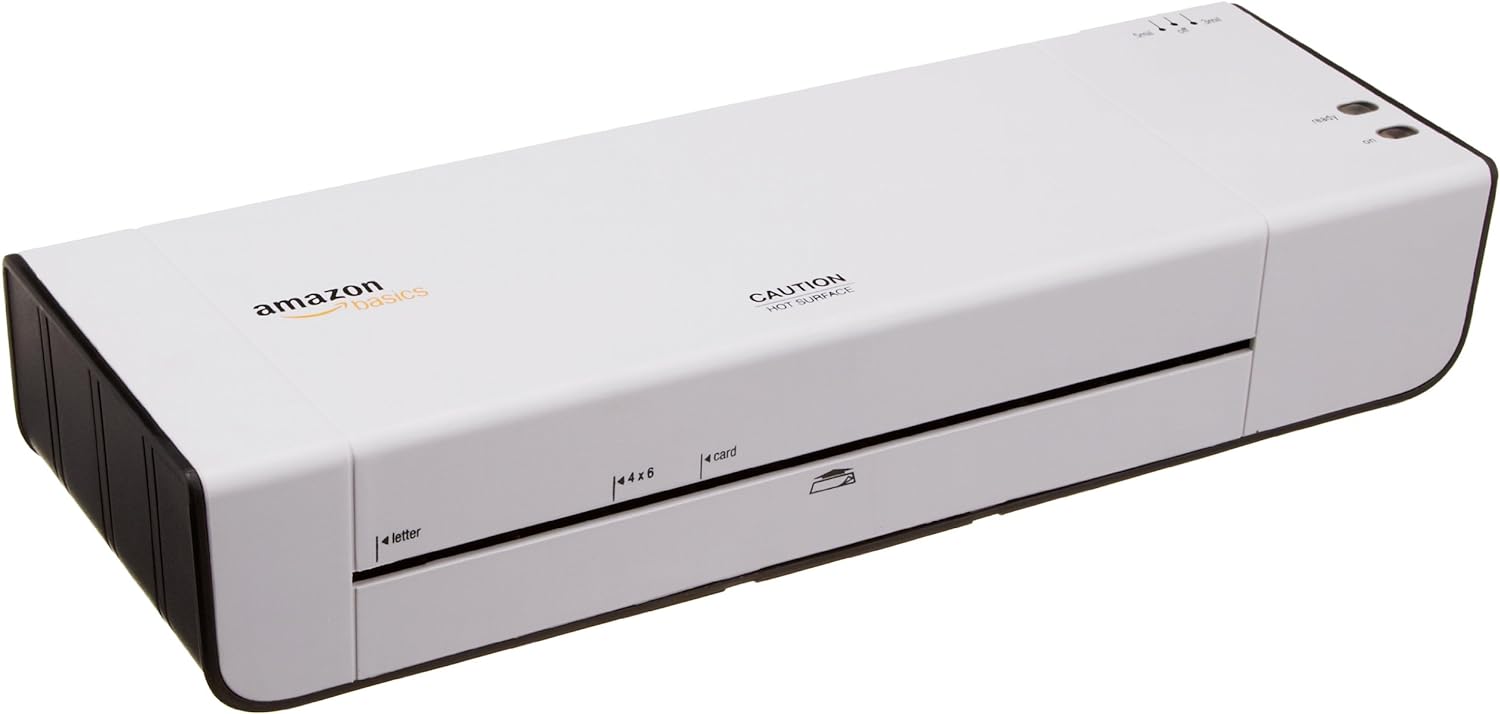
Зураг 1: Урд view of the Amazon Basics 9-Inch Thermal Laminator Machine, showing the feed slot and branding.
Гол онцлогууд:
- Laminates documents up to 9 inches wide.
- Two heat settings: 3 mil and 5 mil.
- Quick 4-minute warm-up time.
- Jam release lever for easy clearing.
- Компакт дизайн.
Тохиргоо
Савлах:
Carefully remove the laminator from its packaging. Retain the packaging for future storage or transport.
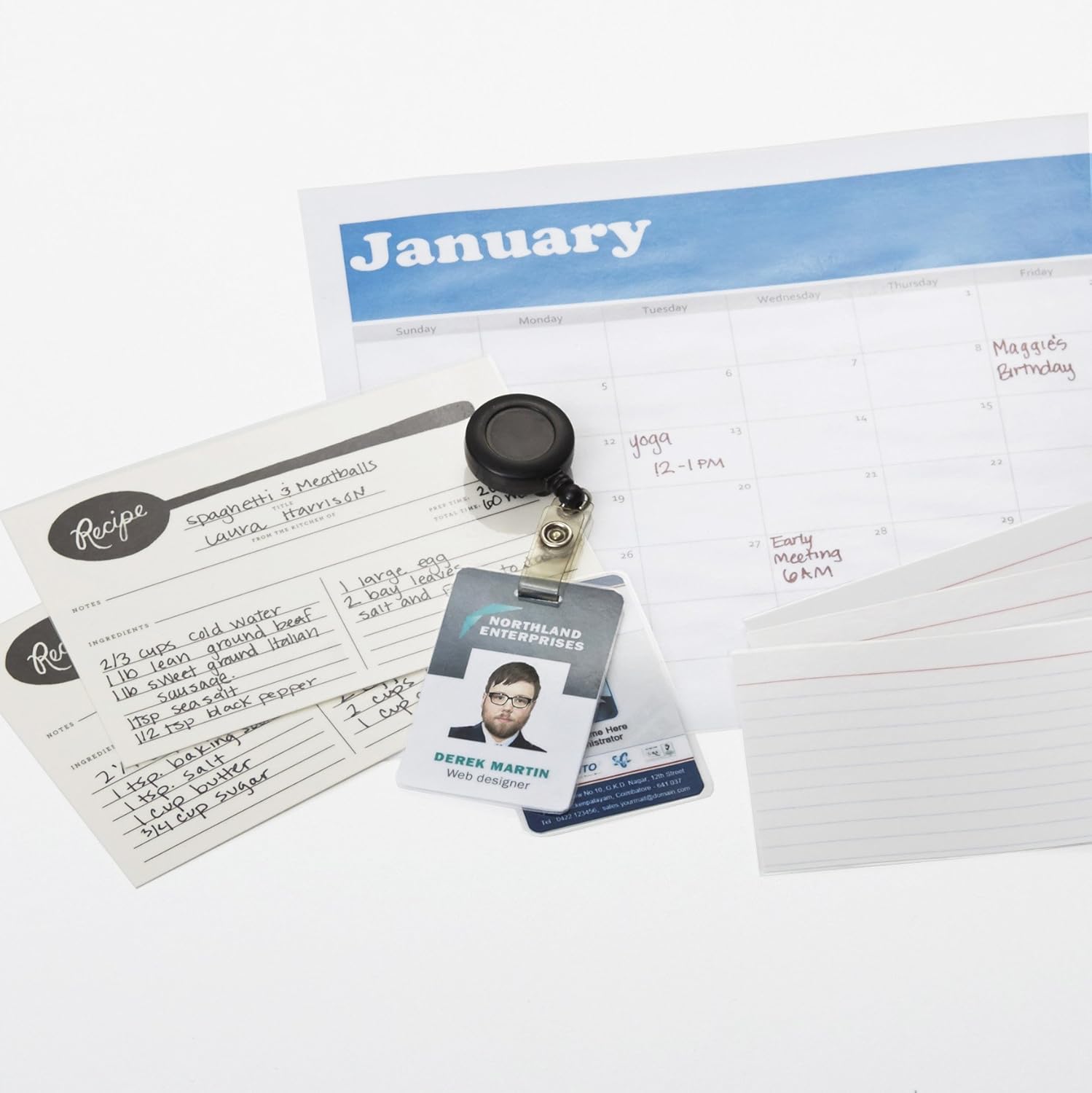
Figure 2: The laminator machine as it appears inside its frustration-free packaging.
Байршил:
Place the laminator on a flat, stable, and heat-resistant surface. Ensure there is adequate space around the machine for proper ventilation and for documents to exit the rear.
Эрчим хүчний холболт:
Plug the power cord into a standard electrical outlet. The power switch is located on the side of the unit.

Зураг 3: Ойрын зураг view of the power switch, 3mil/5mil heat settings, and release lever on the side of the laminator.
Ашиглалтын заавар
Laminating a Document:
Асаах ба халаах:
Turn the power switch to the "On" position. The "Ready" indicator light will illuminate once the machine has warmed up (approximately 4 minutes).
Дулааны тохиргоог сонгоно уу:
Choose the appropriate heat setting based on the laminating pouch thickness:
- 3 mil: For normal documents, photos, and card stock.
- 5 mil: For thinner papers.
Баримт бичгийг бэлтгэх:
Place the document inside a laminating pouch, ensuring it is centered and there is an even border around the edges. Use the included 3 mil thick, 8.9 by 11.4 inch laminating pouches or any compatible 3 mil or 5 mil pouch.

Зураг 4: Жишээ ньample of laminating recipe cards, showing the document being fed into the laminator.
Цүнх оруулах:
Carefully insert the sealed edge of the laminating pouch into the laminator's feed slot. The machine will automatically pull the pouch through.

Figure 5: A calendar page being laminated, demonstrating the machine's ability to handle various document types.
Давхардсан баримтыг татаж авах:
Once the pouch exits the rear of the machine, allow it to cool on a flat surface before handling to ensure proper sealing.

Figure 6: A collection of laminated items, including recipe cards, ID badges, and a calendar, showcasing the versatility of the laminator.
Засвар үйлчилгээ
Цэвэрлэгээ:
Цэвэрлэхийн өмнө ламинаторыг залгуураас салгаж, бүрэн хөргөсөн эсэхийг шалгаарай. Гадна талыг нь зөөлөн, d даавуугаар арчина.amp даавуу. Зүлгүүрийн цэвэрлэгч, уусгагчийг бүү ашигла.
Roller Cleaning (Optional):
Periodically, you may run a cleaning sheet (available separately) through the laminator to remove any adhesive residue from the rollers.
Хадгалах:
Store the laminator in a cool, dry place when not in use. Ensure the power cord is neatly wrapped and not kinked.
Алдааг олж засварлах
| Асуудал | Боломжит шалтгаан | Шийдэл |
|---|---|---|
| Ламинатор асахгүй байна. | Холбогдоогүй; цахилгаан унтраах; гаралтын хэсэгт цахилгаан байхгүй. | Check power cord connection; ensure power switch is "On"; test outlet with another device. |
| Машин дотор уут гацсан. | Pouch inserted incorrectly; pouch too thick; foreign object. | дээр дарна уу суллах хөшүүрэг to clear the jam. Ensure pouch is inserted sealed edge first and is within specified thickness (3 or 5 mil). |
| Lamination is cloudy or bubbly. | Incorrect heat setting; machine not fully warmed up; low-quality pouch. | Ensure correct heat setting (3 mil for normal, 5 mil for thinner); wait for "Ready" light; use high-quality laminating pouches. |
| Lamination is not sealed properly. | Incorrect heat setting; machine not fully warmed up; document too thick for pouch. | Verify heat setting; wait for "Ready" light; ensure document fits pouch with adequate border. |
Үзүүлэлтүүд
| Онцлог | Дэлгэрэнгүй |
|---|---|
| Загварын дугаар | PL9-US |
| Ламинатын өргөн | 9 инч хүртэл |
| Дулааны тохиргоо | 3 mil, 5 mil |
| Халаах цаг | Ойролцоогоор 4 минут |
| Роллеруудын тоо | 2 |
| Жин | 1.2 кг |
| Эрчим хүчний хангамж | Стандарт АС |
Баталгаат болон дэмжлэг
For warranty information and customer support, please visit the official Amazon Basics webсайт эсвэл Амазоны харилцагчийн үйлчилгээтэй шууд холбогдоно уу.
Онлайн дэмжлэг: Амазон Basics Дэлгүүр
Note: Reading the full user manual is recommended prior to the first use of this product.


