1. Танилцуулга
This manual provides essential information for the safe and efficient operation of your Keystone KSTAD70B 70-Pint Dehumidifier. This unit is designed to remove up to 70 pints of moisture from the air daily, suitable for rooms up to 4500 square feet. Key features include electronic controls with an LED display, a 24-hour timer, a transparent water level indicator, and a full bucket alert with automatic shutoff. It also offers a continuous draining option and a removable, easy-to-clean dust filter with a clean-filter alert. The auto-restart function preserves your settings after a power outage, and rolling casters facilitate easy movement.
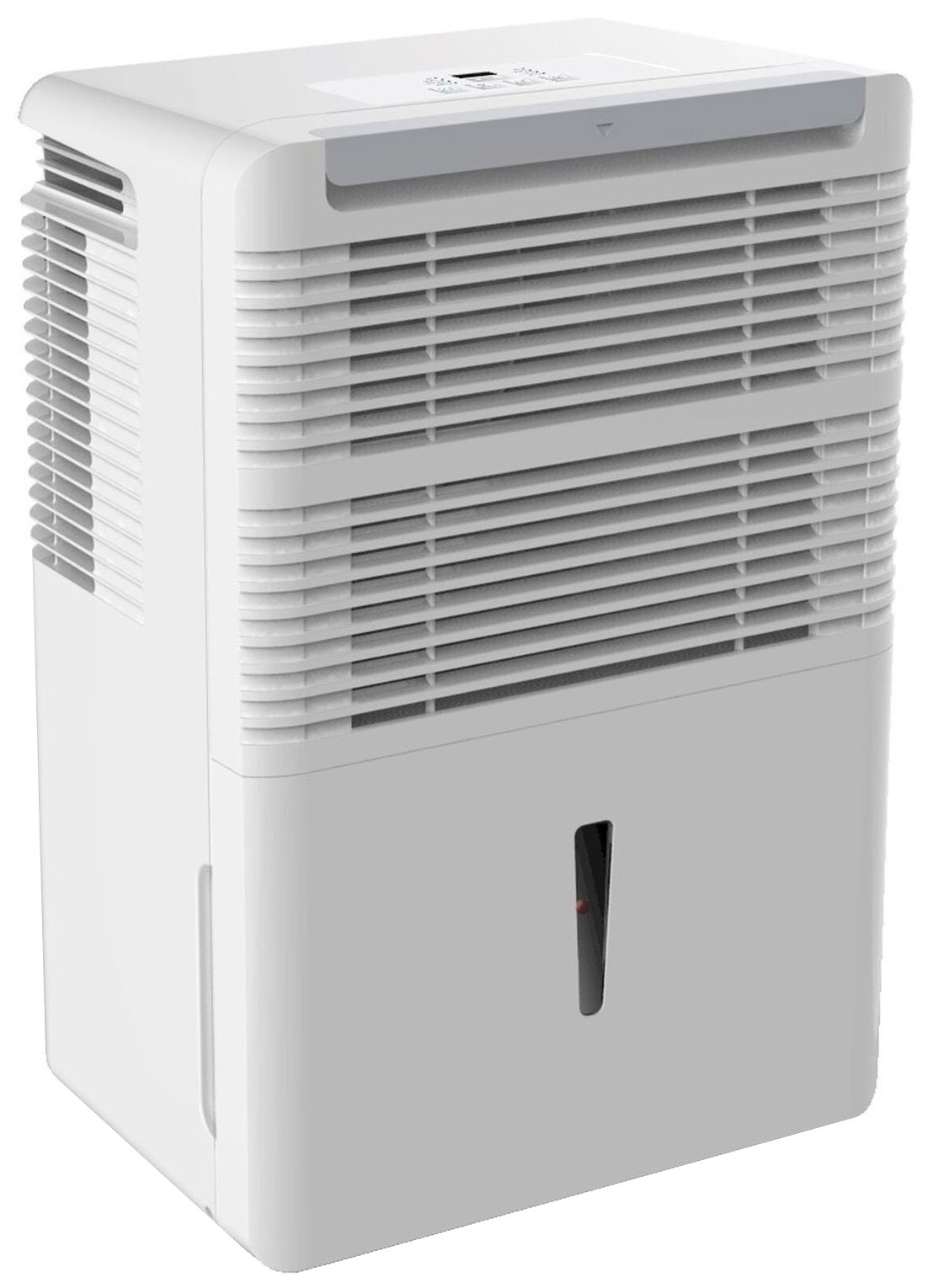
Зураг 1: Урд view of the Keystone KSTAD70B Dehumidifier.
2. Аюулгүй байдлын мэдээлэл
Please read all safety instructions before operating the dehumidifier to prevent injury or damage. Keep this manual for future reference.
- Always connect the unit to a properly grounded electrical outlet of the correct voltage.
- Гэмтсэн цахилгааны утас эсвэл залгууртай төхөөрөмжийг бүү ажиллуул.
- Ensure adequate clearance (at least 12-18 inches) around the air intake and outlet to prevent overheating and ensure efficient operation.
- Агааржуулалтын нүхийг хааж болохгүй.
- Do not use the dehumidifier near water or in excessively wet environments.
- Цэвэрлэх эсвэл ямар нэгэн засвар үйлчилгээ хийхээс өмнө төхөөрөмжийг салга.
- Энэхүү төхөөрөмжийг бие бялдар, мэдрэхүйн болон сэтгэцийн хомсдолтой, эсвэл туршлага, мэдлэг дутмаг хүмүүс (хүүхдүүдийг оролцуулан) ашиглахад зориулагдаагүй бөгөөд хэрэв тэдэнд аюулгүй байдлыг нь хариуцдаг хүнээс тухайн төхөөрөмжийг ашиглах зааварчилгаа өгөөгүй л бол.
- Do not use chemical solvents or abrasive cleaners on the unit.
3. Тохиргоо ба байршуулалт
3.1 Савлах
Carefully remove the dehumidifier from its packaging. Retain the packaging materials for future storage or transport. Inspect the unit for any shipping damage.
3.2 Байршил
For optimal performance, place the dehumidifier in a location where air can circulate freely around it. The unit circulates air from the sides, not the top. Therefore, avoid placing it directly in a corner or against walls. Maintain a minimum clearance of 12-18 inches (30-45 cm) on all sides to ensure proper airflow.
3.3 Анхдагч асаалттай
Цахилгааны утсыг газардуулгатай цахилгааны залгуурт залгаарай. Төхөөрөмж одоо ажиллахад бэлэн боллоо.
4. Ашиглалтын заавар
4.1 Хяналтын самбар дээрview

Figure 2: Control panel of the Keystone KSTAD70B Dehumidifier.
The control panel features an LED display and various buttons for setting the dehumidifier's functions:
- Цахилгаан товч: Төхөөрөмжийг асаах эсвэл унтраана.
- Сэнсний товчлуур: Adjusts fan speed (typically Low, Medium, High).
- Цаг хэмжигч товчлуур: 24 цагийн асаах/унтраах таймерыг тохируулна.
- Дээш/Доош сум: Adjust humidity level settings or timer duration.
- Шүүлтүүрийн үзүүлэлт: Агаар шүүгчийг цэвэрлэх шаардлагатай үед гэрэл асдаг.
- Бүрэн үзүүлэлт: Illuminates when the water bucket is full and needs emptying.
- Cont. (Continuous) Indicator: Illuminates when the unit is set for continuous operation.
- Турбо горим: Activates maximum dehumidification.
- Ердийн горим: Standard dehumidification operation.
- Автомат гэсгээх: Automatically defrosts the coils if ice builds up.
4.2 Хүссэн чийгшлийн түвшинг тохируулах
Press the Up or Down arrow buttons to set your desired humidity level. The unit will operate until the set humidity is reached, then cycle on and off to maintain it. The recommended humidity range for comfort is typically between 45% and 55%.
4.3 Тасралтгүй ажиллагаа
To run the dehumidifier continuously, select the 'Cont.' setting. In this mode, the unit will operate regardless of the ambient humidity level. Note that when continuous operation is selected, the humidity setpoint buttons will not respond.
4.4 Таймер функц
Use the Timer button to program the unit to turn on or off automatically after a set number of hours (up to 24 hours).
4.5 Автоматаар дахин эхлүүлэх
The unit features an auto-restart function that saves your settings. In the event of a power outage, the dehumidifier will automatically resume operation with the last settings once power is restored.
5. Засвар үйлчилгээ
Тогтмол засвар үйлчилгээ нь таны чийгшүүлэгчийн оновчтой ажиллагаа, удаан эдэлгээг баталгаажуулдаг.
5.1 Усны хувинг хоослох
When the water bucket is full, the 'Full' indicator light will illuminate, and the unit will automatically shut off. Carefully remove the bucket and empty the collected water. Reinsert the bucket firmly until it clicks into place to resume operation.

Figure 3: Removing the water collection bucket.

Figure 4: Transparent water level indicator.
5.2 Тасралтгүй ус зайлуулах сонголт
For continuous operation without emptying the bucket, you can connect a standard garden hose (not included) to the unit's low-level drain. The unit includes an adapter with a clear hose that pushes onto a smooth plastic fitting inside the unit. This adapter has male hose threads for attaching a garden hose. Ensure the hose is routed downwards to a suitable drain to allow gravity to remove the water.
5.3 Агаар шүүгчийг цэвэрлэх
The 'Filter' indicator light will remind you when it's time to clean the air filter. A clean filter ensures efficient operation and better air quality. To clean, lift the filter straight up from the top at the front corner of the unit and slide it out. Wash the filter with warm, soapy water, rinse thoroughly, and allow it to air dry completely before reinserting.

Зураг 5: Цэвэрлэхийн тулд агаар шүүгчийг салгаж байна.
6. Алдаа засах
Before contacting support, try these common troubleshooting steps:
| Асуудал | Боломжит шалтгаан | Шийдэл |
|---|---|---|
| Чийгшүүлэгч асахгүй байна. | No power; power cord loose; 'Full' indicator on. | Check power supply; ensure cord is plugged in; empty water bucket. |
| Төхөөрөмж ажиллаж байгаа боловч чийгшүүлэхгүй. | Air filter clogged; room temperature too low; unit size too small for area. | Clean air filter; ensure room temperature is above 41°F (5°C); consider unit placement. |
| Нэгж дуу чимээтэй байна. | Нэгж түвшин биш; сэнсний бөглөрөл. | Place on a flat, stable surface; check for obstructions in fan area. |
| Төхөөрөмжөөс ус гоожиж байна. | Water bucket not properly seated; continuous drain hose loose or clogged. | Ensure bucket is fully inserted; check continuous drain hose connection and clear any blockages. |
7. Техникийн үзүүлэлтүүд
| Онцлог | Дэлгэрэнгүй |
|---|---|
| Брэнд | Түлхүүр чулуу |
| Загварын нэр | KSTAD70B |
| Цэвэршүүлэх хүчин чадал | Өдөрт 70 пинт |
| Санал болгож буй өрөөний хэмжээ | 4500 квадрат фут хүртэл |
| Өнгө | Цагаан |
| Онцлог шинж чанарууд | Automatic Restart, Automatic Shutoff |
| Хурдны тоо | 3 |
| Үйлдлийн горим | Normal, Turbo, Auto-Defrost |
| Ватtage | 720 ватт |
| Зүйлийн жин | 40 фунт |
| Бүтээгдэхүүний хэмжээ (L x W x H) | 11.25 x 15.5 x 23.25 инч |
| Зөвлөмж болгож буй хэрэглээ | Орон сууц |
8. Баталгаат хугацааны мэдээлэл
The Keystone KSTAD70B Dehumidifier comes with a 1 жилийн баталгаат хугацаа on parts and labor, and a хязгаарлагдмал 5 жилийн баталгаа on the sealed system. Please refer to the physical warranty card included with your product for full terms and conditions.
9. Хэрэглэгчийн дэмжлэг
For product registration, warranty claims, or technical assistance, please refer to the contact information provided in the physical instruction manual that came with your dehumidifier. Online registration or direct manufacturer contact information may not be readily available; therefore, retaining your original manual is important for support inquiries.


