1. Танилцуулга
This manual provides instructions for the Vivitek D555 XGA DLP Portable Projector. The D555 is designed for clear and vivid image projection, featuring XGA resolution, 3000 lumens brightness, and 3D readiness via DLP Link. It incorporates DLP and Brilliant Color technologies for enhanced visual performance and offers various connectivity options including HDMI v1.4.
2. Аюулгүй байдлын мэдээлэл
- Агааржуулалтын нүхийг хааж болохгүй. Агаарын урсгалыг хэвийн болгохын тулд проекторын эргэн тойронд хангалттай зайг хангах.
- l байх үед проекторын линз рүү шууд харж болохгүйamp асаалттай байна. Хурц гэрэл нь нүдийг гэмтээж болно.
- Avoid placing the projector in direct sunlight, near heat sources, or in environments with high humidity or dust.
- Зөвхөн проектортой хавсаргасан цахилгааны утсыг ашиглана уу.
- Энэ бүтээгдэхүүнд өөрөө үйлчлэх гэж бүү оролдоорой. Бүх засвар үйлчилгээг мэргэшсэн үйлчилгээний ажилтнуудад хандаарай.
- Проекторыг ус болон бусад шингэнээс хол байлга.
- Проекторыг цэвэрлэхийн өмнө эсвэл удаан хугацаагаар ашиглаагүй үедээ цахилгааны залгуураас салга.
3. Багцын агуулга
Доор жагсаасан бүх зүйл таны багцад байгаа эсэхийг шалгаарай.
- Vivitek D555 Projector
- Хувьсах гүйдлийн цахилгааны утас
- VGA кабель
- Алсын удирдлага
- Batteries for Remote (AA x 2)
- User's Manual (on CD)
4. Бүтээгдэхүүн дууссанview
4.1 Урд ба дээд View
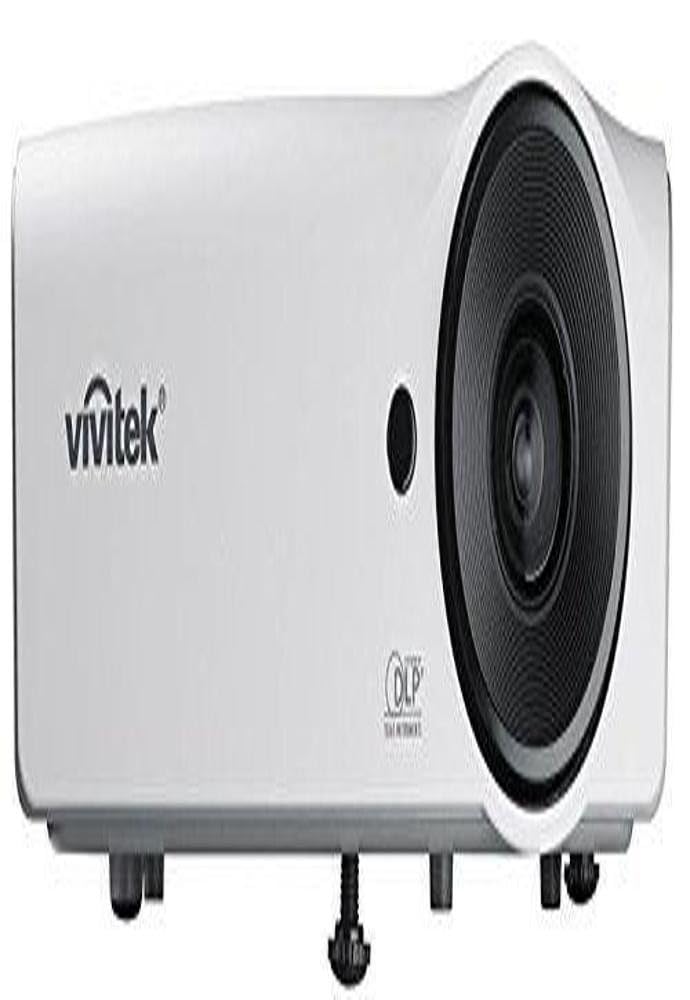
Зураг 4.1: Урд ба дээд view of the Vivitek D555 projector. This image shows the projector's lens, control panel on top, and the Vivitek logo.
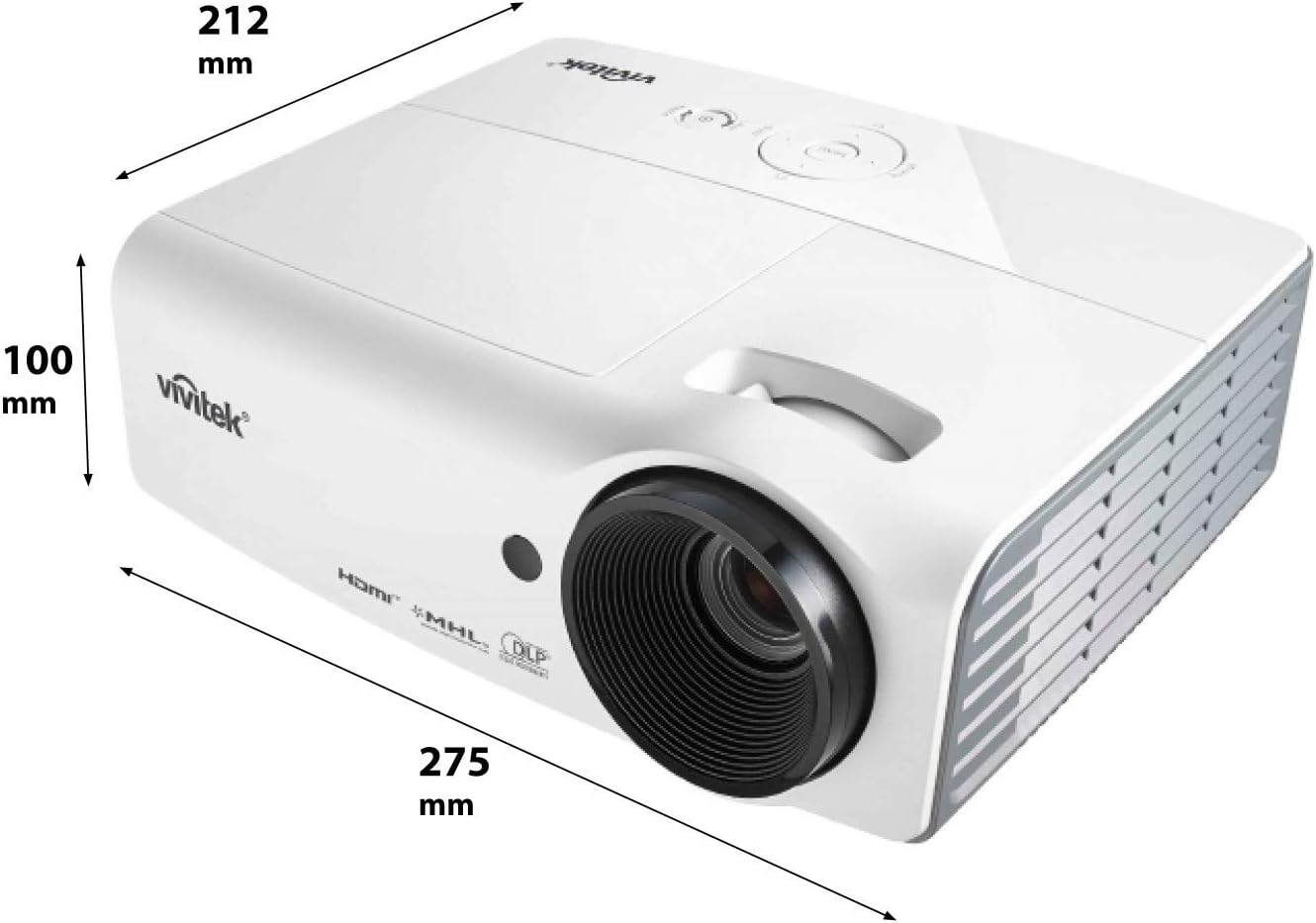
Зураг 4.2: Dimensions of the Vivitek D555 projector. The image indicates a width of 275 mm, a depth of 212 mm, and a height of 100 mm.
The front of the projector features the projection lens. The top panel includes the control buttons for power, menu navigation, source selection, and focus/zoom adjustments. The Vivitek logo is prominently displayed.
4.2 Арын самбарын холболтууд

Зураг 4.3: Rear panel of the Vivitek D555 projector showing various input and output ports. These include HDMI, dual VGA inputs, VGA output, S-Video, Composite Video, audio input/output, and a USB port.
The rear panel provides all necessary connection ports for video and audio sources. These include:
- HDMI v1.4: For digital video and audio input.
- Computer In 1 (VGA): D-Sub 15-pin input for computer connection.
- Computer In 2 (VGA): Second D-Sub 15-pin input for computer connection.
- Computer Out (VGA): D-Sub 15-pin output for monitor loop-through.
- S-видео: For S-Video input.
- Видео (Нийлмэл): RCA jack for composite video input.
- Аудио оруулах: 3.5mm stereo mini-jack for audio input.
- Аудио гаралт: 3.5mm stereo mini-jack for audio output.
- USB (B төрөл): Үйлчилгээ эсвэл програм хангамжийн шинэчлэлтийн хувьд.
- Хувьсах гүйдлийн оролт: Цахилгааны утсыг холбох зориулалттай.
5. Тохиргоо
5.1 Проекторын байршил
Place the projector on a stable, flat surface or mount it securely. Ensure the projector is positioned at an appropriate distance from the screen to achieve the desired image size. The lens should be perpendicular to the screen for optimal image geometry.
5.2 Эрчим хүчний эх үүсвэрт холбогдох
- Connect the AC power cord to the projector's AC power inlet.
- Цахилгааны утасны нөгөө үзүүрийг газардуулсан цахилгааны залгуурт холбоно.
5.3 Видео эх үүсвэрүүдийг холбох
Choose the appropriate cable for your video source and connect it to the corresponding port on the projector's rear panel.
- HDMI: For high-definition digital sources like Blu-ray players, gaming consoles, or laptops.
- VGA (Computer In 1/2): For computers or other devices with VGA output.
- S-Video/Composite Video: For standard definition video sources like DVD players or VCRs.
For audio, connect an audio cable from your source to the projector's Audio In port, or use the HDMI connection which carries both video and audio.
6. Проекторыг ажиллуулах
6.1 Асаах/унтраах
- Асаахын тулд: Проекторын удирдлагын самбар эсвэл алсын удирдлага дээрх Асаах товчийг дарна уу. Асаах заагч гэрэл цэнхэр өнгөтэй болно.
- Унтраахын тулд: Press the Power button twice. The projector will enter a cooling down cycle, and the power indicator will flash. Do not unplug the projector until the cooling cycle is complete and the power indicator light stops flashing.
6.2 Зургийг тохируулах
- Фокус: Проекторын линз дээрх фокусын цагиргийг дүрс тод, тод болтол эргүүл.
- Томруулах: Зургийн хэмжээг тохируулахын тулд проекторын линз дээрх томруулалтын цагиргийг эргүүлнэ үү.
- Түлхүүр чулууны залруулга: If the image appears trapezoidal, use the Keystone Correction function in the projector's OSD (On-Screen Display) menu to square the image.
6.3 Оролтын эх үүсвэрийг сонгох
Press the "Source" button on the projector or remote control to cycle through available input sources (HDMI, VGA1, VGA2, S-Video, Video).
6.4 3D функциональ байдал
The Vivitek D555 is 3D-ready via DLP Link. To view 3D контент:
- Connect a 3D-compatible source (e.g., 3D Blu-Ray player) to the projector via HDMI.
- Ensure your 3D content is playing.
- Wear active DLP Link 3D glasses (sold separately). The projector will automatically detect the 3D signal and enable 3D mode.
7. Засвар үйлчилгээ
7.1 Проекторыг цэвэрлэх
- Гадна: Зөөлөн, хөвөнгүй даавуу хэрэглэх dampened with a mild cleaning solution to wipe the projector's casing. Зүлгүүрийн цэвэрлэгч, уусгагчийг бүү ашигла.
- Линз: Use a lens cleaning cloth and lens cleaning solution specifically designed for optical surfaces. Avoid touching the lens with your fingers.
- Агааржуулалтын нүх: Regularly check and clean the air vents to prevent dust buildup, which can affect cooling and performance. Use a soft brush or compressed air.
7.2 лamp Солих
Проектор лamp has a lifespan of up to 6,000 hours in Eco-mode. When the lamp reaches the end of its life, a warning message will appear, or the lamp indicator light will illuminate. Refer to the detailed instructions in the full user manual (on CD) for safe lamp replacement procedures. Always allow the projector to cool down completely before attempting lamp солих.
8. Алдаа засах
| Асуудал | Боломжит шалтгаан | Шийдэл |
|---|---|---|
| Дэлгэц дээр зураг алга |
|
|
| Зураг бүдэг байна |
|
|
| Зураг нь трапец хэлбэртэй байна |
|
|
| Аудио байхгүй |
|
|
9. Техникийн үзүүлэлтүүд
| Загварын дугаар | DP535-264VVUP (D555) |
| Брэнд | Вивитек |
| Дэлгэцийн технологи | DLP |
| Төрөлхийн тогтоол | XGA (1024 x 768) |
| Хамгийн их нарийвчлал | WUXGA(1920x1200) |
| Гэрэлтүүлэг | 3000 люмен |
| Ялгаатай харьцаа | 15000:1 |
| Lamp Амьдрал | 6,000 цаг хүртэл (Эко горим) |
| Холболт | HDMI v1.4, Dual VGA In, VGA Out, S-Video, Composite Video, Audio In/Out, USB |
| Онцлог шинж чанарууд | 3D-Ready (DLP Link), Brilliant Color Technology |
| Бүтээгдэхүүний хэмжээс | 10.8 x 8.35 x 3.66 инч (275 x 212 x 100 мм) |
| Зүйлийн жин | 5.1 фунт |
| Үйлдвэрлэгч | Vivitek Corp. |
| Батерей (алсын хувьд) | 2 АА батерей (дагсан) |
10. Баталгаат хугацаа ба дэмжлэг
Баталгаат хугацаа болон техникийн дэмжлэг авахыг хүсвэл албан ёсны Vivitek-ээс лавлана уу website or the warranty card included with your product. Do not attempt to repair the projector yourself, as this may void your warranty. Contact Vivitek customer service for assistance with any issues not covered in the troubleshooting section.