1. Танилцуулга
This manual provides essential instructions for the proper setup, operation, and maintenance of your AmazonBasics 10-Port USB 3.0 Hub. Please read this manual thoroughly before using the product to ensure optimal performance and safety. Keep this manual for future reference.
2. Аюулгүй ажиллагааны заавар
- Төхөөрөмжийг чийг, хэт өндөр температур, нарны шууд тусгалд бүү тавь.
- Төхөөрөмжийг задлах эсвэл өөрчлөх гэж бүү оролдоорой. Энэ нь баталгааг хүчингүй болгож, аюулгүй байдлын эрсдэл учруулж болзошгүй.
- Use only the provided power adapter. Using an incompatible power adapter may damage the device or connected peripherals.
- Төхөөрөмжийг хүүхдээс хол байлга.
- Ensure proper ventilation around the hub during operation.
3. Багцын агуулга
Доор жагсаасан бүх зүйл таны багцад байгаа эсэхийг шалгаарай.
- AmazonBasics 10-Port USB 3.0 Hub
- Цахилгаан хувиргагч (ДС 15V)
- USB 3.0 өгөгдлийн кабель
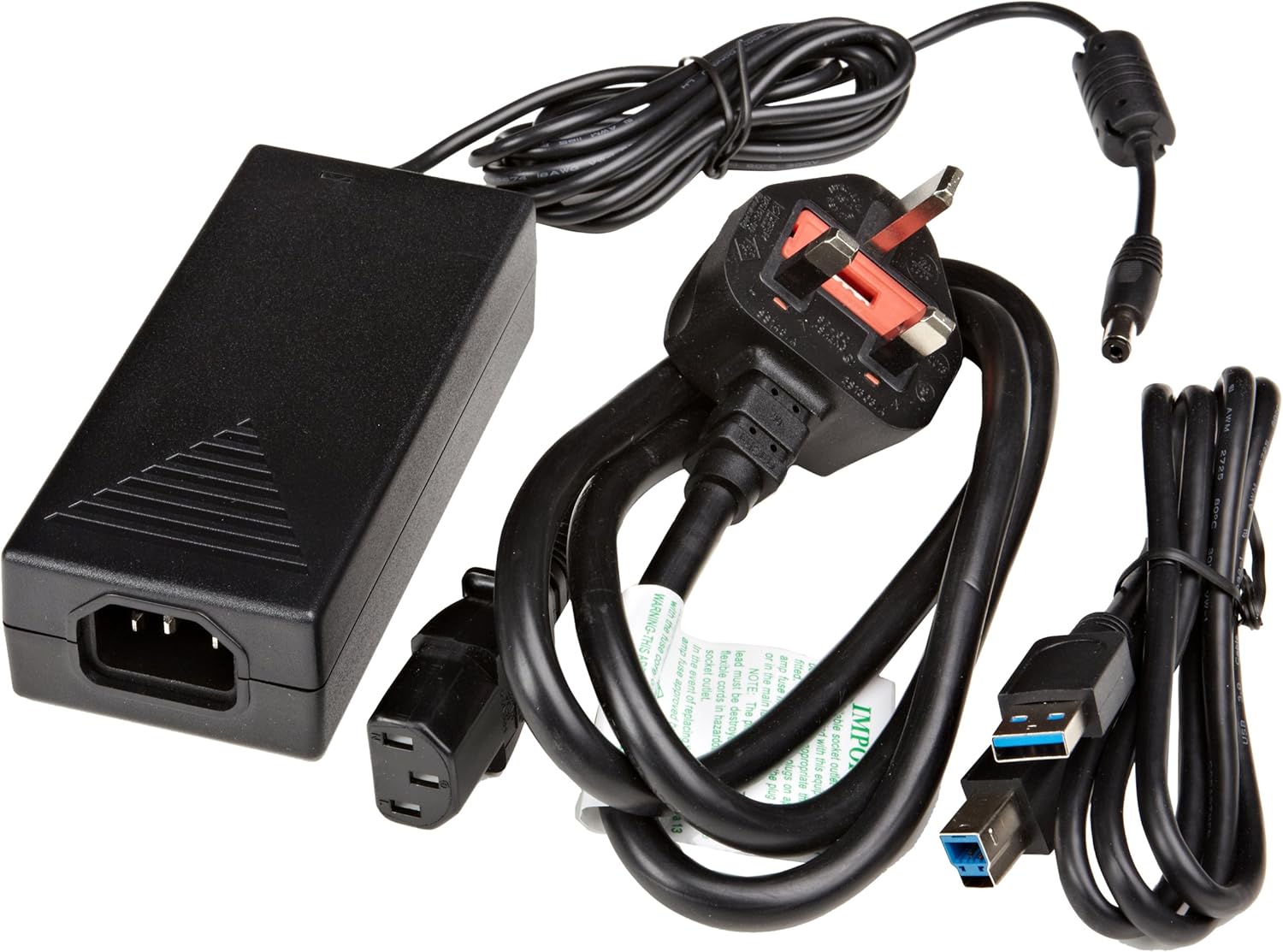
Зураг 3.1: The image displays the AmazonBasics 10-Port USB 3.0 Hub, its power adapter, and a USB 3.0 data cable, which are the typical contents found in the product packaging.
4. Бүтээгдэхүүн дууссанview
The AmazonBasics 10-Port USB 3.0 Hub expands your computer's connectivity, offering ten USB 3.0 ports for various peripherals. It supports high-speed data transfer and is backward compatible with USB 2.0 devices.
4.1 Урд ба хажуу View

Зураг 4.1: This image shows the front and left side of the USB hub. On the front, three USB 3.0 ports are visible, two of which are labeled 'Fast'. The left side features the upstream USB 3.0 port for connecting to a computer and the DC 15V power input.
4.2 Top and Rear View

Зураг 4.2: Энэ зураг нь дээрээс доош харагдана view of the USB hub, highlighting five additional USB 3.0 ports located on the rear panel. An 'ON/OFF' switch is also visible on the side, allowing users to power the hub on or off.
4.3 Доод тал View

Зураг 4.3: Доод тал view of the hub shows four rubber feet for stability and a product label containing regulatory information and the model number.
5. Тохируулах гарын авлага
Follow these steps to set up your USB 3.0 hub:
- Цахилгаан хувиргагчийг холбоно уу: Plug the provided power adapter into the DC 15V input port on the side of the USB hub. Then, plug the power adapter into a standard electrical outlet.
- Компьютерт холбогдох: Use the supplied USB 3.0 data cable to connect the upstream USB 3.0 port on the hub (located on the side) to an available USB 3.0 port on your computer.
- Асаах: If the hub has an ON/OFF switch (refer to Figure 4.2), ensure it is in the 'ON' position.
- Дагалдах төхөөрөмжүүдийг холбох: You can now connect your USB devices (e.g., external hard drives, keyboards, mice, flash drives) to any of the ten available USB 3.0 ports on the hub.
The hub supports automatic switching between self-power and bus-power mode. For optimal performance with multiple high-power devices, ensure the power adapter is connected.
6. Үйл ажиллагаа
Once connected, the AmazonBasics 10-Port USB 3.0 Hub operates automatically. Your computer should recognize connected devices without requiring additional drivers for most operating systems.
- USB 3.0 Speed: The hub supports SuperSpeed (5 Gbps), High Speed (480 Mbps), Full Speed (12 Mbps), and Low Speed (1.5 Mbps) data transfer rates, depending on the connected device and your computer's USB port capabilities.
- Төхөөрөмжийн нийцтэй байдал: The hub is compatible with both USB 3.0 and USB 2.0 specifications, allowing you to connect a wide range of USB devices.
- Эрчим хүчний менежмент: The hub intelligently manages power distribution to connected devices. For devices requiring more power, ensure the external power adapter is connected.
7. Алдаа засах
If you encounter issues with your USB hub, refer to the following common problems and solutions:
| Асуудал | Боломжит шийдэл |
|---|---|
| Devices are not recognized. |
|
| Өгөгдөл дамжуулах хурд удаан. |
|
| Hub is not powering on. |
|
| Intermittent device connection. |
|
8. Техникийн үзүүлэлтүүд
- Загварын дугаар: HU37A0V1-UK
- Портууд: 10 x USB 3.0
- Өгөгдөл дамжуулах хурд: Up to 5 Gbps (USB 3.0 SuperSpeed)
- Буцах нийцтэй байдал: USB 2.0, USB 1.1
- Эрчим хүчний оролт: DC 15V (дагалдах тэжээлийн адаптераар дамжуулан)
- Хэмжээ (LxWxH): Ойролцоогоор 5.71 x 2.96 x 1.06 инч (14.5 x 7.5 x 2.7 см)
- Жин: Ойролцоогоор 1.29 фунт (0.58 кг)
- Үйлдлийн системийн нийцтэй байдал: Windows, macOS, Linux (driver-free for most systems)
9. Арчилгаа, засвар үйлчилгээ
- Төвийг зөөлөн, хуурай даавуугаар цэвэрлээрэй. Шингэн цэвэрлэгч эсвэл аэрозоль хэрэглэж болохгүй.
- Агааржуулалтын нүхийг хаахаас зайлсхий.
- Хабыг ашиглаагүй үед сэрүүн, хуурай газар хадгална.
10. Дахин боловсруулах мэдээлэл
Dispose of this product according to local regulations. Do not dispose of it with general household waste. For more information on recycling electronic waste, contact your local authorities or the retailer where you purchased the product.
11. Баталгаат хугацаа ба дэмжлэг
For warranty information or technical support, please refer to the AmazonBasics support page or contact Amazon customer service directly. Details can typically be found on the Amazon webсайтын 'Тусламж' эсвэл 'Харилцагчийн үйлчилгээ' хэсгүүдийн доор.


