1. Танилцуулга
This manual provides essential instructions for the installation, operation, maintenance, and troubleshooting of your Antec TruePower Classic TP-750C 750W 80 PLUS GOLD Certified Power Supply. Please read this manual thoroughly before installation and retain it for future reference. This power supply is designed to provide stable and efficient power to your personal computer system.
2. Аюулгүй байдлын мэдээлэл
- Суулгах, ашиглахаасаа өмнө цахилгаан тэжээлийг хувьсах гүйдлийн залгуураас салгасан эсэхийг шалгаарай.
- Цахилгаан хангамжийг нээж болохгүй casing. Өндөр ботьtage components inside pose a risk of electric shock.
- Install the power supply in a well-ventilated area to prevent overheating.
- Зөвхөн цахилгаан тэжээлд дагалддаг кабелийг ашиглана уу.
- Цахилгаан хангамжийг чийг эсвэл хэт өндөр температурт өртөхөөс зайлсхий.
- This product is intended for use in personal computer systems only.
3. Багцын агуулга
Суулгацыг үргэлжлүүлэхийн өмнө багцад бүх зүйл байгаа эсэхийг шалгаарай.
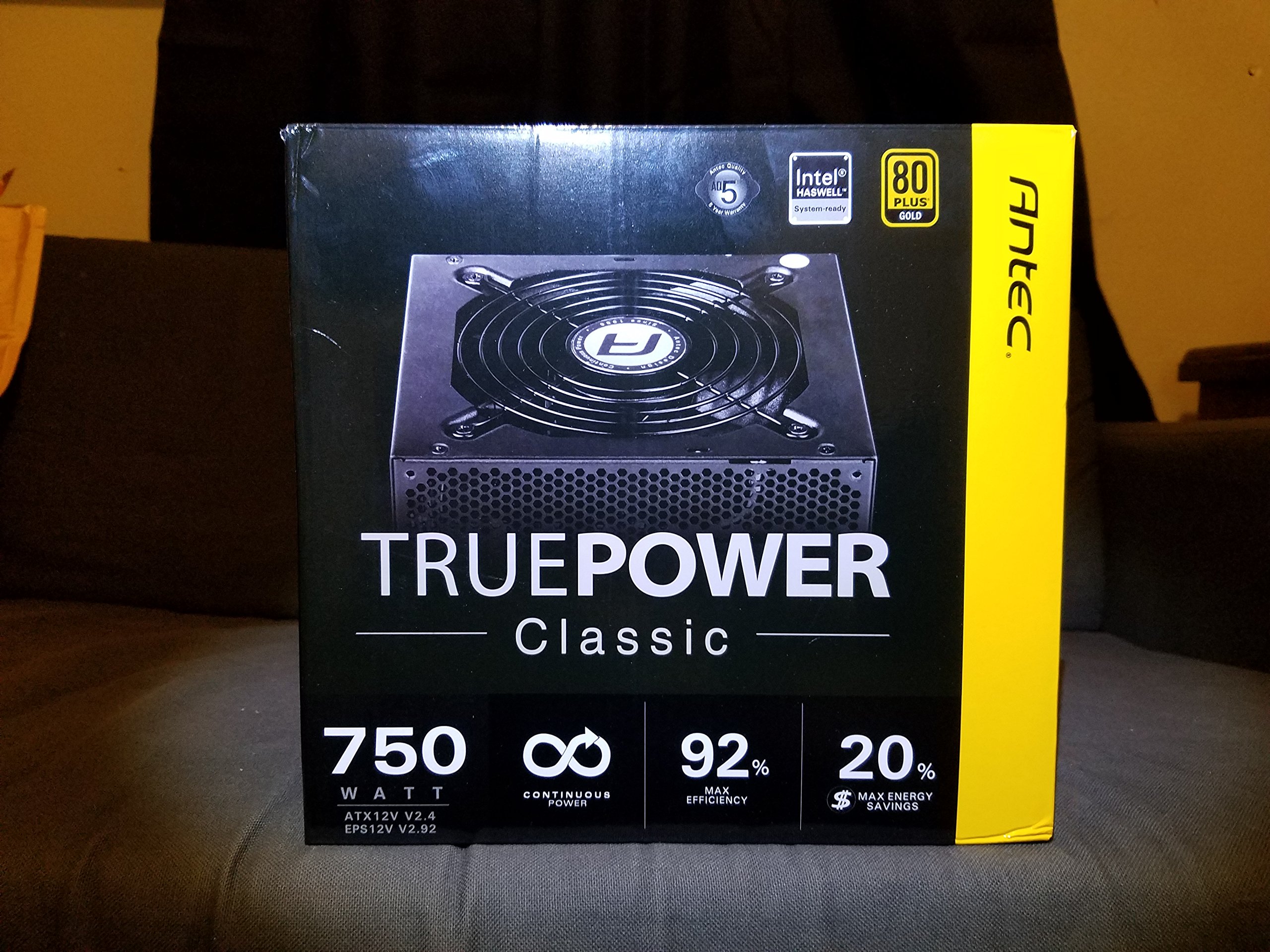
Image 1: Contents of the Antec TruePower Classic TP-750C package. The image displays the power supply unit, various power cables (including a main AC power cable), and user documentation neatly packed within a cardboard box.
- Antec TruePower Classic TP-750C Power Supply Unit
- Modular Cable Set (PCI-E, SATA, Molex, etc.)
- Хувьсах гүйдлийн цахилгааны утас
- Суурилуулах эрэг
- Хэрэглэгчийн гарын авлага / Баримт бичиг
4. Тохиргоо ба суурилуулалт
Follow these steps to properly install your power supply into your computer chassis.
- Явах эд ангиудыг бэлтгэх: Ensure your computer chassis is powered off and disconnected from all power sources. Open the side panel of your computer case.
- Цахилгаан хангамжийг суурилуулах: Carefully slide the Antec TP-750C power supply into the designated power supply bay in your chassis. Align the screw holes on the power supply with those on the chassis. Secure the power supply using the provided mounting screws.
- Эх хавтангийн тэжээлийг холбох: Connect the 24-pin ATX main power connector from the power supply to the corresponding port on your motherboard. Ensure it clicks into place.
- CPU-ийн тэжээлийг холбох: Connect the 4+4-pin (or 8-pin) EPS12V CPU power connector to the CPU power socket on your motherboard.
- Connect Graphics Card Power (PCI-E): If your graphics card requires external power, connect the appropriate 6+2-pin PCI-E power cables from the power supply to your graphics card.
- Connect Peripheral Power (SATA/Molex): Connect SATA power cables to your storage drives (SSDs, HDDs) and optical drives. Use Molex connectors for other peripherals as needed.
- Кабелийн менежмент: Route cables neatly to improve airflow and aesthetics within your chassis.
- Эцсийн шалгалтууд: Double-check all connections to ensure they are secure. Close the chassis side panel.
- Хувьсах гүйдлийн хүчийг холбоно уу: Хувьсах гүйдлийн тэжээлийн утсыг тэжээлийн эх үүсвэрт, дараа нь ханын залгуурт эсвэл хэт хүчдэлийн хамгаалагчтай холбоно уу.
5. Ашиглалтын заавар
The Antec TP-750C power supply operates automatically once correctly installed and connected to an AC power source. It provides stable DC power to all connected components.
- Асаах: After connecting the AC power cord, flip the power switch on the back of the power supply to the "ON" (I) position.
- Систем ачаалах: Press the power button on your computer chassis to start your system.
- Унтраах: Shut down your computer through the operating system. For complete power disconnection, flip the power switch on the power supply to the "OFF" (O) position and unplug the AC power cord.
6. Засвар үйлчилгээ
Тохиромжтой засвар үйлчилгээ нь таны цахилгаан хангамжийн урт наслалт, оновчтой гүйцэтгэлийг баталгаажуулдаг.
- Тоос цэвэрлэх: Periodically clean dust from the power supply's fan and ventilation grilles using compressed air. Ensure the power supply is disconnected from AC power before cleaning.
- Агааржуулалт: Ensure adequate airflow around the power supply. Do not block the intake or exhaust vents.
- Кабелийн бүрэн бүтэн байдал: Regularly check power cables for any signs of damage or fraying. Replace damaged cables immediately.
- Үйл ажиллагааны орчин: Operate the power supply within recommended temperature and humidity ranges.
7. Алдаа засах
If you encounter issues with your power supply, refer to the following common problems and solutions.
| Асуудал | Боломжит шалтгаан | Шийдэл |
|---|---|---|
| Систем асахгүй байна. | AC power cord not connected, power switch off, loose internal connections, faulty components. |
|
| Систем асаалттай боловч шууд унтарна. | Overload, overheating, short circuit, faulty component. |
|
| Unusual noise from the power supply. | Fan obstruction, faulty fan bearing, coil whine. |
|
If troubleshooting steps do not resolve the issue, contact Antec customer support for further assistance.
8. Техникийн үзүүлэлтүүд
| Загварын нэр | TruePower Classic TP-750C |
| Брэнд | Антек |
| Ватtage | 750 ватт |
| 80 PLUS гэрчилгээ | алт |
| Form Factor | ATX |
| Холбогч төрөл | ATX |
| Хамгийн бага оролтын хэмжээtage | 100 вольт |
| Тохиромжтой төхөөрөмжүүд | Хувийн компьютер |
| Зүйлийн жин | 6.24 фунт (2.83 кг) |
| Багцын хэмжээ | 9.7 x 9 x 5.5 инч (24.6 x 22.9 x 14 см) |
| ASIN | B00JOFALL0 |
| UPC | 132018316306 |
9. Баталгаат хугацаа ба дэмжлэг
The Antec TruePower Classic TP-750C Power Supply comes with a 3 жилийн үйлдвэрлэгчийн баталгаа. Энэхүү баталгаа нь ердийн ашиглалтын үед хийгдсэн материал, хийцийн согогийг хамарна.
For technical support, warranty claims, or further inquiries, please visit the official Antec webсайт эсвэл харилцагчийн үйлчилгээний хэлтэстэй холбогдоно уу. Баталгаат баталгааг баталгаажуулахын тулд худалдан авалтаа баталгаажуулна уу.
Please note: Opening the power supply casing нь баталгааг хүчингүй болгоно.


