Танилцуулга
This manual provides essential information for the safe and efficient operation, installation, and maintenance of your LG LSA6NP3F Non Inverter Split Air Conditioner. Please read this manual thoroughly before using your air conditioner and retain it for future reference.
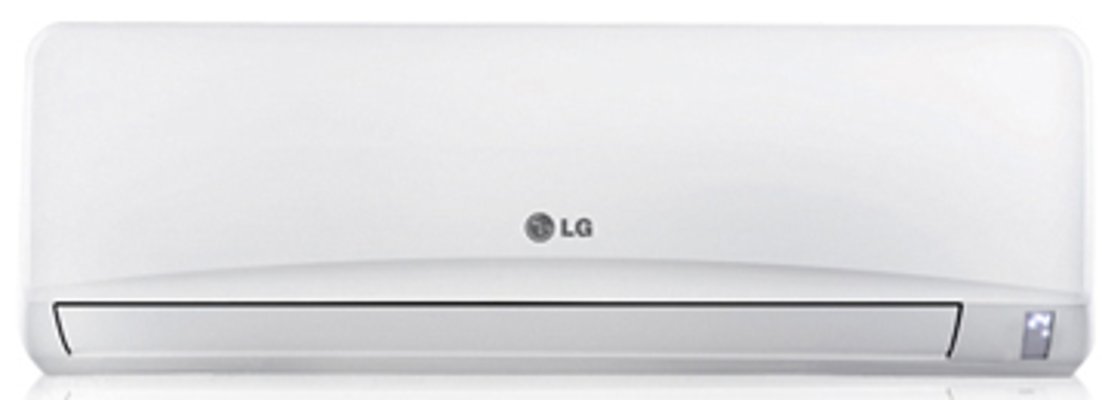
Image: The LG LSA6NP3F Non Inverter Split AC, showing both the indoor and outdoor units. This image illustrates the complete air conditioning system.
1. Тохиргоо ба суурилуулалт
Proper installation is crucial for the optimal performance and longevity of your LG LSA6NP3F AC. It is recommended that installation be performed by a qualified service technician.
1.1 Суурилуулалтын өмнөх шалгалт
- Ensure the installation location can support the weight of both indoor and outdoor units.
- Verify that the power supply (230 Volt / Single Phase / 50 Hz) matches the unit's requirements.
- Confirm adequate space for air circulation around both units.
1.2 Дотор төхөөрөмжийн байршил
The indoor unit should be mounted on a wall, ensuring it is level and has unobstructed airflow. Avoid placing it near heat sources or direct sunlight.
1.3 Гаднах нэгжийн байршил
The outdoor unit should be placed in a well-ventilated area, away from direct sunlight and obstructions. Ensure it is on a stable, level surface to minimize vibration and noise.
1.4 Цахилгааны холболт
Connect the AC to a dedicated power circuit as specified in the electrical requirements. Ensure all wiring is secure and properly grounded to prevent electrical hazards.
2. Ашиглалтын заавар
Familiarize yourself with the remote control and the various operating modes of your LG LSA6NP3F AC.
2.1 Алсын удирдлага
The remote control allows you to adjust settings and activate features. It includes Night Glow buttons for easy operation in low light conditions.
Image: Illustrative image of an LG AC remote control. The remote features buttons that glow in the dark for convenient use at night.
2.2 Үйлдлийн горим ба онцлог
- Himalaya Cool: This technology provides rapid cooling by optimizing airflow and utilizing a faster vertical air swing. Activate it with a one-touch key on the remote control for quick comfort.
Image: A representation of the Himalaya Cool feature, showing strong, directed airflow from the AC unit for rapid cooling.
- Monsoon Comfort: Designed for high humidity and monsoon seasons, this mode prevents overcooling by balancing room temperature, body temperature, and airflow. It can be activated via a single key on the remote control.
Image: An icon or display indicating the Monsoon Comfort mode is active, suggesting balanced cooling and dehumidification.
- E-Saver Mode: This energy-saving mode maintains comfort while minimizing power consumption by applying the Body Adaptation Time Algorithm (BATA).
- Гүн нойрны горим: The microprocessor automatically adjusts the temperature during the night to match your body's metabolism, providing a comfortable sleeping environment and saving power.
- Асаах/унтраах таймер: Use the timer function to program the AC to turn on or off at specific times, allowing for undisturbed sleep or energy management.
- Sweet Dreamz Mode: Pressing a specific key on the remote controller will turn off the display on the indoor unit, enhancing comfort during sleep by eliminating light disturbance.
- Автоматаар дахин эхлүүлэх: Хүчтэй тохиолдолд уtage, тэжээл сэргэсний дараа төхөөрөмж өмнөх тохиргоогоор автоматаар дахин асах болно.
- Хурдны тохиргоо: The unit offers multiple fan speed settings for customized airflow.
3. Засвар үйлчилгээ
Тогтмол засвар үйлчилгээ нь таны агааржуулагчийн ашиглалтын хугацааг уртасгаж, үр ашигтай ажиллагааг баталгаажуулдаг.
3.1 Auto Clean Feature
The Автомат цэвэрлэгээ feature automatically dries the wet heat exchanger inside the indoor unit, preventing the growth of mold and bacteria. It is recommended to use this feature regularly.
Image: A visual representation of the Auto Clean function, possibly an indicator light or display on the AC unit.
3.2 Шүүлтүүрийн засвар үйлчилгээ
Your AC is equipped with advanced filters to ensure clean air quality.
- Dual Protection Filter: This fine mesh filter captures dust particles and inhibits germ growth. Clean it regularly by washing with water and drying thoroughly.
Image: A close-up of the Dual Protection Filter, showing its fine mesh structure designed to capture dust and inhibit bacteria.
- 3M Micro Protection Filter: This filter uses electrostatic force to collect microscopic substances, ensuring cleaner air. Refer to the service manual for specific cleaning or replacement instructions for this filter type.
Image: A visual representation of the 3M Micro Protection Filter, highlighting its advanced filtration capabilities.
Always turn off the power supply to the AC unit before performing any maintenance.
4. Алдаа засах
Үйлчилгээний ажилтантай холбоо барихаасаа өмнө дахинview Дараах нийтлэг асуудлууд, тэдгээрийн шийдэл.
| Асуудал | Боломжит шалтгаан | Шийдэл |
|---|---|---|
| Агааржуулагч асахгүй байна. | No power supply; remote control batteries depleted; circuit breaker tripped. | Check power connection; replace remote batteries; reset circuit breaker. |
| Хөргөлт хангалтгүй. | Бохир агаарын шүүлтүүр; хаагдсан гадаа нэгж; өрөө хэт том; цонх/хаалга нээлттэй. | Clean air filters; clear obstructions from outdoor unit; ensure room is sealed. |
| Нэгжээс ер бусын дуу чимээ. | Сул хэсгүүд; нэгж түвшин биш; сэнс дэх гадаад объект. | Ensure unit is level; check for loose screws; inspect for obstructions (power off first). |
| Дотор нэгжээс ус гоожих. | Clogged drain pipe; improper installation. | Clear drain pipe; contact a qualified technician for inspection. |
Эдгээр шийдлүүдийг туршиж үзсэний дараа асуудал хэвээр байвал LG хэрэглэгчийн тусламжтай холбогдоно уу.
5. Техникийн үзүүлэлтүүд
Detailed technical specifications for the LG LSA6NP3F Non Inverter Split AC.
| Онцлог | Үнэ цэнэ |
|---|---|
| Брэнд | LG |
| Загвар | LSA6NP3F |
| Хүчин чадал | 2 тонн |
| Эрчим хүчний хэмнэлт | 3 одтой үнэлгээ |
| Хөргөх хүч | 6350 ватт |
| Дуу чимээний түвшин (дотоод) | 40 децибел |
| Суурилуулалтын төрөл | Хуваах систем |
| Form Factor | Mini-Split |
| Онцлог шинж чанарууд | Anti Bacterial Filter |
| Өнгө | Цагаан |
| Хяналтын консол | Алсын удирдлага |
| Ботьtage | 230 вольт |
| Ватtage | 2000 ватт |
| Агаарын урсгалын шилжилт | Минутанд 1600 куб фут |
| Материал | Зэс |
| Дотор нэгжийн хэмжээс (ӨХХХД) | 1090 x 300 x 218 мм |
| Гадна нэгжийн хэмжээс (ӨХХХД) | 870 x 655 x 322 мм |
| Дотор төхөөрөмжийн цэвэр жин | 13 кг |
| Гадна төхөөрөмжийн цэвэр жин | 47 кг |
| Хөргөгч | R22 |
6. Баталгаат хугацаа ба дэмжлэг
6.1 Баталгаат хугацааны мэдээлэл
Your LG LSA6NP3F AC comes with a standard manufacturer's warranty. Please refer to the warranty card included with your product for specific terms, conditions, and duration. Keep your purchase receipt as proof of purchase for warranty claims.
6.2 Хэрэглэгчийн дэмжлэг
For technical assistance, service requests, or inquiries regarding your product, please contact LG customer support. Contact details can typically be found on the LG official webсайт эсвэл таны агааржуулагчтай хамт өгсөн баримт бичигт байгаа эсэхийг шалгаарай.
When contacting support, please have your model number (LSA6NP3F) and serial number ready.