Танилцуулга
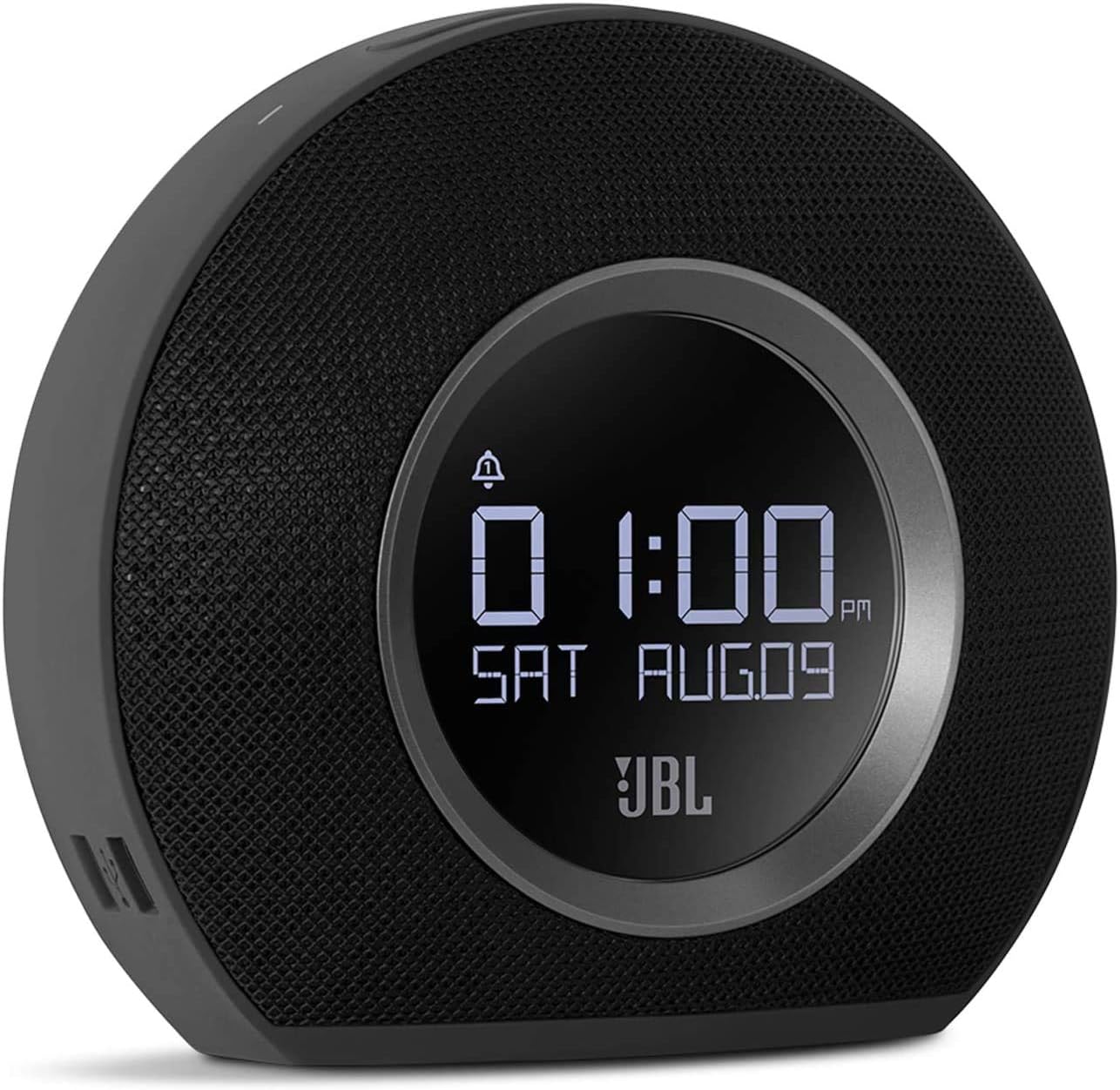
The JBL Horizon is a versatile alarm clock radio designed to enhance your morning routine. It combines a high-quality Bluetooth speaker with an FM radio, dual alarm system, ambient LED light, and convenient USB charging ports. This manual provides detailed instructions for setting up, operating, and maintaining your JBL Horizon.
Багцын агуулга
- 1 x JBL Horizon Device
- 1 x тэжээлийн адаптер
- 1 х хэрэглэгчийн гарын авлага
- 1 х аюулгүй байдлын хуудас
- 1 x хурдан эхлүүлэх гарын авлага
- 1 x Radio Antenna
Тохиргоо
- Эрчим хүчний холболт: Connect the power adapter to the JBL Horizon and then to a wall outlet. The device will power on automatically.
- Антенны холболт: For optimal FM radio reception, connect the included radio antenna to the FM antenna port on the back of the unit. Extend the antenna fully.
- Эхний цагийн тохиргоо: Upon first power-up, the device may prompt you to set the time. Use the control buttons (typically volume up/down or dedicated time set buttons) to adjust the hour and minute. Confirm your selection. The device also features a DST (Daylight Saving Time) button on the bottom for easy adjustment.
Ашиглалтын заавар
Сэрүүлэг тохируулах
The JBL Horizon features two independent alarms. To set an alarm:
- дээр дарна уу Сэрүүлэг 1 or Сэрүүлэг 2 button on the top of the unit.
- Дууны түвшний товчлууруудыг ашиглана уу (+ / -) to adjust the alarm time. Press the alarm button again to switch between hour and minute settings.
- Select your desired alarm source: FM radio, Bluetooth audio, or one of the built-in digital alarm tones.
- Сэрүүлгийн дууг тохируулна уу.
- The ambient light can be set to gradually illuminate before the alarm sounds, providing a gentle wake-up experience.
- To temporarily silence an alarm (snooze), press the large УНТАХ / ГЭРЭЛ button. To turn off an alarm, press the corresponding Alarm button.
FM радио
FM радио сонсохын тулд:
- дээр дарна уу FM FM радио горимд шилжихийн тулд товчлуурыг дарна уу.
- Use the tuning buttons (often integrated with volume or separate arrow buttons) to scan for stations.
- To save a favorite station, press and hold one of the preset buttons (if available, typically 1-5).
Bluetooth холболт
Bluetooth-ээр аудио дамжуулахын тулд:
- дээр дарна уу Bluetooth Хослуулах горимд орохын тулд товчийг дарна уу. Bluetooth индикатор анивчина.
- Мобайл төхөөрөмж дээрээ (ухаалаг утас, таблет, зөөврийн компьютер) Bluetooth-г идэвхжүүлж, боломжтой төхөөрөмжүүдийг хайж олоорой.
- Select "JBL Horizon" from the list to pair. Once paired, the indicator will glow solid.
- You can now stream audio from your device to the JBL Horizon.
Орчны гэрэл
The JBL Horizon features an ambient LED light ring on its rear. This light can be used as a gentle wake-up aid or as a soft night light. Its brightness automatically adjusts to the room's lighting conditions for optimal visibility without being disruptive.

USB цэнэглэх
Two USB charging ports are located on the side of the JBL Horizon. Connect your mobile devices using their respective USB cables to charge them overnight or during use.
Дэлгэцийн тод байдал
The display brightness automatically adjusts based on the ambient light in the room, ensuring readability during the day and preventing excessive brightness at night.
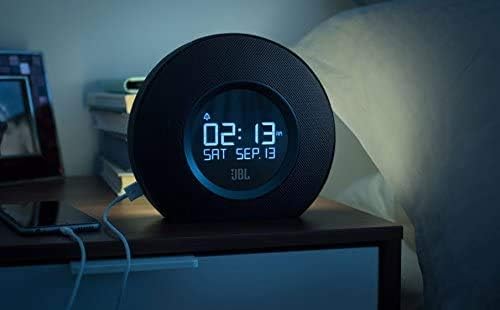

Видео 1: Энэ видео нь визуал дүрслэлийг өгдөгview and demonstration of the JBL Horizon alarm clock radio. It showcases key features such as the dual alarm system, ambient light function for gentle wake-up, FM radio capabilities, Bluetooth connectivity for audio streaming, and the convenient USB charging ports for mobile devices. The video highlights the product's design and user interaction.
Засвар үйлчилгээ
To ensure the longevity and optimal performance of your JBL Horizon:
- Төхөөрөмжийг зөөлөн, хуурай даавуугаар цэвэрлээрэй. Зүлгүүрийн цэвэрлэгч эсвэл уусгагч хэрэглэхээс зайлсхий.
- Keep the device away from direct sunlight, excessive heat, and moisture.
- Төхөөрөмжийн эргэн тойронд зохих агааржуулалтыг хангах.
Алдааг олж засварлах
- Эрчим хүчгүй: Цахилгаан адаптер нь төхөөрөмж болон ажиллаж байгаа ханын залгуурт найдвартай холбогдсон эсэхийг шалгаарай.
- FM хүлээн авалт муу байна: Extend the FM antenna fully and try repositioning it for better signal.
- Bluetooth холболтын асуудал: Ensure the JBL Horizon is in pairing mode (flashing Bluetooth indicator) and your mobile device's Bluetooth is enabled and searching. Try unpairing and re-pairing if issues persist.
- Сэрүүлэг дуугарахгүй/Хэт чимээгүй: Verify that the alarm is enabled, the volume is set appropriately, and the correct alarm source is selected. Check the backup battery status if a power outagд болсон.
- Time Drift: If the time consistently drifts, ensure the device is connected to a stable power source. The backup battery helps maintain time during power interruptions.
Үзүүлэлтүүд
| Загварын дугаар | K951170 |
| Брэнд | JBL |
| Өнгө | Хар |
| Материал | Акрилонитрил бутадиен стирол (ABS) |
| Бүтээгдэхүүний хэмжээ (D x W x H) | 8.6 см х 18.3 см х 16 см |
| Зүйлийн жин | 890 грамм |
| Чанга яригчийн төрөл | Блютүүт зөөврийн чанга яригч |
| Чанга яригчийн хэмжээ | 1 инч |
| Чанга яригчийн гаралтын дээд чадал | 5 ватт |
| Аудио гаралтын горим | Моно |
| Давтамжийн хариу үйлдэл (дээд хязгаар) | 20 кГц |
| Утасгүй технологи | Bluetooth |
| Тохиромжтой төхөөрөмжүүд | Зөөврийн компьютер, ухаалаг гар утас, таблет |
| Эрчим хүчний эх үүсвэр | AC Power (with battery backup for time/alarm) |
| Оролтын хэмжээtage | 13 вольт (ДС) |
| Усны хамгаалалттай | Үгүй |
| Угсрах шаардлагатай | Үгүй |
| Батерей шаардлагатай | Yes (1 A type for backup) |

Баталгаат болон дэмжлэг
The JBL Horizon comes with a 1-year manufacturer's limited warranty. Spare parts are available for a period of 2 years from the date of purchase.
For technical support, warranty claims, or further assistance, please visit the official JBL support website or contact their customer service department. Refer to the quick start guide or safety sheet for specific contact information in your region.
Аюулгүй байдлын чухал мэдээлэл
Always follow basic safety precautions when using this product to reduce the risk of fire, electric shock, and injury. Do not expose the device to rain or moisture. Do not disassemble the product. Refer to the included safety sheet for comprehensive safety guidelines.


