Танилцуулга
This manual provides comprehensive instructions for the installation, operation, and maintenance of the Logilink 4-Port Keystone Surface Mount Box, model NK4034. This product is designed to house up to four standard Keystone Jack modules, providing a neat and accessible termination point for network cables in surface-mount applications.
Зөв тохиргоо болон оновчтой гүйцэтгэлийг хангахын тулд суулгахаасаа өмнө энэхүү гарын авлагыг сайтар уншина уу.
Аюулгүй байдлын мэдээлэл
- Ensure all power is disconnected from any active network components before beginning installation.
- Use appropriate tools for installation to prevent damage to the product or injury.
- Энэ бүтээгдэхүүн нь зөвхөн дотор ашиглах зориулалттай.
- Бүтээгдэхүүнийг чийг эсвэл хэт өндөр температурт бүү өртүүл.
- Хүүхдийн гар хүрэхгүй газар хадгална.
Багцын агуулга
Бүх зүйл багцад байгаа эсэхийг шалгана уу:
- Logilink 4-Port Keystone Surface Mount Box (Unshielded, White)
- Mounting screws (if included by manufacturer)
Note: Keystone Jack modules are sold separately and are not included with this surface mount box.
Тохиргоо ба суурилуулалт
Follow these steps to install your Keystone Surface Mount Box:
- Хайрцаг бэлтгэх: Gently open the Logilink 4-Port Keystone Surface Mount Box. It typically consists of a base and a cover. Separate these two parts.
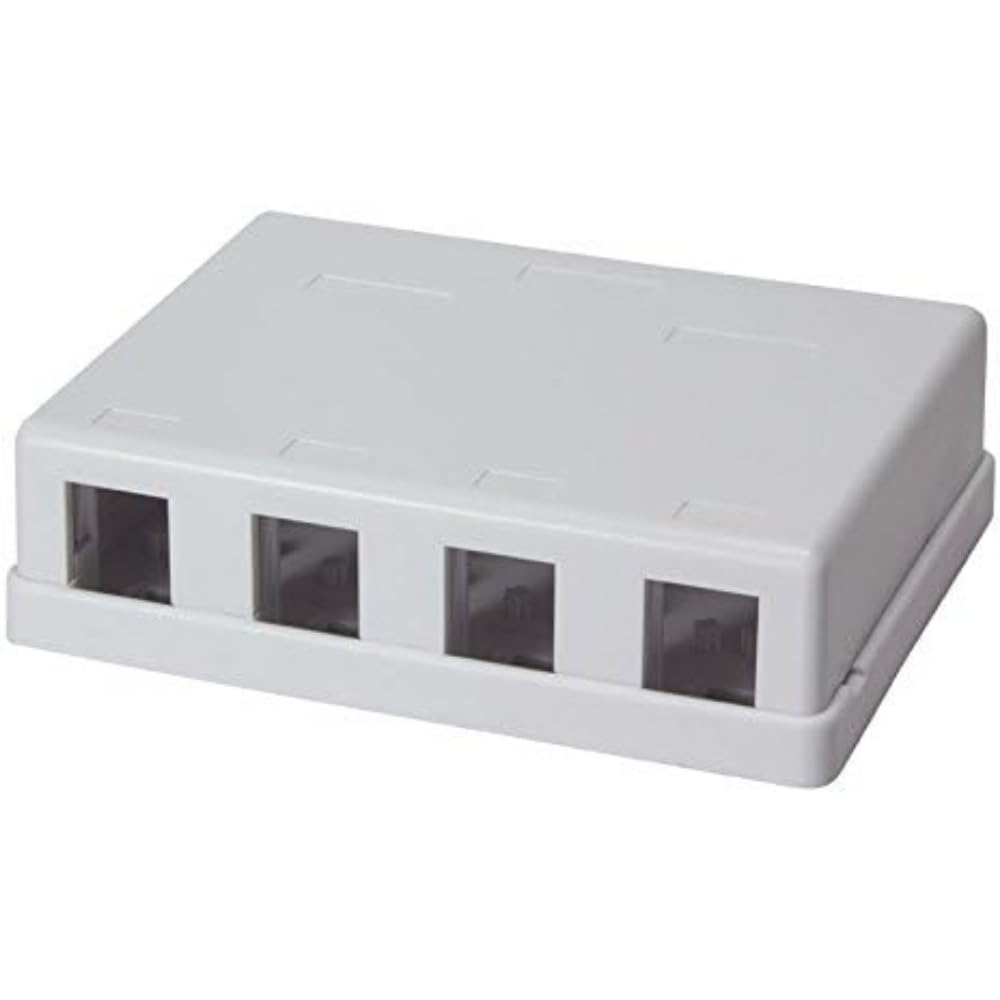
Зураг: Дотоод засал view of the Logilink 4-Port Keystone Surface Mount Box, displaying the four individual slots designed to securely hold Keystone jack modules.
- Install Keystone Jacks: Insert your desired Keystone Jack modules (e.g., RJ45, HDMI, USB) into the designated slots in the base of the box. Ensure they click securely into place.

Зураг: Ойрхон view of the box's interior, illustrating how Keystone jacks are inserted and secured within the four available ports.
- Маршрутын кабель: Route the network cables through the cable entry points at the back or sides of the box. Terminate the cables to the installed Keystone Jacks according to their specific instructions.
- Хайрцгийг хаах: Once all Keystone Jacks are installed and cables are terminated, carefully place the cover back onto the base, ensuring it snaps or screws into place securely.
- Хайрцаг суурилуулах: Position the assembled surface mount box on your desired wall or surface. Mark the drilling points through the mounting holes on the base. Drill pilot holes if necessary, then secure the box using appropriate screws.
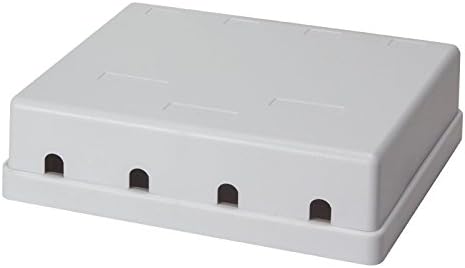
Image: The exterior of the Logilink 4-Port Keystone Surface Mount Box, displaying the cable entry points and its compact, finished appearance once closed.
Ашиглалтын заавар
Once installed, the Logilink 4-Port Keystone Surface Mount Box functions as a passive connection point. Simply connect your network patch cables or other compatible cables to the installed Keystone Jacks as needed. Ensure cables are fully seated for a reliable connection.
Засвар үйлчилгээ
- Цэвэрлэгээ: Use a soft, dry cloth to clean the exterior of the box. Do not use abrasive cleaners or solvents.
- Шалгалт: Periodically check the box and cable connections for any signs of damage or loose connections.
- Байгаль орчин: Ensure the operating environment remains within recommended temperature and humidity ranges to prolong product life.
Алдааг олж засварлах
- Keystone Jack Not Fitting: Ensure you are using standard Keystone Jack modules. Some modules may have slightly different dimensions. Apply gentle, even pressure. If a module still does not fit, it may be incompatible or defective.
- Poor Network Connection: Verify that all cables are properly terminated to the Keystone Jacks and that the patch cables are securely connected to the jacks. Check the integrity of the cables and the connected network devices.
- Box Not Closing Properly: Ensure all cables are neatly routed and not obstructing the cover. Verify that the Keystone Jacks are fully seated and not protruding.
Үзүүлэлтүүд
| Онцлог | Дэлгэрэнгүй |
|---|---|
| Брэнд | Logilink |
| Үйлдвэрлэгч | 2direct GmbH |
| Загварын дугаар | NK4034 |
| Бүтээгдэхүүний хэмжээс | 24 x 15 x 2 см; 90 гр |
| Өнгө | Цагаан |
| Портын тоо | 4 |
| Төрөл | Keystone Surface Mount Box, Unshielded |
| ASIN | B00P8XMRI2 |
Баталгаат хугацааны мэдээлэл
For detailed warranty information, please refer to the documentation provided with your purchase or contact your retailer. Warranty terms and conditions may vary by region and seller.
Дэмжлэг
If you encounter any issues or require technical assistance, please contact your point of purchase or visit the official Logilink webтуслах нөөцийн сайт.


