1. Танилцуулга
Худалдан авалт хийсэнд баярлалааasing the Chauvet DJ SlimPar 64 LED RGB Lighting Fixture. This manual provides essential information for the safe and optimal use of your new lighting equipment. Please read these instructions thoroughly before installation and operation.

Image 1.1: Four Chauvet DJ SlimPar 64 LED RGB lighting fixtures and accompanying DMX cables. Each fixture is a slim, round LED par can, and the cables are black with 3-pin XLR connectors.
2. Багцын агуулга
Таны багц дараах зүйлсийг агуулж байгаа эсэхийг шалгаарай.
- Chauvet DJ SlimPar 64 LED RGB Lighting Fixture (Quantity: 4)
- Chauvet DMX Cable (3-pin, 25ft) (Quantity: 1)
- Chauvet DMX Cable (3-pin, 10ft) (Quantity: 3)
- Энэхүү зааварчилгааны гарын авлага

Зураг 2.1: Урд view of a single SlimPar 64 fixture, showcasing the array of red, green, and blue LEDs.

Image 2.2: A 3-pin DMX cable, illustrating the male and female XLR connectors used for signal transmission.
3. Аюулгүй байдлын мэдээлэл
For safe operation, please observe the following precautions:
- Бэхэлгээг үргэлж газардуулгатай хэлхээнд холбоно уу.
- Хэт халалтаас урьдчилан сэргийлэхийн тулд бэхэлгээний эргэн тойронд зохих агааржуулалтыг хангана.
- Цахилгааны утас гэмтсэн тохиолдолд төхөөрөмжийг бүү ажиллуул.
- Нүдний гэрлийн эх үүсвэрт шууд өртөхөөс зайлсхий.
- Засвар, цэвэрлэгээ хийхээс өмнө цахилгааныг салга.
- Энэхүү бэхэлгээ нь зөвхөн дотор ашиглах зориулалттай.
4. Бүтээгдэхүүний онцлог
- Slim housing design (2.5 inches thick) for versatile placement.
- Equipped with 180 Red, Green, and Blue (RGB) LEDs.
- Multiple DMX channel modes (3-channel or 7-channel).
- Integrated automatic sound activation programs.
- Variable speed-pulse effect.
- Static color and RGB color mixing capabilities.
- Integrated power input and output for daisy-chaining multiple units.
5. Тохиргоо
5.1 Суурилуулалт
The SlimPar 64 features a dual-bracket yoke for flexible mounting options. It can be mounted on a truss, placed on the floor, or attached to a stand.
- Суурилуулах гадаргуу эсвэл бүтэц нь бэхэлгээний жинг тэсвэрлэх чадвартай эсэхийг шалгаарай.
- Тохиромжтой cl ашиглахamps and safety cables when mounting overhead.
- Adjust the angle of the fixture using the side knobs on the yoke.
Зураг 5.1: Хажуу тал view of the SlimPar 64, highlighting its compact design and adjustable mounting bracket.
5.2 DMX холболт
To control the SlimPar 64 using a DMX controller, connect the DMX cables as follows:
- Connect the DMX output of your controller to the DMX IN port of the first fixture.
- Connect the DMX OUT port of the first fixture to the DMX IN port of the next fixture in the chain.
- Continue this daisy-chain connection for all fixtures.
- For optimal signal integrity, terminate the last fixture in the DMX chain with a 120-ohm DMX terminator (not included).

Image 5.2: Rear panel of the SlimPar 64, displaying the DMX In/Out ports, power In/Out, and the digital display with control buttons.
5.3 Эрчим хүчний холболт
Connect the power cord to the power input on the rear of the fixture. Multiple fixtures can be daisy-chained for power using the power output port, up to the maximum current draw specified in the specifications section.
6. Үйлдлийн горимууд
The SlimPar 64 offers several operating modes:
6.1 Бие даасан горим
In standalone mode, the fixture operates without an external DMX controller.
- Автомат програмууд: Select from pre-programmed light shows.
- Дуу идэвхжүүлсэн горим: The fixture reacts to ambient sound via its built-in microphone.
- Статик өнгөний горим: Choose a single static color or mix RGB values to create custom colors.
6.2 DMX хяналтын горим
This mode allows precise control over the fixture's functions using a DMX controller.
- Set the DMX address for each fixture using the control panel.
- Select either 3-channel or 7-channel DMX mode based on your controller and desired level of control.
- Refer to your DMX controller's manual for programming instructions.
6.3 Мастер/Боол горим
Connect multiple SlimPar 64 fixtures to synchronize their operation without a DMX controller.
- Designate one fixture as the "Master" and set it to an auto or sound-activated program.
- Connect the DMX OUT of the Master fixture to the DMX IN of the first "Slave" fixture.
- Connect subsequent Slave fixtures in a daisy chain.
- Set all Slave fixtures to "Slave" mode.
7. Control Panel Overview
The control panel on the rear of the fixture features a digital display and several buttons for navigation and setting adjustments.
- Цэс: Access the main menu and navigate through options.
- ДЭЭШЭЭ ДООШОО: Scroll through menu options or adjust values.
- ОРУУЛАХ: Confirm selections or save settings.
Specific menu options will vary depending on the selected operating mode.
8. DMX Channel Assignments
The SlimPar 64 supports 3-channel and 7-channel DMX modes. Below is a general overview of typical channel assignments. Refer to the full product manual for detailed DMX charts.
8.1 3-Channel Mode
- Channel 1: Red Intensity
- Channel 2: Green Intensity
- Channel 3: Blue Intensity
8.2 7-Channel Mode
- Channel 1: Master Dimmer
- Channel 2: Red Intensity
- Channel 3: Green Intensity
- Channel 4: Blue Intensity
- Channel 5: Strobe Effect
- Channel 6: Auto Programs / Sound Active
- Channel 7: Program Speed / Sound Sensitivity
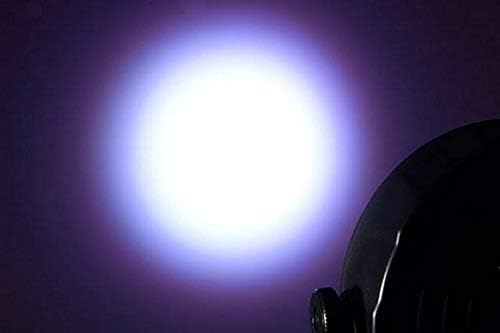
Зураг 8.1: Жишээ ньample of a white light beam produced by the SlimPar 64.
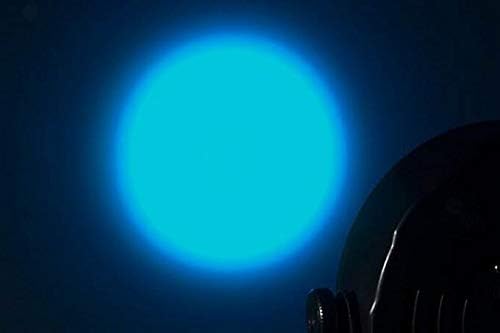
Зураг 8.2: Жишээ ньample of a blue light beam produced by the SlimPar 64.
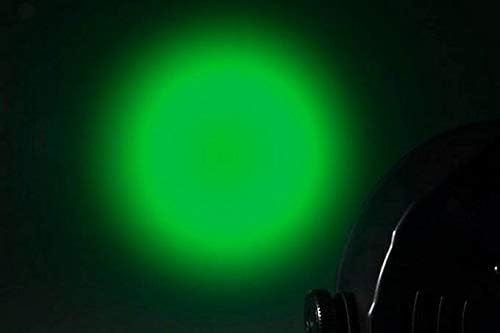
Зураг 8.3: Жишээ ньample of a green light beam produced by the SlimPar 64.
9. Засвар үйлчилгээ
Regular maintenance ensures the longevity and optimal performance of your fixture.
- Цэвэрлэгээ: Periodically clean the lens and exterior with a soft, lint-free cloth. Do not use abrasive cleaners.
- Шалгалт: Regularly check power cables and DMX cables for any signs of damage.
- Хадгалах: Ашиглаагүй үед бэхэлгээг хуурай, тоосгүй орчинд хадгална.
10. Алдаа засах
| Асуудал | Боломжит шалтгаан | Шийдэл |
|---|---|---|
| Fixture does not power on. | No power supply; damaged power cable. | Check power connection; replace damaged cable. |
| DMX хяналт байхгүй. | Incorrect DMX address; faulty DMX cable; missing terminator. | Verify DMX address; check cable connections; add DMX terminator. |
| Fixture not responding to sound. | Sound-activated mode not selected; low sound sensitivity. | Ensure sound-activated mode is active; adjust sound sensitivity. |
11. Техникийн үзүүлэлтүүд
| Параметр | Үнэ цэнэ |
|---|---|
| Брэнд | CHAUVET DJ |
| Загварын нэр | SlimPar 64 |
| Загварын дугаар | 4334418763 |
| Гэрлийн эх үүсвэрийн төрөл | LED (Гэрэл ялгаруулдаг диод) |
| LED өнгө | Улаан, Ногоон, Цэнхэр (RGB) |
| DMX сувгууд | 3 эсвэл 7 |
| Ботьtage | 230 вольт |
| Ватtage | 27 ватт |
| Зүйлийн жин | 19.06 pounds (for the package of 4 lights and cables) |
| UPC | 708594653212 |
12. Баталгаат хугацаа ба дэмжлэг
For warranty information and technical support, please refer to the official CHAUVET DJ webсайт эсвэл харилцагчийн үйлчилгээний хэлтэстэй холбогдоно уу. Худалдан авалтын баримтаа худалдан авалтын баталгаа болгон хадгалаарай.
CHAUVET DJ Official Webсайт: www.chauvetdj.com


