Танилцуулга
Thank you for choosing the Coby Portable CD Player CD191. This device is designed to provide a versatile and enjoyable audio experience, combining classic CD playback with modern features like FM radio and MP3 compatibility. Its compact and shockproof design makes it ideal for both home use and on-the-go listening. Please read this manual thoroughly to understand the proper operation and maintenance of your new CD player.

Урд view of the Coby Portable CD Player, showcasing its compact design, LCD display, control buttons, and the included wired earbuds and Micro USB charging cable.
Аюулгүй байдлын мэдээлэл
Аюулгүй ажиллагааг хангах, эвдрэлээс урьдчилан сэргийлэхийн тулд дараахь урьдчилан сэргийлэх арга хэмжээг дагаж мөрдөнө үү.
- Төхөөрөмжийг бороо, чийг, хэт өндөр температурт бүү гарга.
- Avoid dropping or subjecting the unit to strong impacts, as this may damage internal components.
- Төхөөрөмжийг задалж болохгүй. Бүх үйлчилгээг мэргэшсэн боловсон хүчинд шилжүүлээрэй.
- Use only the specified battery type (2 AA batteries) and ensure correct polarity.
- Сонсголыг гэмтээхгүйн тулд хэт өндөр түвшинд удаан хугацаагаар сонсохоос зайлсхий.
- Keep the CD compartment clean and free of dust or debris.
Багцын агуулга
Бүх зүйл багцад байгаа эсэхийг шалгана уу:
- Coby Portable CD Player CD191
- Стерео чихэвч
- Микро USB кабель

The high-fidelity wired stereo earbuds that come with the CD player, providing a personal listening experience.
Бүтээгдэхүүн дууссанview
Бүрэлдэхүүн хэсгүүд ба хяналтууд
Familiarize yourself with the main components and controls of your CD player:
- LCD дэлгэц: Shows track number, time, mode, and battery status.
- CD тасалгаа: Where the CD is inserted.
- Тоглуулах/түр зогсоох товчлуур: Тоглуулахыг эхлүүлэх эсвэл түр зогсоох.
- Зогсоох товч: Тоглуулахыг зогсооно.
- Skip/Search Buttons (◀◀ / ▶▶): Дууг алгасах эсвэл хурдан урагшлуулах/ухраах.
- Горимын товчлуур: Switches between CD, FM, and MP3 modes.
- Програмын товчлуур: Замын дарааллыг програмчлахад ашигладаг.
- Дууны түвшин +/- Товчлуурууд: Аудио гаралтын түвшинг тохируулна.
- Чихэвчний залгуур (3.5 мм): Чихэвч эсвэл гадаад аудио төхөөрөмжүүдийг холбох зориулалттай.
- Микро USB порт: Гадаад цахилгаан хангамжийн хувьд.
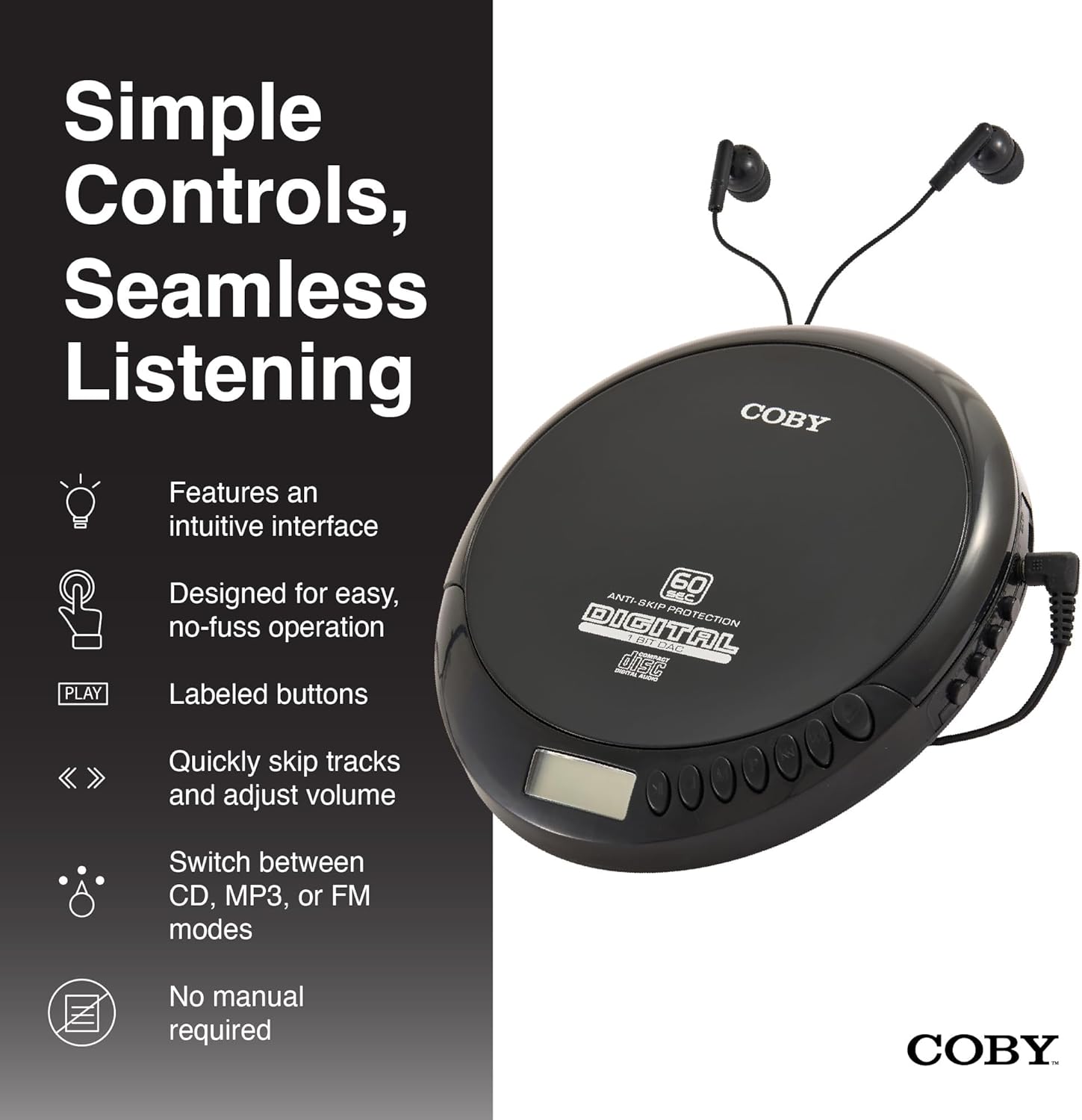
An illustration of the Coby CD Player highlighting its simple controls and intuitive interface.

Нарийвчилсан view of the player's LCD screen, which displays the current track number, elapsed time, and battery status.

A close-up of the player's intuitive control buttons, including Play/Pause, Stop, Skip/Search, Mode, and Program functions, designed for easy operation.
Тохиргоо
Төхөөрөмжийг тэжээх
The Coby CD Player can be powered by 2 AA batteries (not included) or via the included Micro USB cable.
- Батерей суурилуулах: Open the battery compartment cover on the back of the unit. Insert 2 AA batteries, ensuring correct polarity (+/-). Close the cover securely.
- USB цахилгаан: Connect the Micro USB cable to the Micro USB port on the CD player and the other end to a USB power source (e.g., USB wall adapter, computer USB port).

An image showing a user enjoying music with the Coby CD player, highlighting its versatility with both battery and USB power options.

The included Micro USB cable, used for powering the CD player when not using batteries.
Чихэвч холбох
Insert the 3.5mm plug of your headphones into the headphone jack on the side of the CD player.
CD оруулах
- CD тасалгааны тагийг нээхийн тулд НЭЭЛТ товчийг дарна уу.
- Carefully place the CD onto the center spindle with the label side facing up.
- CD-г байрандаа орох хүртэл зөөлөн дарна уу.
- CD тасалгааны тагийг түгжигдэх хүртэл сайтар хаа.
Ашиглалтын заавар
CD тоглуулах
- Insert a CD (CD, CD-R, CD-RW, or CD-MP3).
- дээр дарна уу ТОГЛОХ/ЗОГСООХ button to begin playback. The LCD display will show the track number and elapsed time.
- Дахин тоглуулахыг түр зогсоохын тулд товшино уу ТОГЛОХ/ЗОГСООХ дахин. Үргэлжлүүлэхийн тулд дахин нэг удаа дарна уу.
- Дахин тоглуулахыг зогсоохын тулд ЗОГС товч.
The player features 60-second anti-skip protection to ensure continuous audio during movement.
Замын навигаци
- дарна уу ▶▶ дараагийн дуу руу шилжих.
- дарна уу ◀◀ to return to the beginning of the current track. Press it twice quickly to go to the previous track.
- Дарж удаан дарна уу ▶▶ to fast-forward through the current track.
- Дарж удаан дарна уу ◀◀ to rewind through the current track.
Дууны хяналт
-г ашиглана уу БОТЬ + болон ЭЗлэхүүн - buttons to adjust the listening volume to a comfortable level.
FM радиогийн үйл ажиллагаа
- дээр дарна уу MODE button until 'FM' appears on the LCD display.
- The player will automatically scan and tune to available FM stations.
- -г ашиглана уу ◀◀ болон ▶▶ buttons to manually tune to specific frequencies or to scan for the next/previous strong station.

This image illustrates the built-in FM radio feature of the Coby CD player, allowing users to tune into their favorite radio stations.
MP3 тоглуулах
The Coby CD Player supports MP3 files burned onto CD-R or CD-RW discs. When an MP3 CD is inserted, the player will automatically detect the format and begin playback.
Connecting to External Audio Systems
You can connect your Coby CD Player to external speakers or a car audio system using a 3.5mm AUX cable (not included).
- Connect one end of the 3.5mm AUX cable to the headphone jack on the CD player.
- Connect the other end to the AUX input of your external speaker or car audio system.
- Ensure the external device is set to its AUX input mode.

The CD player connected to an external speaker, demonstrating its ability to deliver enhanced sound with features like Super Bass and Crystal Clear Sound when connected to compatible audio systems.

The portable CD player integrated into a car's audio system via an AUX connection, allowing for on-the-go music playback through car speakers.
Засвар үйлчилгээ
Нэгжийг цэвэрлэх
- Төхөөрөмжийн гадна талыг зөөлөн, хуурай даавуугаар арчина. Зүлгүүрийн цэвэрлэгч, уусгагчийг бүү ашигла.
- To clean the CD lens, use a specialized CD lens cleaning disc (not included).
Батерейны арчилгаа ба хадгалалт
- Хэрэв төхөөрөмжийг удаан хугацаагаар ашиглахгүй бол ус гоожихоос сэргийлж зайгаа салга.
- Төхөөрөмжийг нарны шууд тусгал, хэт температураас хол, сэрүүн, хуурай газар хадгална.
Алдааг олж засварлах
| Асуудал | Боломжит шалтгаан | Шийдэл |
|---|---|---|
| Төхөөрөмж асахгүй байна. | Batteries are dead or incorrectly inserted. USB cable not connected properly. | Батерейг шинээр сольж, туйлшралыг зөв байлгана уу. USB кабелийн холболтыг шалгана уу. |
| Disc skipping or distorted sound. | Disc is dirty, scratched, or damaged. Unit is subjected to excessive vibration. | Clean the disc with a soft, lint-free cloth. Try a different disc. Ensure the anti-skip protection is active. Avoid strong impacts. |
| Чихэвчнээс дуу гарахгүй. | Headphones not fully plugged in. Volume is too low. Headphones are faulty. | Ensure headphones are fully inserted into the jack. Increase the volume. Try a different pair of headphones. |
| FM радио статик эсвэл хүлээн авалт муу. | Сул дохио. Хөндлөнгийн оролцоо. | Adjust the position of the unit. Try moving to a different location. |
| MP3 CD not recognized. | Disc format not supported or disc is corrupted. | MP3-г баталгаажуулна уу files are properly encoded and the disc is finalized. Try a different MP3 CD. |
Үзүүлэлтүүд
| Онцлог | Дэлгэрэнгүй |
|---|---|
| Бүтээгдэхүүний хэмжээс | 5.5 x 1 x 5 инч |
| Зүйлийн жин | 7 унц |
| Загварын дугаар | CD-191-BLK |
| Эрчим хүчний эх үүсвэр | 2 AA batteries (not included), Micro USB |
| Холболтын технологи | Туслах, USB |
| Онцлог шинж чанар | Portable, FM Radio, MP3 Compatible |
| Алгасахаас хамгаалах хамгаалалт | 60 секунд |
| Тохиромжтой дискний форматууд | CD, CD-R, CD-RW, CD-MP3 |
Бүтээгдэхүүний албан ёсны видео
Бүтээгдэхүүний албан ёсны видео шоуasing the features and benefits of the Coby Portable CD Player with Stereo Earbuds.
Баталгаат болон дэмжлэг
Баталгаат хугацаа болон хэрэглэгчийн дэмжлэгийн талаарх мэдээллийг худалдан авалттайгаа хамт ирсэн баримт бичгээс үзэх эсвэл албан ёсны Coby вэбсайтад зочилно уу. website. Contact details for support are typically found on the manufacturer's product page or in the warranty card.
Coby Official Webсайт: Амазон дээрх Коби дэлгүүрт зочлоорой


