1. Танилцуулга
Thank you for choosing the Baseus Time Desktop Evaporative Cooler. This device is designed to provide instant cooling and humidification, enhancing comfort in various environments such as offices, dormitories, and bedrooms. Please read this manual carefully before use to ensure proper operation and maintenance.
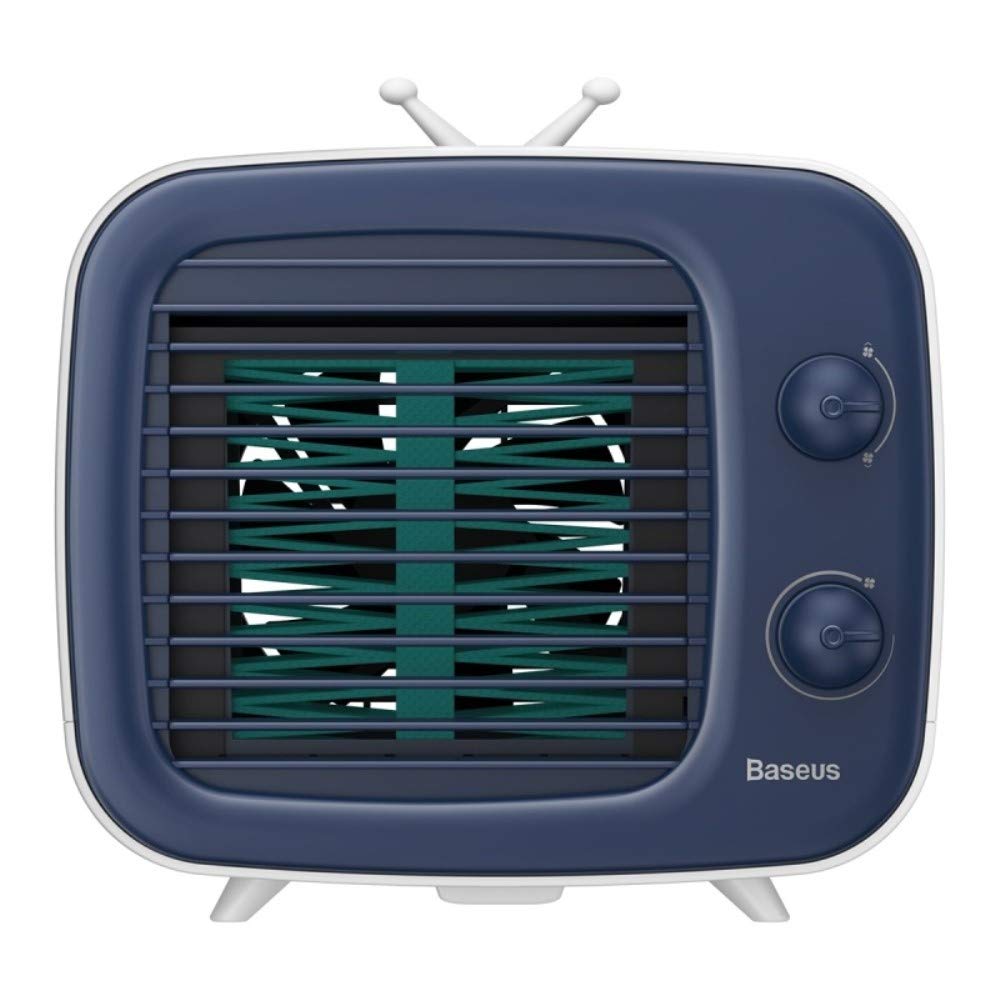
Зураг: Урд view of the Baseus Time Desktop Evaporative Cooler.
2. Аюулгүй ажиллагааны чухал заавар
- Always place the cooler on a stable, flat surface to prevent tipping.
- Төхөөрөмжийг ус болон бусад шингэнд дүрж болохгүй.
- Цахилгааны утас гэмтээгүй, тохирох тэжээлийн эх үүсвэрт зөв холбогдсон эсэхийг шалгаарай.
- Хүүхэд, тэжээвэр амьтдын гар хүрэхгүй газар хадгална уу.
- Unplug the cooler before cleaning, refilling, or when not in use for extended periods.
- Агаарын оролт, гаралтыг хааж болохгүй.
- Use only clean water. For enhanced cooling, ice cubes may be added.
3. Багцын агуулга
Бүх зүйл багцад байгаа эсэхийг шалгана уу:
- Агаар хөргөгч төхөөрөмж
- USB кабель

Image: The Baseus Time Desktop Evaporative Cooler and its included accessories, such as the USB cable.
4. Бүтээгдэхүүн дууссанview
The Baseus Time Desktop Evaporative Cooler features a compact design with intuitive controls. It operates by drawing in hot air, passing it through a water-soaked curtain for purification and humidification, and then releasing cool, moist air. The device is designed for quiet operation, making it suitable for various personal spaces.
Гол онцлогууд:
- Ууршуулах хөргөлт: Utilizes water evaporation to cool and humidify the air.
- Тохируулах агаарын урсгал: Offers 3 fan speeds and adjustable air supply angles (45° upward, 45° downward, and vertical 90°).
- Чимээгүй ажиллагаа: Engineered for low noise levels, comparable to a gentle breeze.
- Чийгшүүлэх функц: Adds moisture to the air, beneficial for skin hydration.
- Зөөврийн дизайн: Compact and lightweight for easy placement and movement.

Image: Diagram illustrating the operating principle of the cold fan, showing air intake, water curtain, and cool air output.
5. Тохиргоо
Follow these steps to set up your Baseus Time Desktop Evaporative Cooler:
- Place the Cooler: Position the cooler on a flat, stable surface in your desired location.
- Усны савыг бөглөх:
- Open the top water injection cap.
- Pour clean water into the tank. The maximum capacity is 320ml. Observe the water level bar to avoid overfilling.
- Илүү сайн хөргөхийн тулд та усны саванд мөсөн шоо нэмж болно.
- Optionally, add spray or aromatherapy liquids for a different environment.

Image: A hand pouring water into the top-fill water tank of the cooler, showing the water level bar.
- Эрчим хүчийг холбох:
- Connect the provided USB cable to the cooler's power input port.
- Plug the other end of the USB cable into a compatible power source such as a USB charger, computer, power bank, or vehicle USB port.

Image: Illustration of various power supply options including USB charger, computer, power bank, and vehicle USB.

Image: A visual guide demonstrating the setup steps: 1. Open water injection cap, 2. Insert ice water or ice, 3. Plug in power supply, 4. Turn on and adjust wind.
6. Ашиглалтын заавар
Once the cooler is set up and powered, you can begin operation:
- Асаах: Turn the lower rotary knob to power on the device.
- Сэнсний хурдыг тохируулах: Use the lower rotary knob to select one of the three fan speeds:
- Хурд 1: Soft wind for a comfortable breeze.
- Хурд 2: Medium-speed wind for moderate cooling.
- Хурд 3: Strong wind for rapid cooling.
- Агаарын урсгалын чиглэлийг тохируулах: The cooler offers three air supply angles:
- 45 degrees upward
- 45 degrees downward
- Босоо 90 градус
- Чийгшүүлэх: The device automatically humidifies the air as it cools. If you added aromatherapy liquids, the scent will also be diffused.

Image: A woman relaxing near the cooler, highlighting the spray humidification feature.
- Enhanced Cooling with Ice: If ice cubes were added to the water tank during setup, the cooling effect will be stronger and more immediate.

Image: A hand adding ice cubes to the cooler, demonstrating how to enhance the cooling effect.
7. Засвар үйлчилгээ
Regular cleaning ensures optimal performance and longevity of your cooler.
- Усны савыг цэвэрлэх: Regularly empty and clean the water tank to prevent mold or mildew buildup. Use a soft cloth and mild detergent if necessary, then rinse thoroughly.
- Cleaning the Water Curtain: The water curtain is removable for cleaning. Carefully remove it and rinse under running water to clean any dust or debris. Ensure it is dry before reinserting.

Зураг: Ойрын зураг view of the removable water curtain, indicating it can be easily cleaned to remove dust.
- Гадна цэвэрлэгээ: Wipe the exterior of the cooler with a soft, damp даавуу. Зүлгүүрийн цэвэрлэгч, уусгагчийг бүү ашигла.
- Хадгалах: If storing the cooler for an extended period, ensure the water tank and water curtain are completely dry. Store in a cool, dry place.
8. Алдаа засах
| Асуудал | Боломжит шалтгаан | Шийдэл |
|---|---|---|
| Хүч чадалгүй | Power cable not connected; Power source faulty | Ensure USB cable is securely connected; Try a different USB port or power adapter. |
| Агаарын урсгал сул | Fan speed set too low; Air inlets/outlets blocked | Increase fan speed using the rotary knob; Clear any obstructions from air inlets/outlets. |
| Хөргөх нөлөө байхгүй | Water tank empty; Water curtain dry | Refill the water tank with clean water; Ensure the water curtain is properly saturated. |
| Ер бусын дуу чимээ | Device not on a flat surface; Foreign object inside | Place the cooler on a stable, flat surface; Unplug and check for any foreign objects. |
9. Техникийн үзүүлэлтүүд
| Онцлог | Дэлгэрэнгүй |
|---|---|
| Брэнд | Базеус |
| Загварын дугаар | TW-Sony Xperia E4g |
| Бүтээгдэхүүний хэмжээ (LxWxH) | 18 x 16.4 x 15.8 сантиметр |
| Зүйлийн жин | 960 гр |
| Материал | ABS |
| Үнэлгээтэй ботьtage | DC 5V 0.84A |
| Нэрлэсэн хүч | 4.2 Вт |
| Сэнсний хурд | 3000 эргэлт |
| Усны савны багтаамж | 320 мл |
| Онцлог шинж чанар | Зөөврийн |
| Өнгө | Цагаан |

Image: Visual representation of the cooler's dimensions (180mm x 164mm x 158mm) and key technical specifications.
10. Баталгаат хугацаа ба дэмжлэг
For warranty information or technical support, please refer to the documentation provided with your purchase or contact Baseus customer service through their official webсайт. Баталгаат нэхэмжлэл гаргахын тулд худалдан авалтаа нотлох баримтаа хадгалаарай.


