1. Танилцуулга
This manual provides comprehensive instructions for the installation, operation, and maintenance of the CP PLUS CP-UVR-0401E1S 4 Channel Digital Video Recorder (DVR). This device is designed for surveillance applications, offering reliable video recording and playback capabilities.
The CP-UVR-0401E1S is a 4-channel DVR with one audio input, featuring a user-friendly Graphical User Interface (GUI) for easy operation. It supports simultaneous VGA and TV output and offers dual-stream video compression for efficient data management.
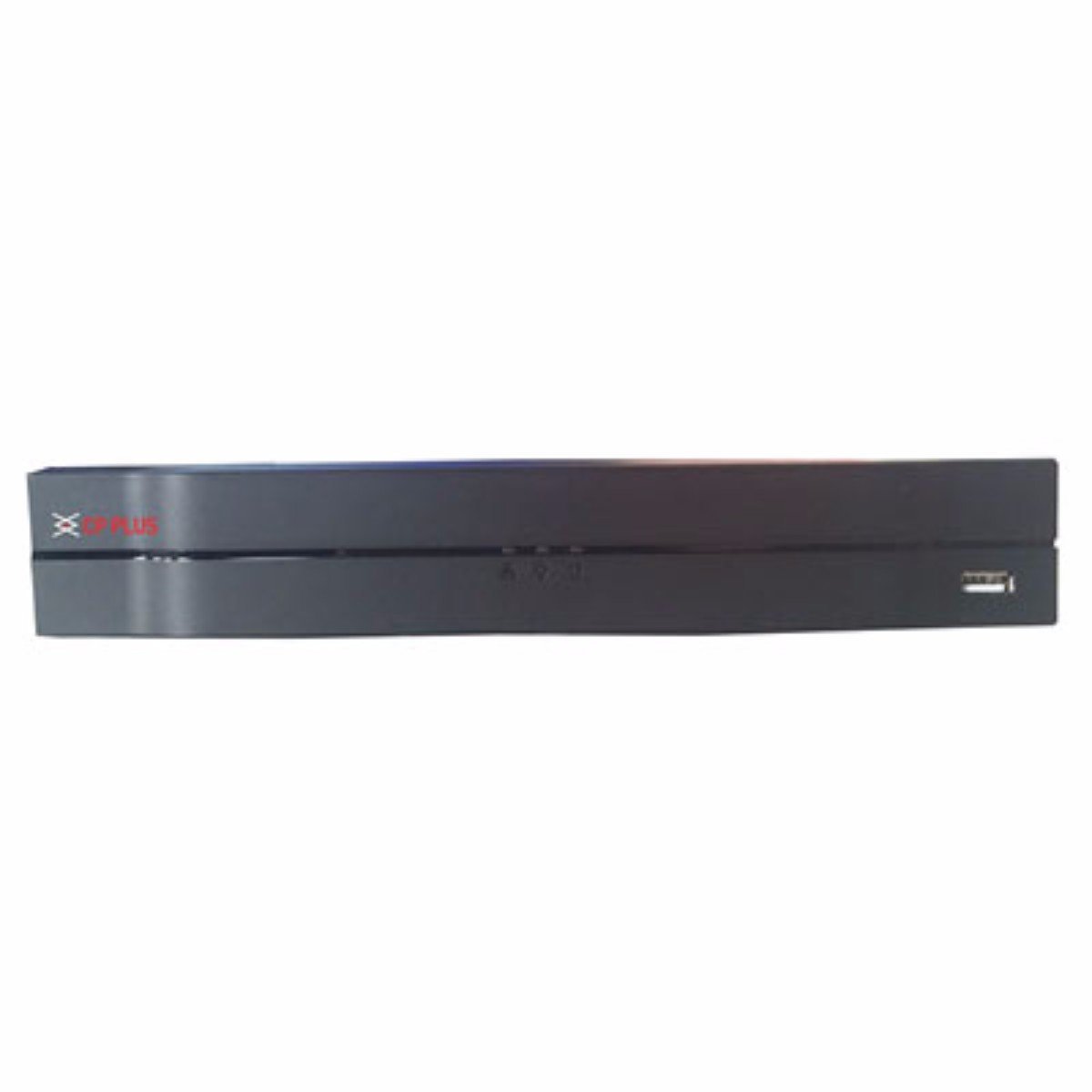
Зураг 1: Front panel of the CP PLUS CP-UVR-0401E1S 4 Channel DVR. The device is black with the CP PLUS logo on the left and a USB port on the right. The design is sleek and compact.
2. Үндсэн шинж чанарууд
- H.264 Dual-Stream Video Compression: Efficiently compresses video data for optimized storage and network transmission.
- Хадгалах дэмжлэг: Accommodates 1 SATA HDD up to 4TB for extensive recording capacity.
- USB холболт: Equipped with 2 USB 2.0 ports for data backup and peripheral connections.
- Video Input Compatibility: Supports HDCVI, Analog, and IP video inputs for versatile camera integration.
- Real-time Recording: All channels support 720P real-time recording, ensuring smooth and detailed video capture.
- Simultaneous Video Output: Provides HDMI and VGA simultaneous video output for flexible display options.
3. Тохируулах гарын авлага
Follow these steps to set up your CP PLUS CP-UVR-0401E1S DVR:
- Unpack the DVR: Carefully remove the DVR and all accessories from the packaging.
- Хатуу диск (HDD) суулгах:
- DVR c-г нээнэ үүasing.
- Mount the SATA HDD securely inside the DVR.
- Connect the SATA data and power cables from the DVR to the HDD.
- Close the DVR casing.
- Камеруудыг холбох: Connect your surveillance cameras to the video input ports on the rear panel of the DVR using appropriate cables (BNC for analog/HDCVI, Ethernet for IP cameras if supported via network switch).
- Мониторыг холбох: Connect a monitor to the DVR's HDMI or VGA output port.
- Аудио холбох (заавал биш): If using an external microphone, connect it to the audio input port.
- Сүлжээг холбох (заавал биш): Алсын хувьд viewing or network access, connect an Ethernet cable from the DVR's LAN port to your router or network switch.
- Эрчим хүчийг холбох: Connect the provided power adapter to the DVR and then plug it into a power outlet. The DVR will power on automatically.
- Анхны тохиргоо: Upon first boot, follow the on-screen wizard to set up basic parameters such as date/time, network settings, and password.
4. Ашиглалтын заавар
The CP-UVR-0401E1S DVR features an intuitive Graphical User Interface (GUI) for easy navigation and control. Use a USB mouse connected to one of the DVR's USB ports to interact with the interface.
4.1 Амьд View
After startup, the DVR will display the live view холбогдсон бүх камеруудын. Та дан камер хооронд шилжиж болно view болон олон камерын сүлжээ view by right-clicking on the screen and selecting the desired layout.
4.2 Бичлэг хийх
- Гараар бичлэг хийх: Шууд дамжуулалт дээрх бичлэгийн дүрс дээр дарна уу view interface to start or stop manual recording for a specific channel.
- Хуваарьт бичлэг: Access the "Record" menu in the main GUI to configure recording schedules based on time or events (e.g., motion detection).
- Хөдөлгөөн илрүүлэх бичлэг: Enable motion detection for specific channels in the "Alarm" settings. The DVR will automatically record when motion is detected.
4.3 Тоглуулах
Дахин хэлэхэдview foo бүртгэгдсэнtage:
- Шууд дээр хулганы баруун товчийг дарна уу view screen and select "Playback" or access it from the main menu.
- Select the desired date and channel(s) for playback.
- Use the timeline and control buttons (play, pause, fast forward, rewind) to navigate through the recordings.
4.4 Нөөцлөлт
To back up recorded video footage:
- Connect a USB flash drive or external hard drive to one of the DVR's USB ports.
- Access the "Backup" menu from the main GUI.
- Select the desired channels, time range, and file format for the backup.
- Initiate the backup process.
4.5 Алсын зайнаас хандах
Алсын хувьд viewing via mobile app or web browser, ensure the DVR is connected to the internet. Configure network settings (IP address, port forwarding, or P2P/Cloud service) in the DVR's network menu. Refer to the specific CP PLUS remote access application guide for detailed instructions.
5. Техникийн үзүүлэлтүүд
| Онцлог | Тодорхойлолт |
|---|---|
| Загварын дугаар | CP-UVR-0401E1S |
| Видео шахалт | H.264 dual-stream |
| Видео оролт | 4 Channels (HDCVI/Analog/IP) |
| Аудио оролт | 1 суваг |
| Бичлэгийн нягтрал | 720P Realtime (all channels) |
| Видео гаралт | HDMI, VGA (Simultaneous) |
| HDD дэмжлэг | 1TB хүртэлх 4 SATA HDD |
| USB портууд | 2 x USB 2.0 |
| Сүлжээний интерфейс | Ethernet (RJ-45) |
| Хэмжээ (LxWxH) | 26 x 4 x 22 см |
| Жин | 1.15 кг |
| Тохиромжтой төхөөрөмжүүд | Television (for display) |
6. Алдаа засах
Энэ хэсэгт таны DVR-тэй холбоотой нийтлэг асуудлуудыг авч үзэх болно.
6.1 Видео дэлгэц байхгүй
- Эрчим хүчийг шалгах: DVR асаалттай, тэжээлийн адаптер найдвартай холбогдсон эсэхийг шалгаарай.
- Мониторын холболт: Verify that the HDMI or VGA cable is securely connected between the DVR and the monitor. Try a different cable or monitor if possible.
- Оролтын эх сурвалж: Ensure your monitor is set to the correct input source (HDMI/VGA).
- Камерын холболт: Check if cameras are properly connected and receiving power.
6.2 Бичлэг хийхгүй
- Хатуу дискний төлөв: Check the HDD status in the DVR's menu. Ensure it is detected, initialized, and has sufficient free space.
- Бичлэг хийх хуваарь: Verify that the recording schedule is correctly configured for the desired channels and times.
- Хөдөлгөөн илрүүлэх: If using motion detection recording, ensure it is enabled and sensitivity settings are appropriate.
6.3 Алсын хандалтын асуудлууд
- Сүлжээний холболт: Confirm the DVR is connected to the internet and has a valid IP address.
- Сүлжээний тохиргоо: Check DVR network settings (IP address, gateway, DNS). Ensure port forwarding is correctly configured on your router if not using P2P/Cloud.
- Апп/Програм хангамж: Ensure you are using the correct and updated mobile application or client software.
7. Засвар үйлчилгээ
- Тогтмол цэвэрлэгээ: Keep the DVR free from dust. Use a soft, dry cloth to clean the exterior. Do not use liquid cleaners.
- Програм хангамжийн шинэчлэлтүүд: Periodically check the CP PLUS official website for firmware updates. Updating firmware can improve performance and add new features. Follow update instructions carefully.
- Өгөгдлийн нөөцлөлт: Чухал бичигдсэн хүнсний зүйлсийг тогтмол нөөцлөхtage to an external storage device to prevent data loss.
- Байгаль орчны нөхцөл: Ensure the DVR is operated within recommended temperature and humidity ranges. Avoid direct sunlight and excessive heat.
8. Баталгаат хугацаа ба дэмжлэг
For warranty information, please refer to the warranty card included with your product or visit the official CP PLUS website. For technical support, product inquiries, or service, please contact CP PLUS customer service through their official channels.
Үйлдвэрлэгч: CP PLUS
Загвар: CP-UVR-0401E1S


