Танилцуулга
The TFA Dostmann Timeline Max Radio-Controlled Clock (Model 60.4512.01) features a large, exceptionally clear display, making it easily readable from a distance. This makes it ideal for various settings such as entrance areas, reception desks, waiting rooms, and offices. Its clear structure simplifies time orientation, and with the displayed day of the week and full date, it serves as a valuable daily aid, particularly for seniors and individuals with cognitive impairments.
The clock automatically receives time signals via the DCF 77 signal, ensuring precise, second-accurate time and date display without manual adjustment. It also automatically switches between summer and winter time. Its simple and clear design allows it to seamlessly integrate into any environment, whether mounted on a wall or placed on a surface.
Багцын агуулга
Бүх зүйл байгаа эсэхийг шалгахын тулд хайрцгийг задлахдаа багцын агуулгыг шалгана уу:
- TFA Dostmann Timeline Max Radio-Controlled Clock
- Зааварчилгааны гарын авлага
Жич: 4 x 1.5 V AA batteries are required for operation and are not included in the package.
Аюулгүй байдлын чухал мэдээлэл
- Хэрэглэхийн өмнө бүх зааврыг анхааралтай уншина уу.
- Энэ гарын авлагыг цаашид лавлах зорилгоор хадгална уу.
- Төхөөрөмжийг хэт өндөр температур, нарны шууд тусгал, өндөр чийгшилд бүү тавь.
- Төхөөрөмжийг унагах эсвэл хүчтэй нөлөөнд оруулахаас зайлсхий.
- Төхөөрөмжийг өөрөө задлах, засах гэж бүү оролдоорой. Бүх үйлчилгээг мэргэшсэн боловсон хүчинд шилжүүлээрэй.
- Батерейг орон нутгийн дүрэм журмын дагуу хаяна уу. Хуучин болон шинэ батерей эсвэл өөр төрлийн батерейг хольж хэрэглэж болохгүй.
- Батерейг хүүхдэд хүрэхгүй газар хадгал.
Тохиргоо
1. Зай суурилуулах
The clock requires 4 x 1.5 V AA batteries (not included).
- Цагны ард байгаа зайны тасалгааг ол.
- Зайны тасалгааны тагийг нээ.
- Тасалгааны дотор талд заасанчлан зөв туйлшралыг (+ ба -) хангаж, 4 шинэ АА батерейг оруулна уу.
- Зайны тасалгааны тагийг сайтар хаа.

Зураг 1: Ар талд view of the clock with battery compartment and control buttons.
2. Initial Time Synchronization (Radio-Controlled)
After inserting the batteries, the clock will automatically begin searching for the DCF 77 radio signal. This process may take several minutes. During synchronization, the radio signal icon (often a tower or wave symbol) will typically flash on the display.
- Place the clock near a window or in an open area for better signal reception.
- Үүнийг хөндлөнгийн оролцоо үүсгэж болзошгүй электрон төхөөрөмжийн ойролцоо байрлуулахаас зайлсхий.
- Once the signal is received, the time and date will automatically set, and the radio signal icon will become solid.

Figure 2: Front display showing synchronized time and date.
3. Байршуулах сонголтууд
The Timeline Max clock is designed for both wall mounting and freestanding placement.
- Хананд холбоход: Use the integrated hanging hole on the back of the clock. Ensure the wall fixture is secure enough to support the clock's weight (approx. 520g).
- For Freestanding: Extend the integrated stand on the back of the clock to place it on a desk, shelf, or table.

Зураг 3: Хажуу тал view demonstrating the clock's integrated stand.
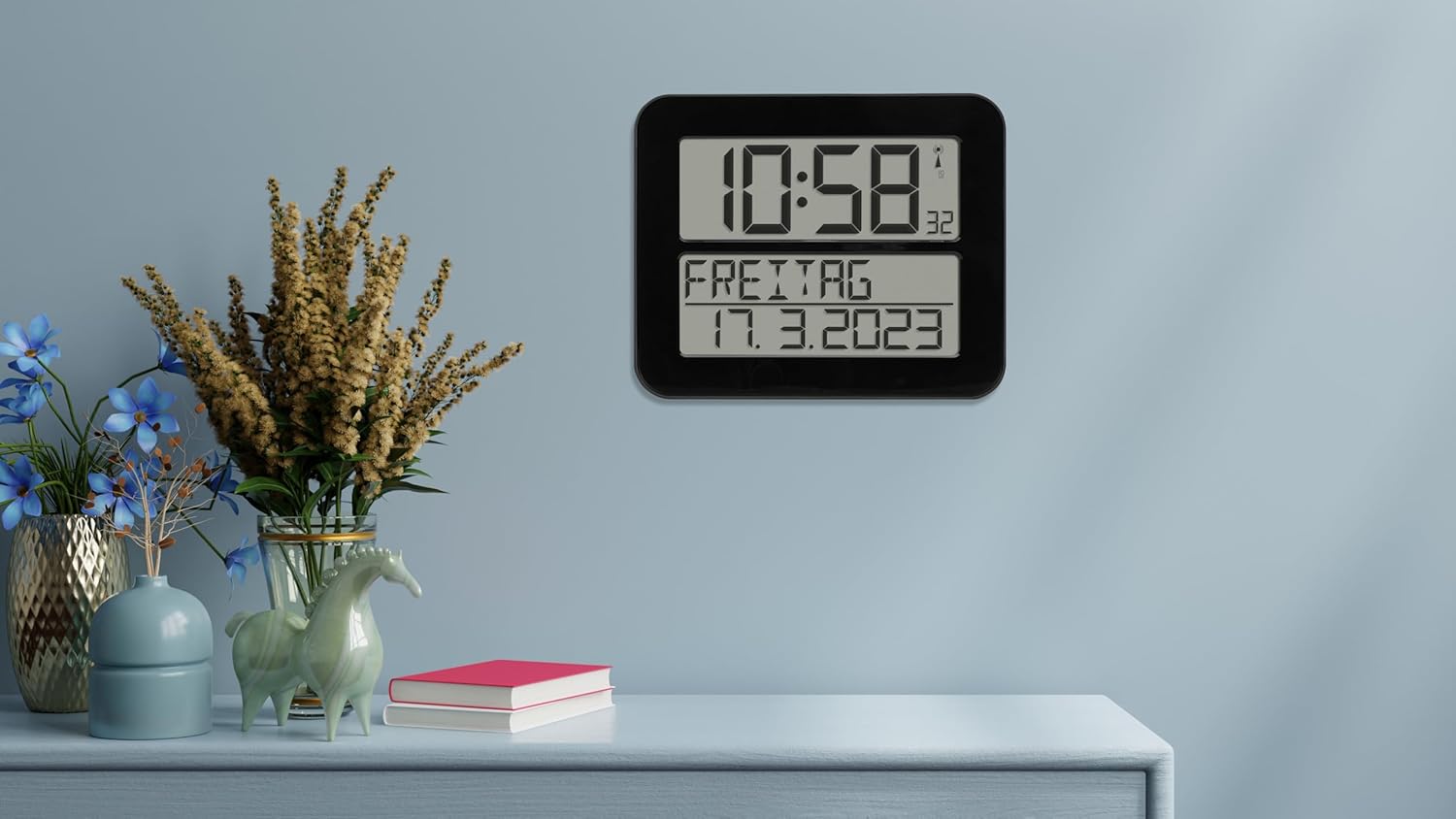
Figure 4: The clock in a typical freestanding setup.
Ашиглалтын заавар
Мэдээллийг харуулах
The large display shows the following information:
- Шилдэг дэлгэц: Current time (hours and minutes), seconds (small digits), and radio signal indicator.
- Bottom Display: Day of the week (in selected language) and full date (day, month, year).

Figure 5: Clear display of time, day, and date.
Сэрүүлгийн функц
The clock includes an alarm function. Refer to the buttons on the back of the clock (SET, ALARM, UP, DOWN, WAVE, SNOOZE) for setting the alarm.
- дээр дарна уу СЭРҮҮЛЭГ товчлуурыг дарж дохиоллын горимд орно.
- -г ашиглана уу UP болон ДООШ buttons to adjust the alarm time.
- дарна уу СЭРҮҮЛЭГ again to confirm and move to the next setting (e.g., alarm on/off).
- дарна уу SET сэрүүлгийн тохиргооны горимоос гарахын тулд.
- Сэрүүлэг дуугарах үед дарна уу УНТАХ for a temporary pause, or any other button to turn off the alarm for the day.
Manual Time Setting (If Radio Signal is Unavailable)
In areas with poor radio signal reception, you can manually set the time and date.
- -г удаан дар SET button for a few seconds until the display flashes.
- -г ашиглана уу UP болон ДООШ buttons to adjust the flashing digit (e.g., hour, minute, year, month, day).
- дарна уу SET to confirm the current setting and move to the next.
- Continue until all settings are adjusted. The clock will exit manual setting mode automatically after a period of inactivity or by pressing SET repeatedly until the normal display returns.
Day of Week Language Setting
The day of the week can be displayed in 7 different languages.
- Consult the full instruction manual (included in the box) for specific steps on changing the language setting, as this often involves a combination of button presses.
Засвар үйлчилгээ
Цэвэрлэгээ
To clean the clock, use a soft, dry, or slightly damp cloth. Do not use abrasive cleaners, solvents, or chemical agents, as these may damage the display or casing.
Зай солих
When the display dims or the clock stops functioning correctly, it's time to replace the batteries. Follow the "Battery Installation" steps in the Setup section. Always replace all 4 batteries at once with new, high-quality AA batteries.
Алдааг олж засварлах
| Асуудал | Боломжит шалтгаан | Шийдэл |
|---|---|---|
| Цаг юу ч харуулахгүй эсвэл дэлгэц бүдэг байна. | Батерей дууссан эсвэл буруу оруулсан байна. | Батерейг шинээр сольж, зөв туйлшралыг баталгаажуулна уу. |
| Clock does not synchronize with radio signal. | Байршил эсвэл хөндлөнгийн оролцооноос болж дохионы хүлээн авалт муу байна. | Move the clock to a different location, preferably near a window and away from electronic devices. Allow sufficient time for synchronization (up to 24 hours). |
| Time is incorrect after synchronization. | Temporary signal disruption or incorrect time zone setting (if applicable). | Initiate a manual signal search (refer to full manual) or perform a manual time setting. Ensure the clock is in the correct time zone for your region (if this feature is available, consult the full manual). |
| Сэрүүлэг дуугарахгүй байна. | Сэрүүлэг идэвхжээгүй эсвэл буруу тохируулагдсан байна. | Verify that the alarm time is set correctly and the alarm function is enabled. |
Үзүүлэлтүүд
| Загвар | 60.4512.01 |
| Цагны төрөл | Radio-Controlled (DCF 77 signal) |
| Материал | Хуванцар |
| Суурилуулах сонголтууд | For hanging or standing |
| Эрчим хүчний хангамж | 4 х 1.5 В АА батерей (оруулаагүй) |
| Хэмжээ (L x W x H) | 258 x 30 (120 with stand) x 212 mm |
| Жин | 520 гр |
| Дэлгэцийн төрөл | Дижитал |
| Онцлог шинж чанарууд | Alarm, Calendar Display, Day of week in 7 languages |
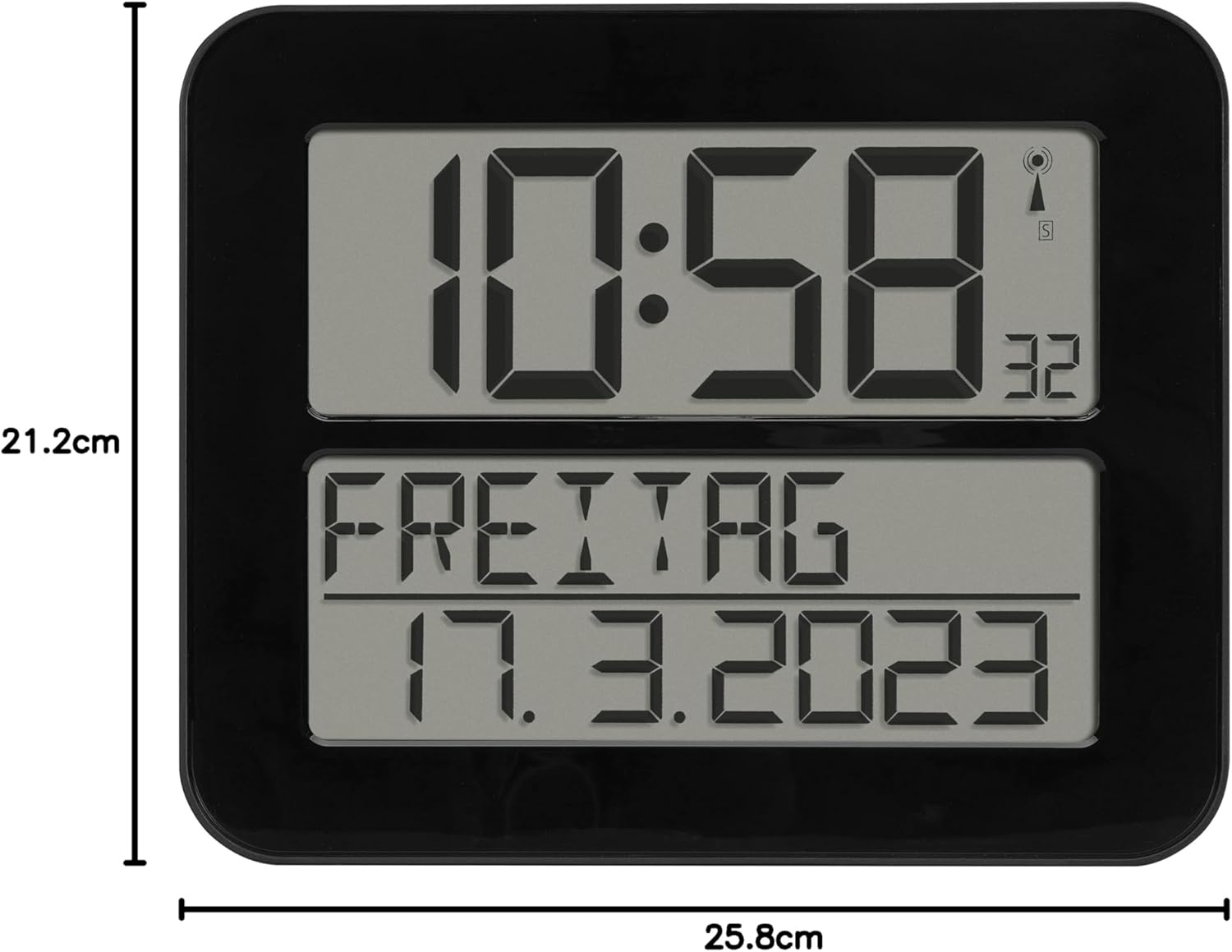
Зураг 6: Бүтээгдэхүүний хэмжээ.
Баталгаат болон дэмжлэг
TFA Dostmann products are manufactured with high quality standards. For information regarding warranty coverage, please refer to the warranty card included with your product or visit the official TFA Dostmann website. For technical support or inquiries, please contact TFA Dostmann customer service.
Manufacturer: TFA Dostmann GmbH, Zum Ottersberg 12, D-97877 Wertheim am Main, Germany.
Webсайт: www.tfa-dostmann.de


