Танилцуулга
Худалдан авалт хийсэнд баярлалааasing the Capello Self-Setting Atomic Clock with Calendar & Indoor Temperature. This clock is designed to provide accurate timekeeping, date display, and indoor temperature readings, all within a sleek, contemporary design. Its self-setting atomic feature ensures precise time synchronization.
Гол онцлогууд
- Self-Setting Atomic Time: Automatically synchronizes with the WWVB radio signal for precise time.
- Дижитал дэлгэц: Bright and easy-to-read digital readout.
- Календарийн функц: Displays month, date, and day of the week.
- Дотор температур: Provides current indoor temperature in Fahrenheit or Celsius.
- Хос дохиолол: Two independent alarm settings for versatile use.
- Гоёмсог дизайн: Durable polyurethane frame with a black plastic face, suitable for any room decor.
- Батерейгаар ажилладаг: Operates on AAA batteries (not included).
Багцын агуулга
- Capello Self-Setting Atomic Clock
- Хэрэглэгчийн гарын авлага (энэ баримт бичиг)
Тохиргоо
1. Зай суурилуулах
Locate the battery compartment on the back of the clock. Insert 3 AAA batteries (not included) according to the polarity indicators (+ and -). Ensure the battery compartment cover is securely closed.
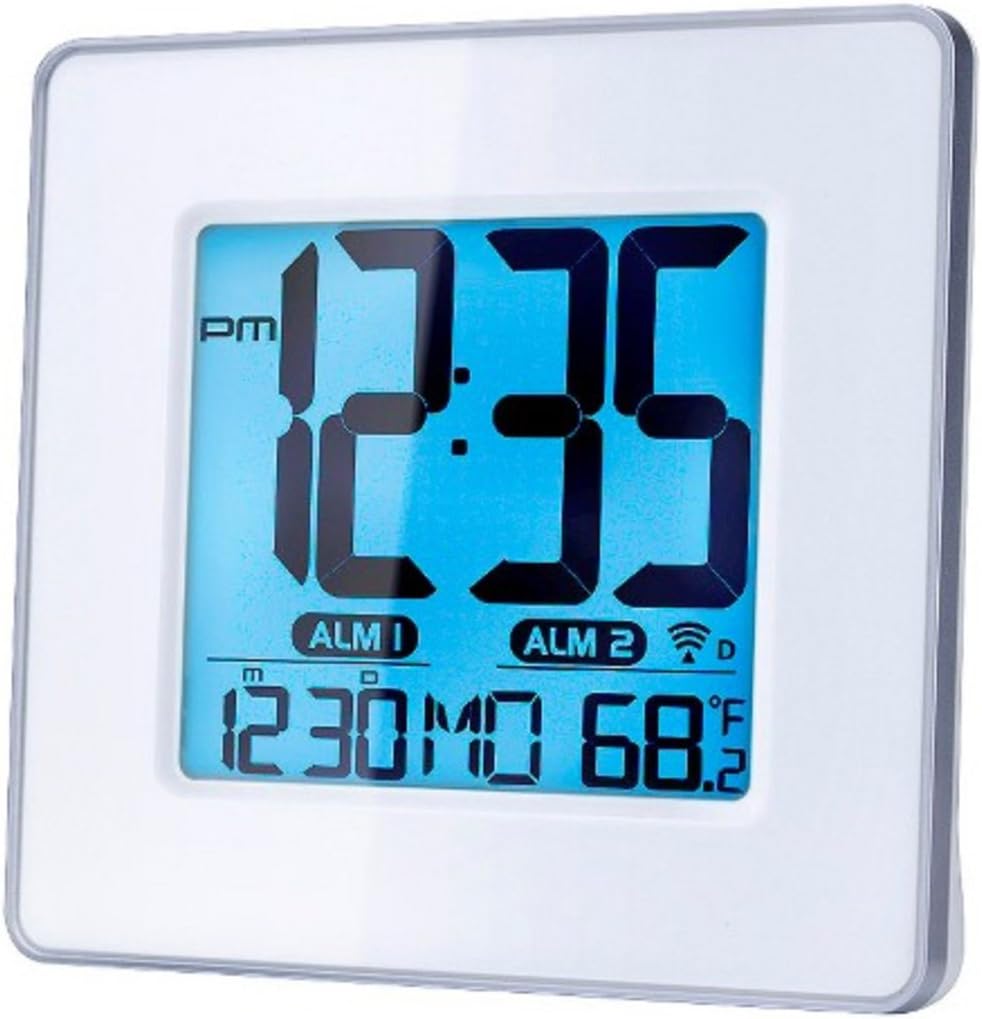
Зураг 1: Урд view of the Capello Self-Setting Atomic Clock. This image displays the clock's digital screen, showing the time (12:35 PM), two alarm indicators (ALM 1, ALM 2), the date (12:30 MO), and the indoor temperature (68.2°F). The clock has a white frame and a blue-tinted digital display.
2. Initial Power-On and Atomic Signal Reception
Upon battery installation, the clock will automatically attempt to receive the WWVB atomic time signal. This process may take several minutes to several hours, especially during initial setup. For best reception, place the clock near a window and away from electronic devices that may cause interference. The atomic signal is typically stronger at night.

Зураг 2: Ойролцоогоор урд view of the Capello Self-Setting Atomic Clock. This image highlights the clear digital display, which shows the time, date, and temperature. The white frame of the clock is visible, emphasizing its clean design.
A signal strength indicator (often a tower icon with waves) will appear on the display once a successful signal is received. If the signal is not received immediately, the clock will default to a manual time setting. You can manually initiate a signal search by holding the "WAVE" button (if present) on the back of the clock for a few seconds.
Ашиглалтын заавар
1. Manual Time and Date Setting
In case the atomic signal is not available or for manual adjustment:
- -г удаан дар SET button (or similar, refer to back panel buttons) for a few seconds until the display flashes.
- -г ашиглана уу UP болон ДООШ анивчдаг утгыг тохируулах товчлуурууд (жишээ нь, цаг, минут, жил, сар, өдөр).
- дарна уу SET again to confirm the selection and move to the next setting.
- Repeat until all desired settings are configured.
2. Сэрүүлгийн тохиргоо
The clock features two independent alarms (ALM 1 and ALM 2).
- дээр дарна уу СЭРҮҮЛЭГ button (or ALM 1/ALM 2 button) to select the alarm you wish to set.
- -г удаан дар Сэрүүлэг тохируулах button (or similar) until the alarm time flashes.
- -г ашиглана уу UP болон ДООШ buttons to adjust the alarm hour and minute.
- дарна уу Сэрүүлэг тохируулах баталгаажуулах.
- Сэрүүлгийг идэвхжүүлэх/идэвхгүй болгохын тулд харгалзах товчийг дарна уу Сэрүүлэг ON / OFF button. An alarm icon will appear on the display when active.
3. Температурын дэлгэц
The clock displays indoor temperature. To switch between Fahrenheit (°F) and Celsius (°C), locate the °F/°C button on the back of the unit and press it.

Зураг 3: Өнцөгтэй view of the Capello Self-Setting Atomic Clock. This perspective shows the clock's depth and the sleek design of its white frame, along with the clear digital display from a side angle.
Засвар үйлчилгээ
Цэвэрлэгээ
Цагийг зөөлөн, хуурай даавуугаар арчина. Зүлгүүрийн цэвэрлэгч эсвэл уусгагч хэрэглэж болохгүй, учир нь тэдгээр нь дэлгэц эсвэл цагийг гэмтээж болзошгүй.asing.
Зай солих
When the display dims or the clock stops functioning, replace the AAA batteries. Always replace all batteries at the same time with new ones. Dispose of old batteries responsibly according to local regulations.
Алдааг олж засварлах
| Асуудал | Боломжит шалтгаан | Шийдэл |
|---|---|---|
| Цаг автоматаар тохируулагдахгүй байна. | Weak or no atomic signal reception. Interference from other electronics. Incorrect time zone setting. | Relocate the clock closer to a window, away from electronic devices (TVs, computers, microwaves). Try initiating a manual signal search (WAVE button). Ensure correct time zone is set if applicable. Note that the signal is often stronger at night. |
| Дэлгэц бүдэг эсвэл хоосон байна. | Батерей бага. | Replace all AAA batteries with new ones. |
| Time is incorrect after Daylight Saving Time change. | Atomic clock may take up to 24 hours to adjust or requires manual adjustment for DST. | Allow up to 24 hours for automatic adjustment. If it doesn't adjust, manually set the time. Some atomic clocks may not automatically adjust for DST and require manual intervention. |
| Сэрүүлэг дуугарахгүй байна. | Alarm not activated. Alarm volume too low (if adjustable). | Ensure the alarm icon is visible on the display. Check alarm settings and ensure the time is correctly set. |
Үзүүлэлтүүд
| Онцлог | Дэлгэрэнгүй |
|---|---|
| Брэнд | Капелло |
| Загвар | B0170ZSMGG |
| Дэлгэцийн төрөл | Дижитал |
| Эрчим хүчний эх үүсвэр | Battery Powered (3 x AAA, not included) |
| Онцлог шинж чанар | Atomic, Alarm, Calendar, Indoor Temperature |
| Суурилуулах төрөл | Ширээний тавцан |
| Бүтээгдэхүүний хэмжээс | 0.71 x 5.79 x 5.35 инч |
| Зүйлийн жин | 9.6 унц |
| Хүрээний материал | Полиуретан |
| Өнгө | White (Frame), Black (Dial) |
Баталгаат болон дэмжлэг
For warranty information or technical support, please refer to the contact details provided with your purchase or visit the official Capello webсайт. Худалдан авалтын баримтаа худалдан авалтын баталгаа болгон хадгалаарай.
For further assistance, you may contact Capello customer service through their official channels. Please have your model number (B0170ZSMGG) ready when contacting support.