Танилцуулга
The Master & Dynamic MW60 Wireless Bluetooth Foldable Headphones are designed to deliver a high-quality audio experience with effective sound isolation. They feature 45mm neodymium drivers for clear audio reproduction across various music genres. Equipped with Bluetooth 4.1, these headphones offer wireless connectivity and up to 16 hours of battery life. Constructed with lightweight stainless steel and aluminum, and featuring leather ear pads, the MW60 headphones are designed for comfort and durability, with a foldable design for portability.
Хайрцагт юу байна
- Master & Dynamic MW60 Wireless Headphones
- Аудио кабель (3.5мм)
- Аудио адаптер
- Micro USB-ээс USB цэнэглэх кабель
- Carry Case for Headphones
- Carry Pouch for Accessories
Бүтээгдэхүүн дууссанview
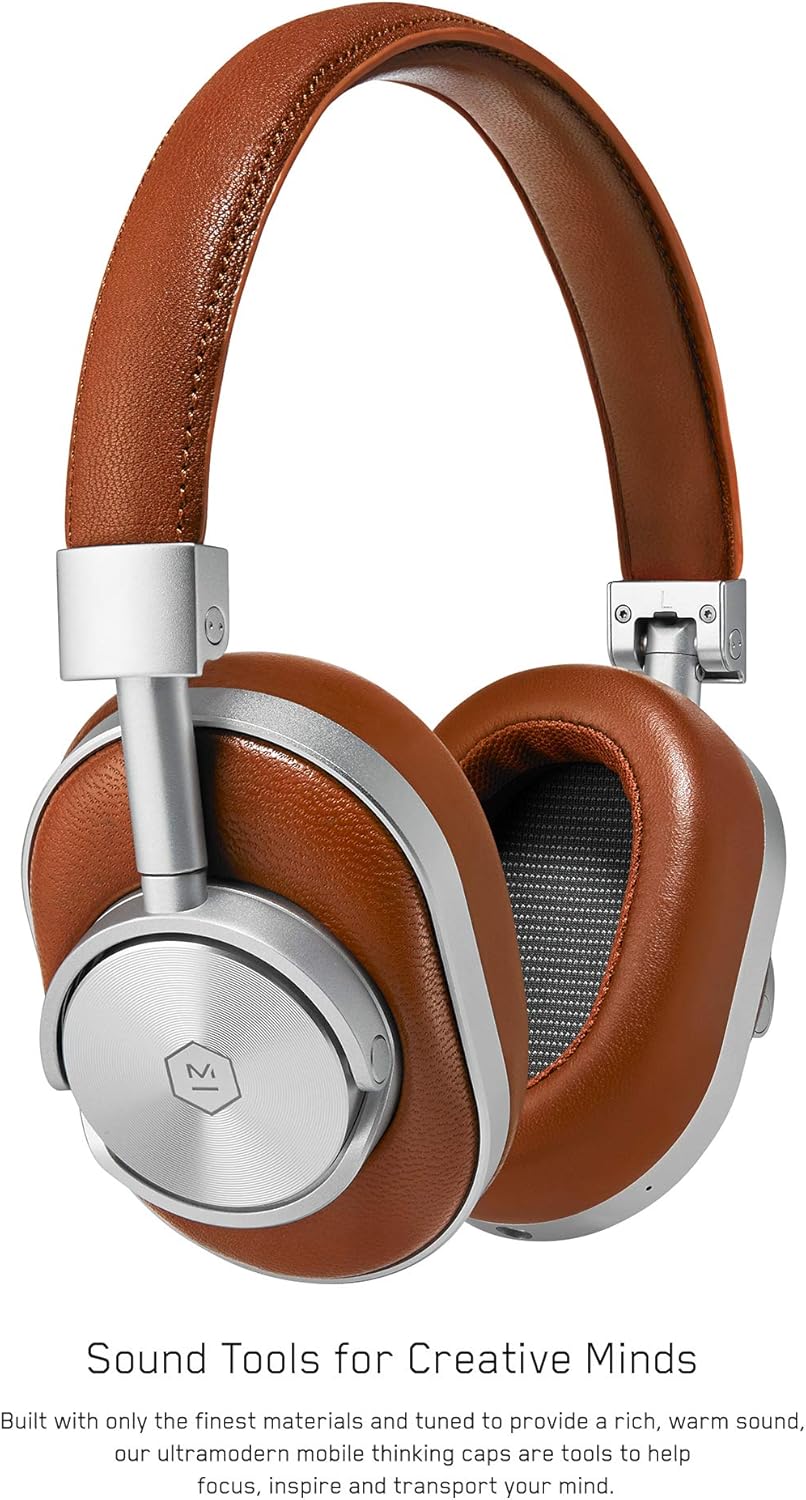
Зураг 1: Урд view of the Master & Dynamic MW60 Wireless Headphones. This image displays the over-ear design with silver metal accents and brown leather earcups and headband.

Зураг 2: Close-up of the right earcup showing the control buttons and ports. Visible controls include volume up/down, a multi-function button, and the power/pairing switch. A 3.5mm audio jack and micro USB charging port are also present.
Удирдлага ба портууд
- Power/Pairing Switch: Located on the earcup, used to turn the headphones on/off and initiate Bluetooth pairing.
- Олон үйлдэлт товчлуур: Controls playback (play/pause), call management, and voice assistant activation.
- Дууг дээшлүүлэх / доош товчлуурууд: Adjusts audio volume. Can also be used for track skipping (hold for next/previous track).
- 3.5 мм аудио залгуур: Оруулсан аудио кабелийг ашиглан утастай холболт хийх.
- Микро USB порт: Дотоод зайг цэнэглэхэд зориулагдсан.
- Микрофон: Integrated for hands-free calls.
Тохиргоо
Чихэвчийг цэнэглэж байна
- Connect the Micro USB end of the charging cable to the Micro USB port on the headphone earcup.
- Цэнэглэгч кабелийн USB-A үзүүрийг тэжээлтэй USB порт (жишээ нь, компьютер, ханын адаптер)-тай холбоно уу.
- Заагч гэрэл цэнэглэлтийн төлөвийг харуулна. Бүрэн цэнэглэлт нь ойролцоогоор 2 цаг болно.
Bluetooth хослуулах
- Чихэвч бүрэн цэнэглэгдсэн эсэхийг шалгаарай.
- Slide the Power/Pairing switch to the ON position.
- To enter pairing mode, slide and hold the Power/Pairing switch to the far right (pairing icon) until the indicator light begins to flash.
- Төхөөрөмж дээрээ (ухаалаг утас, таблет, компьютер) Bluetooth-г идэвхжүүлж, боломжтой төхөөрөмжүүдийг хайж олоорой.
- Select "MW60" from the list of detected devices.
- Once paired, the indicator light will turn solid blue or white, depending on the model.
Ашиглалтын заавар
Үндсэн функцууд
- Асаах/унтраах: Slide the Power/Pairing switch to the ON or OFF position.
- Тоглуулах/түр зогсоох: Multi-function товчийг нэг удаа дарна уу.
- Дууны хяналт: Дууг чангалах (+) эсвэл Дууг багасгах (-) товчлууруудыг дарна уу.
- Дараагийн дуу: Дууг нэмэгдүүлэх (+) товчийг удаан дар.
- Өмнөх бичлэг: Дууг багасгах (-) товчийг удаан дар.
Дуудлага удирдах
- Дуудлагад хариулах/дуусах: Multi-function товчийг нэг удаа дарна уу.
- Дуудлагаас татгалзах: Олон үйлдэлт товчлуурыг удаан дар.
- Дуут туслахыг идэвхжүүлэх: Олон үйлдэлт товчийг хоёр удаа дарна уу.
Утастай холболт
To use the headphones with a wired connection, plug the included 3.5mm audio cable into the audio jack on the earcup and the other end into your audio source. The headphones will automatically switch to wired mode, conserving battery life.
Засвар үйлчилгээ
Цэвэрлэгээ
- Чихэвчийг зөөлөн, хуурай даавуугаар арчина.
- Химийн хатуу бодис, зүлгүүрийн материалыг бүү ашигла.
- For leather parts, use a specialized leather cleaner if necessary, following product instructions.
Хадгалах

Зураг 3: The MW60 headphones folded into a compact form, demonstrating their portability and ease of storage in the included carry case.
- When not in use, fold the headphones and store them in the provided carry case to protect them from dust and damage.
- Хэт өндөр температур эсвэл өндөр чийгшилд хадгалахаас зайлсхий.
Алдааг олж засварлах
| Асуудал | Боломжит шийдэл |
|---|---|
| Чихэвч асахгүй байна | Чихэвч бүрэн цэнэглэгдсэн эсэхийг шалгана уу. Микро USB кабель ашиглан тэжээлийн эх үүсвэрт холбогдоно уу. |
| Bluetooth-ээр холбох боломжгүй | Ensure headphones are in pairing mode (flashing indicator light). Turn off and on Bluetooth on your device. Try forgetting the device on your phone and re-pairing. Ensure no other devices are actively connected. |
| Intermittent audio or connection drops | Ensure your device is within the Bluetooth range. Avoid physical obstructions between the headphones and your device. Minimize interference from other wireless devices. |
| Утастай горимд дуу байхгүй | Ensure the 3.5mm audio cable is securely connected to both the headphones and the audio source. Check the volume levels on both the headphones and the audio source. |
| Earcups detach easily | Ensure earcups are properly aligned and securely attached to the magnetic mounts. |
Үзүүлэлтүүд
| Онцлог | Дэлгэрэнгүй |
|---|---|
| Загварын нэр | MW60S2 |
| Холболтын технологи | Утасгүй (Bluetooth 4.1) |
| Аудио драйверын төрөл | 45 мм-ийн неодимийн динамик драйверууд |
| Зайны ашиглалт | 16 цаг хүртэл |
| Материал | Aluminum, Stainless Steel, Leather |
| Зүйлийн жин | 3 фунт (ойролцоогоор 1.36 кг) |
| Бүтээгдэхүүний хэмжээс | 10 x 3.75 x 8 инч (25.4 x 9.5 x 20.3 см) |
| Эсэргүүцэл | 32 Ом |
| Дуу чимээний хяналт | Дуу чимээ тусгаарлагч (идэвхгүй) |
| Чихэвчний үүр | 3.5 мм Жак |
Баталгаат болон дэмжлэг
Warranty information for your Master & Dynamic MW60 Wireless Headphones is typically provided with your purchase. Please refer to the documentation included in your product packaging for specific warranty terms and conditions.
For technical support, service, or further inquiries, please contact Master & Dynamic customer service directly. Contact details can usually be found on the manufacturer's official webсайт эсвэл таны бүтээгдэхүүний баримт бичигт.


