Танилцуулга
This manual provides instructions for the proper installation, operation, and maintenance of your Aduro UNI-SPH01-SVM U-Grip Swivel Vent Mount. Please read this manual thoroughly before use to ensure optimal performance and longevity of the product.
Бүтээгдэхүүний онцлог
- Бүх нийтийн Fit: The expandable jaw securely holds most smartphones up to 6-inch screens, including various iPhone, Android, Samsung, HTC, and Windows phone models. It is also compatible with most phone cases.
- Хөнгөн ба авсаархан дизайн: Бага зэрэглэлийн онцлогтойfile swivel air vent mount.
- Secure Rubber Gripping: Utilizes soft, non-slip rubber to stably mount smartphones, reduce slippage, and minimize road vibrations. Designed not to scratch vehicle interiors or devices.
- Crosshair Clip: Compatible with various air vent blade sizes for easy, one-hand mounting with a secure quick-snapping jaw.
- Tilts & Swivels: A swivel ball joint supports 360° rotation, allowing for adjustment to achieve optimal viewing angles for GPS directions, music streaming, and hands-free calls.
Тохиргоо ба суурилуулалт
Follow these steps to properly install your Aduro U-Grip Swivel Vent Mount:
- Identify a Suitable Vent: Choose a car air vent that provides a clear view of your device without obstructing your driving view or vehicle controls. Ensure the vent blades are sturdy enough to support the mount and your phone.
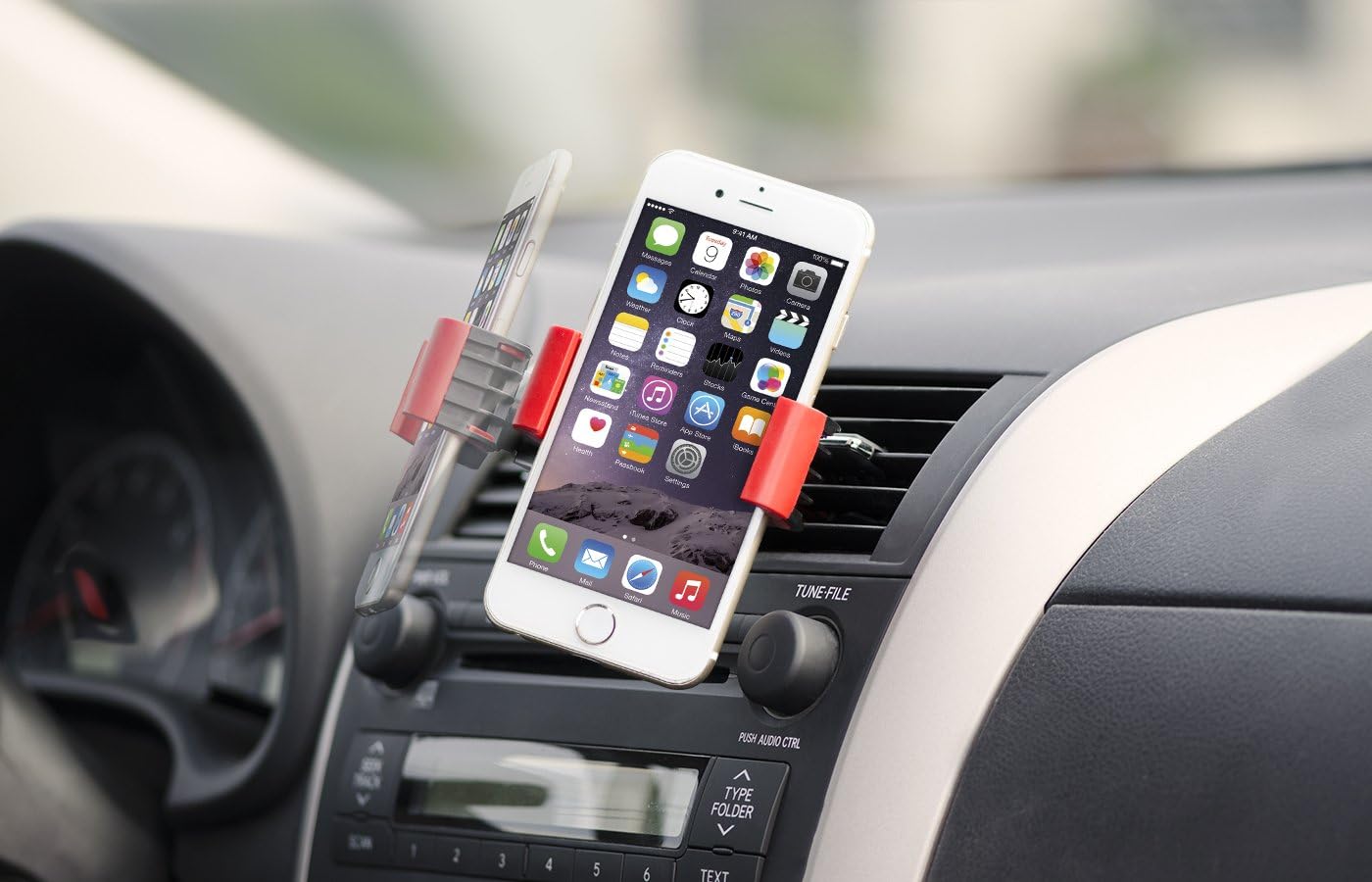
Image: The Aduro U-Grip Swivel Vent Mount securely attached to a car's air vent, displaying a smartphone in a vertical orientation. This demonstrates proper placement for optimal viewing.
- Attach the Mount to the Vent: Gently push the crosshair clip of the mount onto one of the air vent blades. The clip is designed to securely grip the vent. Ensure it is firmly seated and does not wobble. The clip can be rotated to accommodate different vent orientations (horizontal or vertical).
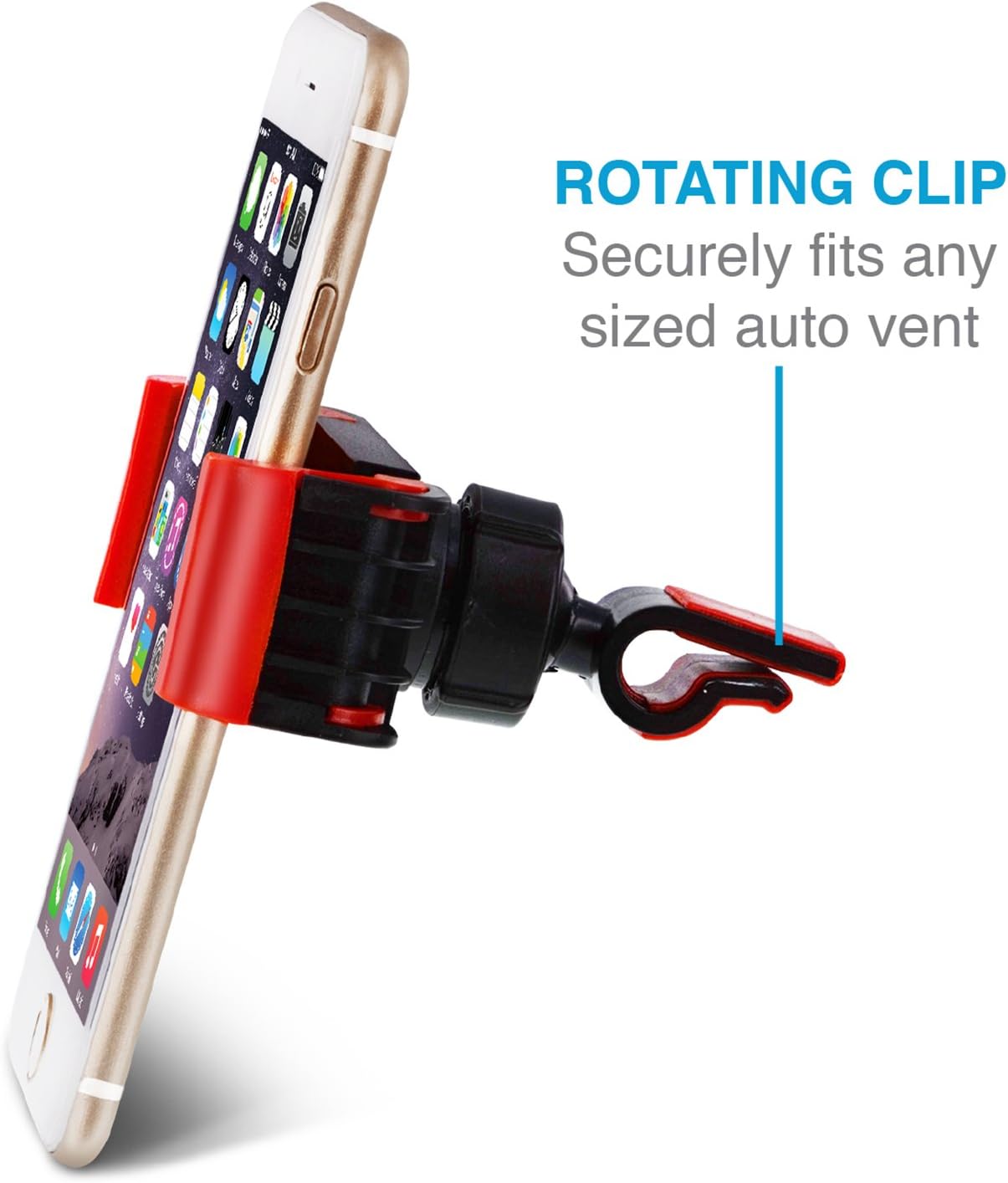
Зураг: Нарийвчилсан view of the mount's rotating clip, illustrating its design for secure attachment to various auto vent types.
- Ухаалаг утсаа оруулна уу: Expand the adjustable jaws of the mount by pulling them apart. Carefully place your smartphone into the mount, ensuring the rubber grips hold it firmly on both sides. Release the jaws to secure the phone.

Image: A close-up of the rubber grip components of the mount, highlighting their role in maximizing friction to prevent slippage and minimize vibrations.
Ашиглалтын заавар
Once installed, the Aduro U-Grip Swivel Vent Mount offers flexible viewсонголтууд:
- Тохируулж байна Viewөнцөг The mount features a swivel ball joint that allows for 360° rotation. Gently rotate or tilt your smartphone to achieve the desired viewХөрөг зураг эсвэл хэвтээ зураг эсэхээс үл хамааран харах өнцөг.

Image: The swivel ball joint mechanism, demonstrating its capability to allow easy adjustment of the viewing angle for the mounted smartphone.
- Ухаалаг утсаа арилгах: To remove your phone, gently expand the adjustable jaws and lift the phone out. It is recommended to use two hands for removal to prevent accidental drops or dislodging the mount.
- Vent Airflow: If the vent is active, the airflow may affect your phone's temperature. Consider closing the vent or adjusting its direction if your phone becomes too hot or cold.
Засвар үйлчилгээ
To maintain your Aduro U-Grip Swivel Vent Mount in good condition:
- Цэвэрлэгээ: Холбогчийг зөөлөн арчих, damp cloth. Avoid using harsh chemicals or abrasive cleaners, as these can damage the rubber grips or plastic components.
- Резинэн бариул: Ensure the rubber grips are free from dust and debris to maintain optimal non-slip performance.
- Хадгалах: Удаан хугацаагаар ашиглаагүй бол нарны шууд тусгалаас хол хуурай, сэрүүн газар хадгална.
Алдааг олж засварлах
| Асуудал | Боломжит шалтгаан | Шийдэл |
|---|---|---|
| Mount feels loose or falls off the vent. | Vent blades are too thin, or the clip is not fully engaged. | Ensure the crosshair clip is pushed firmly onto a vent blade. Try a different vent if the current one is too flimsy. |
| Smartphone slips out of the mount. | Jaws not fully closed, or rubber grips are dirty/worn. | Ensure the phone is centered and the jaws are securely gripping it. Clean the rubber grips if they appear dirty. |
| Утсаа эргүүлэхэд бэрхшээлтэй байна. | Swivel ball joint is stiff. | Apply gentle, consistent pressure to rotate. Avoid excessive force. |
Үзүүлэлтүүд
| Онцлог | Дэлгэрэнгүй |
|---|---|
| Бүтээгдэхүүний хэмжээс | 5.75 x 4.41 x 2.99 инч |
| Зүйлийн жин | 2.39 унц |
| Загварын дугаар | UNI-SPH01-SVM |
| Өнгө | Хар/Улаан |
| Тохиромжтой төхөөрөмжүүд | Smartphones (up to 6-inch screens) |
| Суурилуулах төрөл | Агааржуулах |
| Онцлог шинж чанарууд | Lightweight, Rotatable |
Баталгаат болон дэмжлэг
The Aduro UNI-SPH01-SVM U-Grip Swivel Vent Mount includes an Aduro lifetime warranty for complete peace of mind. For warranty claims, technical support, or further assistance, please visit the official Aduro webсайт эсвэл харилцагчийн үйлчилгээний хэлтэстэй холбогдоно уу. Худалдан авалтын баримтаа худалдан авалтын баталгаа болгон хадгалаарай.
Aduro Contact Information: Please refer to the packaging or the official Aduro webхамгийн сүүлийн үеийн холбоо барих мэдээллийг авах сайт.