1. Танилцуулга
This manual provides detailed instructions for the installation, operation, and maintenance of your Kicker IQ500.4 Q-Class Amplifier. Please read this manual thoroughly before attempting installation or operation to ensure proper use and to prevent damage.
The Kicker IQ500.4 is a 4-channel car amplifier featuring advanced digital signal processing (DSP) capabilities, designed to deliver high-quality audio performance in automotive environments.
2. Аюулгүй байдлын мэдээлэл
Дараах аюулгүй байдлын урьдчилан сэргийлэх арга хэмжээг үргэлж дагаж мөрдөөрэй.
- Disconnect the vehicle's battery before making any power connections.
- Цахилгааны аюулаас урьдчилан сэргийлэхийн тулд зөв газардуулга хийх.
- -ийг бүү ил гарга ampчийг эсвэл хэт өндөр температурт өргөгч.
- Суурилуулалтын хэсэгт заасны дагуу цахилгаан болон чанга яригчийн холболтод тохирох хэмжигч утсыг ашиглана уу.
- Хэрэв та суулгах процессын аль нэг хэсэгт эргэлзэж байвал мэргэжлийн суулгагчтай зөвлөлд.
- Энэ бүтээгдэхүүн нь Калифорни мужид хорт хавдар, ургийн гажиг эсвэл нөхөн үржихүйн бусад хор хөнөөл учруулдаг химийн бодис агуулдаг (Санал 65 анхааруулга).
3. Багцын агуулга
Бүх зүйл багцад байгаа эсэхийг шалгана уу:
- Kicker IQ500.4 Q-Class Ampнастан
- Суурилуулах тоног төхөөрөмж
- Хэрэглэгчийн гарын авлага (энэ баримт бичиг)
- USB Cable (for TWEEQ app connection)
4. Тохиргоо ба суурилуулалт
4.1 Суулгах Ampнастан
Select a dry, stable location for mounting the amplifier, ensuring adequate ventilation. Avoid mounting in direct sunlight or areas prone to vibration.
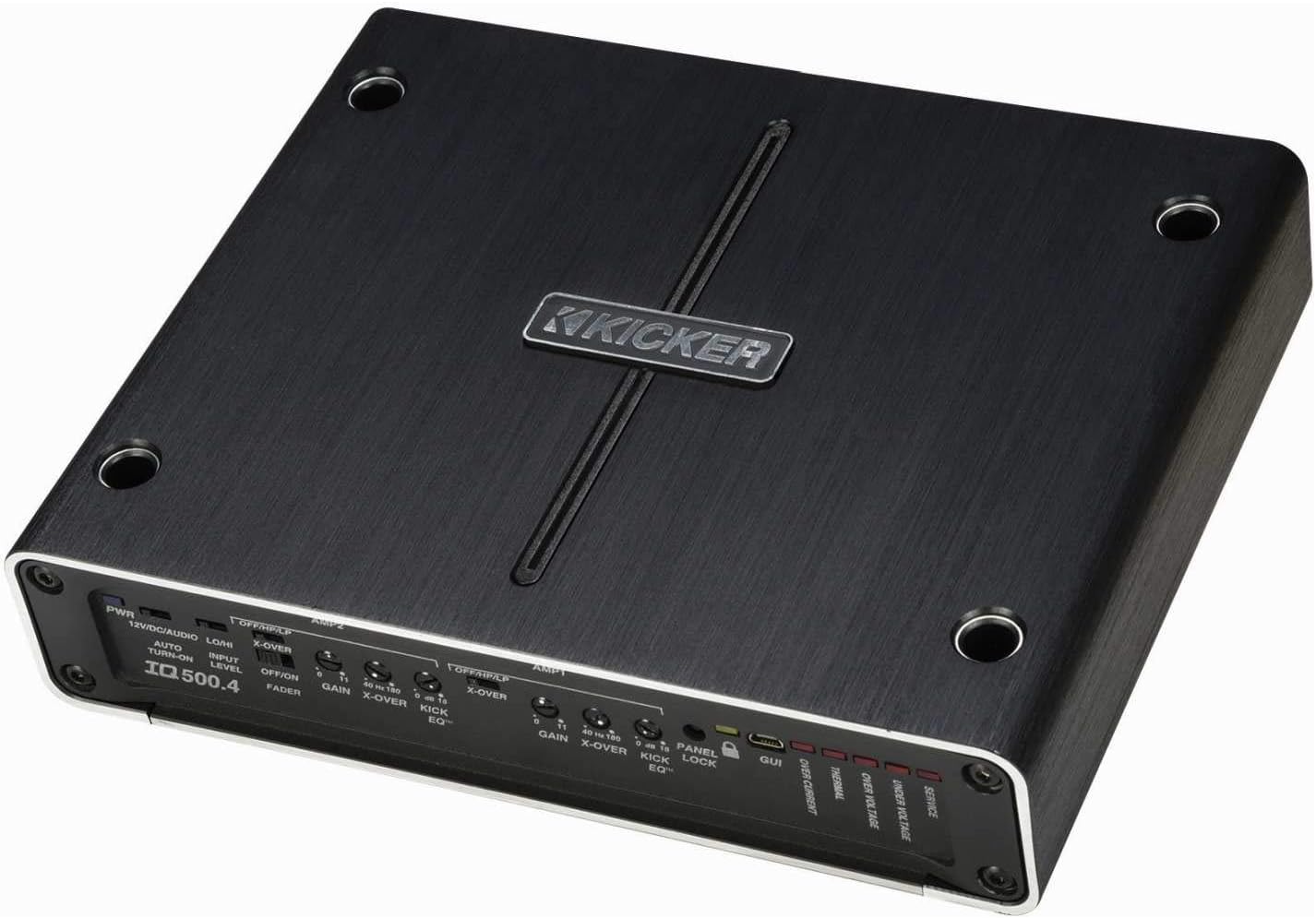
Зураг 4.1: Дээд тал view of the Kicker IQ500.4 Q-Class Amplifier, highlighting the control panel and overall design.
4.2 утас холболт
Ensure all connections are secure and properly insulated. Refer to the diagram below for typical wiring configurations.

Зураг 4.2: Ар талд view of the Kicker IQ500.4 Q-Class Amplifier, detailing the power, ground, remote, input, and output connections.
Эрчим хүчний холболтууд:
- +12V (Цахилгаан): Connect to the positive terminal of the vehicle's battery using appropriate gauge wire (e.g., 4-gauge for optimal performance).
- GND (газар): Connect to a clean, unpainted metal surface of the vehicle chassis. Ensure a solid connection.
- REM (Алсын удирдлагатай асаах): Толгой хэсгийнхээ алсын удирдлагатай асаах залгуурт холбогдоно уу.
Оролт/гаралтын холболтууд:
- Оролт (RCA): Connect to the RCA outputs of your head unit or signal processor.
- Output (Speaker): Connect to your speakers. The amplifier supports 4-ohm stable bridged mode.
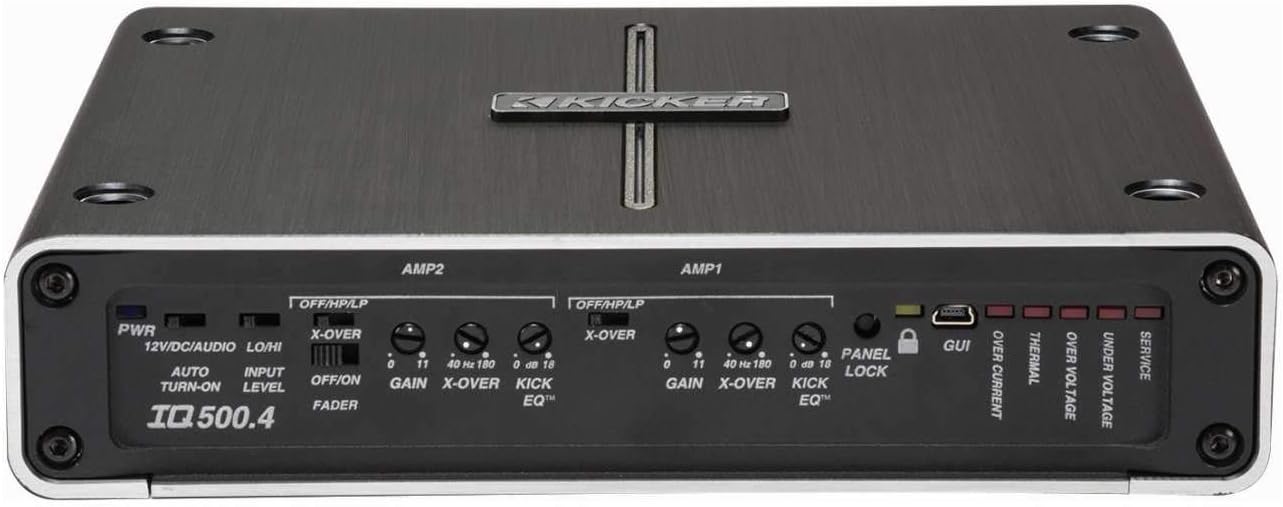
Зураг 4.3: Нарийвчилсан view -ийн amplifier's control panel, showing gain, crossover, and KickEQ adjustments.

Figure 4.4: Close-up of the input and output terminals, including RCA inputs and speaker wire connections.
5. ажиллуулах Ampнастан
5.1 Initial Setup and Gain Matching
After installation, set the gain controls to match the output voltage of your head unit. Start with the gain at minimum and slowly increase until distortion is heard, then back off slightly.
5.2 Digital Signal Processing (DSP) with TWEEQ App
The IQ500.4 features advanced DSP capabilities accessible via the TWEEQ app for PC, iOS, or Android. Download the app from kicker.com/tweeq. Connect your device to the ampUSB-ээр дамжуулан өргөгч.
TWEEQ App Features:
- TWEEQ Wizard: Automatically sets basic tune, including speaker type/size and time-alignment based on listening position.
- Input Signal Routing and Mixing: Customize signal paths.
- Variable High- and Low-Pass Filters: Adjustable from 10-20,000 Hz with selectable crossover characteristics (Butterworth, Linkwitz) and slopes (6, 12, 18, 24 dB/octave).
- Variable KickEQ+ Bass Boost: Adjustable from 0-18 dB, 24-80 Hz, with 0.5-10 Q.
- Тохируулж болох хугацааг хойшлуулах: Fine-tune sound staging (0-20 ms in 0.02, 0.1, and 1.0 ms increments).
- 31 зурвасын график тэнцвэржүүлэгч: +/-12 dB/band for precise frequency adjustments.
- Dynamic Compressor/Limiter: Fully adjustable (1:1 to 10:1 ratio).
The Panel Lock function disables onboard controls when using the TWEEQ app, ensuring settings are managed digitally.
6. Засвар үйлчилгээ
- -г хадгал ampӨргөгчийг тоосноос цэвэрлэж, зөөлөн, хуурай даавуугаар цэвэрлэнэ үү.
- Ойролцоох агааржуулалтыг сайтар хангах ampхэт халалтаас сэргийлэхийн тулд өргөгч.
- Бүх холболтын битүүмжлэл болон зэврэлтийг үе үе шалгаж байх.
7. Алдаа засах
| Асуудал | Боломжит шалтгаан | Шийдэл |
|---|---|---|
| Хүч чадалгүй | Гал хамгаалагч шатсан; Цахилгаан/газардуулгын холболт суларсан; Алсын удирдлага асаах дохио байхгүй байна. | Check/replace fuse; Secure connections; Verify remote wire connection to head unit. |
| Аудио гаралт байхгүй | Incorrect input/output connections; Gain set too low; Speaker wires shorted. | Verify RCA and speaker connections; Adjust gain; Check speaker wiring for shorts. |
| Гажуудсан дуу | Gain set too high; Incorrect crossover settings; Speaker impedance mismatch. | Reduce gain; Adjust crossover settings via TWEEQ app; Ensure speaker impedance is compatible. |
| AmpЛиффер хэт халалт | Insufficient ventilation; Low impedance load; Prolonged high-volume use. | Ensure clear airflow around amplifier; Check speaker impedance; Reduce volume or allow cool-down period. |
8. Техникийн үзүүлэлтүүд
| Онцлог | Дэлгэрэнгүй |
|---|---|
| Загвар | IQ500.4 |
| Сувгууд | 4 суваг |
| RMS Power (4 ohms) | 65 ватт х 4 |
| RMS Power (2 ohms) | 125 ватт х 4 |
| RMS Power (Bridged 4 ohms) | 250 ватт х 2 |
| CEA-2006 Compliant | Тиймээ |
| Variable High-Pass Filter | 40-180 Гц, 24 дБ/октав |
| Variable Low-Pass Filter | 40-180 Гц, 24 дБ/октав |
| KickEQ басс нэмэгдүүлэх | 0 Гц давтамжтай 18-40 дБ |
| Дижитал дохио боловсруулах (DSP) | Via TWEEQ app (PC, iOS, Android) |
| Эквалайзер | 31-band graphic (+/-12 dB/band) |
| Цагийн саатал | 0-20 мс |
| Хэмжээ (L x W x H) | 9.45 x 7.52 x 2.05 инч |
| Зүйлийн жин | 6.67 фунт |
| Ботьtage | 14.4 вольт |
9. Баталгаат хугацаа ба дэмжлэг
For warranty information and technical support, please refer to the official Kicker website or contact Kicker customer service directly. Keep your proof of purchase for warranty claims.
Kicker Official Webсайт: www.kicker.com


