1. Танилцуулга
This manual provides detailed instructions for the Plugable USB-C to DisplayPort Bi-Directional Cable (Model USBC-DP). This cable is designed to connect USB-C enabled devices to DisplayPort monitors or DisplayPort enabled devices to USB-C displays, supporting high-resolution video and audio transmission.

Image: The Plugable USB-C to DisplayPort Bi-Directional Cable, showcasing both the USB-C and DisplayPort connectors.
2. Үндсэн шинж чанарууд
- Хоёр чиглэлт холболт: Supports both USB-C to DisplayPort and DisplayPort to USB-C video output, offering flexible connection options.
- Өндөр нарийвчлалтай дэмжлэг: Enables resolutions up to 4K at 60Hz (3840x2160).
- Залгаад Тоглуулах: Ажиллуулахын тулд драйвер эсвэл програм хангамж суулгах шаардлагагүй.
- Бат бөх дизайн: Features an aluminum shell on both connectors and a nylon braided cable for enhanced durability.
- Өргөн нийцтэй байдал: Compatible with systems supporting DisplayPort Alt Mode over USB-C, USB4, or Thunderbolt 3/4, including various MacBooks, iPads, HP, Dell, Lenovo, Microsoft Surface, and LG Gram models.
3. Тохируулах заавар
Follow these steps to connect your device using the Plugable USB-C to DisplayPort Bi-Directional Cable:
- Портуудыг тодорхойлох: Ensure your source device (e.g., laptop, tablet) has a USB-C port that supports DisplayPort Alt Mode, USB4, or Thunderbolt 3/4. Ensure your display device (e.g., monitor, TV) has a DisplayPort input.
- USB-C төгсгөлийг холбоно уу: Insert the USB-C connector of the cable into the compatible USB-C port on your source device.
- DisplayPort төгсгөлийг холбох: Insert the DisplayPort connector of the cable into the DisplayPort input on your display device.
- Асаах төхөөрөмжүүд: Таны эх төхөөрөмж болон дэлгэцийн төхөөрөмж хоёулаа асаалттай байгаа эсэхийг шалгаарай.
- Дэлгэцийн тохиргоог тохируулах: Your display should automatically detect the connection. If not, you may need to manually select the DisplayPort input on your monitor or adjust display settings on your source device (e.g., extend, mirror, or primary display mode).

Зураг: Ойролцоогоор view of the USB-C and DisplayPort connectors, illustrating the connection process.
4. Ашиглалтын заавар
Once connected, the cable facilitates video and audio transmission between your devices. Here are common operating modes:
- Толин тусгал горим: Duplicates your source device's screen onto the external display. This is useful for presentations or sharing content.
- Өргөтгөх горим: Таны ширээний компьютерийг олон дэлгэцээр өргөтгөж, ажлын талбайг нэмэгдүүлэх, олон үйлдэл хийх боломжийг олгоно.
- Primary Display Mode: Uses the external display as the sole output, with the source device's screen turned off.
To switch between these modes, access your operating system's display settings:
- Windows: Right-click on the desktop, select "Display settings," and choose your preferred display option.
- макос: Go to "System Settings" (or "System Preferences"), then "Displays," and adjust the arrangement or mirroring options.

Image: A laptop connected to an external monitor, demonstrating both extend and mirror display modes for enhanced productivity.
5. Тохиромжтой байдал
The Plugable USB-C to DisplayPort Bi-Directional Cable is compatible with a wide range of devices and operating systems:
Дэмжигдсэн төхөөрөмжүүд:
- M1–M4 MacBooks (base and Pro/Max models)
- Intel Thunderbolt Macs (late 2016 and newer)
- iPhone 15/16 and Pro models
- iPad Pro/Air/mini
- HP ProBook/EliteBook/Spectre x360
- Dell XPS/Latitude/Inspiron
- Lenovo ThinkPad/IdeaPad/Yoga
- Microsoft Surface Pro/Go/Book/Laptop
- LG грамм
- Thousands of other standards-compliant USB-C laptops.
Дэмжигдсэн үйлдлийн системүүд:
- Windows 10/11
- macOS 11+
- ChromeOS 100+
- Линукс
Жич:
- Requires a system with DisplayPort Alt Mode over USB-C, USB4, or Thunderbolt 3/4.
- Fully compatible with DisplayPort source devices and full-featured USB-C displays.
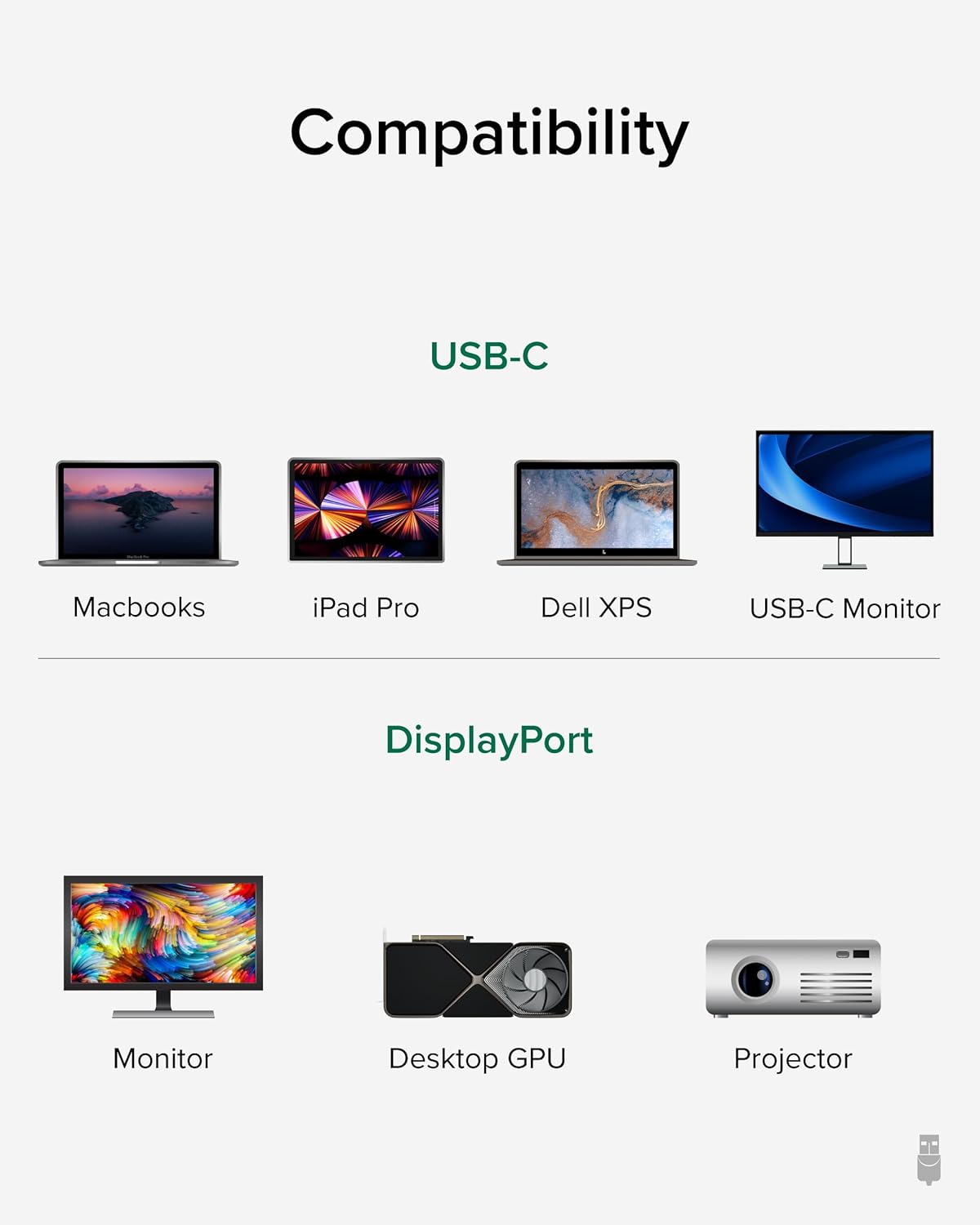
Image: A visual guide illustrating compatibility with various USB-C devices (MacBooks, iPad Pro, Dell XPS, USB-C Monitor) and DisplayPort devices (Monitor, Desktop GPU, Projector).
6. Засвар үйлчилгээ
To ensure the longevity and optimal performance of your Plugable USB-C to DisplayPort Bi-Directional Cable, follow these maintenance guidelines:
- Болгоомжтой харьцах: Кабель, ялангуяа холбогчдын ойролцоо хэт гулзайлгах, мушгих, татахаас зайлсхий.
- Зөв хадгалах: When not in use, coil the cable loosely and secure it with the included cable tie or a similar fastener. Avoid tight coiling that can stress the internal wires.
- Цэвэр байлгах: Periodically wipe the cable and connectors with a soft, dry cloth to remove dust and debris. Avoid using harsh chemicals or abrasive materials.
- Хамгаалах холбогч: Ensure connectors are not exposed to liquids or extreme temperatures.
7. Алдаа засах
If you encounter issues with your Plugable USB-C to DisplayPort Bi-Directional Cable, consider the following troubleshooting steps:
- Дэлгэц / дохио байхгүй:
- Ensure both devices are powered on and the cable is securely connected at both ends.
- Verify that your source device's USB-C port supports DisplayPort Alt Mode, USB4, or Thunderbolt 3/4. Not all USB-C ports support video output.
- Check your display's input source settings and ensure the correct DisplayPort input is selected.
- Test with another compatible cable or device to isolate the issue.
- Flickering or Intermittent Display:
- Кабель нь эвдэрч гэмтээгүй, гулзайсан эсэхийг шалгаарай.
- Reduce the display resolution or refresh rate in your device's display settings to see if stability improves.
- Update your graphics drivers on your source device.
- Аудио байхгүй:
- Check your computer's sound settings and ensure the DisplayPort output is selected as the audio device.
- Ensure your monitor has built-in speakers or is connected to external audio.
- Resolution/Refresh Rate Not as Expected:
- Verify that both your source device and display support the desired resolution and refresh rate.
- Ensure your device's display settings are configured for the desired output.
8. Техникийн үзүүлэлтүүд
| Онцлог | Дэлгэрэнгүй |
|---|---|
| Брэнд | Залгууртай |
| Загварын дугаар | USBC-DP |
| Кабелийн урт | 6 фут (1.8м) |
| Макс тогтоол | 60 Гц давтамжтай 4K (3840x2160). |
| Холбогч 1 | USB-C эрэгтэй |
| Холбогч 2 | DisplayPort Эрэгтэй |
| Тохиромжтой байдал | DisplayPort Alt Mode over USB-C, USB4, Thunderbolt 3/4 |
| Материал | Aluminum connector shells, Nylon braided cable |
| Зүйлийн жин | 1.6 унц |
| Бүтээгдэхүүний хэмжээс | 0.39 x 6 x 6.5 инч |
9. Бүтээгдэхүүний албан ёсны видео
Video: Product Summary: Plugable USB-C to DisplayPort Adapter Cable. This video provides a comprehensive overview of the cable's features, functionality, and benefits.
10. Баталгаат хугацаа ба дэмжлэг
Plugable products are designed for reliability and ease of use. This device includes lifetime support from our North American team of connectivity experts.
For further assistance, please visit the Plugable support webсайт эсвэл харилцагчийн үйлчилгээтэй холбогдоно уу.


