Танилцуулга
Худалдан авалт хийсэнд баярлалааasing the iOttie MiGo Mini Selfie Stick. This compact and versatile accessory is designed to enhance your mobile photography and videography experience, allowing you to capture wider angles and group shots with ease. Featuring a detachable Bluetooth remote and compatibility with both smartphones and GoPro cameras, the MiGo Mini is an ideal companion for your adventures. Please read this manual thoroughly to ensure proper use and maintenance of your device.
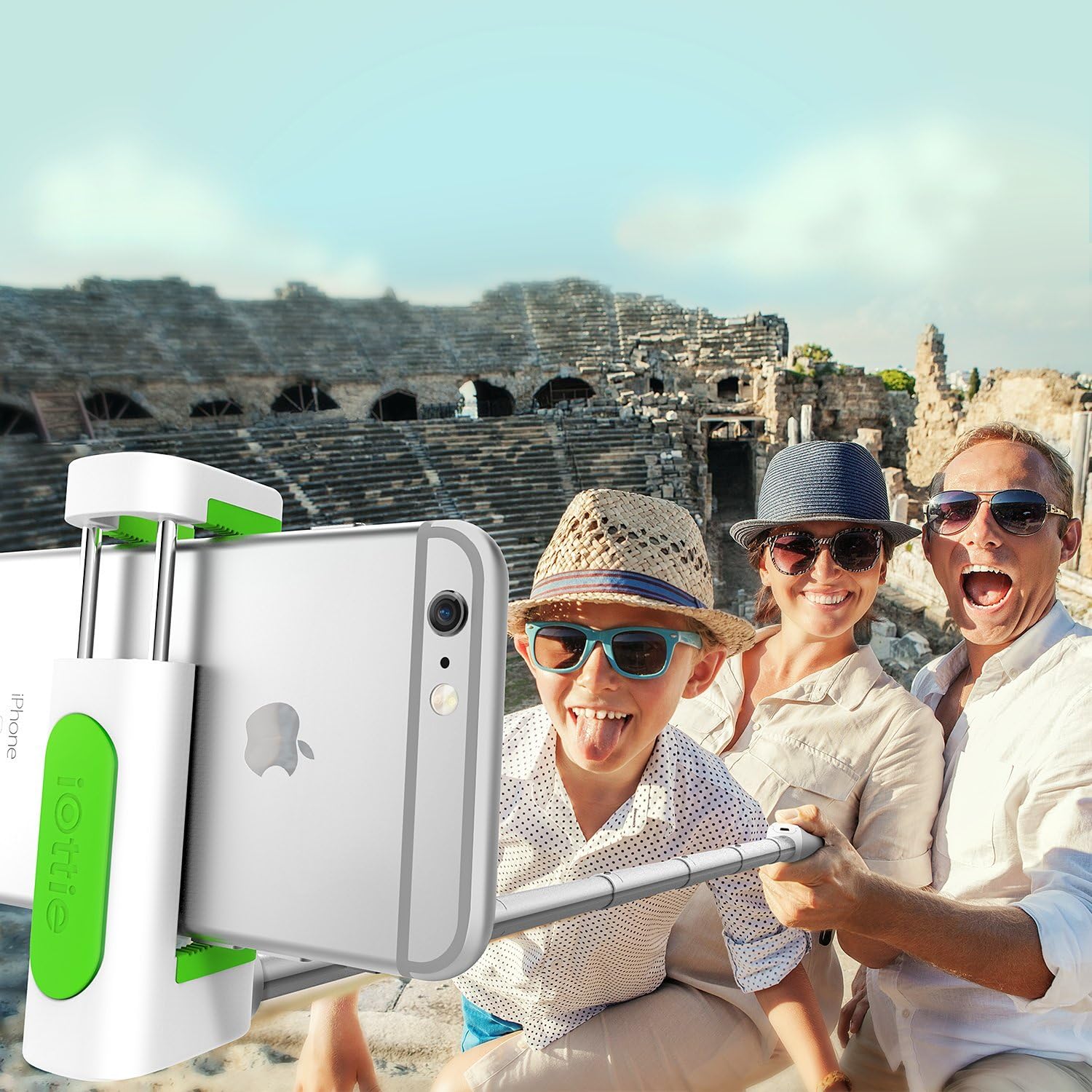
The iOttie MiGo Mini Selfie Stick in use, capturing a wide-angle group photo.
Аюулгүй байдлын мэдээлэл
- Төхөөрөмжийг хэт өндөр температур, нарны шууд тусгал, өндөр чийгшилд бүү тавь.
- Төхөөрөмжийг ус болон бусад шингэнээс хол байлга.
- Төхөөрөмжийг задлах, өөрчлөхийг бүү оролдоорой. Энэ нь баталгааг хүчингүй болгоно.
- Use only the provided charging cable or a certified micro USB cable for charging.
- Хүүхдийн гар хүрэхгүй газар хадгална.
Багцын агуулга
Дараах зүйлсийн нүдийг шалгана уу.
- iOttie MiGo Mini Selfie Stick
- Микро USB цэнэглэгч кабель
- Хэрэглэгчийн гарын авлага
Бүтээгдэхүүн дууссанview
Familiarize yourself with the components of your iOttie MiGo Mini Selfie Stick.

Дууслааview of the iOttie MiGo Mini Selfie Stick in its collapsed state.
The MiGo Mini features a compact design for portability. When collapsed, it measures approximately 7.36 inches in length and weighs around 4.08 ounces (100 grams).

Compact and lightweight design of the MiGo Mini Selfie Stick.
The adjustable cradle can securely hold devices ranging from 1.8 inches to 3.5 inches in width. The extendable rod allows the selfie stick to reach a maximum length of 28 inches.

Cradle and rod extension dimensions.
Тохиргоо
1. Charging the Bluetooth Remote
The detachable Bluetooth remote comes with a built-in rechargeable Lithium Ion battery. Before first use, ensure the remote is fully charged.
- Locate the Micro USB charging port on the side of the remote.
- Connect the provided Micro USB cable to the remote and plug the other end into a USB power source (e.g., computer USB port, wall adapter).
- The indicator light on the remote will illuminate during charging and turn off when fully charged.
2. Bluetooth алсын удирдлагатай хослуулах
The remote uses Bluetooth 3.0 for connection and has an effective range of up to 32.8 feet (10 meters).

Bluetooth 3.0 connection with a range of 32.8 feet.
- Алсын удирдлага цэнэглэгдсэн эсэхийг шалгаарай.
- Turn on the Bluetooth remote by pressing and holding the power button until the indicator light flashes.
- On your smartphone (Android or iOS), go to your Bluetooth settings.
- хайх available devices. The remote should appear as "iOttie MiGo Mini" or similar.
- Select the device to pair. Once paired, the indicator light on the remote will stop flashing and remain solid or turn off, depending on the model.
- The remote will automatically reconnect to the last paired device when turned on, if Bluetooth is enabled on your phone.
3. Attaching a Smartphone
- Gently pull open the adjustable cradle at the top of the selfie stick.
- Carefully insert your smartphone into the cradle, ensuring it is held securely. The cradle can accommodate devices from 1.8 inches to 3.5 inches wide.
- Adjust the angle of the cradle as needed.

Smartphone attached to the MiGo Mini Selfie Stick.
4. Extending the Selfie Stick
To extend the selfie stick, simply pull the rod upwards from the base. It can extend from its compact 9-inch length to a maximum of 28 inches.
5. GoPro and Tripod Compatibility
The MiGo Mini is designed with versatility in mind, offering compatibility with GoPro cameras and standard tripods.
- GoPro Compatibility: The selfie stick includes a GoPro connector. To attach your GoPro (e.g., HERO4 Black), remove the smartphone cradle and secure your GoPro using its standard mount.
- Гурван хөлтэй нийцтэй байдал: The base of the selfie stick features a standard 1/4-inch screw thread, allowing it to be mounted on most tripods for stable shots.

GoPro and Tripod compatibility features.
Ажиллаж байна
Зураг/видео авах
- Ensure your smartphone or GoPro is securely attached and the selfie stick is extended to your desired length.
- Open your camera application on your smartphone or prepare your GoPro for recording.
- Position the camera for your shot.
- Press the button on the detachable Bluetooth remote to capture a photo or start/stop video recording.
Засвар үйлчилгээ
- Clean the selfie stick with a soft, dry cloth. Do not use abrasive cleaners or solvents.
- Төхөөрөмжийг ашиглаагүй үед нарны шууд тусгалаас хол, сэрүүн, хуурай газар хадгална.
- Ensure the remote is fully charged before long-term storage to preserve battery life.
Алдааг олж засварлах
| Асуудал | Боломжит шийдэл |
|---|---|
| Remote not pairing/connecting. |
|
| Remote not taking photos/videos. |
|
| Smartphone not fitting in cradle. |
|
Үзүүлэлтүүд
| Загварын дугаар | HLMPIO120WH |
| Бүтээгдэхүүний хэмжээс (хурсан) | 9.25 x 3.18 x 1.88 инч |
| Зүйлийн жин | 3.53 унц (100 грамм) |
| Max. Extended Length | 28 инч |
| Cradle Compatibility | Devices 1.8 to 3.5 inches wide |
| Bluetooth хувилбар | 3.0 |
| Bluetooth хүрээ | 32.8 фут (10 метр) хүртэл |
| Зайны төрөл | 1 лити ион батерей (дагсан) |
| Тохиромжтой үйлдлийн систем | Android, iOS |
| GoPro Compatibility | GoPro HERO4 Black and similar models with standard mount |
| Tripod бэхэлгээ | Standard 1/4-inch screw thread |
| Өнгө | Цагаан |
| UPC | 852306006282 |
Баталгаат болон дэмжлэг
For warranty information or technical support, please refer to the official iOttie webсайт эсвэл харилцагчийн үйлчилгээтэй шууд холбогдоно уу. Худалдан авалтын баримтаа аливаа баталгаат нэхэмжлэлийг худалдан авсан баримт болгон хадгална уу.
Нэмэлт тусламж авахыг хүсвэл зочилж болно Амазон дээрх iOttie дэлгүүр.


