1. Танилцуулга
This manual provides essential information for the safe and effective use of your ProForm Le Tour De France Upright Exercise Bike, Model PFEX01215. Please read all instructions carefully before assembly and operation. Retain this manual for future reference.
Аюулгүй байдлын мэдээлэл:
- Аливаа дасгалын хөтөлбөрийг эхлүүлэхийн өмнө эмчээс зөвлөгөө аваарай.
- Хүүхэд, тэжээвэр амьтдыг төхөөрөмжөөс хол байлга.
- Place the exercise bike on a level surface.
- Хэрэглэх бүрийн өмнө бүх эд ангиудыг сайтар чангалж байгаа эсэхийг шалгаарай.
- Хэрэглэгчийн хамгийн их жин: 250 фунт (113.4 кг).
2. Тохиргоо ба угсралт
Unpack all components and ensure all parts are present. Refer to the included assembly guide for detailed step-by-step instructions. Basic assembly typically involves attaching the stabilizers, pedals, seat, handlebars, and console.

Зураг 2.1: Fully assembled ProForm Le Tour De France Upright Exercise Bike. This image shows the complete bike from a front-side angle, highlighting the console, handlebars, seat, pedals, and the distinctive "Le Tour De France" branding on the flywheel.
2.1 Stabilizer Installation
Attach the front and rear stabilizers to the main frame using the provided bolts and washers. Ensure they are firmly secured to prevent wobbling during use.
2.2 Дөрөөний бэхэлгээ
The pedals are marked 'L' for left and 'R' for right. Attach the left pedal by turning it counter-clockwise and the right pedal by turning it clockwise into the crank arms. Tighten securely with a wrench.
2.3 Seat and Handlebar Adjustment
Adjust the seat height and handlebar position to ensure a comfortable and ergonomic riding posture. The seat features an adjustable post for vertical positioning, and the handlebars can be adjusted for angle.

Зураг 2.2: A user adjusting the seat height of the exercise bike. This image illustrates the process of loosening and tightening the knob to set the seat to the desired vertical position.

Зураг 2.3: A user adjusting the handlebar angle on the exercise bike. This image shows how to manipulate the adjustment mechanism to find a comfortable handlebar position.
3. Ашиглалтын заавар
3.1 Консолын дээд хэсэгview
The console displays key workout metrics such as time, distance, speed, calories, and resistance level. Familiarize yourself with the buttons and display functions.

Зураг 3.1: Нарийвчилсан view of the exercise bike's console. This image highlights the digital display, control buttons for incline, gears, and various workout modes, and the iFit branding.
3.2 Дасгал эхлүүлэх
- Sit on the bike and place your feet securely in the pedal straps.
- Press any button on the console to activate it.
- Select a workout program or begin in manual mode.
- Adjust resistance using the '+' and '-' buttons on the console.
3.3 Resistance System
The bike utilizes a magnetic resistance system for smooth and quiet operation. Resistance levels can be adjusted electronically via the console, simulating various terrains and inclines.

Зураг 3.2: Close-up of the SMR (Silent Magnetic Resistance) system. This image focuses on the flywheel and the resistance mechanism, showing the "SMR" branding.
3.4 iFit Connectivity
This exercise bike is iFit compatible. Connect your device to access interactive workouts, global routes powered by Google Maps, and personalized training programs. Refer to the iFit manual or webдэлгэрэнгүй тохиргооны зааварчилгааг авах сайт.
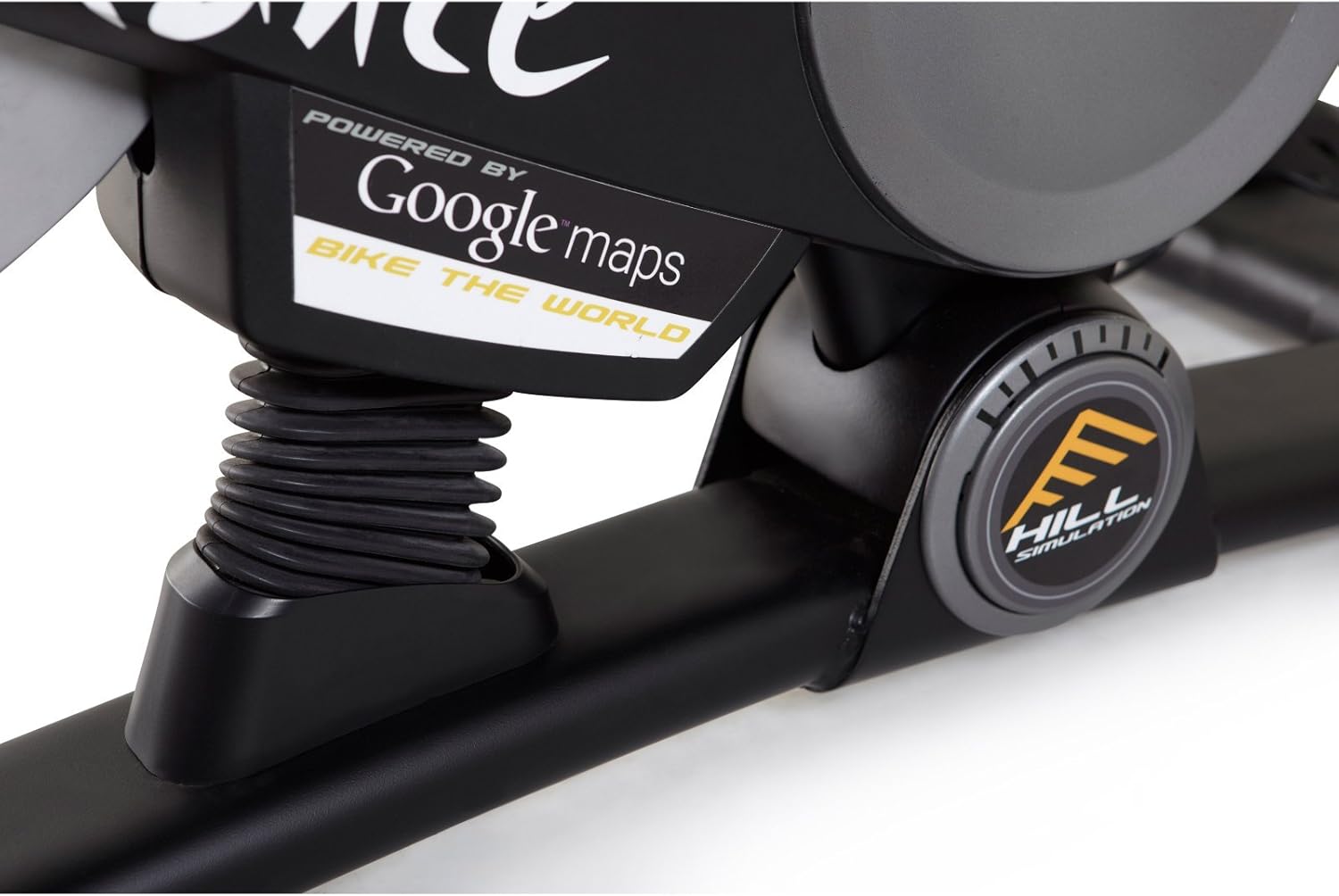
Зураг 3.3: Branding indicating "Powered by Google Maps" on the exercise bike's frame. This highlights the bike's integration with iFit for virtual routes.
4. Засвар үйлчилгээ
Тогтмол засвар үйлчилгээ нь таны дасгалын дугуйны урт наслалт, оновчтой ажиллагааг баталгаажуулдаг.
- Цэвэрлэгээ: Дугуйг ашиглах болгондоо зар сурталчилгаатай хамт арчинаamp Хөлс болон тоосыг арилгахын тулд даавуу. Зүлгүүрийн цэвэрлэгчээс зайлсхий.
- Шалгалт: Periodically check all bolts and nuts for tightness. Tighten any loose fasteners.
- Тосолгоо: No lubrication is required for the magnetic resistance system.
- Хадгалах: Store the bike in a dry, cool environment away from direct sunlight and moisture.
5. Алдаа засах
| Асуудал | Боломжит шалтгаан | Шийдэл |
|---|---|---|
| Консол асахгүй байна | Батерей нь дуусчихсан эсвэл буруу суурилуулсан. | Батерейг солих эсвэл зөв туйлшралыг баталгаажуулна уу. |
| Ашиглалтын явцад тогтворгүй | Stabilizer feet not adjusted or loose bolts. | Тогтворжуулагч дээрх тэгшлэх хөлийг тохируулна уу. Бүх угсралтын боолтыг чангална уу. |
| Эсэргүүцэл өөрчлөгдөхгүй | Console connection issue or internal fault. | Check console cables. If problem persists, contact customer support. |
| Pedals making noise | Loose pedals or crank arms. | Ensure pedals are tightly screwed into crank arms. |
6. Техникийн үзүүлэлтүүд
| Онцлог | Дэлгэрэнгүй |
|---|---|
| Загварын дугаар | PFEX01215 |
| Хэмжээ (L x W x H) | 136.4 см x 62.7 см x 135.1 см (53.7 x 24.7 x 53.2 инч) |
| Угсарсан бүтээгдэхүүний жин | 54.4 кг (120 фунт) |
| Хэрэглэгчийн хамгийн их жин | 113.4 кг (250 фунт) |
| Эсэргүүцлийн механизм | Magnetic (SMR™ Silent Magnetic Resistance) |
| Дэлгэцийн төрөл | LCD |
| Эрчим хүчний эх үүсвэр | Батерейгаар ажилладаг |
| Онцлог шинж чанарууд | Adjustable Seat, iFit Compatible, Google Maps Integration |
7. Баталгаат хугацааны мэдээлэл
ProForm products are manufactured with high-quality materials and craftsmanship. For specific warranty details regarding your ProForm Le Tour De France Upright Exercise Bike, please refer to the warranty card included with your purchase or visit the official ProForm webсайт. Баталгаат нэхэмжлэл гаргахын тулд худалдан авалтаа нотлох баримтаа хадгалаарай.
8. Хэрэглэгчийн дэмжлэг
If you have questions, require assistance with assembly, or need to troubleshoot an issue not covered in this manual, please contact ProForm customer support.
- Онлайн дэмжлэг: Албан тушаалтанд зочилно уу ProForm Support Webсайт.
- Утасны дэмжлэг: Refer to your product registration card or the ProForm webбүс нутгийн холбоо барих утасны сайт.


