1. Бүтээгдэхүүн дууссанview
Вимtag CP1 is a wireless IP video monitoring surveillance security camera designed for remote home or business monitoring. It features high-definition video, pan/tilt functionality, two-way audio, and night vision capabilities.
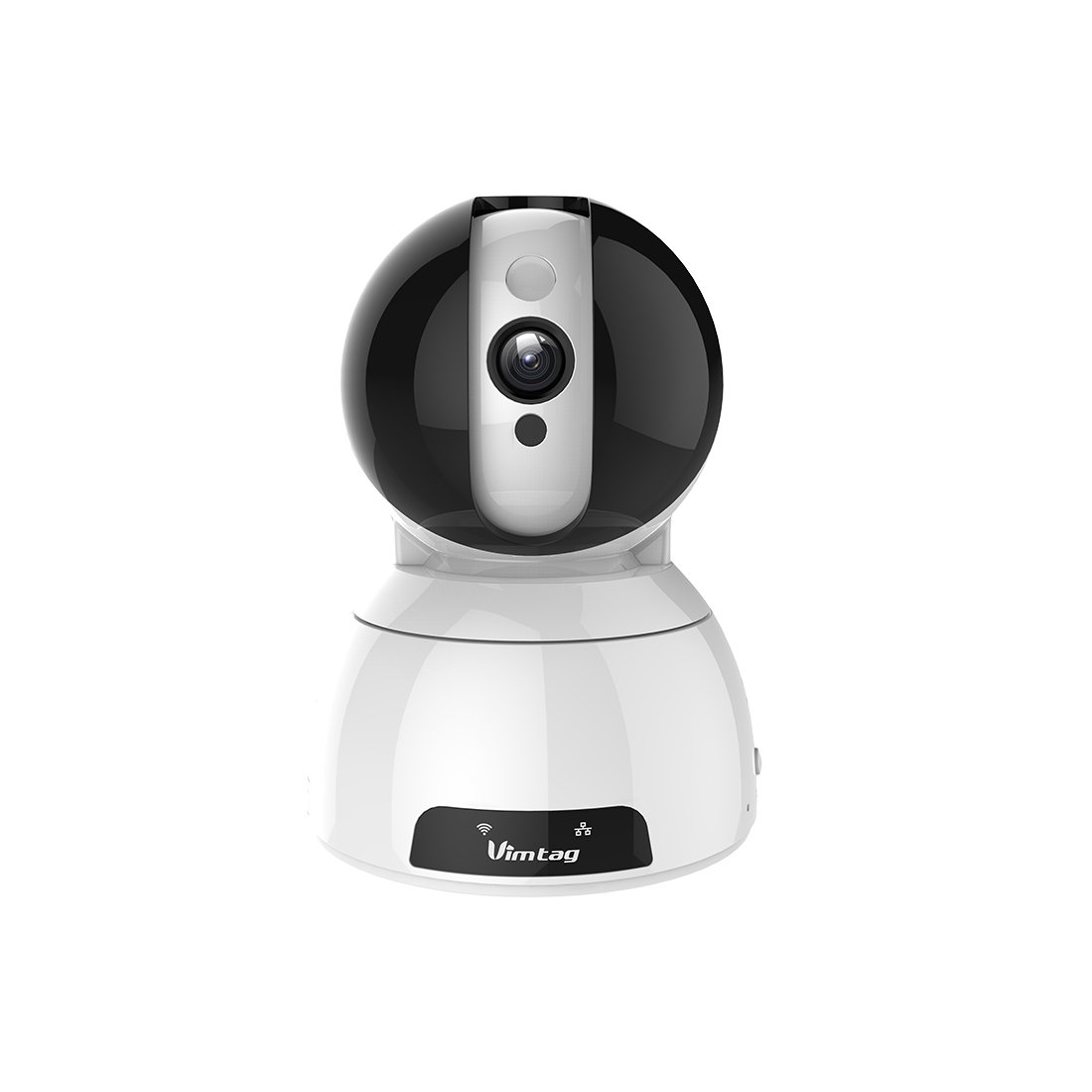
Figure 1: Vimtag CP1 Camera Front View
Гол онцлогууд:
- HD Видео Чанар: 1280 x 720p at 25 frames per second for clear monitoring.
- Pan and Tilt функц: 350-degree horizontal rotation and 100-degree vertical tilt to cover a wide area.
- Хоёр талын аудио: Харилцаа холбооны зориулалттай суурилуулсан микрофон болон чанга яригч.
- Шөнийн хараа: Infrared LEDs provide clear visibility up to 10 meters in low-light conditions.
- Хөдөлгөөн илрүүлэх: Alerts with snapshots and video clips upon detecting movement.
- Орон нутгийн болон үүлэн хадгалах сан: Supports Micro SD cards up to 64GB and optional cloud storage.
- Хялбар тохиргоо: Quick Wi-Fi setup via the Vimtag гар утасны програм.

Figure 2: Vimtag CP1 Key Features
2. Тохируулах гарын авлага
2.1 Багцын агуулга
Эхлэхээсээ өмнө багцад бүх зүйл байгаа эсэхийг шалгаарай:
- 1 x Vimtag CP1 Camera
- 1 x Camera Rack
- 1 х цахилгаан кабель
- 1 х Ethernet кабель
- 1 х хэрэглэгчийн гарын авлага (энэ баримт бичиг)
2.2 Анхны тохиргооны алхамууд
- Асаах: Connect the power cable to the camera and plug it into a power outlet. The camera will initiate its startup sequence.
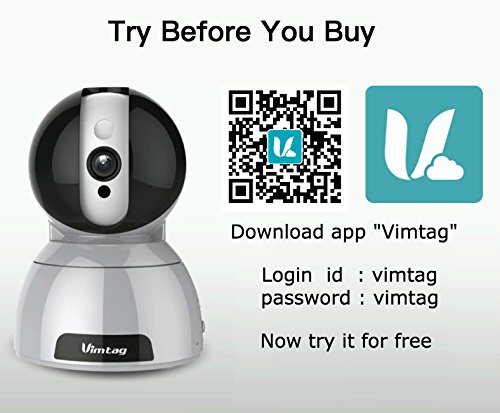
- Апп татаж авах: Download the free Vimtag ухаалаг гар утасныхаа програмын дэлгүүрээс (iOS App Store эсвэл Google Play Store) програм.
- Бүртгэлийн бүртгэл: Вимийг нээхtag app and register for a new account or log in if you already have one.
- Камер нэмэх: Follow the in-app instructions to add your new CP1 camera. This typically involves scanning a QR code on the camera or entering its device ID.
- Wi-Fi тохиргоо: Configure the camera to connect to your Wi-Fi network using the app. Ensure your Wi-Fi network is 2.4GHz, as 5GHz networks may not be supported.
- Суулгах (заавал биш): Use the included camera rack to mount the camera on a wall or ceiling if desired.
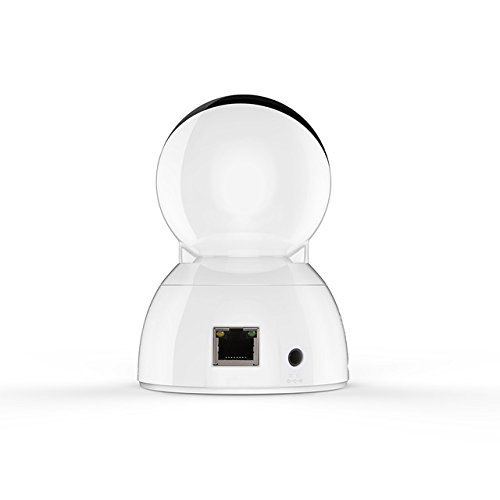
Figure 3: Vimtag CP1 Back View портуудтай
For detailed visual guidance, refer to the video tutorials available on the official Vimtag дэмжлэг үзүүлэх webсайт.
3. Ашиглалтын заавар
3.1 Амьд View болон Pan/Tilt Control
Once the camera is connected, open the Vimtag app to access the live video feed. Use the on-screen controls to pan the camera horizontally (350 degrees) and tilt it vertically (100 degrees) to adjust the viewөнцөг.

Figure 5: Pan and Tilt Control via App
3.2 Хоёр талын аудио
The camera supports two-way audio. Tap the microphone icon in the app to speak through the camera's speaker, and listen to audio from the camera's built-in microphone.
3.3 Шөнийн хараа
The CP1 camera automatically switches to night vision mode in low-light conditions, providing clear black and white video up to 10 meters using its infrared LEDs.
3.4 Хөдөлгөөн илрүүлэх ба дохиолол
Configure motion detection settings within the Vimtag app. You can set sensitivity levels and define specific areas for detection. When motion is detected, the camera can send instant notifications to your smartphone, including snapshots or short video clips.
3.5 Видео бичлэг ба хадгалах
Камер нь хоёр үндсэн хадгалах аргыг дэмждэг:
- Микро SD карт: Insert a Micro SD card (up to 64GB, not included) into the camera's designated slot for local recording. Recordings can be accessed and managed through the app.
- Үүл хадгалах сан: Optional cloud storage services are available through Vimtag for remote backup and access to recorded footage.
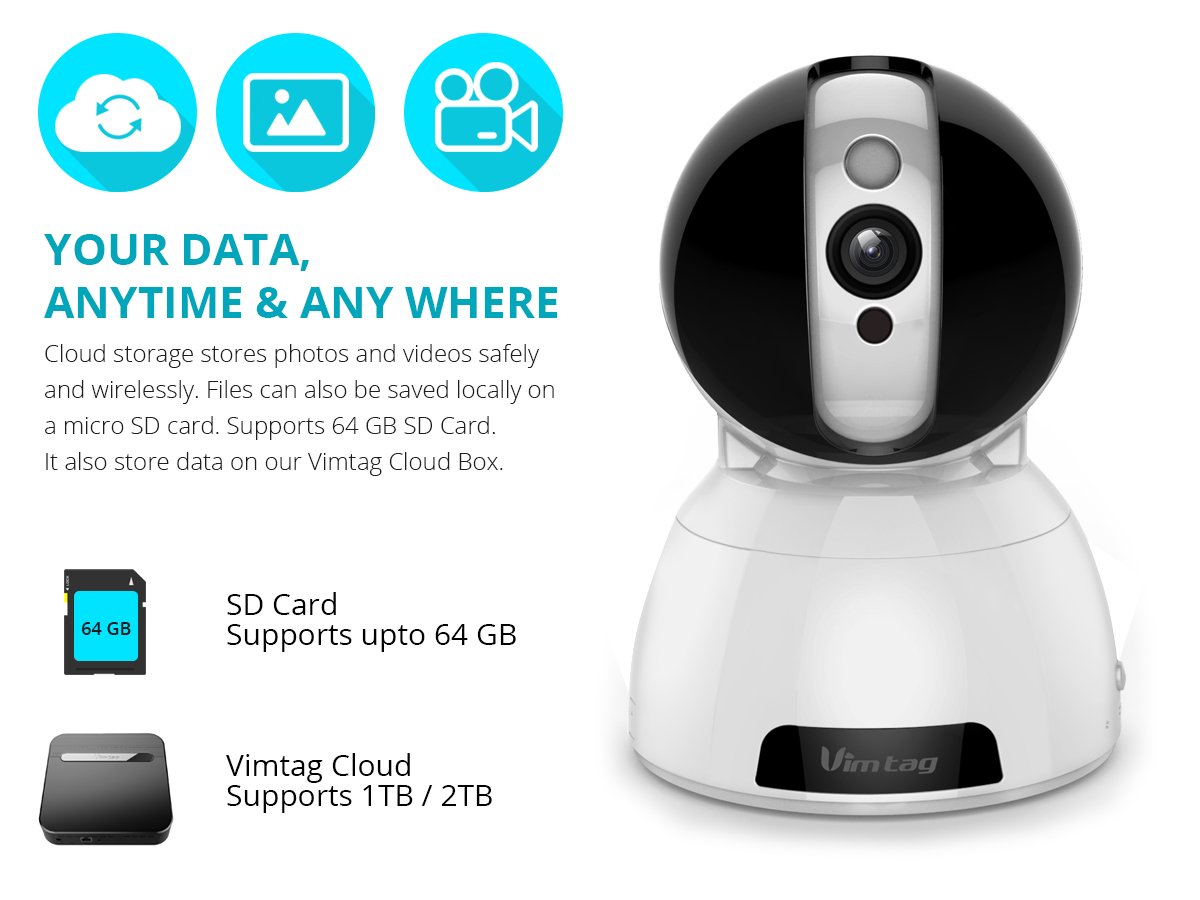
Figure 6: Storage Options for Vimtag CP1
4. Засвар үйлчилгээ
4.1 Цэвэрлэгээ
To maintain optimal performance, periodically clean the camera's lens and exterior. Use a soft, dry cloth. Avoid abrasive cleaners or solvents that could damage the camera's finish or lens coating.
4.2 Програм хангамжийн шинэчлэлтүүд
Вимtag may release firmware updates to improve camera performance, add features, or enhance security. Check the Vimtag app regularly for available updates and follow the in-app instructions to install them. Ensure the camera remains powered during the update process.
4.3 Байгаль орчны асуудал
Вимtag CP1 camera is designed for indoor use. Avoid exposing it to extreme temperatures, direct sunlight, high humidity, or water, as it is not water-resistant.
5. Алдаа засах
This section addresses common issues you might encounter with your Vimtag CP1 camera.
5.1 Камер Wi-Fi-д холбогдоогүй байна
- Wi-Fi зурвасыг шалгана уу: Ensure your Wi-Fi network is 2.4GHz. The camera may not support 5GHz networks.
- Дохионы хүч: Place the camera closer to your Wi-Fi router to ensure a strong signal.
- Зөв нууц үг: Double-check that you are entering the correct Wi-Fi password in the app.
- Камерыг дахин тохируулах: Locate the reset button on the camera (often a small pinhole) and press it for 5-10 seconds until the camera resets. Then, attempt the setup process again.
- Чиглүүлэгчийн тохиргоо: Verify that your router's firewall or security settings are not blocking the camera's connection.
5.2 Видеоны чанар муу
- Сүлжээний зурвасын өргөн: Ensure your internet connection has sufficient upload speed for streaming HD video.
- Апп тохиргоо: Check the video quality settings within the Vimtag app; you might be able to adjust it.
- Линзний цэвэр байдал: Камерын линзийг зөөлөн, хуурай даавуугаар цэвэрлэ.
5.3 Хоёр талын аудио асуудлууд
- Дууны түвшин: Check the volume settings on your smartphone and within the Vimtag апп.
- Microphone/Speaker Obstruction: Камерын микрофон болон чанга яригчийг хаахгүй байгаа эсэхийг шалгаарай.
- Сүлжээний хоцролт: High network latency can affect audio quality and introduce delays.
5.4 Хөдөлгөөн илрүүлэх ажиллахгүй байна
- Онцлогыг идэвхжүүлэх: Verify that motion detection is enabled in the Vimtag програмын тохиргоо.
- Мэдрэмж: Adjust the motion detection sensitivity. If it's too low, it might miss events.
- Илрүүлэх бүс: Ensure the areas you want to monitor are correctly configured as detection zones.
6. Техникийн үзүүлэлтүүд
| Загварын нэр | Вимtag CP1 |
| Загварын дугаар | 6970167642228 |
| Видео бичлэгийн нягтрал | 720p (1280 x 720 пиксел) |
| Frame Rate | Секундэд 25 кадр |
| Тойрог/Найлтын муж | 350 degrees (Pan) x 100 degrees (Tilt) |
| Дижитал томруулах | 4x |
| Шөнийн харааны зай | 10 метр хүртэл (хэт улаан туяаны) |
| Хадгалах сонголтууд | Micro SD (64 ГБ хүртэл), Cloud Storage |
| Холболт | Wireless (Wi-Fi IEEE802.12b/g/n) |
| Эрчим хүчний эх үүсвэр | AC Power Adapter (7 Watts) |
| Хэмжээ (L x W x H) | 40 x 30 x 40 миллиметр |
| Зүйлийн жин | 450 грамм |
| Дотор/гадаа ашиглах | Дотор |
| Усны эсэргүүцлийн түвшин | Усанд тэсвэртэй биш |
| Хяналтын арга | App (Android, iOS), Voice |
7. Баталгаат хугацаа ба дэмжлэг
7.1 Бүтээгдэхүүний баталгаа
Вимtag CP1 camera comes with a 6 сарын солих баталгаа. This warranty covers manufacturing defects and malfunctions under normal use. Please retain your proof of purchase for warranty claims.
7.2 Хэрэглэгчийн дэмжлэг
For any queries, technical assistance, or warranty claims, please contact Vimtag customer support. Support is available via telephone, chat, Skype, and email. Refer to the official Vimtag webхамгийн сүүлийн үеийн холбоо барих мэдээллийг авах сайт.
Step-by-step setup instructions and video tutorials are also available on the Vimtag support portal to assist you with installation and operation.


