1. Танилцуулга
This manual provides instructions for the installation, operation, and maintenance of your Swann 8-Channel 1080p Surveillance Kit. This system is designed to provide high-definition video surveillance for your property, featuring an 8-channel Digital Video Recorder (DVR) and four 1080p cameras.
2. Багцын агуулга
Багцынхаа агуулгыг шалгана уу. Хэрэв ямар нэг зүйл дутуу эсвэл гэмтсэн бол жижиглэн худалдаалагчтайгаа холбоо барина уу.
- Swann 8-Channel 1080p DVR with 1TB Hard Drive
- 4 x 1080p Surveillance Cameras
- Power Adapters for DVR and Cameras
- Video Cables for Cameras
- HDMI кабель
- Ethernet кабель
- USB хулгана
- Суурилуулах эрэг ба залгуур
- Түргэн эхлүүлэх гарын авлага
3. Бүтээгдэхүүн дууссанview
3.1 Дижитал видео бичигч (DVR)
DVR нь видео бичлэг хийх, хадгалах, удирдах төв төхөөрөмж юм.tage from your cameras. It features 8 channels for connecting up to 8 cameras and a pre-installed 1TB hard drive for continuous recording.
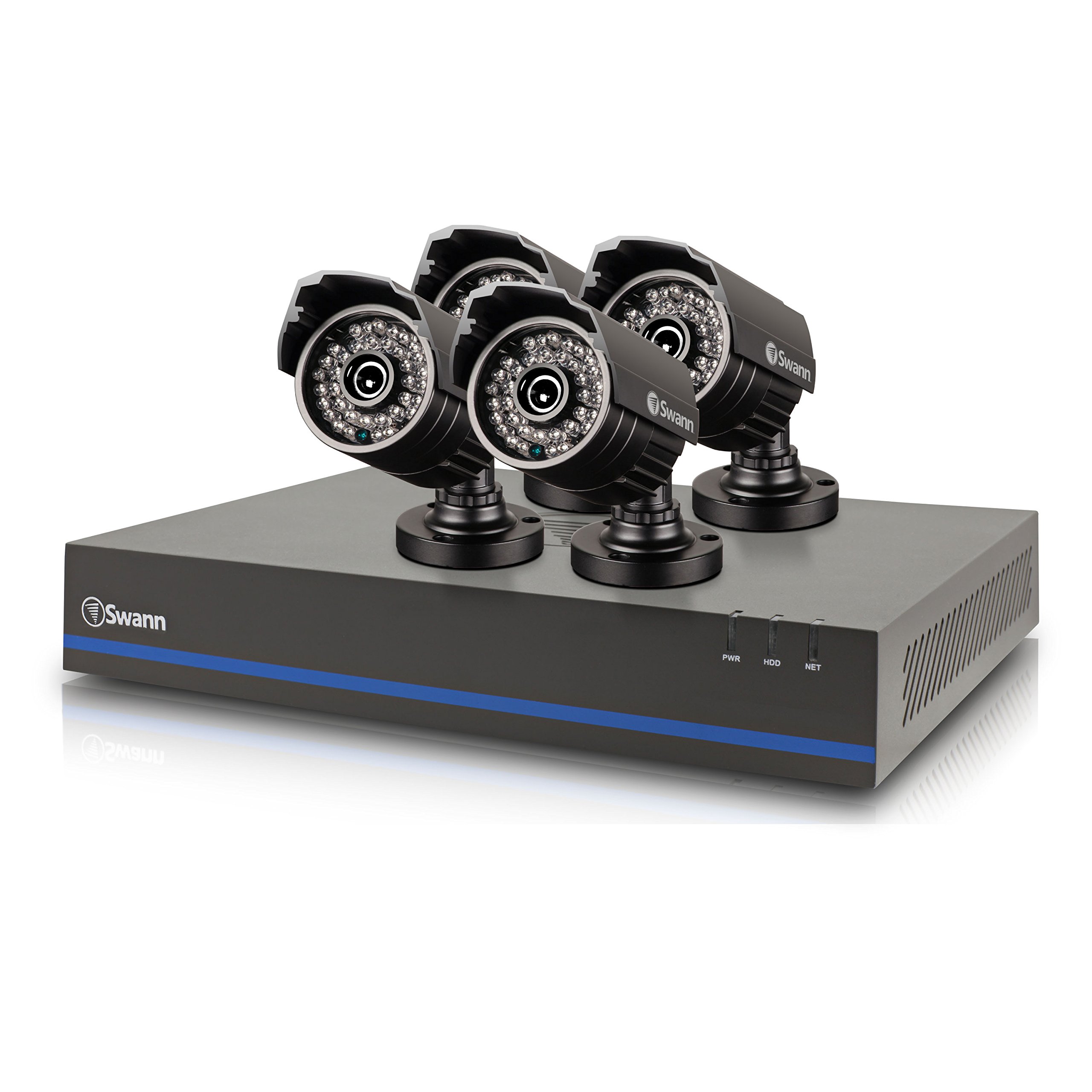
Image 1: Swann 8-Channel DVR (Angled View). This image shows the DVR unit from an angle, highlighting its compact design and front panel indicators.
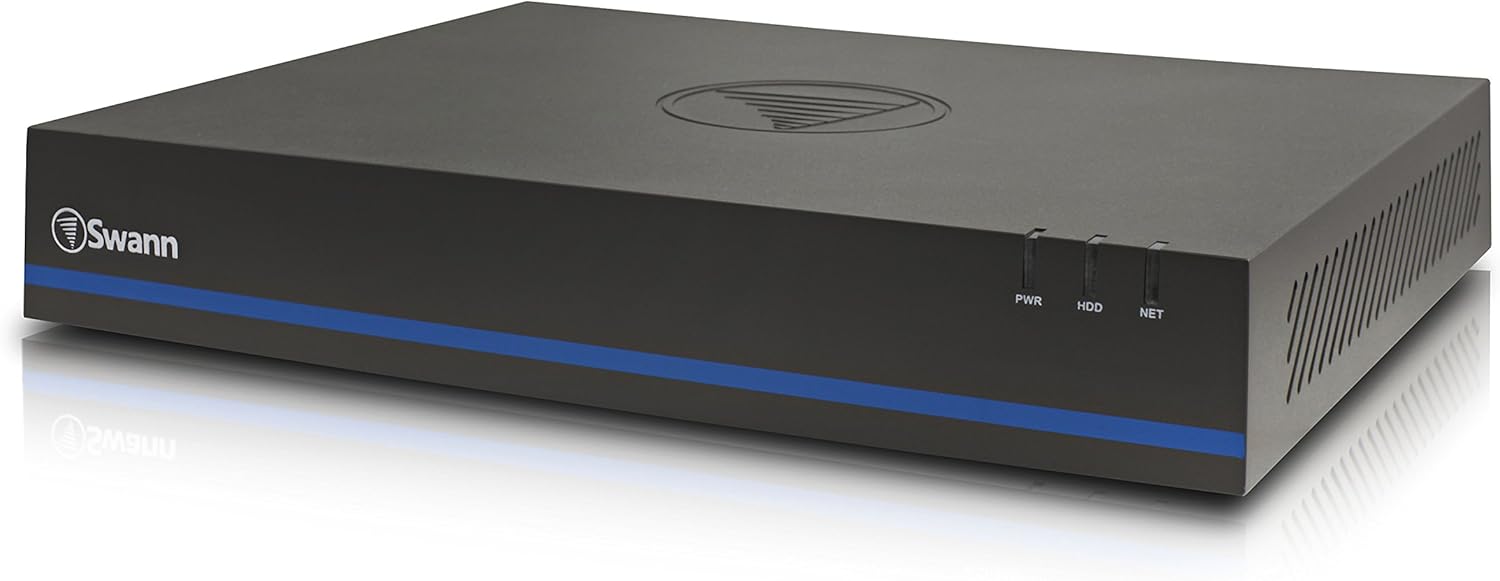
Image 2: Swann 8-Channel DVR (Front View). This image displays the front of the DVR, showing the PWR, HDD, and NET indicator lights.
3.2 Surveillance Cameras
The kit includes four 1080p cameras designed for both indoor and outdoor use. They provide crystal-clear 1920 x 1080 pixel video and are equipped with IR-cut filters for powerful night vision up to 100 feet (30 meters). The cameras have an IP66 weather-resistant rating.
4. Тохиргоо
4.1 Техник хангамж суурилуулах
- Positioning the DVR: Place the DVR in a secure, well-ventilated area, away from direct sunlight and moisture.
- Камеруудыг холбох: Connect each camera to an available video input port on the DVR using the provided video cables. Ensure connections are secure.
- Powering Cameras: Connect the camera power adapters to the cameras and then to a power outlet.
- Connecting to a Monitor: Connect the DVR to a monitor (e.g., HDTV, LCD screen) using the HDMI or VGA cable.
- Хулгана холбох: USB хулганыг DVR дээрх USB порт руу залгаарай.
- Network Connection (Optional but Recommended): Connect an Ethernet cable from the DVR to your router for remote viewчадварууд.
- Powering the DVR: Connect the DVR power adapter to the DVR and then to a power outlet. The DVR will power on automatically.
4.2 Програм хангамжийн анхны тохиргоо
Upon first power-on, the DVR will guide you through an initial setup wizard. Follow the on-screen prompts to:
- Set up a password for the administrator account.
- Огноо, цагийн тохиргоог тохируулна уу.
- Adjust video output resolution.
- Perform a software update if prompted. (Note: Some users have reported needing to manually check for updates.)
- Configure network settings (if connected to a router).
4.3 Гар утасны програмын тохиргоо
Алсын хувьд viewing on your smartphone or tablet (iOS/Android), download the СваннView Дээрээс нь app from your device's app store. (Note: The older SwannView app is not compatible with this system.) Follow the in-app instructions to add your DVR using its unique ID or QR code.
5. Системийг ажиллуулах
5.1 Амьд Viewing
Once the system is set up, you can view амьд footage from all connected cameras on your monitor or via the SwannView Plus mobile app. Use the USB mouse to navigate the DVR's on-screen interface.
5.2 Бичлэг хийх
DVR нь янз бүрийн бичлэгийн горимуудыг дэмждэг:
- Үргэлжлүүлэн бичлэг хийх: Records 24/7, overwriting older footagхатуу диск дүүрсэн үед.
- Хөдөлгөөн илрүүлэх бичлэг: Records only when motion is detected by a camera. Sensitivity and recording schedules can be configured.
- Хуваарьт бичлэг: Өдөр эсвэл долоо хоногийн тодорхой цагуудад тэмдэглэл хөтөлдөг.
Access the DVR's menu to configure recording settings for each camera.
5.3 Тоглуулах
Дахин хэлэхэдview foo бүртгэгдсэнtage:
- Access the DVR's main menu and select the 'Playback' option.
- Choose the date and time range you wish to review.
- Select the camera(s) whose footagчи хүсч байна view.
- Тоглуулах удирдлагыг (тоглуулах, түр зогсоох, хурдан урагшлуулах, ухраах) ашиглан бичлэгийг үзэж болно.tage.
You can also transfer incident video to external storage via USB or network.
5.4 Алсын зайнаас хандах
The SwannView Plus app allows you to:
- View live camera feeds from anywhere with an internet connection.
- Бичсэн фүүг тоглуулахtage.
- Receive push notifications for motion detection events.
Ensure your DVR is connected to the internet and the app is correctly configured.
6. Засвар үйлчилгээ
- Тогтмол цэвэрлэгээ: Keep camera lenses clean for optimal image clarity. Use a soft, damp даавуу.
- DVR агааржуулалт: Ensure the DVR's ventilation openings are clear to prevent overheating.
- Програм хангамжийн шинэчлэлтүүд: Periodically check the Swann support website for firmware updates for your DVR to ensure optimal performance and security.
- Хатуу дискний удирдлага: 1TB хатуу диск нь хамгийн хуучин файлыг автоматаар дарж бичнэtage when full. Back up important footagтогтмол.
7. Алдаа засах
| Асуудал | Боломжит шалтгаан | Шийдэл |
|---|---|---|
| No video on monitor | Кабелийн холболт сул, дэлгэц дээрх оролтын эх үүсвэр буруу, DVR асаалттай биш байна. | HDMI/VGA кабелийн холболтыг шалгана уу. Монитор зөв оролт дээр байгаа эсэхийг шалгаарай. DVR-ийн хүчийг шалгана уу. |
| Алсын удирдлага байхгүй viewing via app | DVR not connected to network, incorrect app (SwannView Link vs. SwannView Plus), network configuration issues. | Ensure DVR is connected to router. Confirm you are using the СваннView Дээрээс нь app. Check DVR network settings. |
| Шөнийн харааны чанар муу | Obstructions in front of camera, camera too far from subject, IR lights blocked. | Clear obstructions. Ensure camera is within 82 feet (25 meters) of the area of interest. |
| DVR making loud humming noise | Normal operation of internal fan/hard drive, poor ventilation. | Ensure adequate ventilation around the DVR. If noise is excessive, contact support. |
| False motion alerts (e.g., from insects) | High motion sensitivity, insects near camera at night. | Adjust motion detection sensitivity in DVR settings. Consider scheduling email alerts to avoid notifications during specific times. |
8. Техникийн үзүүлэлтүүд
- Брэнд: Сванн
- Загварын дугаар: LYSB01LG2GSMY-ELECTRNCS
- Холболтын технологи: Утастай
- Видео бичлэгийн нарийвчлал: 1080p
- Онцлог шинж чанарууд: Хөдөлгөөн мэдрэгч, Шөнийн хараа
- Сувгийн тоо: 8
- Санах ойн хадгалах багтаамж: 1 ТБ (Хатуу диск)
- Эрчим хүчний эх үүсвэр: Утастай цахилгаан
- Хэмжээ (L x W x H): 16.5 x 12.6 x 8.3 инч
- Үйлдлийн системийн нийцтэй байдал: Android, iOS (for mobile app)
- Зөвлөмж болгож буй хэрэглээ: Indoor, Outdoor Surveillance
- Шөнийн үзэгдэл: 82 фут (25 метр) хүртэл
- Viewөнцөг 90 градус
- Барааны жин: 12.8 фунт
- UPC: 840236117031
9. Баталгаат хугацаа ба дэмжлэг
For warranty information and technical support, please refer to the documentation included with your product or visit the official Swann webсайт. Худалдан авалтын баримтаа баталгаат нэхэмжлэлд зориулж худалдан авалтын баталгаа болгон хадгална уу.
Онлайн нөөцүүд:
- Swann Official Webсайт: www.swann.com
- Product Support Page: Refer to the Swann website for specific support pages related to your model.


