1. Танилцуулга
This manual provides comprehensive instructions for the installation, operation, and maintenance of your WiZ Smart LED Ceiling Light, model WZ509089. Please read this manual carefully before using the product to ensure safe and efficient operation. Keep this manual for future reference.
2. Бүтээгдэхүүн дууссанview
The WiZ Smart LED Ceiling Light WZ509089 is a versatile lighting solution offering advanced features for modern homes. It provides 2100 lumens of brightness and a wide spectrum of lighting options, including 64,000 shades of white (from 2200K warm white to 6500K cool white) and 16 million colors. This smart light integrates seamlessly with Wi-Fi networks, allowing control via the WiZ app, remote control, and voice commands through Amazon Alexa or Google Home.
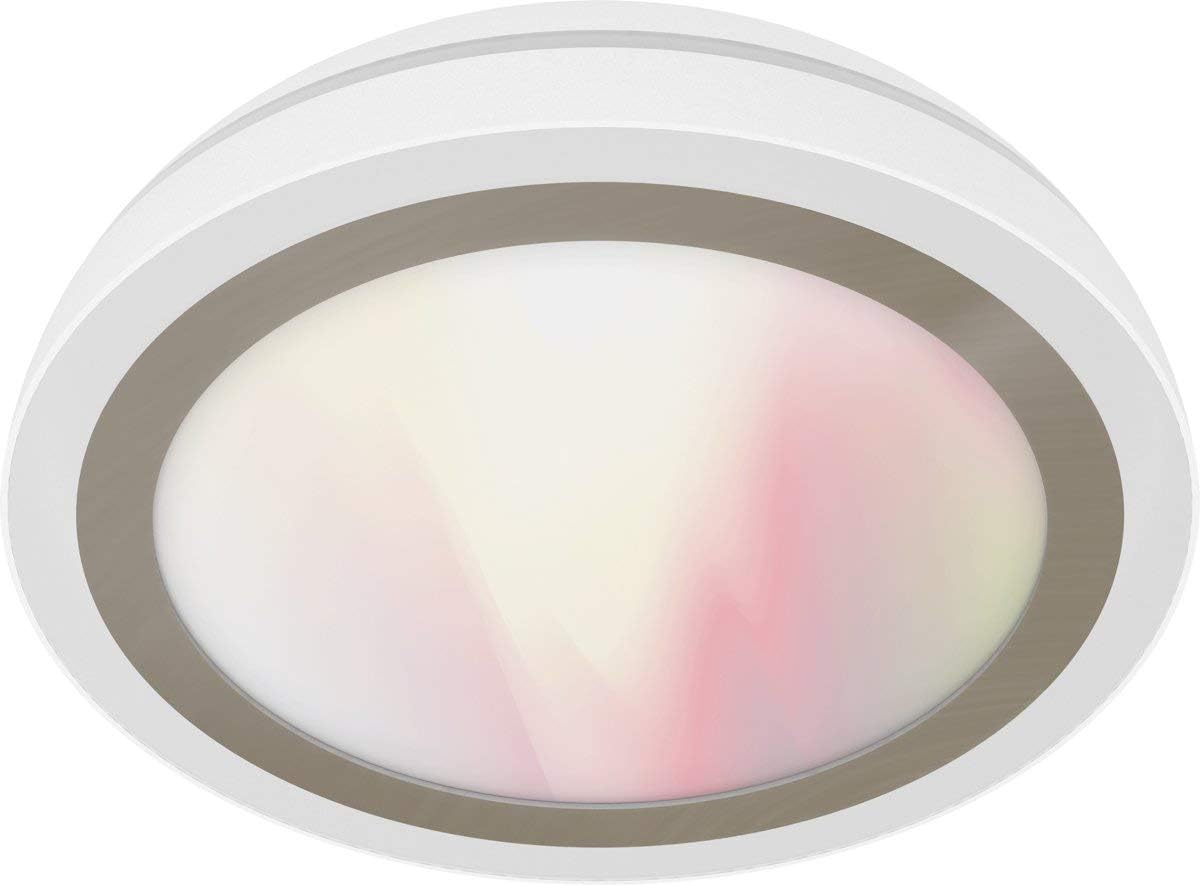
Figure 1: WiZ Smart LED Ceiling Light WZ509089. A white, circular WiZ Smart LED Ceiling Light, model WZ509089, with a translucent diffuser showing a soft gradient of white and pink light.
Гол онцлогууд:
- Бүдэг гэрэлтүүлэг: Гэрэлтүүлгийг 1% -аас 100% хүртэл тохируулна уу.
- Тохируулах боломжтой цагаан: Select from 64,000 shades of white light (2200K-6500K).
- Бүтэн өнгөт спектр: Access 16 million colors for personalized ambiance.
- Ухаалаг хяналт: Wi-Fi enabled for control via WiZ app (iOS/Android), IR remote control, Amazon Alexa, and Google Home.
- Ямар ч төв шаардлагагүй: Таны одоо байгаа Wi-Fi сүлжээнд шууд холбогддог.
- Dynamic Light Modes: Pre-set modes for various activities and moods.
- Хуваарь: Program lighting schedules and presence modes.
3. Тохируулах заавар
3.1. Суурилуулалт
- Эхлээд аюулгүй байдал: Суурилуулалтыг эхлүүлэхийн өмнө таазны бэхэлгээний цахилгаан хангамжийг хэлхээний таслуур дээр унтраасан эсэхийг шалгаарай.
- Баглаа задлах: Carefully remove the WiZ Smart LED Ceiling Light from its packaging.
- Суурилуулалт:
- Attach the mounting bracket to the ceiling junction box using appropriate screws.
- Connect the electrical wires (Live, Neutral, Ground) from the ceiling to the corresponding wires on the light fixture. Ensure connections are secure.
- Гэрлийн бэхэлгээг бэхэлгээний бэхэлгээнд бэхлэнэ.
- Эрчим хүчийг сэргээх: Once installed, restore power at the circuit breaker. The light should turn on, indicating it is ready for pairing.
3.2. Wi-Fi Pairing (WiZ App)
- Апп татаж авах: Download the WiZ app from the Apple App Store or Google Play Store.
- Бүртгэл үүсгэх: Open the app and create a new WiZ account or log in to an existing one.
- Төхөөрөмж нэмэх: Аппликейшнд шинэ төхөөрөмж нэмэхийн тулд "+" дүрс дээр товшино уу.
- Гэрлийн төрлийг сонгох: Choose "Light" and follow the on-screen instructions.
- Хослуулах горим: The light should be blinking, indicating it's in pairing mode. If not, turn the light off and on three times to activate pairing mode.
- Wi-Fi-д холбогдох: The app will guide you to connect the light to your 2.4 GHz Wi-Fi network. Ensure your phone is also connected to the same network during setup.
- Бүрэн тохиргоо: Once connected, you can name your light and assign it to a room.
4. Ашиглалтын заавар
4.1. WiZ App Control
The WiZ app provides full control over your light:
- Асаах/унтраах: Tap the light icon to turn it on or off.
- Гэрэлтүүлэг: Use the slider to adjust brightness levels.
- Color/White Selection: Choose from the color wheel for 16 million colors or the white spectrum for various white shades.
- Горимууд: Select from pre-set dynamic light modes (e.g., Cozy, Focus, Party).
- Хуваарь: Set timers for the light to turn on/off or change modes automatically.
- Эрчим хүчний хяналт: Track energy consumption (if supported by the app version).
4.2. Remote Control (Sold Separately or Included)
If you have a WiZ remote control, you can perform basic functions:
- Асаах/унтраах товч: Toggle power.
- Гэрэл бүдгэрүүлэх товчлуурууд: Гэрэлтүүлгийг нэмэгдүүлэх эсвэл багасгах.
- Үзэгдлийн товчлуурууд: Cycle through pre-set scenes or favorite modes.
4.3. Voice Control (Amazon Alexa / Google Home)
To enable voice control, link your WiZ account with your Amazon Alexa or Google Home app:
- Open Smart Home App: Amazon Alexa програм эсвэл Google Home програмыг нээнэ үү.
- Add Device/Skill:
- For Alexa: Go to "Skills & Games," search for "WiZ," and enable the skill.
- For Google Home: Go to "Set up device," then "Works with Google," and search for "WiZ."
- Бүртгэлийг холбох: Follow the prompts to link your WiZ account.
- Төхөөрөмжүүдийг олж мэдэх: Ask Alexa or Google to "discover devices."
Холбоос үүсгэсний дараа та дараах командуудыг ашиглаж болно:
- "Алекса, [Гэрлийн нэр]-ийг асаагаарай."
- "Hey Google, dim [Light Name] to 50%."
- "Алекса, [Гэрлийн нэр]-ийг цэнхэр болго."
- "Hey Google, change [Light Name] to warm white."
5. Засвар үйлчилгээ
The WiZ Smart LED Ceiling Light WZ509089 requires minimal maintenance.
- Цэвэрлэгээ: Ensure the power is off before cleaning. Use a soft, dry cloth to wipe the surface of the light. Do not use abrasive cleaners or solvents, as they may damage the finish.
- Хэрэглэгчийн засвар үйлчилгээ хийх боломжтой хэсэг байхгүй: The LED components are integrated and not user-replaceable. Do not attempt to open or repair the fixture.
- Програм хангамжийн шинэчлэлтүүд: Keep your WiZ app updated to ensure you have the latest features and security enhancements. The light's firmware may also update automatically via the app.
6. Алдаа засах
| Асуудал | Боломжит шалтгаан | Шийдэл |
|---|---|---|
| Гэрэл асдаггүй. | Цахилгаан хангамж байхгүй; утас суларсан; холболт эвдэрсэн. | Check circuit breaker. Verify wiring connections. Contact customer support if issue persists. |
| Wi-Fi-д холбогдох боломжгүй байна. | Incorrect Wi-Fi password; 5GHz network; light too far from router; light not in pairing mode. | Ensure 2.4GHz Wi-Fi. Re-enter password. Move light closer to router. Cycle power (off/on 3 times) to enter pairing mode. |
| Алсын удирдлага ажиллахгүй байна. | Batteries dead; remote not paired. | Replace batteries. Follow remote pairing instructions (refer to remote's manual). |
| Дуут удирдлага хариу өгөхгүй байна. | WiZ account not linked; device not discovered; internet connection issue. | Verify WiZ skill/service is enabled and linked in Alexa/Google Home app. Ask to "discover devices." Check internet connection. |
7. Бүтээгдэхүүний техникийн үзүүлэлтүүд
| Онцлог | Дэлгэрэнгүй |
|---|---|
| Брэнд | WiZ |
| Загварын дугаар | WZ509089 |
| Үйлдвэрлэгч | Жеди |
| Гэрлийн эх үүсвэрийн төрөл | LED |
| Гэрлийн урсгал | 2100 lumens (as per product title) |
| Өнгөний температур | 2200K - 6500K (64,000 white shades) + 16 million colors |
| Ватtage | 100 ватт |
| Улайсгасан эквивалент | 130 ватт |
| Ботьtage | 230 вольт |
| Материал | Акрил |
| Өнгө | Цагаан |
| Бүтээгдэхүүний хэмжээс | 17 x 17 x 9 см |
| Зүйлийн жин | 1874 грамм (1.87 кг) |
| Хяналтын арга | WiZ App, Remote Control, Voice (Alexa, Google Home) |
| Холболт | Wi-Fi (2.4GHz) |
| Талбайн гэрэлтүүлгийн ангилал | IP00 |
| CRI | 85 |
8. Баталгаат хугацаа ба дэмжлэг
8.1. Баталгаат хугацааны мэдээлэл
WiZ products are designed for reliability and performance. For specific warranty terms and conditions, please refer to the warranty card included with your product or visit the official WiZ webсайт. Баталгаат нэхэмжлэл гаргахын тулд худалдан авалтаа нотлох баримтаа хадгалаарай.
8.2. Хэрэглэгчийн дэмжлэг
If you encounter any issues not covered in this manual or require further assistance, please contact WiZ customer support. You can typically find contact information on the WiZ website or within the WiZ app.
- Онлайн дэмжлэг: зочилно уу www.wizconnected.com/support (жишээ ньampхолбоос, бодит холбоос өөр байж болно).
- Апп доторх дэмжлэг: Access support options directly through the WiZ app.