1. Бүтээгдэхүүн дууссанview
The ZOTAC GeForce GTX 1080 Mini is a high-performance graphics card designed for gaming and VR applications. It features NVIDIA Pascal architecture, 8GB GDDR5X memory, and a compact design suitable for smaller PC builds. This manual provides essential information for the installation, operation, and maintenance of your graphics card.
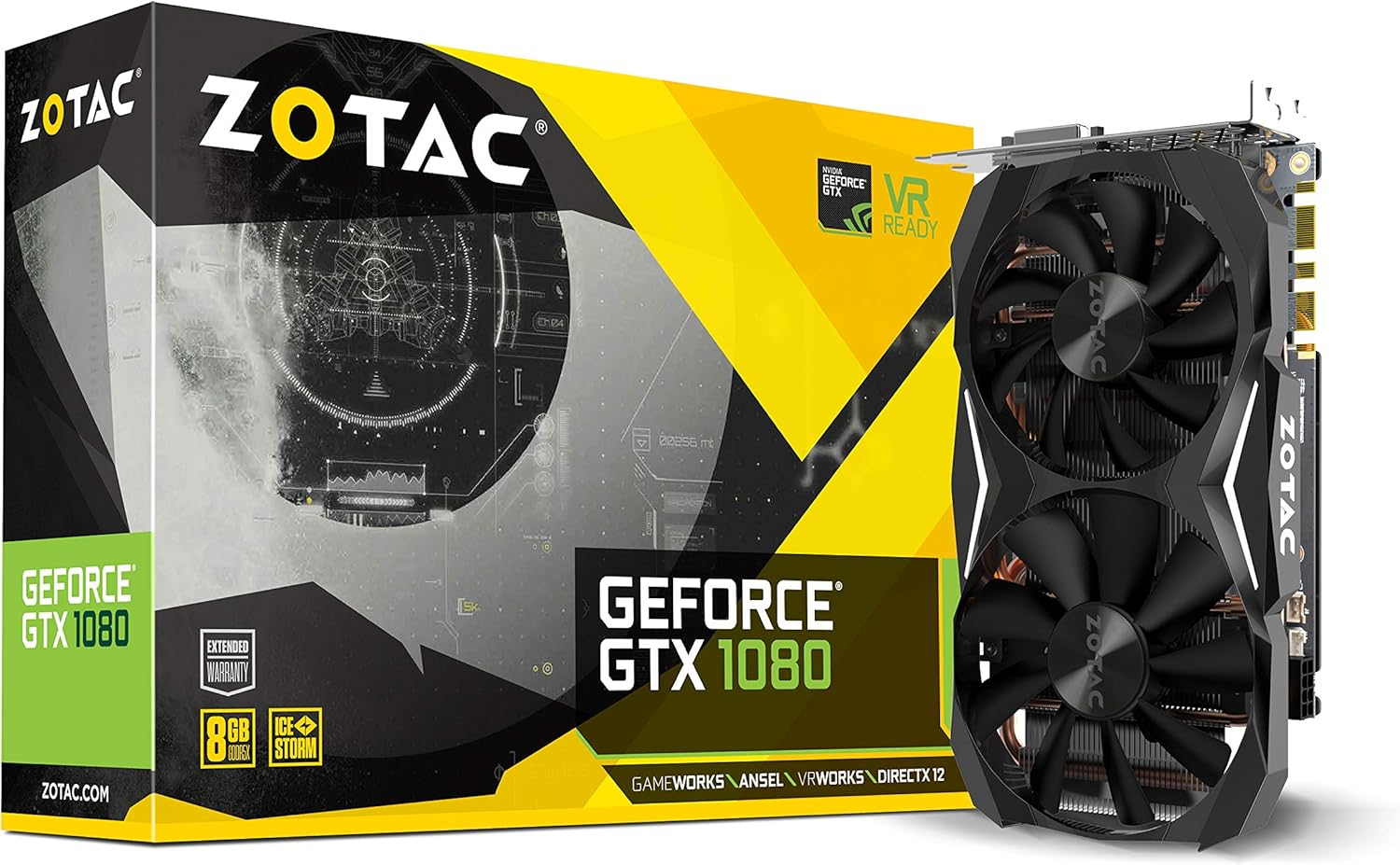
Figure 1: ZOTAC GeForce GTX 1080 Mini Graphics Card, front view with dual fans.
2. Хайрцагт юу байна
Суулгацыг үргэлжлүүлэхийн өмнө бүх бүрэлдэхүүн хэсгүүд байгаа эсэхийг шалгана уу:
- ZOTAC GeForce GTX 1080 Mini Graphics Card
- 2 x Dual 6-pin to 8-pin power cable
- Хэрэглэгчийн гарын авлага
- Жолоочийн диск
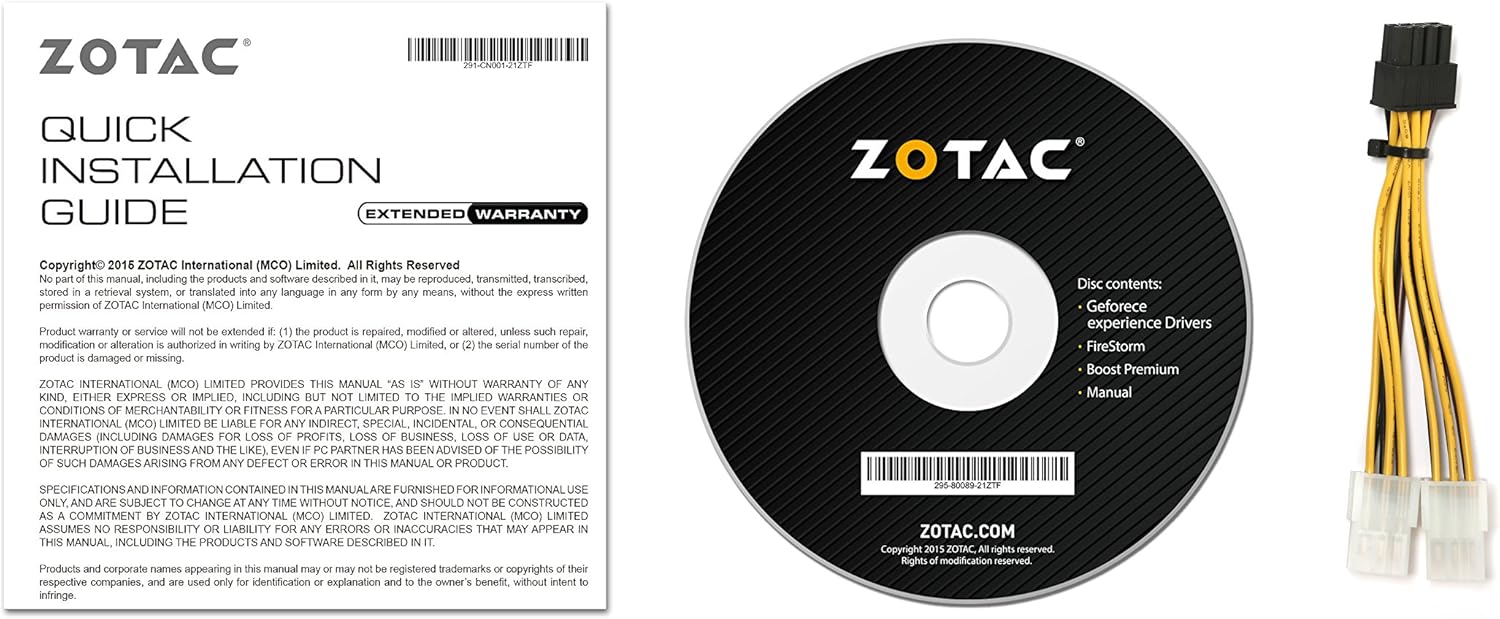
Зураг 2: Дагалдах хэрэгсэл болон баримт бичиг.
3. Тохиргоо ба суурилуулалт
Before installing the graphics card, ensure your computer is powered off and unplugged from the wall outlet. It is recommended to wear an anti-static wrist strap to prevent damage from electrostatic discharge.
3.1 Системийн шаардлага
- Нэг хо -р өргөн x16 график үүр бүхий PCI Express-тэй нийцсэн эх хавтан.
- Minimum 500 watt power supply recommended.
- 180 watt minimum power consumption.
- 8-pin PCI Express power connectors (use included adapter if necessary).
- Microsoft Windows 10/8/7 x86/x64.
3.2 Физик суурилуулалт
- Компьютерийнхээ гэрийг нээ.
- Эх хавтан дээрээ байгаа PCI Express x16 үүрийг олоорой.
- Remove any expansion slot covers that correspond to the graphics card's size.
- Carefully align the graphics card with the PCI Express slot and press firmly until it is securely seated.
- Secure the graphics card to the chassis with the appropriate screws.
- Connect the 8-pin PCI Express power connector(s) from your power supply to the graphics card. Use the provided dual 6-pin to 8-pin adapter if your power supply only has 6-pin connectors.
- Компьютерийнхаа хайрцгийг хаа.

Figure 3: Graphics card display outputs (3x DisplayPort 1.4, 1x HDMI 2.0b, 1x Dual-Link DVI).
3.3 Драйвер суурилуулах
- Connect your display to one of the graphics card's output ports.
- Компьютерээ асаана уу.
- Insert the included driver disc into your optical drive and follow the on-screen instructions. Alternatively, download the latest drivers from the official ZOTAC website or NVIDIA webоновчтой гүйцэтгэл, нийцтэй сайт.
- Драйвер суулгаж дууссаны дараа компьютерээ дахин эхлүүлнэ үү.
4. График картаа ажиллуулах
The ZOTAC GeForce GTX 1080 Mini is equipped with advanced NVIDIA technologies to enhance your gaming and visual experience.
4.1 Гол онцлогууд
- NVIDIA Pascal Architecture: Delivers superior performance and power efficiency.
- 8GB GDDR5X санах ой: хангадаг ample memory for high-resolution gaming and demanding applications.
- VR бэлэн: Optimized for virtual reality experiences.
- NVIDIA GameWorks Technology: Delivers interactive and cinematic experiences.
- NVIDIA VRWorks Technology: Enables next-generation VR performance, low latency, and plug-and-play compatibility.
- NVIDIA G-Sync Ready: Synchronizes display refresh rates to the GPU for smooth, tear-free gaming.
- NVIDIA Ansel Technology: A revolutionary way to capture in-game screenshots.
- NVIDIA SLI Ready: Allows for multi-GPU configurations for increased performance (requires compatible motherboard and additional card).
- 4K Gaming Support: Capable of delivering high-resolution gaming experiences.
- Олон дэлгэцийн дэмжлэг: 4 хүртэлх дэлгэцийг нэгэн зэрэг дэмждэг.
4.2 Software Utility (FireStorm)
The ZOTAC FireStorm software utility provides an intuitive interface for monitoring and tuning your graphics card. It allows for fan speed control, clock speed adjustments, and LED lighting customization.
Video 1: Official ZOTAC overview of the GeForce GTX 1080 Mini, highlighting key features and the FireStorm software.
5. Засвар үйлчилгээ
Тохиромжтой засвар үйлчилгээ нь таны график картын урт наслалт, оновчтой гүйцэтгэлийг баталгаажуулдаг.
- Драйверуудыг шинэчилж байгаарай: Regularly check the ZOTAC or NVIDIA website for the latest graphics drivers to ensure compatibility and performance improvements.
- Тогтмол цэвэрлэх: Use compressed air to gently remove dust from the fans and heatsink fins. Ensure the computer is powered off and unplugged before cleaning.
- Температурыг хянах: Use monitoring software (like ZOTAC FireStorm) to keep an eye on the GPU temperature, especially during heavy loads, to prevent overheating.

Зураг 4: Дээд тал view of the graphics card, showing the dual fan cooling system.
6. Алдаа засах
Хэрэв та график карттай холбоотой асуудалтай тулгарвал дараах нийтлэг алдааг олж засварлах алхмуудыг үзнэ үү.
- Дэлгэцийн гаралт байхгүй:
- Хяналтын кабелийг график карт болон дэлгэцтэй найдвартай холбосон эсэхийг шалгаарай.
- Verify the graphics card is properly seated in the PCI Express slot.
- Check that all necessary power connectors are attached to the graphics card.
- Боломжтой бол өөр дэлгэцийн кабель эсвэл монитороор туршиж үзээрэй.
- Системийн тогтворгүй байдал эсвэл гацалт:
- Ensure graphics drivers are up-to-date.
- Хэт халахгүйн тулд GPU-ийн температурыг хянаж байгаарай.
- Цахилгаан хангамжийнхаа хамгийн бага ватттай тэнцэж байгаа эсэхийг шалгана ууtage шаардлага.
- Тоглоомын гүйцэтгэл муу:
- Ensure graphics drivers are up-to-date.
- Тоглоомын доторх графикийн тохиргоог шалгаж, шаардлагатай бол бууруул.
- Шаардлагагүй дэвсгэр програмуудыг хаа.
- Monitor GPU and CPU usage to identify potential bottlenecks.
7. Техникийн үзүүлэлтүүд
| Онцлог | Дэлгэрэнгүй |
|---|---|
| График процессор | NVIDIA GeForce GTX 1080 |
| CUDA цөм | 2560 |
| Видео санах ой | 8 ГБ GDDR5X |
| Санах ойн автобус | 256-бит |
| Engine Clock (Base) | 1620 МГц |
| Engine Clock (Boost) | 1759 МГц |
| Санах ойн цаг | 10 GHz |
| PCI Express | 3.0 |
| Гаралтыг харуулах | 3 x DisplayPort 1.4, 1 x HDMI 2.0b, 1 x Dual-Link DVI |
| Хамгийн их дэлгэцийн нягтрал | 3840х2160 |
| Олон дэлгэцийн дэмжлэг | Нэг зэрэг дөрвөн дэлгэц үзүүлэх боломжтой |
| Эрчим хүчний холбогч | 8-pin PCI Express |
| Санал болгож буй PSU | Minimum 500W |
| Эрчим хүчний хэрэглээ | 180W (minimum) |
| Хэмжээ (LxWxH) | 8.3 x 1.61 x 4.92 инч |
| Зүйлийн жин | 1 фунт |
8. Баталгаат хугацаа ба дэмжлэг
An extended warranty is included with every ZOTAC graphics card purchase. User registration is required on the official ZOTAC website to activate the extended warranty.
For technical support, driver downloads, or further product information, please visit the official ZOTAC webсайт: www.zotac.com


