1. Танилцуулга
The Bittium Tough Mobile is a high-security, robust 4G/LTE smartphone designed for demanding professional use. It integrates advanced security features with the Android operating system, making it suitable for government agencies, public safety, and other professionals requiring secure and reliable communication.
This manual provides comprehensive instructions for setting up, operating, maintaining, and troubleshooting your Bittium Tough Mobile device.
2. Хайрцагт юу байна
Upon unboxing your Bittium Tough Mobile, verify that all components are present:
- 1 x Bittium Tough Mobile Smartphone
- 1 х батерей
- 1 x Battery Door Cover
- 1 x Wired Stereo Head Set
- 1 x PC Connecting Cable
- 2 x Mains / Wall / Travel Chargers
- 1 x Documentation (User Manual, Quick Start Guide)
- 1 x Interior Retail Packing
- 1 x Retail Box with IMEI Numbers

Зураг 2.1: Contents of the Bittium Tough Mobile retail box, including the phone, battery, chargers, cables, headset, and documentation.
3. Бүтээгдэхүүн дууссанview
3.1 Front and Back Views

Зураг 3.1: Урд view of the Bittium Tough Mobile smartphone, showing the display with Google services and standard Android icons.
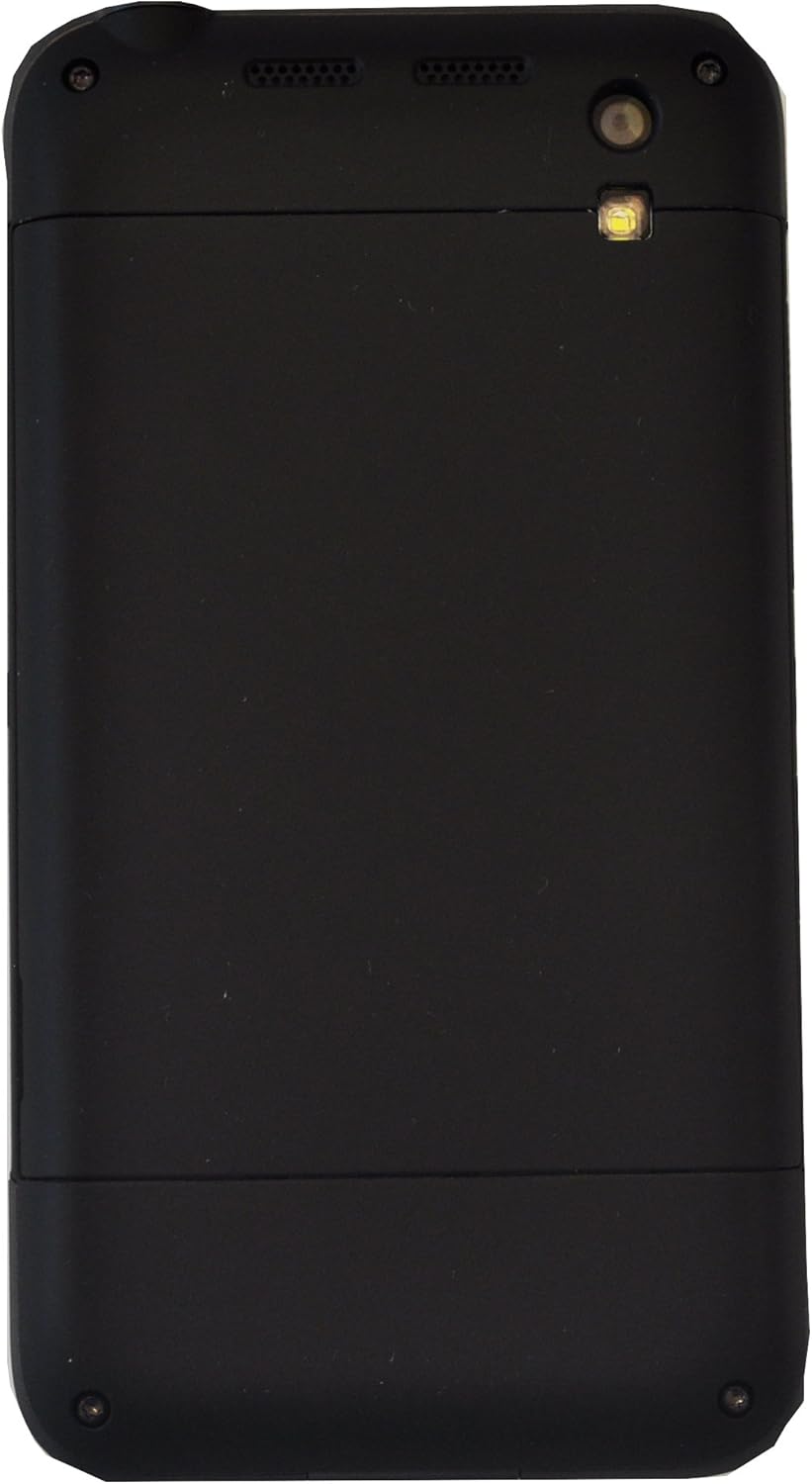
Зураг 3.2: Буцах view of the Bittium Tough Mobile smartphone, featuring a plain black design with the camera lens and LED flash visible at the top.
3.2 Device Components and Ports

Зураг 3.3: Хажуу тал view of the Bittium Tough Mobile, highlighting key components such as the earpiece, front camera, speakers, rear camera, LED flash, volume keys, and a programmable button.

Зураг 3.4: Дээд ба доод views of the Bittium Tough Mobile, indicating the locations of microphones, the USB3 connector, charging pins, the power key, and the headset connector.
4. Тохиргоо
4.1 SIM карт болон зайг оруулах
- Carefully remove the battery door cover from the back of the device.
- Insert your Micro-SIM card(s) into the designated slot(s). Ensure the SIM card is oriented correctly as indicated on the device. The Bittium Tough Mobile supports Dual-SIM functionality.
- Алтан контактуудыг тэгшлээд зайгаа тасалгаанд хийнэ.
- Replace the battery door cover, ensuring it clicks securely into place.
4.2 Анхдагч асаалт ба тохиргооны шидтэн
- Press and hold the Power Key (refer to Figure 3.4) until the Bittium logo appears on the screen.
- Follow the on-screen instructions to complete the initial setup wizard. This includes selecting your language, connecting to a Wi-Fi network, and setting up your Google account.
- For optimal security, ensure you set up a strong screen lock (PIN, pattern, or password) during this process.
5. Төхөөрөмжөө ажиллуулах
5.1 Сүлжээний нийцтэй байдал
The Bittium Tough Mobile is a factory unlocked GSM-only device. It is compatible with the following network frequencies:
- 2G GSM: 850 / 900 / 1800 / 1900 MHz
- 3G: 850(B5) / 900(B8) / 1700(B4) / 1900(B2) / 2100(B1) MHz
- 4G LTE: 700(B13) / 700(B14) / 700(B17) / 800(B20) / 850(B5) / 1700(B4) / 1800(B3) / 1900(B2) / 2600(B7) MHz
Important: This phone WILL NOT WORK with any CDMA Networks such as VERIZON, SPRINT, US CELLULAR. Please verify compatibility with your network provider before use.
5.2 Үндсэн функцууд
- Асаах/унтраах: Press and hold the Power Key. Select "Power off" from the options.
- Дууны хяналт: Use the Volume Keys (refer to Figure 3.3) to adjust media, call, and alarm volumes.
- Дэлгэцийн түгжээ/түгжээг тайлах: Briefly press the Power Key to turn the screen on or off. Swipe up or enter your security credentials to unlock.
- Дуудлага хийх: Open the Phone app, dial the number, and press the call icon.
- Мессеж илгээх: Open the Messages app, start a new conversation, enter recipient and message, then send.
- Wi-Fi-д холбогдож байна: Go to Settings > Network & internet > Wi-Fi. Select your desired network and enter the password if required.
- Блютүүт хослуулах: Go to Settings > Connected devices > Bluetooth. Turn on Bluetooth and select the device you wish to pair with.
6. Засвар үйлчилгээ
6.1 Төхөөрөмжөө цэвэрлэх
To clean your Bittium Tough Mobile, use a soft, lint-free cloth. For stubborn marks, slightly dampen the cloth with water. Avoid using harsh chemicals, abrasive cleaners, or aerosol sprays, as these can damage the device's finish and internal components.
The device has an IP67 rating, meaning it is dust tight and can withstand immersion in 1 meter of water for up to 30 minutes. However, it is not recommended for intentional submersion or use in extreme water conditions. Ensure all ports are dry before charging.
6.2 Батерейны арчилгаа
- Use only the original Bittium charger and battery provided with your device.
- Батерейг хэт өндөр температурт (халуун эсвэл хүйтэн) өртүүлэхээс зайлсхий.
- Зайг цоолох, задлах, богино холболт үүсгэж болохгүй.
- If the battery appears damaged or swollen, discontinue use immediately and dispose of it properly according to local regulations.
6.3 Програм хангамжийн шинэчлэлтүүд
Regularly check for and install software updates to ensure your device has the latest security patches and features. Go to Settings > System > System update to check for available updates.
7. Алдаа засах
| Асуудал | Боломжит шалтгаан | Шийдэл |
|---|---|---|
| Төхөөрөмж асахгүй байна. | Батерей дууссан эсвэл зөв оруулаагүй байна. | Charge the device for at least 30 minutes. Ensure the battery is correctly seated. |
| Сүлжээнд холбогдох боломжгүй байна. | Incorrect SIM card insertion, out of network coverage, or incompatible network. | Re-insert SIM card. Move to an area with better signal. Verify network compatibility (GSM only). |
| Дэлгэц хариу өгөхгүй байна. | Програм хангамжийн түр зуурын алдаа. | Perform a forced restart by holding the Power Key for approximately 10-15 seconds. |
| Батерей хурдан дуусдаг. | Too many apps running in background, high screen brightness, or poor signal. | Close unused apps. Reduce screen brightness. Disable Wi-Fi/Bluetooth when not in use. |
If you encounter issues not listed here or if the suggested solutions do not resolve your problem, please contact Bittium customer support.
8. Техникийн үзүүлэлтүүд
| Онцлог | Дэлгэрэнгүй |
|---|---|
| Загварын нэр | Bittium Tough Mobile |
| Үйлдлийн систем | Google Android |
| Дэлгэц | 5 Inches Full HD LCD (1920 x 1080 resolution) |
| Санах ой (RAM) | 2 GB LPDDR3 PoP |
| Storage (Internal) | 32 ГБ eMMC |
| Хэмжээ (HxWxD) | 141 мм x 75.5 мм x 13.5 мм |
| Жин | 180 грамм (6.3 унц) |
| Утасгүй технологи | Wi-Fi 802.11 a/b/g/n/ac, Bluetooth 4.0, NFC |
| Үүрэн холбооны технологи | LTE (GSM Only, Dual-SIM) |
| Бат бөх байдлын үнэлгээ | IP67, MIL-STD-810G |
| Аудио залгуур | Чихэвчний залгуур байхгүй |
| Өнгө | Хар |
9. Баталгаат хугацаа ба дэмжлэг
For warranty information, please refer to the documentation included in your product packaging or visit the official Bittium website. Bittium provides support for its products to ensure optimal performance and user satisfaction.
If you require technical assistance, have questions about your device, or need to report an issue, please contact Bittium customer support through their official channels. Details for support can typically be found on the Bittium webсайт эсвэл хавсаргасан баримт бичигт.


