Танилцуулга
This manual provides instructions for the installation, operation, maintenance, and troubleshooting of the TP-Link EAP110-Outdoor N300 Wireless Outdoor Access Point. The EAP110-Outdoor is designed to provide stable wireless coverage in outdoor environments, featuring high transmission power and high-gain omnidirectional antennas for a range of up to 200 meters. It is IP65 waterproof, making it suitable for various outdoor applications.
Багцын агуулга
Verify that all items listed below are included in your package. If any item is missing or damaged, please contact your retailer.
- 300Mbps Wireless N Outdoor Access Point (EAP110-Outdoor)
- Идэвхгүй PoE адаптер
- Цахилгааны утас
- Суулгах иж бүрдэл
- Ус нэвтэрдэггүй резинэн оруулга
- Waterproof Antennas
- Суулгах гарын авлага
Бүтээгдэхүүн дууссанview
The EAP110-Outdoor is a robust outdoor access point designed for reliable Wi-Fi connectivity. Familiarize yourself with its components.

Зураг: урд ба хажуу view of the EAP110-Outdoor Access Point, showing its two detachable omnidirectional antennas and the TP-Link logo.
The bottom panel of the device houses the Ethernet port and a reset button, protected by a waterproof cover.
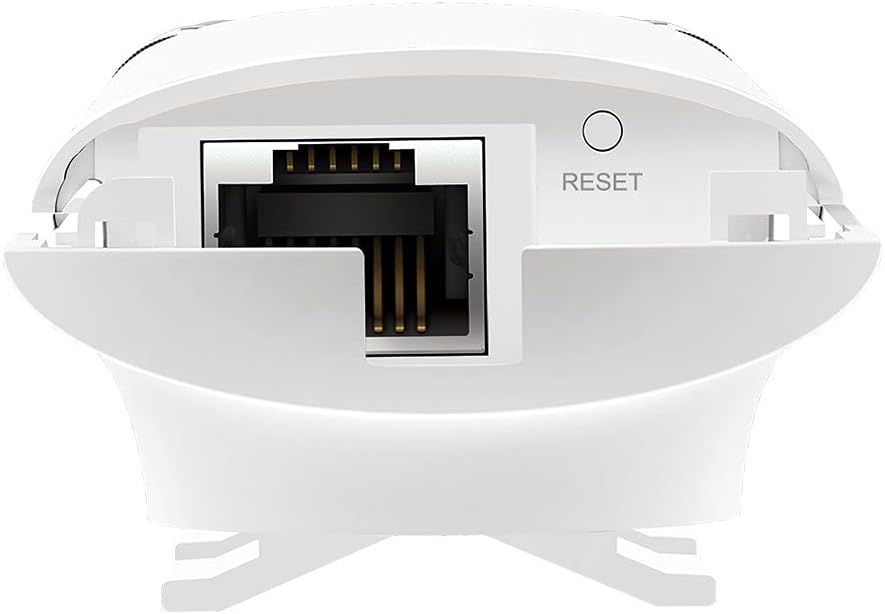
Image: Close-up of the bottom of the EAP110-Outdoor, revealing the Ethernet port and the recessed reset button.
Тохиргоо ба суурилуулалт
The EAP110-Outdoor supports flexible deployment options, including pole and wall mounting. It uses Passive Power over Ethernet (PoE) for power and data transmission through a single Ethernet cable.
Физик суурилуулалт
- Суурилуулалт: Use the provided mounting kits to secure the EAP110-Outdoor to a pole or wall in your desired outdoor location. Ensure the device is positioned for optimal signal coverage.
- Антенны хавсралт: Securely attach the two waterproof omnidirectional antennas to the connectors on the device.
- PoE холболт: Connect an Ethernet cable from your network router or switch to the "LAN" port on the Passive PoE Adapter. Then, connect another Ethernet cable from the "PoE" port on the adapter to the Ethernet port on the EAP110-Outdoor.
- Асааж байна: Цахилгааны утсыг идэвхгүй PoE адаптерт, дараа нь цахилгааны залгуурт залгана уу. Төхөөрөмж автоматаар асна.
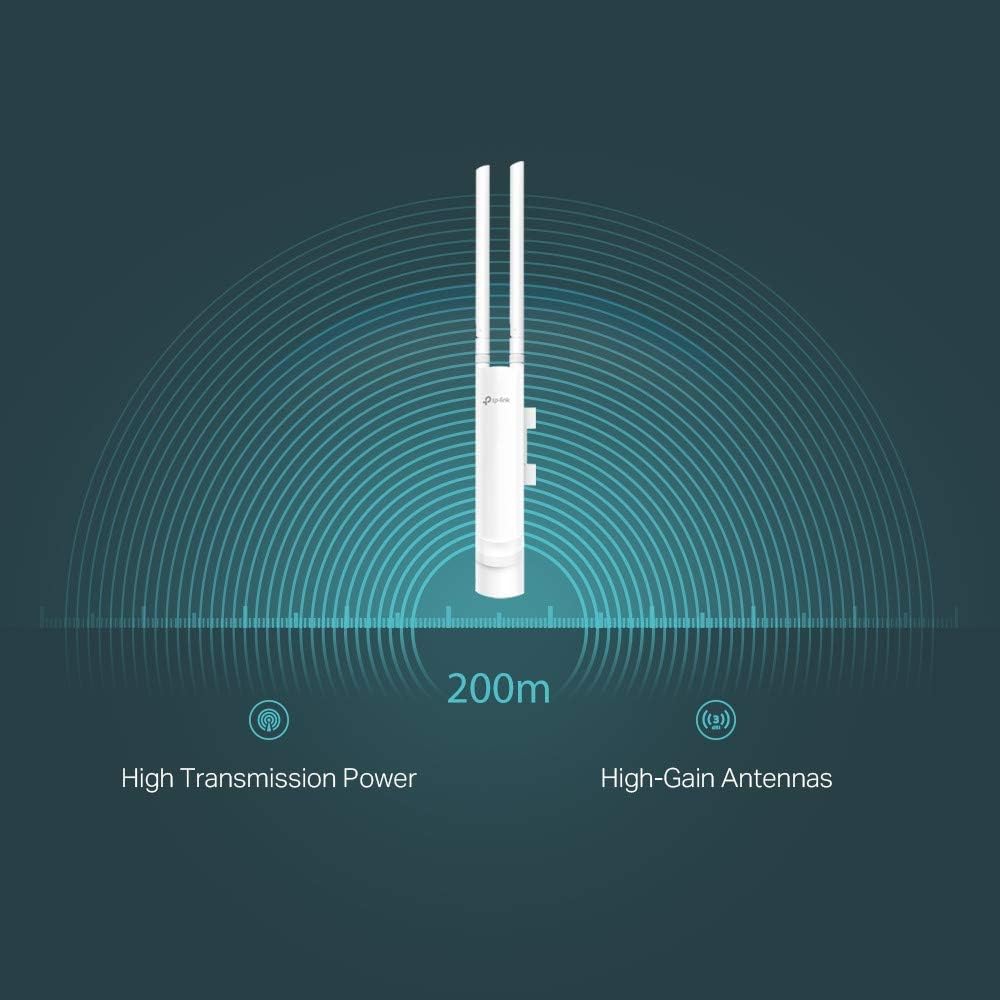
Image: The EAP110-Outdoor Access Point securely mounted on an outdoor pole, demonstrating a typical installation scenario.
Анхны тохиргоо
The EAP110-Outdoor is managed using the free TP-Link Omada Controller Software (formerly Auranet Controller). Download the software from the TP-Link website and follow the on-screen instructions to discover and configure your access point. This software allows for centralized management of multiple EAPs.
- Set up Wi-Fi network names (SSIDs) and passwords.
- Configure security settings (WPA/WPA2-Enterprise, 802.1X).
- Manage client access and bandwidth limits.
- Utilize the captive portal for guest authentication.
Хандалтын цэгийг ажиллуулах
Once configured, the EAP110-Outdoor will broadcast your Wi-Fi network. Devices within range can connect using the configured SSID and password.
- Утасгүй сүлжээний хамрах хүрээ: The device provides stable wireless coverage up to 200 meters in outdoor settings, thanks to its high transmission power and high-gain antennas.
- Хурд: Supports up to 300Mbps Wi-Fi with 2x2 MIMO technology.
- Аюулгүй байдал: Features WPA/WPA2-Enterprise, 802.1X with RADIUS secure authentication, and rogue access point detection for enhanced network security.
- Зочин сүлжээ: The captive portal feature allows for a convenient and secure method for guest authentication.
- Bandwidth Management: Rate limits can be applied per SSID to restrict the bandwidth of individual clients.

Image: A graphical representation showing the EAP110-Outdoor broadcasting a wireless signal with a range of 200 meters, highlighting its high transmission power and high-gain antennas.
Засвар үйлчилгээ
Тогтмол засвар үйлчилгээ нь таны EAP110-Outdoor-ийн оновчтой ажиллагаа, удаан эдэлгээг хангана.
- Цэвэрлэгээ: Төхөөрөмжийн гадна талыг зөөлөн, хуурай даавуугаар үе үе цэвэрлэж байгаарай. Шингэн цэвэрлэгч эсвэл аэрозоль хэрэглэж болохгүй.
- Програм хангамжийн шинэчлэлтүүд: TP-Link-ийн албан ёсны хэрэглэгчийг шалгана уу website regularly for firmware updates. Keeping the firmware updated ensures you have the latest features, security patches, and performance improvements. Firmware updates are typically managed through the Omada Controller Software.
- Байгаль орчны шалгалт: Ensure the device remains securely mounted and that all cable connections are tight and free from damage, especially after severe weather conditions.
Алдааг олж засварлах
If you encounter issues with your EAP110-Outdoor, refer to the following common troubleshooting steps.
- Эрчим хүчгүй:
- Ensure the Passive PoE Adapter is correctly connected to a working power outlet.
- Verify that the Ethernet cables are securely connected between the adapter and the EAP.
- Wi-Fi дохио байхгүй эсвэл муу гүйцэтгэл:
- Check the status LED on the EAP. Refer to the Installation Guide for LED indications.
- Ensure the EAP is within range of your client devices and free from major obstructions.
- Verify that the EAP is properly configured via the Omada Controller Software.
- Consider potential interference from other wireless devices.
- Ethernet кабель гэмтсэн эсэхийг шалгана уу.
- Omada Controller руу нэвтрэх боломжгүй:
- Ensure your computer is on the same network as the EAP and the Omada Controller software is running.
- Компьютер дээрээ галт ханын тохиргоог шалгана уу.
- Төхөөрөмжийг дахин тохируулах: If the device is unresponsive or you need to restore factory default settings, use a paperclip to press and hold the recessed Reset button on the bottom of the device for approximately 10 seconds until the LED behavior changes.
Үзүүлэлтүүд
Key technical specifications for the TP-Link EAP110-Outdoor Access Point.
| Брэнд | TP-Link |
| Загварын нэр | EAP110-Гадна |
| Утасгүй төрөл | 802.11b, 802.11g, 802.11n |
| Давтамжийн зурвасын ангилал | Нэг зурваст (2.4 GHz) |
| Холболтын технологи | Ethernet (Passive PoE) |
| Зүйлийн жин | 12.6 унц (ойролцоогоор 357 грамм) |
| Бүтээгдэхүүний хэмжээ (LxWxH) | 8.23 x 3.74 x 1.68 инч (ойролцоогоор 209 x 95 x 43 мм) |
| Ботьtage | 24 Volts (via Passive PoE Adapter) |
| Үйлдлийн системийн нийцтэй байдал | Windows 10, Windows Vista, Windows XP (for Omada Controller) |
| Зөвлөмж болгож буй хэрэглээ | Outdoor/Garden Wireless |
| Усны хамгаалалттай үнэлгээ | IP65 |
Баталгаат болон дэмжлэг
TP-Link нь бүтээгдэхүүндээ иж бүрэн дэмжлэг үзүүлдэг.
- Баталгаат хугацаа: The EAP110-Outdoor comes with an industry-leading 2-year warranty.
- Техникийн дэмжлэг: Unlimited 24/7 technical support is available. For assistance, please visit the official TP-Link support webсайт: www.tp-link.com/support