1. Танилцуулга
This user manual provides detailed instructions for the Logitech G533 Wireless 7.1 Dolby Surround Gaming Headset. It covers essential information regarding product features, setup, operation, maintenance, and troubleshooting to ensure optimal performance and longevity of your device. Please read this manual thoroughly before using your headset.
2. Багцын агуулга
Доор жагсаасан бүх зүйл таны багцад байгаа эсэхийг шалгаарай.
- Logitech G533 утасгүй тоглоомын чихэвч
- USB утасгүй адаптер
- USB цэнэглэгч кабель
- Хэрэглэгчийн баримт бичиг (энэ гарын авлага)
3. Бүтээгдэхүүн дууссанview
The Logitech G533 Wireless Gaming Headset is designed for immersive gaming audio with 7.1 Dolby Surround Sound and Pro-G audio drivers. It features a lightweight, durable design with breathable ear pads for extended comfort.

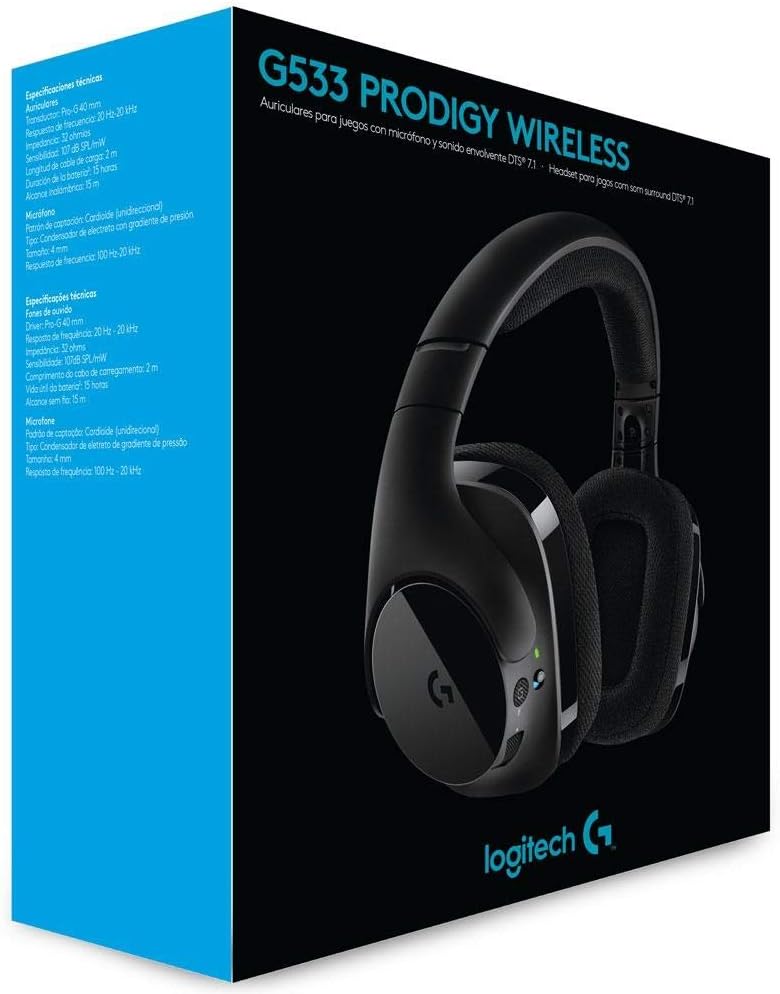
Зураг 1: Logitech G533 Wireless Gaming Headset. This image shows the overall design of the headset, highlighting its sleek black finish and comfortable earcups.
3.1 Чихэвчний бүрэлдэхүүн хэсгүүд
- Тохируулах боломжтой толгойн тууз: Тав тухтай суухын тулд.
- Breathable Ear Pads: Removable and washable for hygiene and comfort during long gaming sessions.
- Flip-up Microphone: Features noise reduction and automatically mutes when flipped up.
- Чихэн дээрх удирдлага: Volume roller, microphone mute button, and power button located on the left earcup.

Зураг 2: Left Earcup Controls. This image displays the volume roller, microphone mute button, and power button on the left earcup for easy access during use.

Зураг 3: Flip-up Microphone. This image shows the flexible, noise-reducing microphone that can be flipped up to mute.
4. Тохируулах гарын авлага
Follow these steps to set up your Logitech G533 Wireless Gaming Headset:
- Чихэвчийг цэнэглэх: Connect the USB charging cable to the headset and a powered USB port on your computer or a USB wall adapter. Allow the headset to fully charge before first use (approximately 2-3 hours). The LED indicator will show charging status.
- Connect the USB Wireless Adapter: Plug the USB wireless adapter into an available USB port on your computer.
- Чихэвчийг асаах: Press and hold the power button on the left earcup until the LED indicator lights up. The headset should automatically connect to the USB wireless adapter.
- Install Logitech G HUB Software (Optional but Recommended): For full functionality, including 7.1 surround sound customization, equalizer settings, and microphone adjustments, download and install the Logitech G HUB software from the official Logitech webсайт (www.logitechg.com/ghub).
- Аудио тохиргоог тохируулах: After installing G HUB, open the software to customize your audio experience. Ensure the Logitech G533 is selected as your default audio input and output device in your operating system's sound settings.

Зураг 4: USB Wireless Adapter. This compact adapter provides the wireless connection between your headset and computer.
Зураг 5: USB Charging Cable. Use this cable to recharge your headset's internal battery.
5. Ашиглалтын заавар
5.1 Асаах/унтраах
- To power on, press and hold the power button on the left earcup until the LED indicator illuminates.
- Унтраах бол LED заагч унтрах хүртэл асаах товчийг удаан дар.
5.2 Дууны хяналт
Adjust the audio volume using the scroll wheel located on the left earcup. This control is integrated with your computer's system volume.
5.3 Микрофоны хэрэглээ
- Микрофоныг идэвхжүүлэх: Flip the microphone boom down to activate it.
- Микрофоны дууг хаах:
- Flip the microphone boom up to automatically mute it. A distinct sound will indicate the mute status.
- Press the dedicated microphone mute button on the left earcup to mute/unmute.
- The microphone features noise reduction for clear communication.
5.4 DTS Headphone:X 7.1 Surround Sound
The G533 utilizes DTS Headphone:X technology to accurately reproduce 7.1 speaker placement and positional audio, enhancing in-game environmental effects. This feature is configurable via the Logitech G HUB software.
5.5 Батерейны ашиглалт ба цэнэглэх
The headset provides up to 15 hours of battery life on a single charge. Connect the USB charging cable to recharge. You can continue using the headset while it charges.
6. Засвар үйлчилгээ
6.1 Чихэвчийг цэвэрлэх
- Чихэвчийг зөөлөн арчих, damp даавуу. Химийн хатуу бодис, зүлгүүрийн материал ашиглахаас зайлсхий.
- The ear pads are removable and washable. Gently detach them and hand wash with mild soap and water. Allow them to air dry completely before reattaching.
6.2 Батерейны арчилгаа
- To prolong battery life, avoid fully discharging the headset frequently.
- Чихэвчийг ашиглаагүй үед сэрүүн, хуурай газар хадгална.
7. Алдаа засах
7.1 No Audio or Disconnection
- Чихэвч асаалттай, бүрэн цэнэглэгдсэн эсэхийг шалгаарай.
- Verify the USB wireless adapter is securely plugged into a working USB port on your computer.
- Check your computer's sound settings to ensure the Logitech G533 is selected as the default playback and recording device.
- Try restarting both your computer and the headset.
- If using Logitech G HUB, ensure the software is running and the headset is recognized.
7.2 Микрофон ажиллахгүй байна
- Ensure the microphone boom is flipped down and not muted via the mute button.
- Check your computer's sound settings to ensure the Logitech G533 is selected as the default recording device and microphone volume is not set to zero.
- In Logitech G HUB, verify microphone settings and ensure noise reduction is not causing issues (some users report issues with aggressive noise reduction settings).
- Test the microphone in different applications.
7.3 Robotic or Distorted Audio
- This can sometimes occur with multiple audio sources playing simultaneously. Try closing unnecessary applications.
- Ensure your wireless adapter is not too far from the headset and there are no significant obstructions.
- Update your audio drivers and Logitech G HUB software to the latest versions.
7.4 Annoying Noise While Charging
- Some users report a notification sound when the battery percentage increases during charging. This is a known characteristic of the device.
- If the noise is excessive or unusual, ensure you are using the provided charging cable and a stable power source.
8. Техникийн үзүүлэлтүүд
| Онцлог | Тодорхойлолт |
|---|---|
| Загварын нэр | G533 |
| Холболт | Утасгүй (2.4 GHz) |
| Утасгүй сүлжээ | 15 метр (4.57 фут) хүртэл |
| Чихэвчний драйвер | 40 mm Pro-G (Neodymium) |
| Чихэвч давтамжийн хариу арга хэмжээ | 20 Гц - 20 кГц |
| Чихэвчний эсэргүүцэл | 32 Ом |
| Дууны даралтын түвшин (SPL) | 107 дБ SPL/mW |
| Микрофоны төрөл | Fold-Up, Noise-Reducing |
| Микрофоны давтамжийн хариу үйлдэл | 100 Гц - 20 кГц |
| Микрофоны эсэргүүцэл | 2200 Ом |
| Зайны төрөл | Цэнэглэдэг лити-ион |
| Зайны ашиглалт | 15 цаг хүртэл |
| Системийн шаардлага | Windows 10, Windows 8.1, Windows 8, Windows 7; USB Port; Internet connection for optional software download |
| Бүтээгдэхүүний хэмжээс | 18.9 x 8.5 x 19.7 см (7.44 x 3.35 x 7.76 инч) |
| Бүтээгдэхүүний жин | 675 грамм (1.49 фунт) |
9. Баталгаат хугацаа ба дэмжлэг
The Logitech G533 Wireless Gaming Headset comes with a two-year manufacturer's warranty. For detailed warranty information, technical support, or to contact customer service, please visit the official Logitech support webсайт:
Ensure you have your product model number (G533) and proof of purchase available when contacting support.