1. Танилцуулга
The Turtle Beach Stealth 700 is a premium wireless gaming headset designed for an immersive audio experience on PlayStation 5 and PlayStation 4 consoles. This manual provides essential information on setting up, operating, and maintaining your headset, ensuring optimal performance and longevity.

Figure 1: Turtle Beach Stealth 700 Wireless Gaming Headset
2. Хайрцагт юу байна
Upon unboxing your Turtle Beach Stealth 700 headset, please ensure all the following components are present:
- Turtle Beach Stealth 700 Wireless Gaming Headset
- Утасгүй USB дамжуулагч
- USB-C цэнэглэгч кабель
- Хурдан эхлүүлэх гарын авлага / баримт бичиг
Видео 1: Албан ёсны бүтээгдэхүүн дууссанview and unboxing of the Turtle Beach Stealth 700 headset.
3. Бүтээгдэхүүн дууссанview
Familiarize yourself with the physical components and controls of your Stealth 700 headset.
3.1 Чихэвчний бүрэлдэхүүн хэсгүүд

Figure 2: User wearing the Stealth 700 headset, demonstrating its over-ear design.
- Тохируулах боломжтой толгойн тууз: Features a synthetic leather-wrapped headband for comfort.
- Чихний дэр: Premium synthetic leather-wrapped ear cushions with ProSpecs glasses-friendly design to relieve pressure.
- 50mm Over-Ear Speakers: Deliver immersive surround sound and chat audio.
- High-Sensitivity Flip-Up Mic: Integrated microphone that mutes when flipped up.
3.2 Хяналт
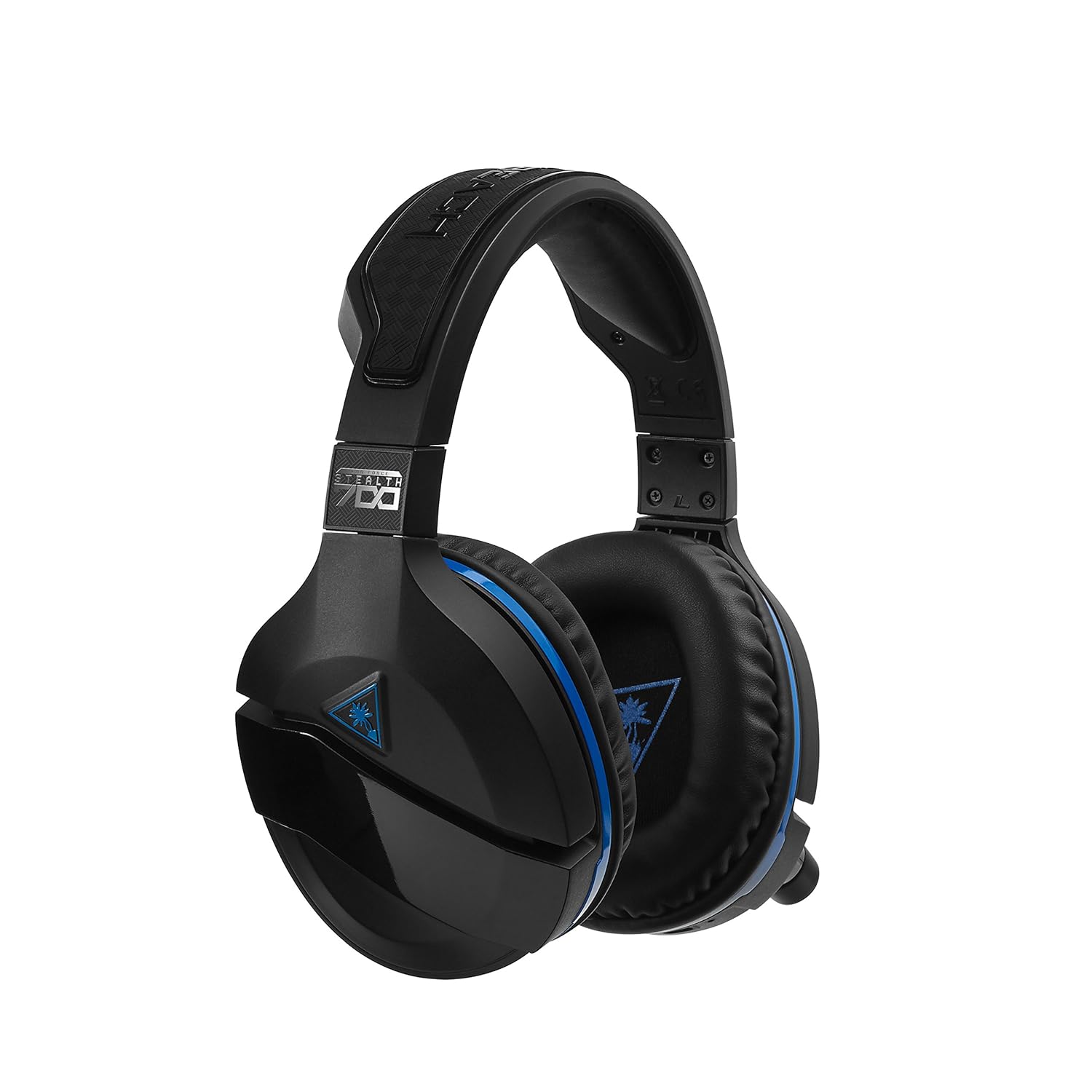
Figure 3: Right earcup controls and microphone in the down position.
- Цахилгаан товч: Turns the headset on/off.
- Bluetooth товчлуур: Bluetooth холболтыг эхлүүлнэ.
- Game Volume Dial: Adjusts the overall game audio volume.
- Chat Volume Dial: Adjusts the chat audio volume independently.
- Mic Monitoring Dial: Adjusts the level of your own voice heard in the headset.
- Superhuman Hearing Button: Activates/deactivates the Superhuman Hearing sound setting.
- Горимын товчлуур: Cycles through DTS surround sound modes and audio presets.

Figure 4: Microphone in the flipped-up (muted) position.
4. Тохируулах заавар
Follow these steps to set up your Turtle Beach Stealth 700 headset with your PlayStation console.
4.1 Анхны цэнэглэлт
- Connect the USB-C Charging Cable to the headset and a USB power source.
- Charge the headset fully before first use (approximately 5 hours). The LED indicator will change when fully charged.
4.2 Connecting to PlayStation (Wireless)
- Plug the Wireless USB Transmitter into an available USB port on your PlayStation console.
- Power on your Stealth 700 headset by pressing and holding the Power Button until the LED illuminates.
- The headset and transmitter should automatically pair. A solid LED on both indicates a successful connection.
- On your PlayStation, navigate to Тохиргоо> Төхөөрөмжүүд> Аудио төхөөрөмжүүд.
- Тохируулах Оролтын төхөөрөмж руу USB чихэвч (Turtle Beach Stealth 700).
- Тохируулах Гаралтын төхөөрөмж руу USB чихэвч (Turtle Beach Stealth 700).
- Тохируулах Чихэвч рүү гарга руу Бүх аудио.
- Adjust your volume levels as desired.
4.3 Bluetooth Pairing (for Mobile Devices)
The Stealth 700 supports Bluetooth connectivity for calls, music, and the Turtle Beach Audio Hub app while gaming.
- With the headset powered on, press and hold the Bluetooth товчлуур until the headset announces "Bluetooth Pairing" and the LED flashes blue.
- On your mobile device, go to Bluetooth settings and select "Stealth 700" from the list of available devices.
- The headset will announce "Bluetooth Paired" when the connection is successful.
5. Ашиглалтын заавар
5.1 Basic Audio Control
- Тоглоомын хэмжээ: Use the upper dial on the left earcup to adjust game audio.
- Chat Volume: Use the lower dial on the left earcup to adjust chat audio.
5.2 Микрофоны хэрэглээ
- Дууг хаахын тулд: Flip the microphone down.
- Дууг хаахын тулд: Flip the microphone up. The headset will provide an audible cue.
- Variable Mic Monitoring: Adjust the lower dial to control how much of your own voice you hear in the headset.
5.3 Идэвхтэй дуу чимээг арилгах (ANC)
The Stealth 700 features active noise-cancellation to minimize external distractions.
- To Activate/Deactivate: Press the Power Button briefly while the headset is on. The headset will announce the status.
5.4 Superhuman Hearing
This exclusive Turtle Beach sound setting enhances critical in-game sounds like footsteps and weapon reloads.
- To Activate/Deactivate: Press the dedicated Superhuman Hearing button on the left earcup.
5.5 Audio Presets and DTS Surround Sound
Cycle through different audio presets and DTS surround sound modes for an optimized listening experience.
- To Cycle: дээр дарна уу Горим товчлуур to switch between available presets (e.g., Bass Boost) and DTS Headphone:X 7.1 surround sound options.
6. Turtle Beach Audio Hub App
The Turtle Beach Audio Hub app (available for iOS and Android) allows you to customize various settings of your Stealth 700 headset via Bluetooth.
- Adjust mic monitoring levels.
- Select DTS surround sound modes.
- Choose from various audio presets, including Bass Boost.
- Enable/disable Dynamic Chat Boost.
- Bluetooth холболтыг удирдах.
7. Засвар үйлчилгээ
Зөв арчилгаа нь таны чихэвчний урт наслалт, гүйцэтгэлийг баталгаажуулдаг.
- Цэвэрлэгээ: Зөөлөн ашиглах, damp cloth to clean the headset. Avoid harsh chemicals.
- Хадгалах: Чихэвчийг нарны шууд тусгал, хэт температураас хол, сэрүүн, хуурай газар хадгална.
- Батерейны арчилгаа: Батерейг хамгийн оновчтой ашиглахын тулд зайгаа ойр ойрхон бүрэн цэнэггүй болгохоос зайлсхий. Тогтмол цэнэглэ.
8. Алдаа засах
If you encounter issues with your Stealth 700 headset, try the following solutions:
8.1 No Audio / Disconnection
- Чихэвч бүрэн цэнэглэгдэж, асаалттай байгаа эсэхийг шалгаарай.
- Verify the Wireless USB Transmitter is securely plugged into the console.
- Check PlayStation audio settings (Settings > Devices > Audio Devices) to ensure the headset is selected as input/output.
- Try re-pairing the headset and transmitter by powering both off and on.
8.2 Микрофон ажиллахгүй байна
- Ensure the microphone is flipped down to unmute.
- Check PlayStation audio settings to confirm the headset is selected as the input device.
- Adjust the Mic Monitoring dial to ensure it's not set to zero.
- Test the microphone with another application or device if possible.
8.3 Bluetooth холболтын асуудлууд
- Ensure the headset is in Bluetooth pairing mode (LED flashing blue).
- Forget the "Stealth 700" device from your mobile device's Bluetooth settings and try pairing again.
- Бусад Bluetooth төхөөрөмж холболтод саад болохгүй байгаа эсэхийг шалгаарай.
9. Техникийн үзүүлэлтүүд
| Онцлог | Дэлгэрэнгүй |
|---|---|
| Загварын дугаар | TBS-3770-01 |
| Холболт | Wireless (USB Transmitter), Bluetooth |
| Тохиромжтой төхөөрөмжүүд | PlayStation 5, PlayStation 4 |
| Аудио драйверын төрөл | Динамик драйвер |
| Чанга яригчийн хэмжээ | 50 мм |
| Зайны ашиглалт | 10 цаг хүртэл |
| Цэнэглэх хугацаа | Ойролцоогоор 5 цаг |
| Bluetooth хувилбар | 5.0 |
| Bluetooth хүрээ | 10 метр |
| Онцлог шинж чанарууд | DTS Headphone:X 7.1 Surround Sound, Active Noise Cancellation, Superhuman Hearing, ProSpecs Glasses Friendly Design, Dynamic Chat Boost, Variable Mic Monitoring |
| Материал | Faux Leather (ear cushions, headband) |
| Зүйлийн жин | 1.6 фунт |
10. Баталгаат хугацаа ба дэмжлэг
For detailed warranty information, product registration, and further technical support, please visit the official Turtle Beach webсайт дээр www.turtlebeach.com. You can also find FAQs and additional resources there.


