1. Танилцуулга
Welcome to the user manual for your Brother MFC-L8690CDW. This device is a high-performance color laser multifunction printer designed for efficient printing, scanning, and copying. It features an automatic document feeder, A4 paper compatibility, and duplex printing capabilities, making it suitable for various office and home office environments.
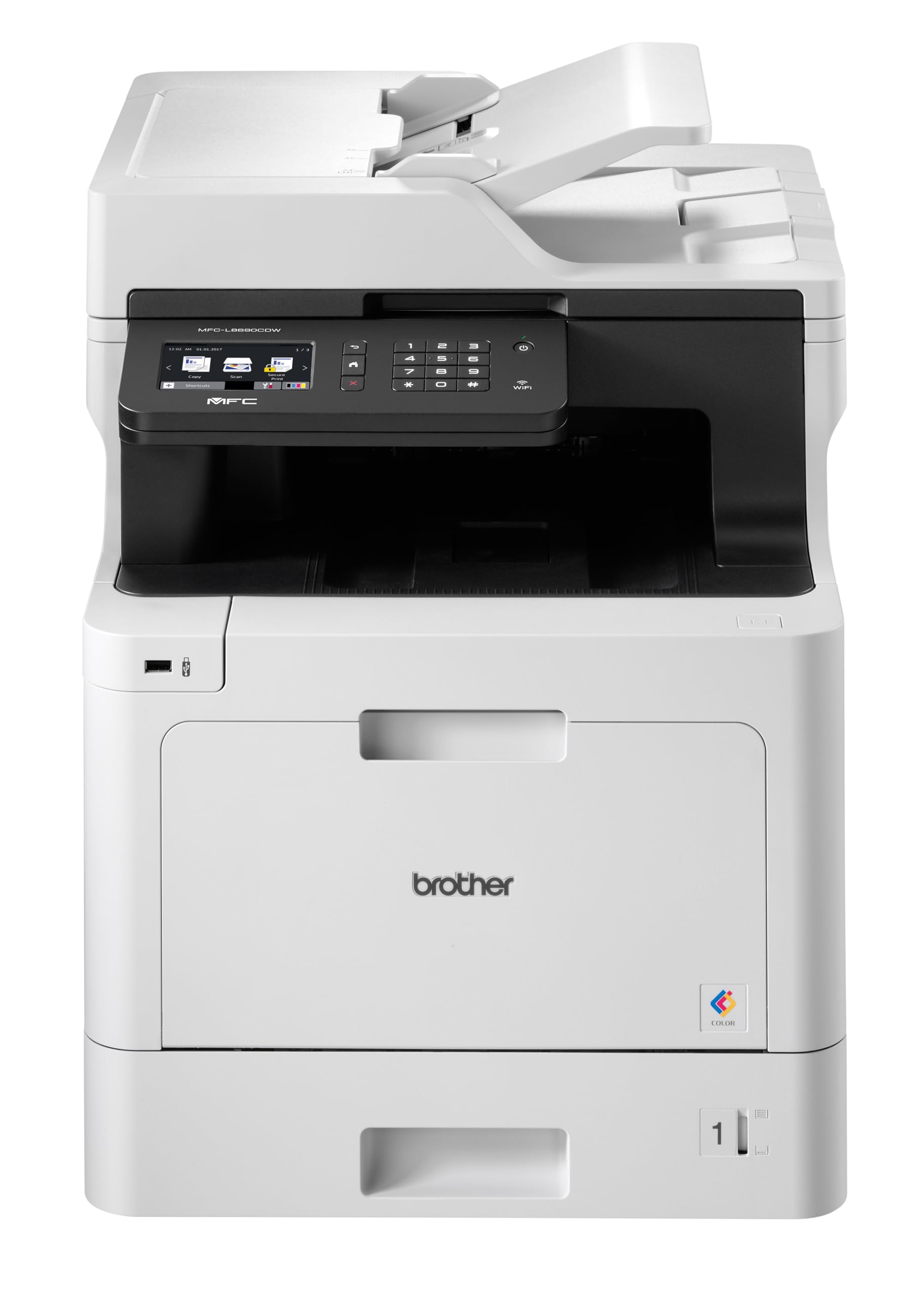
Урд view of the Brother MFC-L8690CDW color multifunction printer, showcasing түүний авсаархан дизайн, хяналтын самбар.
2. Тохиргоо
2.1 Сав баглаа боодолыг задлах, анхлан байрлуулах
Carefully remove the printer from its packaging. Ensure all protective tapes and packing materials are removed from the exterior and interior of the device. Place the printer on a stable, level surface with adequate ventilation, away from direct sunlight or heat sources.
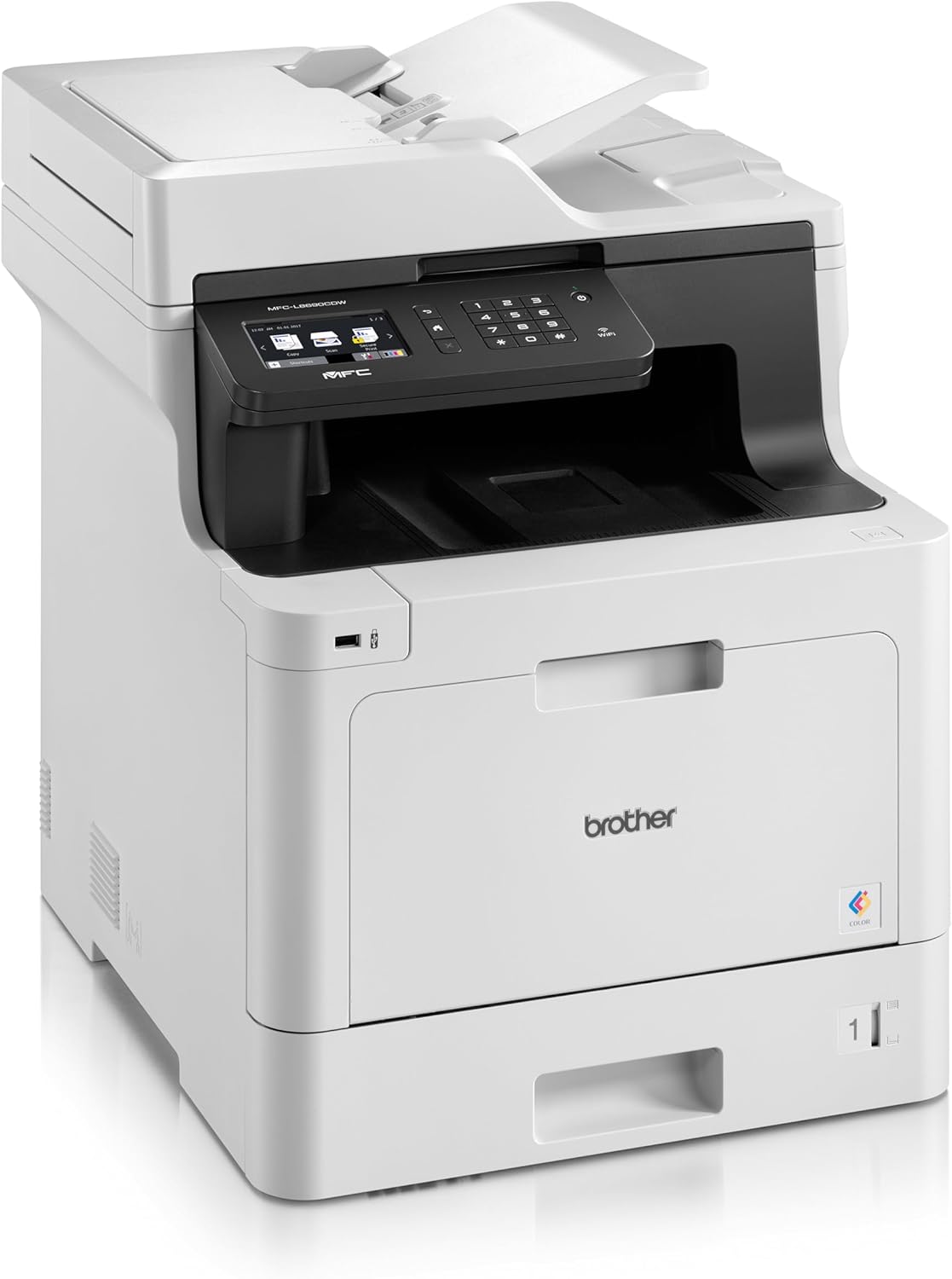
Урд view of the Brother MFC-L8690CDW, showing the control panel and paper output tray.
2.2 Эрчим хүчний холболт
Connect the power cord to the printer's power input and then to a grounded electrical outlet. Do not connect the printer to a power strip or surge protector during initial setup to avoid potential power issues.
2.3 Хорны хайрцаг суурилуулах
Open the front cover of the printer. Install the included toner cartridges into their respective color-coded slots. Ensure each cartridge clicks into place. Close the cover securely.
2.4 Цаас ачаалах
Open the main paper tray. Load standard A4 paper (or other supported sizes) into the tray, ensuring the print side is facing down. Adjust the paper guides to fit the paper size snugly without bending the paper.

Хажуу тал view of the Brother MFC-L8690CDW printer, illustrating the paper input tray.
2.5 Програм хангамж болон драйвер суулгах
Суулгах CD-г компьютерийнхээ CD-ROM хөтөч рүү хийх эсвэл Brother-ийн албан ёсны дэмжлэгээс хамгийн сүүлийн үеийн драйвер болон програм хангамжийг татаж аваарай website. Follow the on-screen instructions to complete the installation for your operating system.
2.6 Сүлжээний холболт
The MFC-L8690CDW supports both wired (Ethernet) and wireless (Wi-Fi IEEE 802.11b/g/n) connections.
2.6.1 утастай холболт
Чиглүүлэгч эсвэл сүлжээний төвөөсөө Ethernet кабелийг хэвлэгчийн ар талд байрлах Ethernet порт руу холбоно уу.
2.6.2 Утасгүй холболт
Принтерийн хяналтын самбар дээрээс дараах руу очно уу Сүлжээний тохиргоо, дараа нь WLAN. Select your Wi-Fi network from the list and enter the password when prompted.

Арын view of the Brother MFC-L8690CDW printer, highlighting the power input, Ethernet port, and USB port.
3. Ашиглалтын заавар
3.1 Үндсэн хэвлэх
From your computer, open the document you wish to print. Select Хэвлэх from the application's menu. Choose Ах MFC-L8690CDW as your printer. Adjust settings such as color/monochrome, duplex printing, and paper size as needed in the print dialog box. Click Хэвлэх to start the job.
3.2 Баримт бичгийг хуулбарлах
Place your document face down on the scanner glass or face up in the Automatic Document Feeder (ADF). On the printer's control panel, select Хуулбарлах. Adjust settings like number of copies, color/monochrome, and reduction/enlargement. Press Эхлэх хуулж эхлэх.
3.3 Баримт бичгийг сканнердах
Place your document on the scanner glass or in the ADF. On the printer's control panel, select Сканнердах. Choose your desired scan destination (e.g., computer, email, network folder). Adjust scan settings like resolution and file format. Press Эхлэх to initiate the scan.
4. Засвар үйлчилгээ
4.1 Принтерийг цэвэрлэх
Regularly clean the exterior of the printer with a soft, lint-free cloth. For the scanner glass, use a mild glass cleaner applied to a cloth, not directly to the glass, to avoid streaks or damage.
4.2 Хорны хайрцаг солих
When a toner cartridge is low or empty, the printer's display will indicate which cartridge needs replacement. Open the front cover, remove the old cartridge, and insert a new Brother genuine toner cartridge. Ensure it is securely seated before closing the cover.
4.3 Цаасан саатлыг арилгах
If a paper jam occurs, the printer display will show specific instructions and locations. Carefully open the indicated covers and gently pull out any jammed paper in the direction of the paper path. Avoid tearing the paper to prevent small pieces from remaining inside.
5. Алдаа засах
5.1 Нийтлэг асуудал ба шийдвэрлэх арга замууд
Принтер хариу өгөхгүй байна: Check the power connection, USB/network cable, and ensure the printer is online. Restart both the printer and your computer.
Хэвлэх чанар муу: Check toner levels. Perform a print quality test from the printer's menu. Clean the drum unit if necessary, following the instructions in the maintenance section.
Цаасан саатал: Follow the on-screen instructions to locate and remove jammed paper. Ensure paper is loaded correctly, not creased, and within the specified weight limits.
Сүлжээний холболтын асуудлууд: Verify your Wi-Fi password or Ethernet cable connection. Restart your router and printer. Ensure printer firmware is up to date by checking the Brother support webсайт.
6. Техникийн үзүүлэлтүүд
| Онцлог | Тодорхойлолт |
|---|---|
| Бүтээгдэхүүний хэмжээс | 10D x 48W x 50H сантиметр |
| Хянагчийн төрөл | Автомат |
| Хамгийн их медиа хэмжээ | A4 |
| Эрчим хүчний хэрэглээ | 680 ватт |
| Оруулсан бүрэлдэхүүн хэсгүүд | Brother Multifunction Laser MFC-L8690CDW Wifi Network |
| Хэвлэл мэдээллийн төрөл | Цаас (энгийн) |
| Сканнерийн төрөл | Баримт бичгийг автоматаар тэжээгч |
| Хамгийн их хуудасны багтаамж | 100 хуудас |
| Хамгийн их хуулбарлах хурд (Хар цагаан) | Минутанд 32 хуудас |
| Тохиромжтой төхөөрөмжүүд | Ширээний компьютерууд |
| Хамгийн их өнгөт хэвлэх нягтрал | 1200 x 1200 dpi |
| Хуудасны хэмжээ | 210 миллиметр |
| Хамгийн их хар ба цагаан хэвлэх нягтрал | 1200 x 1200 dpi |
| Баталгаат төрөл | Хязгаарлагдмал баталгаат хугацаа |
| Өнгөний гүн | 24 bpp |
| Дуплекс хэвлэх | Тиймээ |
| ЕХ-ны сэлбэг хэрэгслийн бэлэн байдал | 2 жил |
| Цуврал тутамд хамгийн их хувь | 32 |
| Хүч | 3600 (Unit not specified) |
| Бүтээгдэхүүний төрөл | Бүгдийг нэг дор |
| Үйлдлийн систем | Mac OS 10.15 Catalina (and compatible with other OS) |
| Холболтууд | Bluetooth, Ethernet, Mini USB |
| Санах ой | 4 (Unit not specified) |
| Нийт USB портууд | 1 |
| Батерей | 1 Лити-ион зай шаардлагатай |
| Програм хангамжийн шинэчлэлт хүртэл баталгаатай | 13 оны дөрөвдүгээр сарын 2030 |
| Брэнд | Ах |
| Холболтын технологи | Bluetooth |
| Хэвлэлийн технологи | Лазер |
| Өнгө | Олон өнгийн |
| Загварын нэр | MFC L 8690 CDW |
| Принтерийн гаралт | Өнгө |
| Хамгийн их хэвлэх хурд (өнгөт) | Минутанд 10 хуудас |
| Хамгийн их хэвлэх хурд (Цанг өнгөтэй) | Минутанд 10 хуудас |
| Зүйлийн жин | 19 кг |
| ASIN | B072C463YX |
| Эхний боломжтой огноо | 8 оны дөрөвдүгээр сарын 2022 |
| Үйлдвэрлэгч | АХ |
7. Баталгаат хугацаа ба дэмжлэг
7.1 Бүтээгдэхүүний баталгаа
This Brother MFC-L8690CDW printer comes with a limited warranty. Spare parts availability in the EU is guaranteed for 2 years from the date of purchase.
7.2 Програм хангамжийн шинэчлэлтүүд
Software updates for this model are guaranteed until April 13, 2030, ensuring continued compatibility and security enhancements.
7.3 Хэрэглэгчийн дэмжлэг
Техникийн туслалцаа, драйвер татаж авах болон нэмэлт дэмжлэг авахыг хүсвэл дараах хаягаар зочилно уу official Brother support webсайт or contact your local Brother customer service center. Have your model number (MFCL8690CDW) and serial number ready when contacting support.


