1. гаруйview
The Talking Products Voice Pad Voice Recorder (Model VP3-40-BLU) is a versatile digital voice recorder designed for capturing and playing back up to 40 seconds of audio. It serves as an excellent resource for communication, educational activities like phonics and speaking practice, and creating personalized audio messages. Its user-friendly design makes it suitable for various applications, including sensory learning and independent living aids.
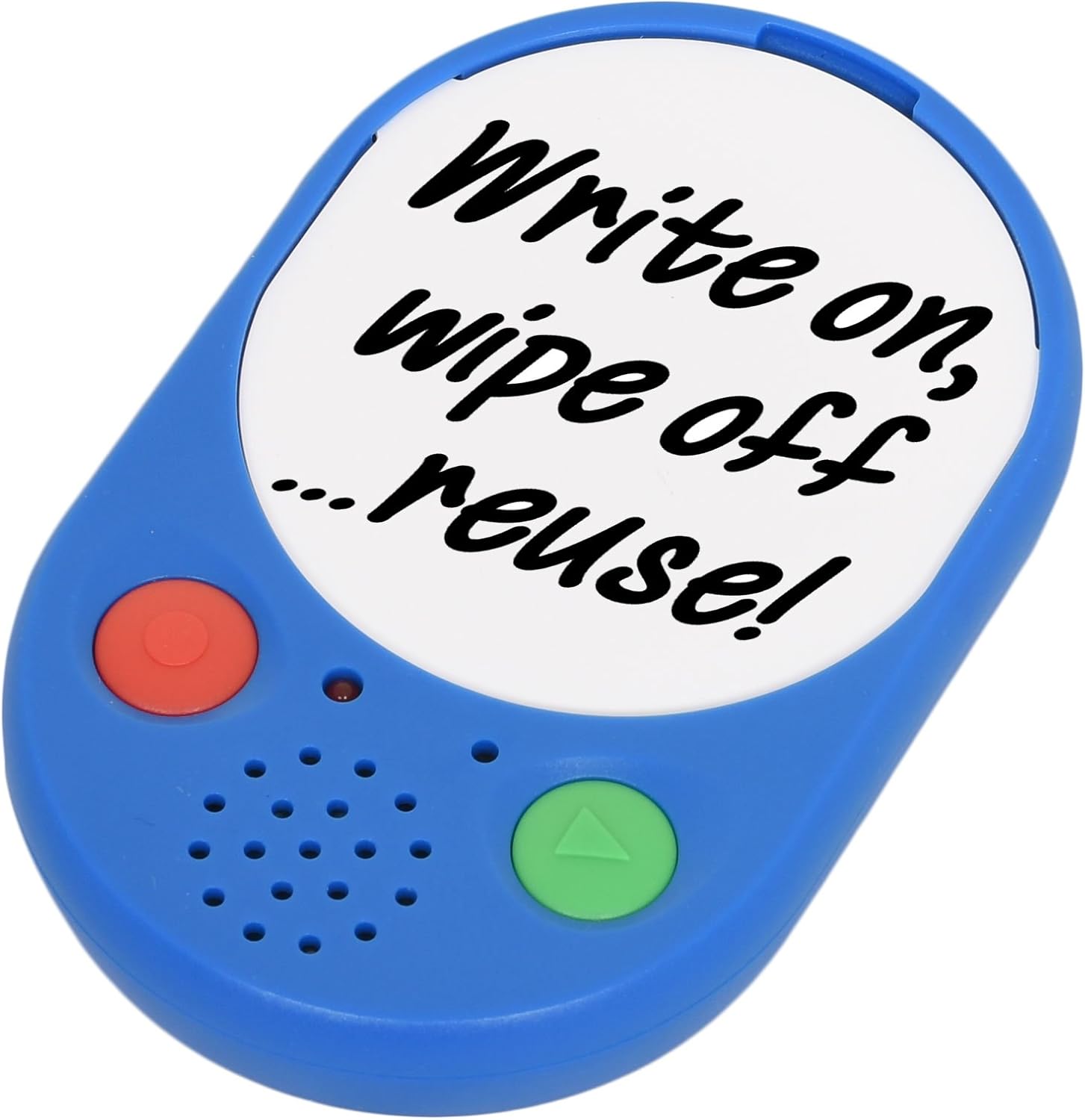
Image 1: The Voice Pad Voice Recorder, highlighting its reusability for custom messages.
2. Онцлогууд
- 40-Second Recording: Record and playback up to 40 seconds of speech, music, or sound effects.
- Re-recordable: Messages can be re-recorded as many times as desired, overwriting previous content.
- Тохиромжтой дэлгэц: Includes a removable clear cover, allowing you to insert photographs or pictures to match your recordings.
- Олон талт байршил: Features a wall mounting hole, built-in magnets, and a kickstand for flexible positioning.
- Хэрэглэгчдэд ээлтэй: Equipped with large, tactile buttons for easy operation.
- Батерейгаар ажилладаг: Requires replaceable AAA batteries for power.

Зураг 2: Нарийвчилсан нүүр view of the Voice Pad, highlighting its key components.

Image 3: Detailed rear view of the Voice Pad, illustrating its mounting and control features.
3. Багцын агуулга
Таны багцад бүх зүйл байгаа эсэхийг шалгана уу:
- 1 x Voice Pad Voice Recorder Unit
- 1 x Removable Clear Cover
- 1 x Dry Wipe Insert
Note: 3 x AAA batteries are required and not included in the package.
4. Тохиргоо
- Батерей суурилуулах:
- Locate the battery compartment on the rear side of the Voice Pad.
- Carefully open the battery door.
- Зөв туйлшралыг (+/-) баталгаажуулж, 3 AAA батерейг оруулаарай.
- Батерейны хаалгыг найдвартай хаах.
- Асаах/унтраах:
- -г гулсуулна уу ON/OFF унтраалга on the rear of the device to the 'ON' position to power it on.
- Slide to 'OFF' to power down.
- Дууны хяналт:
- Adjust the playback volume using the LOW/HIGH Switch located on the rear side.
- Message Protection Lock:
- To prevent accidental erasure of your recorded message, slide the LOCK Switch on the rear to the 'ON' position after recording.
- Дэлгэцийг тохируулах:
- Gently remove the clear cover from the front of the Voice Pad.
- Insert a photograph, picture, or use the provided dry wipe insert to write a message.
- Replace the clear cover securely.
5. Ашиглалтын заавар
5.1 Recording a Message
- Ensure the Voice Pad is powered on (ON/OFF switch to 'ON').
- эсэхийг шалгаарай Message Protection LOCK Switch on the rear is in the 'OFF' position.
- -г удаан дар red 'REC' button on the front of the device.
- Speak clearly into the built-in microphone. The device will record for up to 40 seconds.
- Release the 'REC' button to stop recording. The new recording will automatically overwrite any previous message.
5.2 Playing a Message
- Ensure the Voice Pad is powered on.
- дээр дарна уу green 'PLAY' button on the front of the device once to play your recorded message.
- Press the 'PLAY' button again to pause playback.
5.3 Protecting Your Message
To prevent accidental erasure of your recorded message:
- After recording, slide the Message Protection LOCK Switch on the rear of the device to the 'ON' position. This will disable the recording function until switched back to 'OFF'.

Image 4: Voice Pads used for phonics programs, demonstrating the customizable inserts.
Video 1: An official product video from Talking Products Limited demonstrating the Voice Pad's use for creating talking photo frames and fridge magnets, showcasing its recording and customization features.
6. Арчилгаа, засвар үйлчилгээ
- Цэвэрлэгээ: Wipe the Voice Pad with a soft, dry cloth. Avoid using abrasive cleaners, solvents, or harsh chemicals, as these may damage the device.
- Батерейны арчилгаа: Хэрэв төхөөрөмжийг удаан хугацаагаар ашиглахгүй бол алдагдахаас сэргийлж, батарейг нь салгаж ав.
- Хадгалах: Store the Voice Pad in a cool, dry place, away from direct sunlight, extreme temperatures, and excessive moisture.
- Харьцуулах: Handle the device with care to avoid dropping or subjecting it to strong impacts, which could damage internal components.
7. Алдаа засах
- No Sound or Low Sound During Playback:
- Төхөөрөмж асаалттай байгаа эсэхийг шалгаарай.
- -г шалгана уу LOW/HIGH Switch on the rear and set it to 'HIGH' for maximum volume.
- Verify that the batteries are correctly installed and have sufficient power. Replace with fresh AAA batteries if necessary.
- Cannot Record a Message:
- -ийг баталгаажуулах Message Protection LOCK Switch on the rear is in the 'OFF' position.
- Confirm that the batteries have sufficient power. Low battery levels can prevent recording.
- Recorded Message is Unclear or Distorted:
- Ensure you are speaking clearly and directly into the microphone during recording.
- Avoid recording in excessively noisy environments.
- Try re-recording the message.
- Төхөөрөмж асахгүй байна:
- Check battery installation and ensure polarity is correct.
- Батерейг шинээр солих.
- -ийг баталгаажуулах ON/OFF унтраалга is firmly in the 'ON' position.
8. Техникийн үзүүлэлтүүд
| Онцлог | Дэлгэрэнгүй |
|---|---|
| Бичлэг хийх хугацаа | 40 секунд |
| Эрчим хүчний эх үүсвэр | 3 x AAA батерей (оруулаагүй) |
| Бүтээгдэхүүний хэмжээс | 4.92 x 3.15 x 0.79 инч |
| Зүйлийн жин | 2.82 унц |
| Загварын дугаар | VP3-40-BLU |
| Үйлдвэрлэгч | Talking Products Ltd |
9. Баталгаат хугацаа ба дэмжлэг
This product is subject to a 30-day return policy for refund or replacement, as per standard retail terms.
For any product inquiries, technical support, or further assistance, please contact Talking Products Ltd directly. Refer to the product packaging or the official Talking Products webхамгийн сүүлийн үеийн холбоо барих мэдээллийг авах сайт.


