1. Танилцуулга
The UDIRC U46 Mini Drone is a compact quadcopter designed for beginners and recreational flying. It features user-friendly controls and safety mechanisms to ensure an enjoyable experience. This manual provides essential information for operating and maintaining your drone.

Image 1.1: The UDIRC U46 Mini Drone, its remote controller, and three included batteries.
2. Аюулгүй ажиллагааны заавар
- Насны зөвлөмж: Энэ бүтээгдэхүүнийг 14 ба түүнээс дээш насны хэрэглэгчдэд санал болгож байна.
- Дотор хэрэглээ: The U46 drone is primarily designed for indoor use. Avoid flying in windy conditions outdoors, as this can lead to loss of control.
- Цэвэрлэх талбай: Operate the drone in an open area free from obstacles, people, and pets.
- Сэнсний аюулгүй байдал: Keep fingers, hair, and loose clothing away from the spinning propellers. The drone features propeller guards for added safety.
- Батерейны аюулгүй байдал: Do not overcharge batteries. Use only the provided USB charger. Discontinue use if batteries show signs of damage or swelling.
- Усанд өртөх: Цахим эд ангиудыг гэмтээхгүйн тулд ус эсвэл чийгтэй холбоо барихаас зайлсхий.
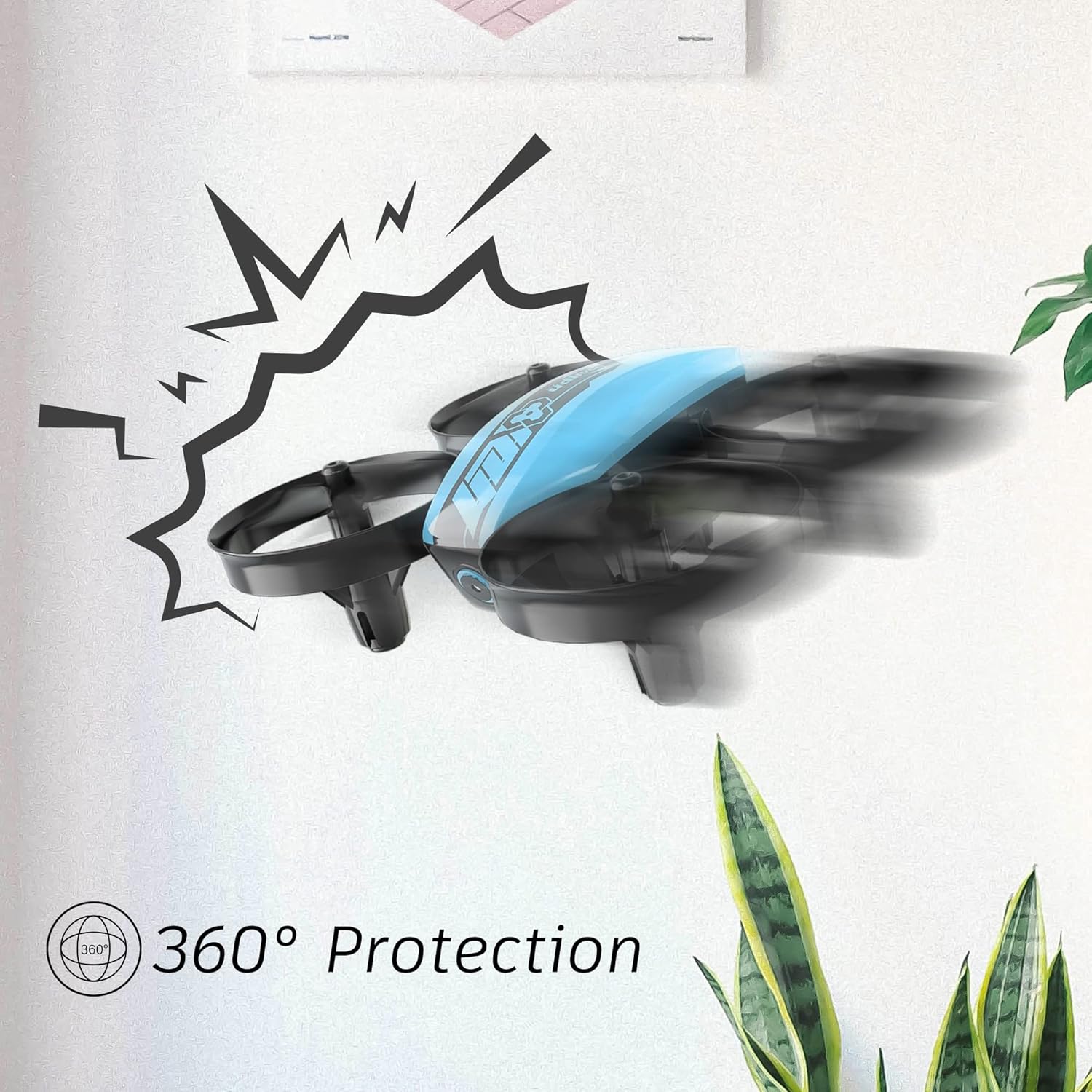
Image 2.1: The drone's 360-degree propeller protection guards help prevent damage during minor collisions.
3. Багцын агуулга
Бүх зүйл багцад байгаа эсэхийг шалгана уу:
- 1 x U46 Mini Drone
- 1 x Хянагч
- 3 x Drone Batteries
- 1 x USB цэнэглэгч
- 4 x Extra Propellers
- 1 х хэрэглэгчийн гарын авлага

Image 3.1: All components included in the UDIRC U46 Mini Drone package.
4. Бүрэлдэхүүн хэсгүүд дууссанview
Familiarize yourself with the drone and controller components.
4.1 Дроны бүрэлдэхүүн хэсгүүд
- Сэнс: Four rotating blades for lift and movement.
- Сэнсний хамгаалагчид: Integrated protective rings around each propeller.
- Үндсэн хэсэг: Houses the electronics and battery.
- Заагч гэрэл: Provide status information (e.g., pairing, low battery).
4.2 Хяналтын бүрэлдэхүүн хэсгүүд
- Зүүн жийстик (Агаар тохируулагч/Хажуу тийш): Өндөрлөг болон эргэлтийг хянадаг.
- Баруун жийстик (Өнхрүүлэлт/Өнхрүүлэлт): Урагш / арагшаа, зүүн / баруун хөдөлгөөнийг удирддаг.
- One Key Take-off/Landing Button: Автоматаар хөөрөх эсвэл буух үйлдлийг эхлүүлнэ.
- Хурдны горимын товчлуур: Toggles between different flight speeds.
- Толгойгүй горимын товчлуур: Activates headless flight.
- Эрчим хүч солих: Хянагчийг асаана/унтраана.
- Заагч гэрэл: Shows controller status.
5. Тохиргоо
5.1 Дроны батерейг цэнэглэх
- Connect the drone battery to the USB charger.
- Plug the USB charger into a USB power source (e.g., computer, USB wall adapter).
- The indicator light on the USB charger will illuminate during charging and turn off when fully charged.
- Charging time is approximately 30 minutes per battery.
5.2 Хянагчийн батерей суурилуулах
- Open the battery compartment on the back of the controller.
- Insert 3 x 1.5V AA batteries (not included), ensuring correct polarity.
- Зайны тасалгааг найдвартай хаа.
5.3 Дрон болон удирдлагыг хослуулах
- Дроныг тэгш, тэгш гадаргуу дээр байрлуул.
- Дроны цахилгаан унтраалгыг асаана уу. Дроны заагч гэрэл анивчих болно.
- Turn on the controller's power switch. The controller's indicator light will flash.
- Зүүн удирдлагын товчлуурыг (жойлстик) бүхэлд нь дээш, дараа нь бүхэлд нь доош нь түлх.
- The drone and controller indicator lights will become solid, indicating successful pairing.
Video 5.1: This video demonstrates the simple frequency pairing process, one-key take-off/landing, headless mode, altitude hold, and low battery alarm features of the UDI U46 Mini Drone.
6. Дроныг ажиллуулах
6.1 Нэг түлхүүрээр хөөрөх, буух
- After pairing, press the One Key Take-off/Landing button. The drone will automatically ascend to a stable hovering altitude.
- To land, press the One Key Take-off/Landing button again. The drone will slowly descend and land.
6.2 Нислэгийн удирдлага
- Зүүн Жойстик (Хурдан тохируулагч): Push up to increase altitude, pull down to decrease altitude.
- Left Joystick (Yaw): Push left or right to rotate the drone horizontally.
- Right Joystick (Pitch): Push up to fly forward, pull down to fly backward.
- Right Joystick (Roll): Push left to fly left, push right to fly right.
6.3 Толгойгүй горим
- Press the Headless Mode button to activate. In this mode, the drone's orientation is irrelevant; it will always move relative to the pilot's position.
- Press the button again to exit Headless Mode.
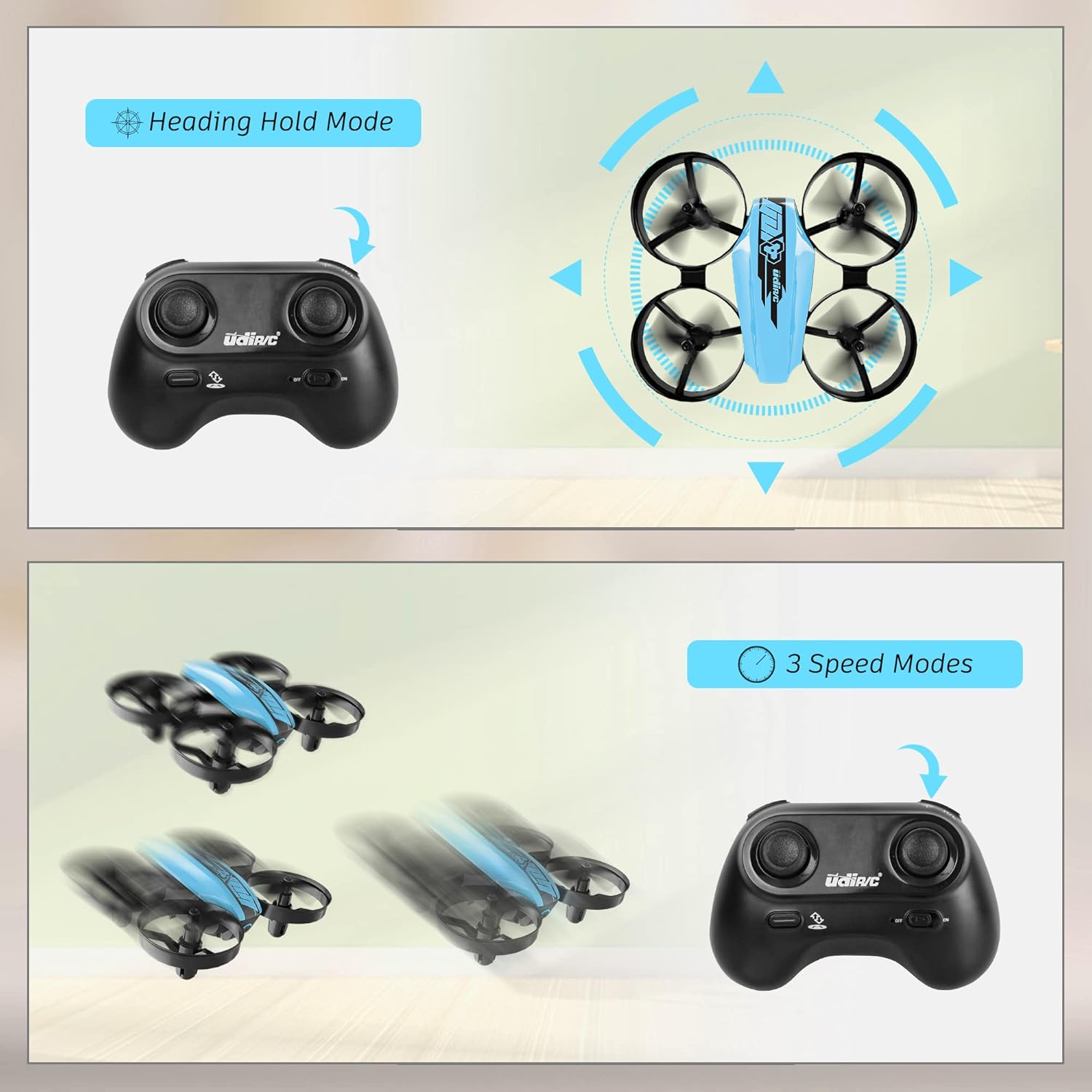
Image 6.1: Illustration of the Headless Mode feature and its activation on the controller.
6.4 Altitude Hold Function
- The U46 drone features an altitude hold function, allowing it to maintain a stable height automatically. This simplifies control, especially for beginners.

Image 6.2: Visual representation of Altitude Hold Mode, One Button Take Off/Landing, and Emergency Stop features.
6.5 хурдны горим
- The drone has three speed modes (low, medium, high). Press the Speed Mode button to cycle through them.
- Start with low speed for learning and gradually increase as you gain proficiency.
6.6 Яаралтай зогсолт
- In case of an emergency or loss of control, press and hold the One Key Take-off/Landing button for a few seconds to perform an emergency stop. The propellers will immediately cease rotation.
7. Засвар үйлчилгээ
7.1 Сэнс солих
- If a propeller is damaged, carefully remove it and replace it with a new one from the spare parts. Ensure the correct propeller (A or B) is installed on the corresponding motor.
7.2 Цэвэрлэгээ ба хадгалах
- Wipe the drone with a soft, dry cloth after use. Avoid using water or cleaning agents.
- Store the drone and controller in a cool, dry place, away from direct sunlight and extreme temperatures.
- Remove batteries from the controller if storing for extended periods.
8. Алдаа засах
- Дрон хариу өгөхгүй байна: Ensure both drone and controller are powered on and successfully paired. Check controller batteries.
- Нислэгийн үеэр дрон нисдэг: Perform calibration on a flat surface. Use the trim buttons on the controller to adjust for minor drifts.
- Нислэгийн богино хугацаа: Ensure batteries are fully charged. Flight time can vary based on flight style and environmental factors.
- Сэнс эргэхгүй байна: Check for obstructions or damage to propellers. Ensure they are correctly installed.
- Батарей багатай дохиолол: The controller will emit an alarm sound when the drone's battery is low, indicating it's time to land and recharge.
9. Техникийн үзүүлэлтүүд
| Брэнд | UDIRC |
| Загварын нэр | U46S |
| Дроны жин | 0.05 фунт (ойролцоогоор 22.68 грамм) |
| Дроны хэмжээс | 3.54"L x 3.54"W x 1.25"H |
| Нислэгийн цаг | 6-7 minutes per battery (up to 21 minutes with 3 batteries) |
| Хянагчийн давтамж | 2.4 GHz |
| Хяналтын батерей | 3 x 1.5V АА батерей (оруулаагүй) |
| Зайны багтаамж | 180 саяamp Цаг (Li-Po) |
| Ур чадварын түвшин | Эхлэгч |
| Онцлог шинж чанарууд | Altitude Hold, Headless Mode, One Key Take-off/Landing, 3 Speed Modes, 360° Protection |

Image 9.1: Flight time illustration, showing extended flight with multiple batteries.

Image 9.2: Dimensions of the UDIRC U46 Mini Drone, shown next to a smartphone for size comparison.
10. Баталгаат хугацаа ба дэмжлэг
For warranty information or technical support, please refer to the contact details provided with your purchase or visit the official UDIRC webсайт. Баталгаат нэхэмжлэл гаргахын тулд худалдан авалтаа нотлох баримтаа хадгалаарай.


