1. гаруйview
The Aerocool Cylon RGB Midi-Tower PC Case, model ACCM-PV10012.11, is designed to house computer components, offering both functionality and aesthetic appeal. It features a side window panel for showcasing internal hardware and an RGB LED illumination strip on the front panel for customizable lighting effects. This case supports ATX motherboards and provides ample space for various components, including multiple storage drives and cooling solutions.

Зураг 1: Урд view of the Aerocool Cylon RGB Midi-Tower PC Case, highlighting its distinctive RGB LED strip.
2. Багцын агуулга
Бүх зүйл багцад байгаа эсэхийг шалгана уу:
- Aerocool Cylon RGB Midi-Tower PC Case (ACCM-PV10012.11)
- Accessory box (containing screws, standoffs, cable ties, etc.)
- Хэрэглэгчийн гарын авлага (энэ баримт бичиг)
3. Аюулгүй байдлын мэдээлэл
Read and understand all safety instructions before installing or operating the PC case. Failure to do so may result in injury or damage to the product.
- Суурилуулалт эсвэл засвар үйлчилгээ хийхээсээ өмнө цахилгаан тэжээлийг үргэлж хананы залгуураас салга.
- Гэмтлээс урьдчилан сэргийлэхийн тулд бүх эд ангиудыг болгоомжтой харьц.
- Avoid touching electronic components directly; use anti-static precautions if possible.
- Keep small parts and accessories out of reach of children.
- Хэт халалтаас урьдчилан сэргийлэхийн тулд хайрцгийн эргэн тойронд агааржуулалтыг зөв хийх хэрэгтэй.
4. Тохиргоо ба суурилуулалт
4.1 Хэргийг бэлтгэх
Before installing components, remove the side panels to access the interior of the case.
- Хайрцгийг хавтгай, тогтвортой гадаргуу дээр байрлуул.
- Locate the thumbscrews on the rear of the case securing the side panel.
- Unscrew the thumbscrews and carefully slide the side panel backward, then lift it off. Repeat for the other side panel if necessary.
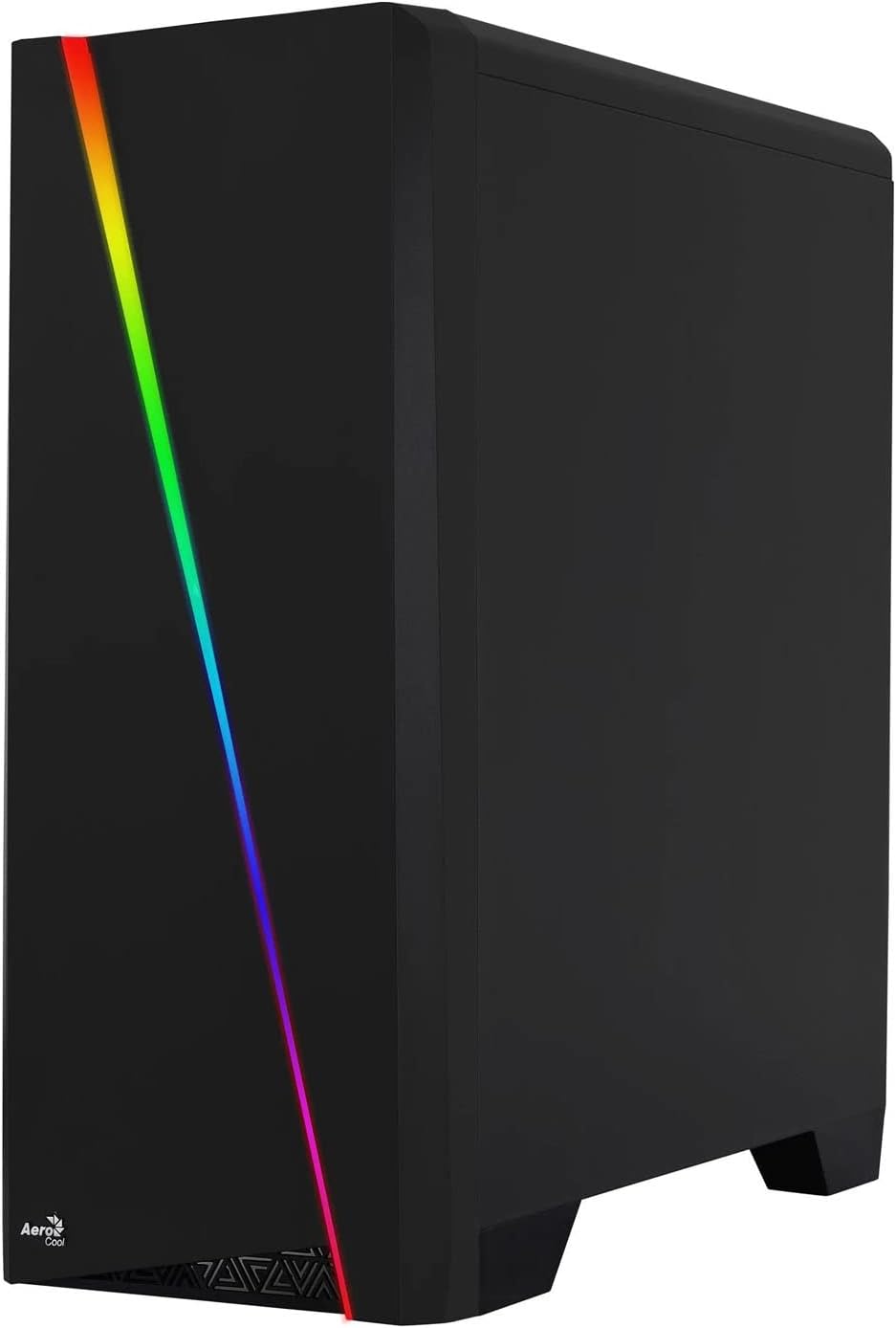

Figure 2: Left image shows the side panel attached, right image shows the side panel removed for access.
4.2 Эх хавтангийн суурилуулалт
The Aerocool Cylon case supports ATX motherboards.
- Install the I/O shield that came with your motherboard into the opening at the rear of the case.
- Ensure motherboard standoffs are correctly aligned with your motherboard's screw holes. Install any missing standoffs from the accessory box.
- Эх хавтангаа тулгуур дээр болгоомжтой байрлуулж, шурагны нүхнүүдийг тэгшлээрэй.
- Эх хавтанг дагалдах хэрэгслийн хайрцгаас тохирох боолтоор бэхлэнэ үү.
4.3 Drive Installation (2.5" / 3.5")
The case provides bays for 2.5-inch and 3.5-inch drives.
- Locate the drive bays within the case. Refer to the case diagram for specific locations.
- For 3.5-inch HDDs, slide the drive into the designated tray or bay and secure it with screws.
- For 2.5-inch SSDs, mount the drive onto the designated bracket or tray and secure it with screws.
4.4 Цахилгаан хангамжийн нэгж (PSU) суурилуулах
The PSU is typically mounted at the bottom rear of the case.
- Slide the PSU into its designated compartment from the rear of the case.
- Align the PSU's screw holes with those on the case.
- Secure the PSU with the provided screws.
4.5 Expansion Card (GPU) Installation
Install your graphics card or other expansion cards into the PCIe slots.
- Remove the necessary PCI-E slot covers from the rear of the case corresponding to your expansion card's size.
- Carefully insert the expansion card into the appropriate PCI-E slot on the motherboard until it clicks into place.
- Secure the expansion card with screws.

Зураг 3: Ар талд view of the PC case, showing the expansion slots and I/O area.
4.6 Fan / Liquid Cooling Radiator Installation
The Aerocool Cylon case supports various cooling configurations.
- Арын: 1 x 120mm fan (pre-installed or optional).
- Топ: Supports 2 x 120mm fans or 1 x 240mm radiator.
- Доод талд: Supports 2 x 120mm fans.
- Mount fans or radiators to their respective positions using the appropriate screws.
- Сэнсний тэжээлийн кабелийг эх хавтан эсвэл сэнсний хянагчтай холбоно уу.

Figure 4: An interior shot of the case, illustrating potential fan and liquid cooling radiator placements.
4.7 Кабелийн менежмент
Effective cable management improves airflow and aesthetics.
- Route cables through the cutouts and behind the motherboard tray.
- Use cable ties (included in the accessory box) to bundle and secure cables.
4.8 Урд самбарын оролт/гаралтыг холбох
Connect the front panel cables to the corresponding headers on your motherboard.
- USB 3.0: Connect the USB 3.0 cable to the motherboard's USB 3.0 header.
- USB 2.0: Connect the USB 2.0 cables (x2) to the motherboard's USB 2.0 headers.
- HD Аудио: HD Аудио кабелийг эх хавтангийн аудио толгой хэсэгт холбоно уу.
- Асаах/Дахин тохируулах/LED гэрэл: Connect the small individual cables (Power SW, Reset SW, HDD LED, Power LED) to the motherboard's front panel headers according to your motherboard manual.
5. Компьютерийн гэрийг ажиллуулах
Once all components are installed and connected, reattach the side panels and power on your system.
- Асаах: Press the power button located on the top I/O panel of the case.
- RGB гэрэлтүүлгийн удирдлага: The front panel RGB LED illumination can be controlled via a dedicated button on the top I/O panel or through compatible motherboard software, depending on your setup. Refer to your motherboard manual for software control options.
6. Засвар үйлчилгээ
Regular maintenance helps ensure optimal performance and longevity of your PC case and components.
- Тоосны шүүлтүүр цэвэрлэх: The case features dust filters (e.g., on the top and bottom). Regularly remove and clean these filters to prevent dust buildup and maintain good airflow. Use compressed air or a soft brush.
- Ерөнхий цэвэрлэгээ: Зөөлөн ашиглах, damp cloth to wipe down the exterior of the case. Avoid abrasive cleaners or solvents. For the transparent side panel, use a microfiber cloth to prevent scratches.
7. Алдаа засах
Хэрэв танд асуудал тулгарвал дараах нийтлэг алдааг олж засварлах алхмуудыг анхаарч үзээрэй.
- Эрчим хүчгүй: Ensure the PSU is properly connected to the wall outlet and the power switch on the PSU is in the 'ON' position. Verify all power cables to the motherboard and components are securely seated.
- Фэнүүд эргэхгүй байна: Check that all fan cables are correctly connected to the motherboard or fan controller. Ensure the system is receiving power.
- RGB Not Working: Confirm RGB cables are properly connected. If using motherboard software, ensure it is installed and configured correctly.
- Сул холболтууд: Recheck all internal connections (power, data, front panel I/O) to ensure they are firmly seated.
8. Техникийн үзүүлэлтүүд
| Онцлог | Тодорхойлолт |
|---|---|
| Загварын нэр | ACCM-PV10012.11 |
| Кейсийн төрөл | Миди цамхаг |
| Эх хавтангийн нийцтэй байдал | ATX |
| Хэмжээ (LxWxH) | 16.26 x 7.8 x 18.07 инч |
| Зүйлийн жин | 8.36 фунт |
| Материал | Акрил |
| USB 3.0 портууд | 1 |
| USB 2.0 портууд | 2 |
| Хөргөх арга | Агаар |
| Сэнсний хэмжээ (Арын) | 120 миллиметр |
| RGB гэрэлтүүлэг | Front Panel LED Strip |
9. Баталгаат хугацааны мэдээлэл
The Aerocool Cylon RGB Midi-Tower PC Case is covered by a manufacturer's warranty. Please refer to the warranty card included with your product or visit the official AeroCool webХамрах хугацаа болон нэхэмжлэлийн журмыг багтаасан баталгаат хугацааны дэлгэрэнгүй нөхцөл, болзлыг сайтаас үзнэ үү.
10. Дэмжлэг
For further assistance, technical support, or to download the latest drivers and software, please visit the official AeroCool webсайт:
Webсайт: www.aerocool.io
You may also contact AeroCool customer service through the contact information provided on their webсайт.


