1. Танилцуулга
The HyperX Cloud Flight is a wireless gaming headset designed for extended use and immersive audio experiences. It features a robust 2.4GHz wireless connection, a long-lasting battery, and comfortable memory foam earcups. This manual provides essential information for setting up, operating, and maintaining your headset.
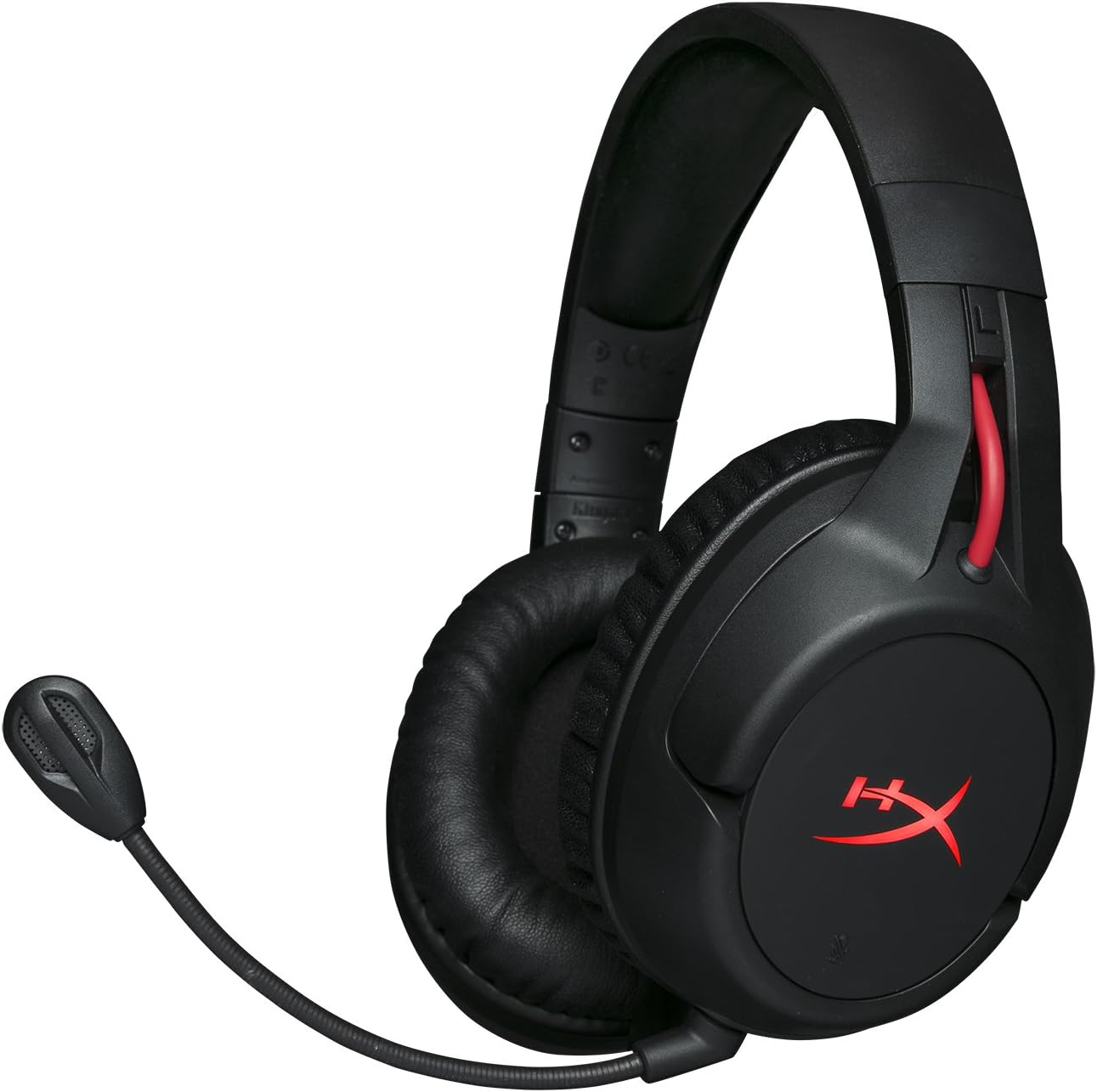
Figure 1.1: HyperX Cloud Flight Wireless Gaming Headset.
2. Багцын агуулга
Бүх зүйл багцад байгаа эсэхийг шалгаарай:
- HyperX Cloud Flight Headset
- Салдаг дуу чимээг арилгах микрофон
- USB цэнэглэгч кабель
- USB утасгүй адаптер
- Хэрэглэгчийн гарын авлага

Figure 2.1: Included components of the HyperX Cloud Flight headset.
3. Бүтээгдэхүүний онцлог
- Gaming-Grade Wireless: Utilizes a stable 2.4GHz wireless connection for reliable audio transmission.
- Өргөтгөсөн зай: Up to 30 hours of battery life with LED lights off, allowing for prolonged gaming sessions.
- Signature HyperX Comfort: Features comfortable memory foam earcups and a durable, adjustable steel slider for a secure and pleasant fit.
- Олон платформын нийцтэй байдал: Compatible with PC, PlayStation 4, and PlayStation 5.
- Rotating Ear Cups: Ear cups rotate 90 degrees for comfortable resting around your neck and feature LED lighting effects.
- Intuitive On-Board Controls: Convenient controls for LED effects, microphone mute, power, and volume are located on the ear cups.
- Салгаж болдог дуу чимээг намсгадаг микрофон: Ensures clear communication and can be removed when not needed. The microphone functions only in wireless mode and is compatible with PC and PS4.
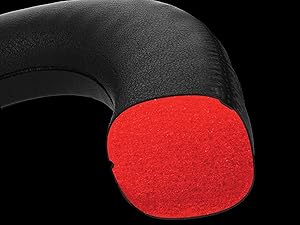
Figure 3.1: Headset designed for comfort during extended use.

Figure 3.2: Durable steel slider for adjustability and longevity.
4. Тохируулах заавар
- Чихэвчийг цэнэглэх: Before first use, fully charge the headset using the provided USB charging cable. Connect the micro-USB end to the headset and the USB-A end to a powered USB port.
- Connect USB Wireless Adapter: Insert the USB wireless adapter into an available USB port on your PC, PS4, or PS5.
- Асаах чихэвч: Press and hold the power button on the left earcup for 3-5 seconds until the LED indicator lights up. The headset will automatically pair with the USB adapter.
- Микрофоныг холбох: Insert the detachable noise-cancelling microphone into the port on the left earcup. Ensure it clicks securely into place.
- Adjust Settings (PC/PS4/PS5):
- PC: Go to Sound Settings and select "HyperX Cloud Flight" as the default playback and recording device.
- PS4/PS5: Go to Sound/Audio Devices settings and ensure "HyperX Cloud Flight" is selected for both input and output.
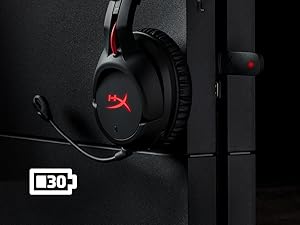
Figure 4.1: Connecting the USB adapter to a console for wireless operation.
5. Ашиглалтын заавар
- Асаах/унтраах: Press and hold the power button on the left earcup for 3-5 seconds.
- Дууны хяналт: Use the volume wheel located on the bottom of the right earcup to adjust audio output.
- Микрофоны дууг хаах: Press the button on the left earcup to mute/unmute the microphone. An audible indicator will confirm the status.
- LED эффектүүд: Briefly press the power button to cycle through LED lighting effects (Solid LED, Breathing LED, LED Off).
- Chat Mixer (PC/PS4): The headset features a chat mixer on the left earcup. The front button prioritizes game volume, while the rear button prioritizes chat volume.
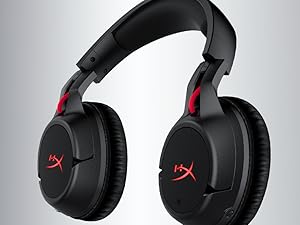
Figure 5.1: On-board controls for volume and microphone mute.
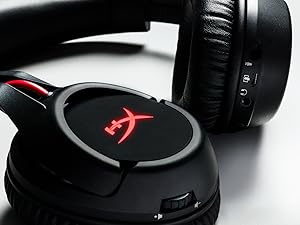
Figure 5.2: Detachable microphone for clear voice communication.
6. Цэнэглэх ба зайны ашиглалтын хугацаа
The HyperX Cloud Flight headset offers impressive battery performance:
- LED унтраалттай: 30 цаг хүртэл
- Амьсгалын LED: 18 цаг хүртэл
- Хатуу LED: 13 цаг хүртэл
Battery life is tested at 50% headset volume. Audible indicators will notify you of low battery status. Use the provided USB charging cable to recharge the headset.
Видео 6.1: Бүтээгдэхүүн дууссанview showcasing features including battery life.
7. Засвар үйлчилгээ, арчилгаа
- Чихэвчийг ашиглаагүй үед цэвэр, хуурай газар хадгална.
- Clean earcups and headband with a soft, damp даавуу. Химийн хүчтэй бодисоос зайлсхий.
- Do not expose the headset to extreme temperatures or direct sunlight.
- Чихэвчийг унагах эсвэл хүчтэй цохилтонд оруулахаас зайлсхий.
8. Алдаа засах
- Аудио/Микрофон байхгүй:
- Чихэвч асаалттай, бүрэн цэнэглэгдсэн эсэхийг шалгаарай.
- Verify the USB wireless adapter is securely connected to your device.
- Check your device's sound settings to ensure "HyperX Cloud Flight" is selected as the default audio input/output.
- Confirm the microphone is properly attached and not muted.
- Poor Wireless Connection:
- Ensure the headset is within the 20-meter wireless range of the USB adapter.
- Minimize obstructions between the headset and the adapter.
- Бусад 2.4GHz төхөөрөмжүүдийн хөндлөнгийн оролцооноос зайлсхий.
- Чихэвч цэнэглэхгүй байна:
- Verify the USB charging cable is correctly connected to both the headset and a powered USB port.
- Өөр USB порт эсвэл цэнэглэгч кабель ашиглаж үзнэ үү.
9. Техникийн үзүүлэлтүүд
| Онцлог | Дэлгэрэнгүй |
|---|---|
| Загварын нэр | Cloud Flight |
| Холболтын технологи | Утасгүй (2.4GHz) |
| Утасгүй сүлжээ | 20 метр хүртэл |
| Тохиромжтой төхөөрөмжүүд | PC, PS4, PS5 |
| Жолооч | Динамик, неодим соронзтой 50 мм |
| Чихэвчний төрөл | Дугуй, хаалттай |
| Давтамжийн хариу үйлдэл | 20 Гц - 20,000 Гц |
| Эсэргүүцэл | 32 Ом |
| Дууны даралтын түвшин | 106 dBSPL/mW at 1kHz |
| THD | <2% |
| Чихэвчний жин | 300g (315g with mic) |
| Микрофоны элемент | Электрет конденсатор микрофон |
| Микрофон туйлын загвар | Дуу чимээ дарах |
| Микрофоны давтамжийн хариу үйлдэл | 100 Гц - 7000 Гц |
| Микрофоны мэдрэмж | -45dBV (0dB=1V/Pa, 1kHz) |
| Battery Life (LED off) | 30 цаг |
| Battery Life (Breathing LED) | 18 цаг |
| Battery Life (Solid LED) | 13 цаг |
| Материал | Memory Foam, Premium Leatherette, Steel |
| Хэмжээ (LxWxH) | 7.48 x 3.43 x 7.36 инч |
| UPC | 196188048207 |
10. Баталгаат хугацаа ба дэмжлэг
The HyperX Cloud Flight headset typically comes with a 2-year manufacturer's warranty. For technical support, warranty claims, or additional product information, please visit the official HyperX support webсайт эсвэл харилцагчийн үйлчилгээтэй холбогдоно уу.
Та нэмэлт мэдээлэл, тусламжийн эх сурвалжийг эндээс авах боломжтой Амазон дээрх HyperX дэлгүүр.


